 SS
SS
Key Takeaways
- A fully optimized LinkedIn profile acts as a passive job search engine, increasing visibility to recruiters through keyword matching.
- Profiles with photos receive significantly more views, so use a clear, professional, and high-resolution photo with a clean background.
- The LinkedIn background banner should reflect your professional identity and personal brand, enhancing credibility.
- Your headline is crucial for visibility; it should include your role, key skills, value proposition, and optionally your job-seeking status.
- The About section should be a personal statement written in first person, detailing your skills and achievements, and ending with a call to action.
A fully optimized LinkedIn profile is a passive job search engine. Recruiters use LinkedIn Recruiter's search to filter by job title, skills, location, years of experience, and current employer - and the profiles that match those filters with the right keywords get the interviews. Profiles with missing sections, generic headlines, or no skill endorsements rarely appear.
This guide covers every section of your LinkedIn profile and how to optimize each one for recruiter visibility, keyword matching, and professional credibility.
This works alongside a strong resume. For resume optimization, use the TailorCV ATS score checker. For active job searching on LinkedIn, read the LinkedIn job search guide. For cold outreach strategy, see the cold email recruiter guide.
LinkedIn Profile Photo
Profiles with photos receive 14x more views than those without. Use a photo that is:
- Clear and well-lit (natural light from a window works perfectly)
- Professional but not stiff - a genuine, approachable expression
- High resolution - not blurry or pixelated
- Close-up: face and shoulders, not full body
- Clean background - white, grey, or outdoor natural background
Avoid: sunglasses, group photos, wedding photos, holiday photos, or photos from 10 years ago.
LinkedIn Background Banner
The banner (the rectangle behind your profile photo) is one of the most overlooked profile elements.
Use it to communicate:
- Your professional identity (e.g., "Backend Engineer | Python | AWS")
- Your personal brand (e.g., a subtle tech or design background image)
- A portfolio call-to-action (e.g., "portfolio: yourname.dev")
Create a free banner on Canva using one of their LinkedIn banner templates. A professional-looking banner immediately elevates your profile credibility.
LinkedIn Headline - The Most Important Field
Your headline appears in search results, connection requests, and recruiter search. It is the second thing people read after your name.
Default (weak): software engineer at TechCorp
Optimized: Backend Engineer | Python · Node.js · AWS | Building Scalable APIs | Open to New Opportunities
Formula for optimized headline: [Role Type] | [Key Skills 1 · 2 · 3] | [Value prop or domain] | [Status - optional]
Examples by Role
data scientist: data scientist | Python · PyTorch · SQL | ML in Healthcare & Finance | Open to Roles
product manager: product manager | B2B SaaS | 0->1 and Growth | Previously at [Company]
UX Designer: UX Designer | Figma · Prototyping · User Research | Improving Conversion Rates | portfolio: [link]
Mechanical Engineer: Mechanical Engineer | SolidWorks · FEA · DFM | Automotive & Consumer Products
Nurse: Registered Nurse (RN, BSN) | ICU · Critical Care | ACLS · CCRN Certified | Open to Opportunities
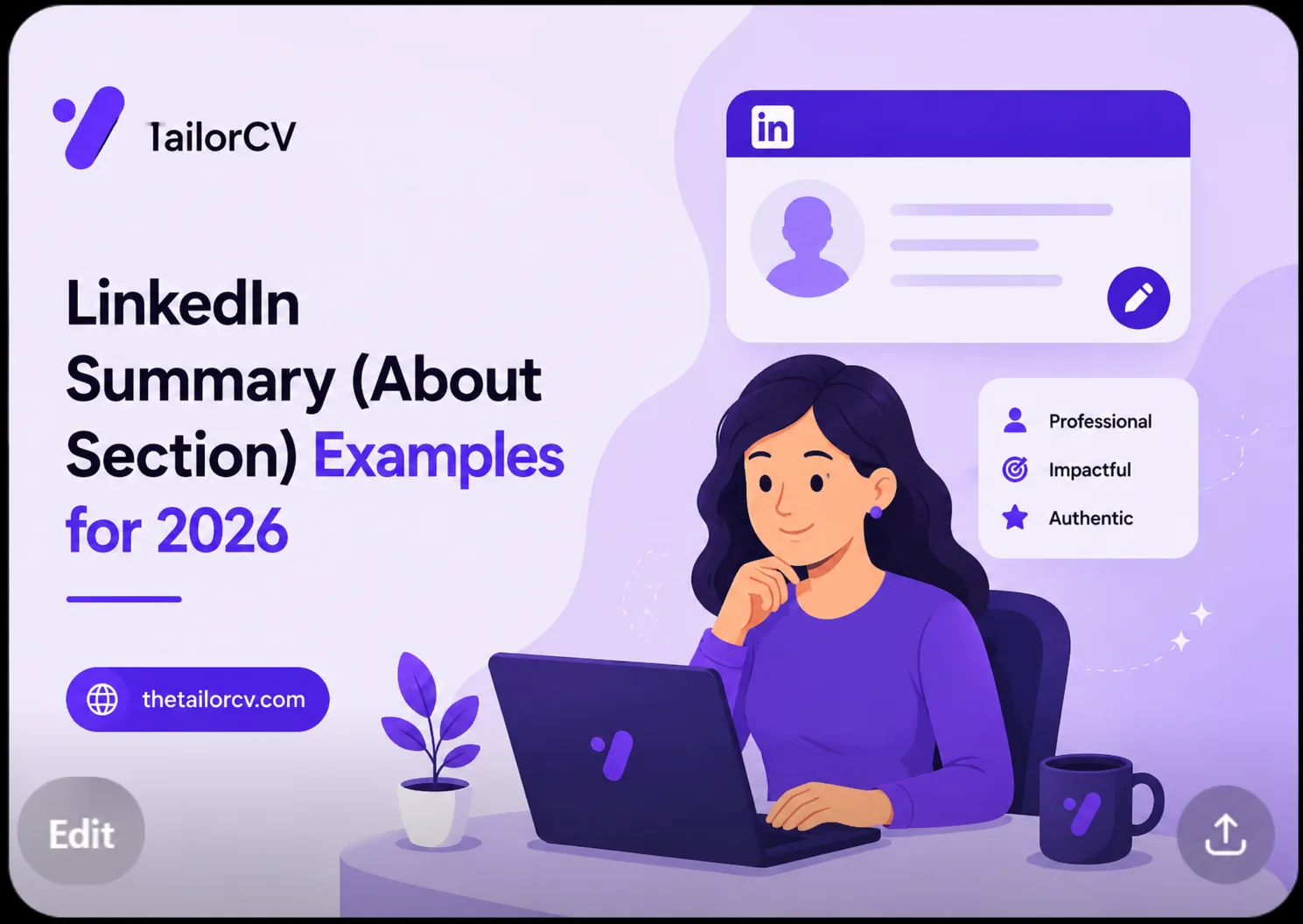
LinkedIn About / Summary Section
Your About section is your personal statement. It should be:
- 3-5 short paragraphs or a clear block of text
- Written in first person (not "She is an experienced engineer...")
- Specific about your domain, skills, and achievements
- End with a call to action (how to reach you)
Structure:
Paragraph 1 - Who you are and what you do: "I'm a backend engineer with 4 years of experience building distributed payment systems in Python, FastAPI, and PostgreSQL. I specialize in high-throughput API design, database performance, and cloud-native architecture on AWS."
Paragraph 2 - Your most impressive achievement: "Most recently, I led the backend redesign of a payment reconciliation service at FinTech Corp - reducing nightly batch processing time from 4 hours to 28 minutes, handling 1.8M daily transactions."
Paragraph 3 - What you are looking for: "I'm currently exploring senior backend and platform engineering roles at product companies or scale-ups working on interesting technical challenges."
CTA: "Feel free to reach out: [email] or connect here."
Experience Section
Match your LinkedIn experience to your resume - same job titles, same companies, same date ranges. Recruiters cross-reference these.
Use bullet points in each experience:
- Start with a strong action verb
- Include your most impressive 3-5 bullets per role
- Include at least one metric per role
LinkedIn bullet character limits are more generous than a resume. You can be slightly more narrative but still keep it tight.
Also list the company location and industry category - recruiters filter by industry.
Skills Section
LinkedIn allows up to 50 skills. Fill all 50. Focus on skills that:
- Appear in job descriptions for roles you want
- You can genuinely discuss in an interview
- Are specific enough to be searched (not "Communication" or "Leadership" as primary skills)
To add skills: Profile -> Skills -> Add a skill -> Type and select
Reorder your top 3 skills - these appear most prominently on your profile.
Get endorsements. Ask 5-10 colleagues, classmates, or project partners to endorse your top skills. Skills with 10+ endorsements rank higher in recruiter search results.
Recommendations
Written recommendations from managers, colleagues, or professors significantly increase profile credibility. Request 3-5.
How to ask:
"Hi [Name], I hope you're doing well. I'm updating my LinkedIn profile and would love a short recommendation from you if you have the time - even just a few sentences about our work on [project or company]. I'd be happy to return the favor. Thank you!"
A strong recommendation is specific: names a project, describes your contribution, and states your impact.
Open to Work Setting
If you are actively job searching:
- Click the "Open to" button on your profile
- Select "Finding a new job"
- Fill in: - Job titles you are looking for - Work types (on-site, hybrid, remote) - Location preferences - Start date availability
Choose "Recruiters only" to keep it invisible to your current employer. Choose "All LinkedIn members" to also get a visible "#OpenToWork" frame on your photo (higher visibility, but your employer can see it).
LinkedIn Keyword Optimization
LinkedIn uses a keyword-matching algorithm for recruiter search. The fields that matter most for keyword ranking:
What optimizing actually does to your resume
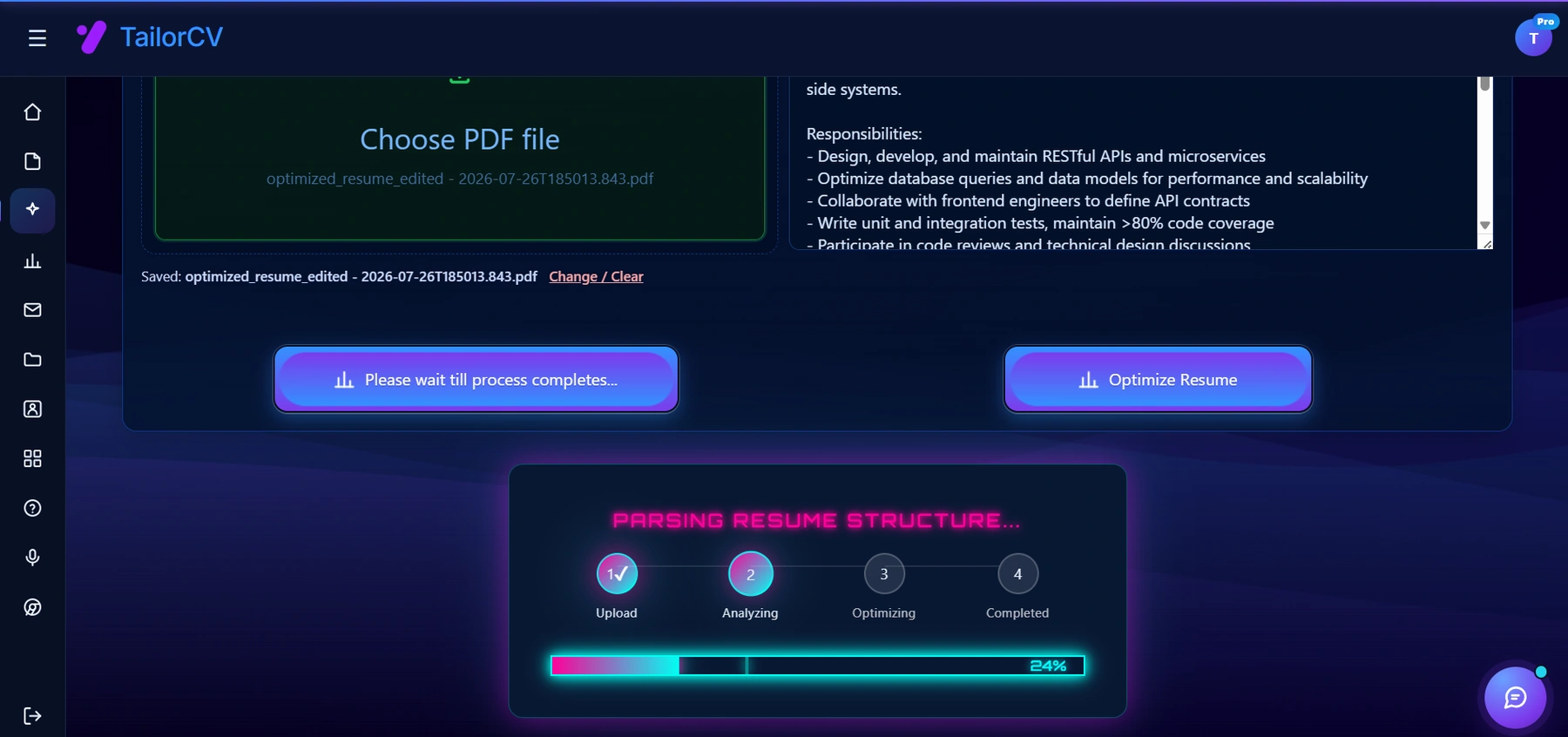
Optimizing runs in visible stages against the specific job description you paste in - it parses your resume the way an ATS would before rewriting anything.
- Headline - highest weight
- About section
- skills section
- Experience job titles and bullets
- education field of study
To rank for "Senior Backend Engineer" searches:
- Include "backend engineer" or "backend developer" in your headline and summary
- List your specific technologies (Python, Node.js, PostgreSQL) in skills
- Use the job title "Backend Engineer" (not a creative internal title) in your experience
LinkedIn Activity for Visibility
Active LinkedIn users get more profile views:
- Post 2x per week - project updates, lessons learned, career insights
- Comment on posts from thought leaders in your field
- Share articles with your perspective added
- Celebrate others' achievements (authentic, not sycophantic)
- Publish articles for long-form content
Even 30 minutes per week of LinkedIn activity can double your profile view count.
Checklist: LinkedIn Profile Audit
- Professional photo
- Background banner
- Optimized headline with skills
- About section with specific achievement + CTA
- All experience entries with bullet points and metrics
- 50 skills added
- 5+ endorsements on top skills
- 3+ written recommendations
- Open to Work enabled (if job searching)
- education complete
- Featured section with portfolio or project links
- Profile URL customized (LinkedIn.com/in/yourname)
Conclusion
A fully optimized LinkedIn profile attracts inbound recruiter messages, increases your network-based referrals, and positions you as a credible professional in your field. A weak profile with a default headline and no skills is almost invisible in recruiter search.
Spend 2-3 hours optimizing your profile fully, then maintain it with weekly activity. Pair it with a strong resume optimized using the TailorCV ATS score checker, and use the LinkedIn job search guide for active job search strategy.
Related Guides
- How to Use LinkedIn for Job Search
- How to Write a Cold Email to a Recruiter
- How to Build a Professional Portfolio
- How to Decline a Job Offer Professionally
- How to Get a Job With No Experience
- How to Handle Job Rejection
- How to Negotiate a Salary Offer
- Networking Tips for Job Search
- Remote Job Search Guide
- Why Am I Not Getting Interviews for Jobs I'm Qualified For?
- Cover Letter Guide
- How to Get Your First Tech Job
- How to Follow Up After a Job Interview in 2026 - What to Send and When
- Work-Life Balance Tips for Professionals in 2026 - Practical Guide
- Data Analyst vs Data Scientist in 2026 - Which Career Is Right for You?
- Freelancing vs Full-Time Employment in 2026 - Honest Comparison
- How to Explain Resume Gaps in 2026 - Honest Strategies That Work
Make This Practical
Do not guess whether the resume is ready. Upload it to the free ATS score checker, compare the result with the ATS Score Guide, and fix formatting issues using ATS Resume Formatting Mistakes and ATS Resume Parser Friendly Format.
After the technical cleanup, improve relevance. Use Resume Matching With Job Description, strengthen keyword coverage with the Resume Keywords Guide, and avoid overdoing it by checking ATS Keyword Mistakes. If the layout itself is weak, rebuild with an ATS-friendly resume template.
LinkedIn Profile Headline Comparison
A compelling LinkedIn headline can significantly impact your visibility to recruiters. Here's a comparison of generic versus optimized headlines.
| Generic Headline | Optimized Headline |
|---|---|
| "Marketing Professional" | "Digital Marketing Specialist |
| "Software Engineer" | "Full-Stack Developer |
| "Sales Manager" | "Sales Manager |
| "Project Manager" | "Certified Project Manager |
Frequently Asked Questions
How can I make my LinkedIn profile stand out to recruiters in 2026?
To make your LinkedIn profile stand out, focus on optimizing every section, including your headline, summary, and skills. Use specific keywords relevant to your industry and role to improve your visibility in search results. For a comprehensive approach, check our guide on how to sync your LinkedIn profile with your tailored resume to ensure consistency across platforms.
What type of profile photo should I use on LinkedIn?
Your LinkedIn profile photo should be clear, professional, and approachable. Aim for a high-resolution close-up of your face and shoulders with a clean background. Profiles with photos receive significantly more views, so investing in a good image can enhance your chances of being noticed by recruiters.
Why is the LinkedIn background banner important?
The LinkedIn background banner is a valuable opportunity to express your professional identity and personal brand. Use this space to highlight your skills or career focus, such as "Data Analyst | SQL | Machine Learning." This visual element can help differentiate you from other candidates and make a lasting impression.
How can I ensure my LinkedIn profile complements my resume?
To ensure your LinkedIn profile complements your resume, both should reflect the same skills, experiences, and achievements. Use our free ATS score checker to analyze your resume's effectiveness and make necessary adjustments to your LinkedIn profile accordingly. Consistency is key for a strong personal brand.
What are some common mistakes to avoid when optimizing my LinkedIn profile?
Common mistakes include using a generic headline, leaving sections incomplete, and failing to include relevant skills. Profiles that lack detail and specificity are less likely to catch recruiters' attention. Avoid these pitfalls to enhance your profile's effectiveness and consider reviewing our article on 11 portfolio mistakes that cost you interviews for additional insights. Additionally, explore our portfolio checklist to ensure you have all necessary elements in place.
What is your resume scoring right now?
Scan it against a job description and get your ATS match score in about a minute.
Drop your resume here or choose a file
PDF only. Max 2 MB.
We never share your data or use it to train AI models.

Was this guide useful?
Be the first to rate it.