 TD
TD
Key Takeaways
- Optimize your LinkedIn profile with a strong headline that includes your role type, key skills, and "Open to Opportunities" if job searching.
- Use a professional profile photo, as profiles with photos receive significantly more views.
- Craft a compelling About section that highlights your skills, problem-solving abilities, and career aspirations, ending with a call to action.
- Ensure your experience section aligns with your resume, using concise bullet points that demonstrate your impact and results.
- Enable the "Open to Work" setting and fill in your job preferences to enhance visibility to recruiters.
LinkedIn is the most important professional platform for job seekers in 2026. Over 90% of recruiters use LinkedIn to find and evaluate candidates. Having a weak LinkedIn profile while applying for jobs is like submitting a great resume but leaving your contact information blank.
Before using LinkedIn, make sure your resume is equally strong - upload it to the ATS score checker, optimize it with the job description, and use an ATS-friendly template. Your LinkedIn profile and resume should tell the same story.
LinkedIn Profile Optimization for Job Seekers
1. Headline
Your headline is the most important searchable field on your profile. Do not just write your current job title.
Weak headline: software engineer at TechCorp
Strong headline: Backend Engineer | Python, Node.js, AWS | Building Scalable APIs | Open to Opportunities
Include:
- Your role type
- 2-3 key skills recruiters search for
- "Open to Opportunities" if you are actively job searching
2. Profile Photo
Use a clear, professional photo with a clean background. Profiles with photos receive 14x more profile views than those without. You do not need a professional photographer - a clean selfie in good lighting works.
3. About / Summary Section
Write 3-5 paragraphs that explain:
- What you do and what you are great at
- What kinds of problems you have solved
- What you are looking for next
- How to reach you
End with a clear call to action: "I'm currently open to [role type] opportunities. Feel free to message me or connect."
Your About section can be more personal and narrative than your resume. This is where personality helps.
4. Experience Section
Match your LinkedIn experience to your resume. Use the same bullet point structure:
Action verb + technical work + scale + result
Keep bullets shorter than on a resume (2-3 sentences per bullet is fine on LinkedIn).
5. Skills Section
Add 50 skills (the maximum). Focus on skills that appear in job descriptions you are targeting. LinkedIn sorts profiles by skill endorsements - the more endorsements, the higher you appear in recruiter search.
Ask 3-5 former colleagues to endorse your top skills. Return the favor.
6. Open to Work Setting
Enable "Open to Work" in your profile settings. You can choose to make it visible to:
- Everyone - A green "#OpenToWork" frame appears on your photo. More visibility, but current employer can see it.
- Recruiters only - Hidden from most users but visible to LinkedIn Recruiter subscribers. Better for stealth job searching.
Fill in the job preferences - role types, locations, experience level, and work type (remote, hybrid, on-site). This data feeds LinkedIn's recruiter matching algorithm.
How to Use LinkedIn Jobs Effectively
Set Up Job Alerts
Go to LinkedIn Jobs, search for your target role and location, and click "Set alert." LinkedIn will email you when new jobs matching your criteria are posted.
For active searches, set alerts for:
- Your target job title
- Variations (e.g., "Backend Engineer," "software engineer - Backend," "API Developer")
- Location variations (city, remote)
Apply Early
LinkedIn tracks application timing. Applying within the first 24-48 hours of a job posting is correlated with higher response rates. Early applicants get seen before the pile accumulates.
Use the "Easy Apply" Feature Selectively
Easy Apply lets you apply with your LinkedIn profile. It is fast but impersonal. Use it for roles you are moderately interested in. For roles you really want, apply on the company website with a tailored resume and cover letter.
Check the "People Also Viewed" Section
When viewing a job posting, look at which companies are "also hiring" - these surface similar roles you may not have found through search.
Research Before Applying
Click on the "Company" tab of the job posting. Review:
- Company size and growth (headcount trend)
- Recent news or posts
- Employee reviews and Glassdoor rating
- Mutual connections who work there
LinkedIn Networking for Job Seekers
Connect Strategically
Do not spray connection requests to everyone. Connect with:
- Former colleagues and classmates
- People at companies you want to work at
- Recruiters who post about roles in your field
- Speakers or authors in your industry
- Alumni from your university at target companies
Always personalize connection requests for cold outreach:
"Hi [Name], I came across your post on [topic] and found it really valuable. I'm a [role] with a background in [X] and I'd love to connect and stay in touch."
Engage With Content
Comment on posts from people at your target companies. Thoughtful comments (2-3 sentences, adding a specific perspective) get you on the radar of the post author and their network. This is a slow burn but builds genuine visibility.
Post your own content - project write-ups, career lessons, technical insights. Even 2 posts per month can increase profile visits significantly.
Use LinkedIn Alumni Tool
Go to your university's LinkedIn page -> click "Alumni." Filter by:
- Company (filter by your target employers)
- Job function
- Graduation year (closer to yours = more likely to reply)
Reach out to alumni for informational interviews. Alumni connections are the highest-reply-rate cold outreach on LinkedIn.
Cold Outreach Messages That Get Replies
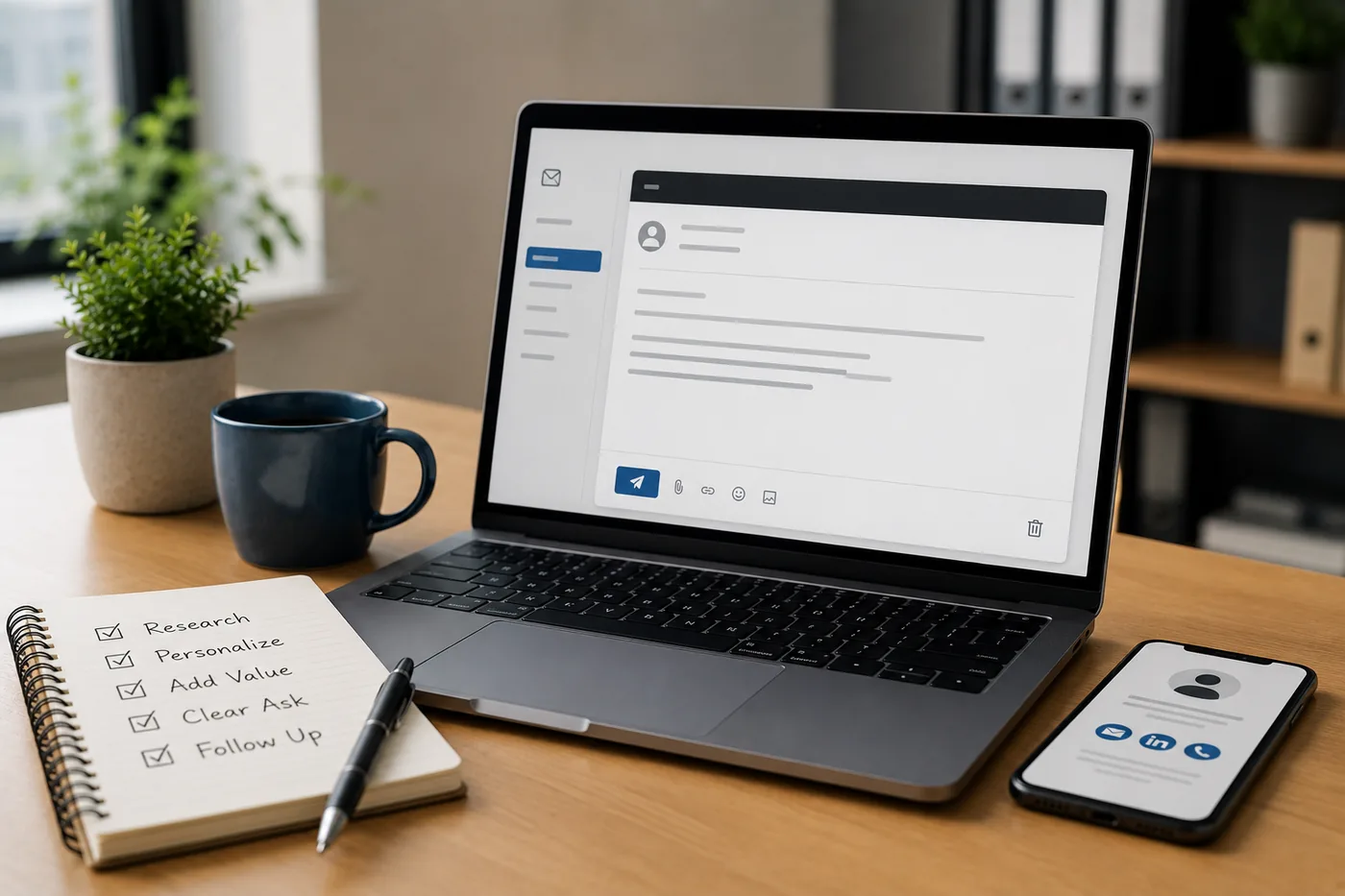
Most LinkedIn cold messages fail because they immediately ask for a job. Lead with genuine interest and a specific ask.
Message Template 1 - Informational Interview
"Hi [Name], I hope you don't mind the cold message. I'm a [role] exploring opportunities in [field/company type], and I saw that you [work at Company X / have a background in Y]. Would you be open to a 15-minute call about your experience there? I'd love to hear about the work and culture. No pressure at all if you're busy - I appreciate your time either way."
Message Template 2 - After Applying
"Hi [Name], I recently applied for the [Role] position at [Company] and wanted to reach out personally. I've been following [Company] because of [specific project, product, or news], and the role looks like a great match for my background in [X and Y]. Would love to connect and learn more about the team."
Message Template 3 - To a Recruiter
"Hi [Name], I'm actively exploring [role type] opportunities and came across your profile. I have [X] years of experience in [stack/domain] and am particularly interested in [company type]. Would you be open to connecting? I'm happy to share my profile and resume."
Keep all messages under 100 words. Shorter messages get more replies.
LinkedIn Signals That Attract Recruiters
These profile actions increase your visibility in recruiter search:
- Updating your profile - even small edits trigger LinkedIn to re-index your profile
- Adding new skills or certifications
- Getting endorsements and recommendations
- Publishing posts or articles
- Commenting on industry content
- Enabling "Open to Work" with specific role preferences
- Adding featured media (projects, portfolio, publications)
Common LinkedIn Job Search Mistakes
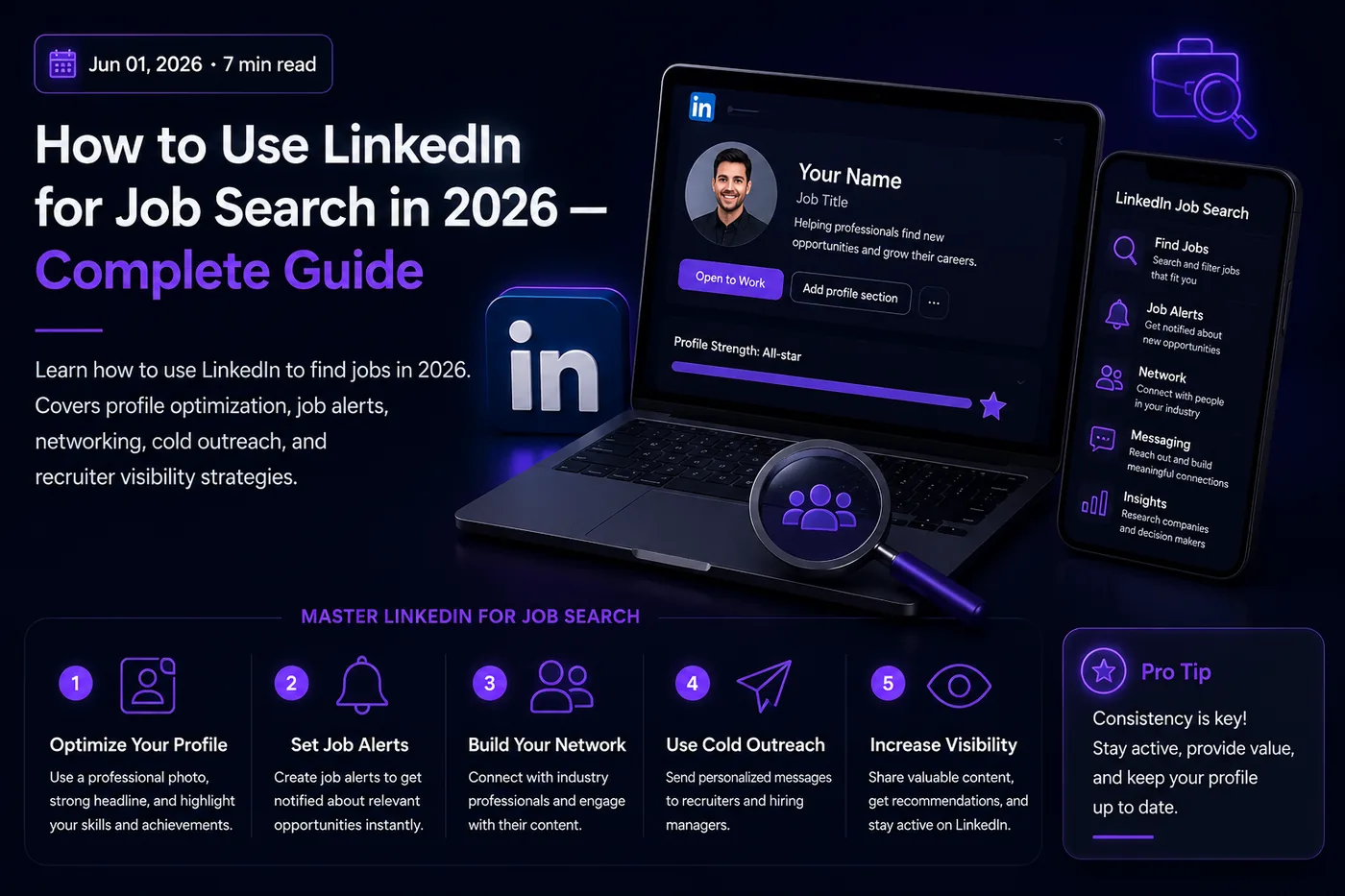
This guide covers every major lever: optimizing your profile for recruiter search, using LinkedIn Jobs effectively, networking with intention, sending cold messages that get replies, and using LinkedIn signals to get found without actively applying.
Mistake 1: Applying without personalizing
If your resume is generic, your application will be generic. Use the job description to tailor your LinkedIn applications.
Mistake 2: Sending connection requests with no message
A blank connection request to a stranger is rarely accepted. Add a personalized note.
Mistake 3: Only using LinkedIn to apply, not to network
Most jobs are filled through relationships. LinkedIn's primary value is connecting with people, not just applying to job postings.
Mistake 4: Not following up
After applying, send a message to a recruiter or team member at the company. A polite follow-up within 3-5 business days is professional and shows initiative.
Mistake 5: Inactive profile
If your profile has no activity, no photo, and no current content, it looks abandoned. A recruiter who views it gets a weak first impression even if your headline is good.
Conclusion
LinkedIn is not just a job board - it is a professional reputation tool. Optimize your profile, network with intention, apply early to targeted roles, and follow up with personal messages. The candidates who get the most from LinkedIn are the ones who treat it as relationship-building, not just application-sending.
Make sure your resume matches your strong LinkedIn profile. Run it through the TailorCV ATS score checker to optimize it for each job. For interview preparation after you land the callback, use the interview guide and the mock interview tool.
Related Guides
- LinkedIn Profile Optimization Guide
- How to Write a Cold Email to a Recruiter
- Networking Tips for Job Search
- How to Build a Professional Portfolio
- How to Decline a Job Offer Professionally
- How to Handle Job Rejection
- How to Negotiate a Salary Offer
- Remote Job Search Guide
- Why Am I Not Getting Interviews for Jobs I'm Qualified For?
- Cover Letter Guide
- How to Get a Job With No Experience
- How to Quit Your Job Professionally
- How to Get Your First Tech Job in 2026 - Complete Guide for Freshers
- Work-Life Balance Tips for Professionals in 2026 - Practical Guide
- Data Analyst vs Data Scientist in 2026 - Which Career Is Right for You?
- Freelancing vs Full-Time Employment in 2026 - Honest Comparison
- How to Explain Resume Gaps in 2026 - Honest Strategies That Work
Make This Practical
Turn the career advice into a stronger application system. Start by checking your resume with the free ATS score checker, align it with the role using How to Tailor Your Resume for Every Job, and keep your profile consistent with LinkedIn Resume Tailoring Sync.
When you are ready to apply, build the supporting pieces around the resume. Use the AI cover letter generator for targeted outreach, practice with the AI mock interview tool, and review Why Your Resume Gets No Responses if applications are not converting.
Comparison of Weak vs Strong LinkedIn Profiles
A well-optimized LinkedIn profile can significantly enhance your job search success. Below is a comparison of key elements that differentiate weak profiles from strong ones.
| Element | Weak Profile Example | Strong Profile Example |
|---|---|---|
| Headline | Software Engineer at TechCorp | Backend Engineer |
| Profile Photo | No photo or casual image | Professional headshot with a clean background |
| About Section | "I am a software developer." | "I specialize in backend development, solving complex problems with scalable solutions. I'm looking for roles where I can leverage my skills in Python and AWS. Let's connect!" |
| Skills | Only listed job title | 10+ relevant skills, including in-demand technologies and soft skills |
| Recommendations | None | 3-5 recommendations from colleagues or supervisors highlighting specific achievements |
| Activity | Rarely posts or engages with content | Regularly shares industry articles and engages with other professionals |
| Connections | 50 connections | 500+ connections, including industry leaders and recruiters |
Frequently Asked Questions
How can I optimize my LinkedIn profile to attract recruiters in 2026?
To attract recruiters on LinkedIn, focus on optimizing your headline, summary, and skills sections. Use a strong headline that includes your role type and key skills, and ensure your profile photo is professional. For a comprehensive guide on profile optimization, check out how to optimize your resume for LinkedIn Easy Apply jobs in 2026.
What are the best strategies for networking on LinkedIn?
Networking on LinkedIn involves intentional connection-building and engaging with your network. Start by reaching out to industry professionals with personalized connection requests and follow up with meaningful messages. For detailed strategies, visit our post on networking tips for job search in 2026.
How can I effectively use LinkedIn job alerts?
Setting up job alerts on LinkedIn allows you to receive notifications about new job postings that match your criteria. Make sure to refine your search by using specific keywords, locations, and job types. For more tips on maximizing your job search, check out our guide on how to get your first tech job in 2026.
What is the best way to send a cold message to a recruiter?
When sending a cold message to a recruiter, keep your message concise and professional. Introduce yourself, mention your interest in a specific role, and briefly highlight your relevant skills. For templates and tips, refer to our post on how to write a cold email to a recruiter in 2026.
How important is it to have a strong resume in addition to my LinkedIn profile?
Having a strong resume is crucial as it complements your LinkedIn profile, ensuring consistency in your professional narrative. Make sure your resume is optimized and tailored to job descriptions, as this will enhance your chances of being noticed by recruiters. Use our free ATS score checker to evaluate your resume's effectiveness.
What is your resume scoring right now?
Scan it against a job description and get your ATS match score in about a minute.
Drop your resume here or choose a file
PDF only. Max 2 MB.
We never share your data or use it to train AI models.

Was this guide useful?
Be the first to rate it.