SS
SS
Key Takeaways
- Chrome extensions request explicit permissions, so the real question is what a given extension can technically see - not whether extensions are safe in general.
- The red flags are checkable in about two minutes: permissions requested, privacy policy, reviews, and publisher.
- Job seekers are a targeted group because they are motivated, often stressed, and handling sensitive documents.
- Safety is necessary but not sufficient - a private extension that produces bad resumes is not worth installing either.
- Every extension is a trade of some access for leverage, and for a carefully chosen tool that trade is usually worth it.
A job-search extension can, by its nature, see the pages you open — that is how it reads a job description to help you. Which raises a fair question before you install one: is it safe, and what is it actually doing with what it sees? This guide gives you a clear, non-paranoid answer: what these extensions can and cannot access, the red flags that separate trustworthy tools from data harvesters, and how to check before you install.
What a Browser Extension Can Technically See
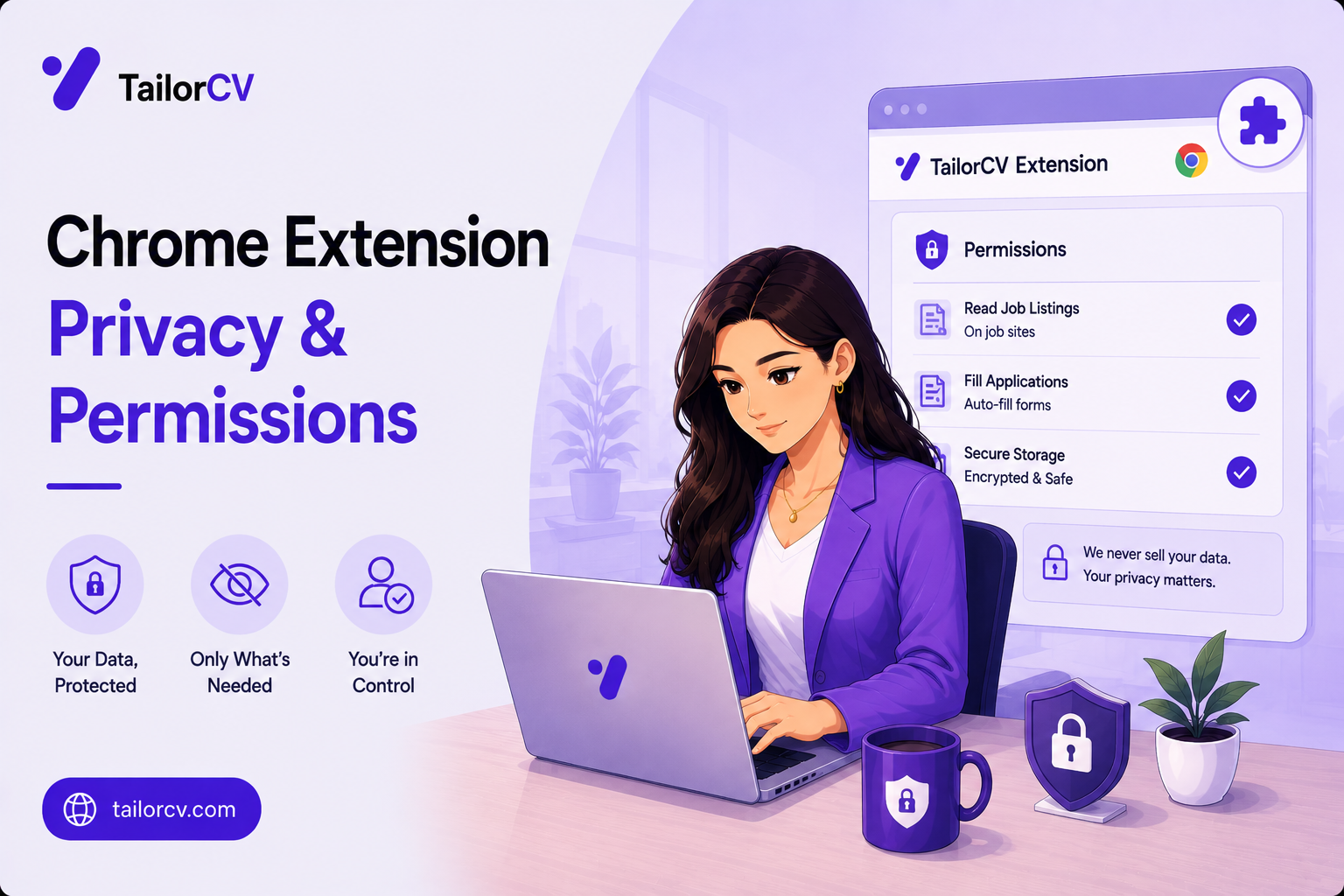
Start with the honest technical reality, because vague reassurance helps no one. When you install a Chrome extension, it requests permissions — and those permissions define exactly what it can and cannot do. A job-search extension typically asks to read the content of pages (so it can pull the job description) and sometimes to access its own website (so it can sign you in).
What it looks like on a LinkedIn job post
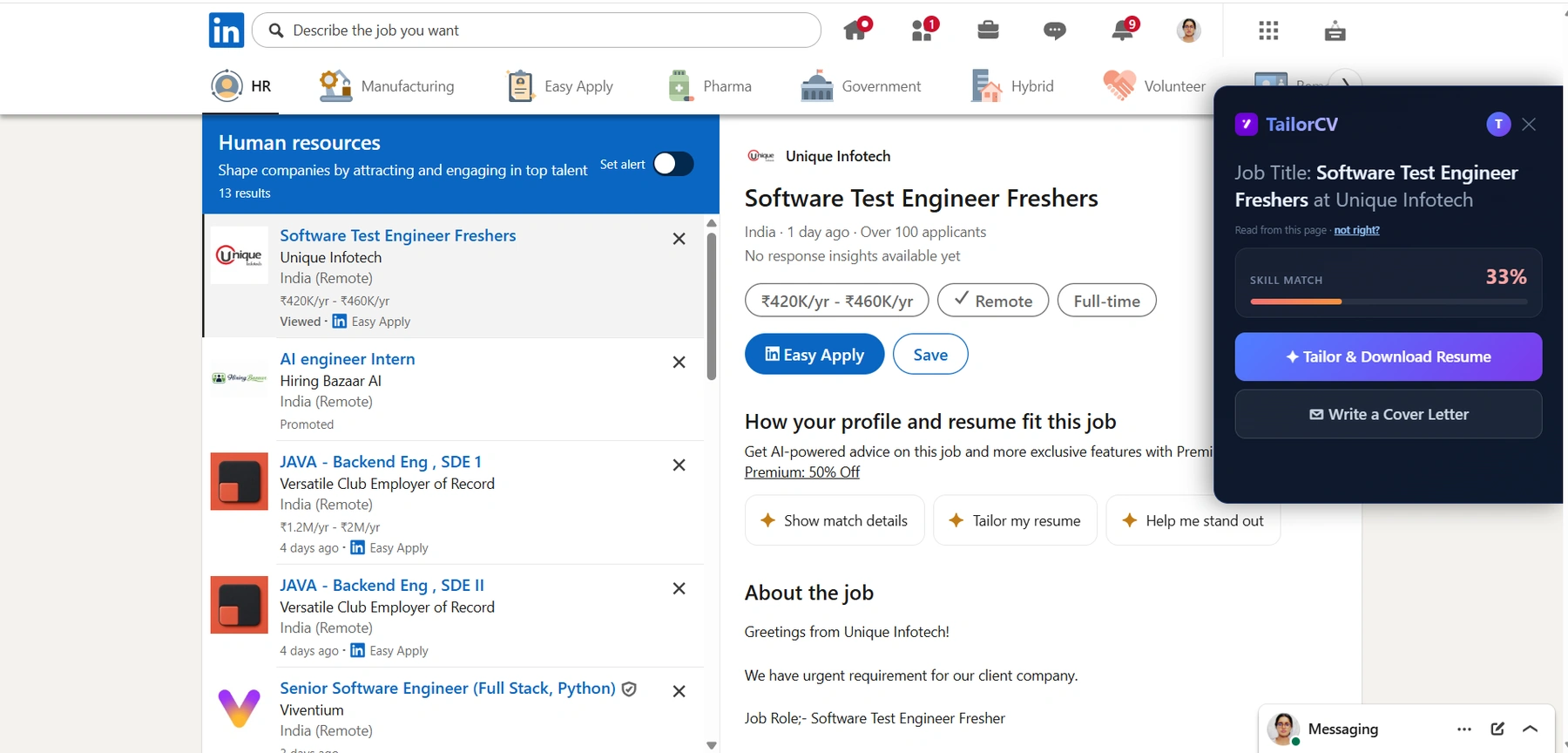
And the same on LinkedIn: the extension reads the posting off the page you are already on, so the match score arrives before you hit Easy Apply.
The important nuance is scope and timing. There is a big difference between an extension that reads a page only when you actively open its panel on a job posting, and one that silently reads every page you visit, all the time. Both might request similar-looking permissions, so the permission text alone does not tell you which you have — the tool's behaviour and privacy policy do. A well-built job extension reads the job page when you invoke it, uses that description to tailor your resume, and does nothing with your banking, email, or general browsing.
The Real Red Flags
Here is how to tell a trustworthy tool from one to avoid. Watch for these.
Permissions far beyond its job. A resume-tailoring extension needs to read job pages and talk to its own service. It does not need access to all your data on all websites at all times. If a simple tool asks for sweeping permissions with no clear reason, be suspicious.
No privacy policy, or a vague one. A legitimate tool tells you plainly what it collects, when, and why. If you cannot find a clear answer to "does this read pages other than the job posting, and does it sell my data", treat the silence as an answer.
"Free" with no visible business model. If a tool is free and you cannot see how it makes money, your data may be the product. This is not always true — some tools are free because a paid tier funds them — but an unexplained free tool that harvests browsing data is a known pattern. Our own honest position: TailorCV's extension is free for ATS scoring because a paid tailoring tier funds it, and it reads the job page only when you open the panel — that is the model, stated plainly.
Installed from outside the Chrome Web Store. Extensions loaded from random websites or files bypass Google's review. Install only from the official Chrome Web Store, where extensions are reviewed and can be reported and removed.
Reviews that mention spam, redirects, or ads. Real users flag bad behaviour. Read the reviews, especially the critical ones.
How to Check Before You Install
A two-minute due-diligence routine that works for any extension.
Read the permissions on the install prompt. Chrome shows them before you confirm. Ask whether each one makes sense for what the tool claims to do. A job extension reading job pages: reasonable. A resume tool wanting to change your search engine: not.
Find the privacy policy. Skim it for what data is collected and whether it is shared or sold. You are looking for specifics, not reassuring adjectives.
Check the source and reviews. Confirm it is on the Chrome Web Store, look at the review count and the recent critical reviews, and check when it was last updated — an abandoned extension is a risk.
Prefer tools that read on-invoke. The safest design reads the job page only when you actively open the panel, not continuously. If the tool describes it working "on the posting when you open it", that is the behaviour you want — the same design that makes tailoring on the page work without surveilling your browsing.
Why This Matters More for Job Seekers
Job seekers are, unfortunately, a targeted group. People searching for work are motivated, often stressed, and handling sensitive documents — resumes with your full name, contact details, address and history. That makes the space attractive to bad actors, and it overlaps with outright job scams, which prey on the same urgency.
So the caution is not paranoia; it is proportionate. Your resume is personal data, and the tools that touch it deserve a two-minute check. The good news is that the check is easy, and the reputable tools pass it clearly — a legitimate resume extension has every incentive to be transparent, because trust is the whole product. This is the same care you would apply to any tool in your search, alongside knowing how to spot a fake job and being wary of anyone asking for money or documents up front.
Safe Tools Still Have to Be Good Tools
Safety is necessary but not sufficient — a private extension that produces bad resumes is not worth installing either. Once you have confirmed a tool is trustworthy, judge it on whether it actually helps: does it score your match honestly, tailor without keyword-stuffing, keep your voice, avoid fabricating experience, and output a parseable resume? A tool that is both safe and genuinely useful — reading the posting, closing your keyword gap from your real experience, across LinkedIn, Indeed, Naukri and ATS boards — is what you are after. Safety gets it onto your toolbar; usefulness keeps it there.
The Trade-Off Is Real, and Usually Worth It
Let us be balanced, because a privacy guide that ends "install nothing" is useless. Every extension is a trade: you grant some access in exchange for some help. The question is never "zero risk or risk" — it is "is the help worth the access, and is the tool trustworthy with it?"
For a job-search extension, the access is reading job postings, and the help is tailoring your resume in one click instead of ten minutes by hand — the difference, across a whole search, between tailoring every application and none. That is a large benefit for a narrow, sensible access grant, provided the tool reads only the job page when invoked and is transparent about it. Weighed honestly, a trustworthy tool clears that bar easily.
The tools that fail the trade are the ones asking for far more access than the help justifies — a simple resume tool wanting to read every page you ever visit. That imbalance is the actual red flag, more than any single permission. When the access matches the job and the policy is clear, the trade is a good one; when the access dwarfs the job, walk away. This is the same judgement you would apply to any tool in your search, from a resume builder to a portfolio host.
Beyond the Extension: Protecting Your Search
Privacy in a job search goes beyond browser extensions. Be careful what you put on public portfolio sites — showcase work without over-sharing personal contact details. Watch out for "recruiters" who ask for money, bank details, or documents before any real process; that is a scam signal. And apply the same "does this make sense" scrutiny to every tool you add, whether you are a fresher starting out or experienced, applying in the USA, Canada, or anywhere else.
After You Choose a Safe Tool
With a trustworthy, useful extension set up, get on with the search — and this is where a good tool pays off, because it makes the highest-leverage habit sustainable.
Get your base resume genuinely strong first: ATS-friendly, parseable, quantified, and free of the formatting mistakes that break parsers. Then tailor each application to the posting — matching the keywords from your real experience so you pass the ATS — across LinkedIn, Indeed, Naukri and ATS boards. Add a cover letter, send a follow-up after applying and after the interview.
Prepare for interviews: behavioural questions, tell me about yourself, why do you want this job, a mock interview, and handling rejection when it comes. Freshers: your projects that get interviews, first tech job, a job with no experience, and campus placement prep. And pace yourself — fewer, tailored applications beat volume. The tailored vs generic resume difference is what a safe, good tool delivers.
Frequently Asked Questions
Are job search Chrome extensions safe? The reputable ones are, but safety depends on the specific tool. Check its permissions, read its privacy policy, install only from the Chrome Web Store, and prefer tools that read the job page only when you open their panel rather than tracking all your browsing. A legitimate resume extension is transparent because trust is its whole value.
What permissions should a job extension have? It should be able to read job pages (to pull the description) and access its own service (to sign you in). It should not need access to all your data on all sites at all times, or the ability to change your browser settings. Permissions far beyond the stated job are a red flag.
Can a resume extension steal my data? A malicious one could misuse what it can access, which is why you check permissions, source and privacy policy first. A well-built one reads only the job page when invoked and is clear about what it does. Installing from the Chrome Web Store and reading reviews filters out most bad actors.
Is a free job extension automatically suspicious? Not automatically — many are free because a paid tier funds them, which is a legitimate model. It becomes suspicious when a free tool has no visible way of making money and requests broad data access. Look for a clear business model and a specific privacy policy.
Putting It All Together
Job-search extensions are safe when you choose them carefully, and the check takes two minutes: read the permissions, find the privacy policy, install from the Chrome Web Store, and prefer tools that read the job page only when you open them. The red flags — excessive permissions, no privacy policy, unexplained "free", off-store installs — reliably separate trustworthy tools from data harvesters.
Your resume is personal data, so the caution is proportionate, not paranoid. But it is also easily satisfied: a legitimate resume tool has every reason to be transparent, because trust is the product. Confirm safety, then judge usefulness — a tool that is both is the one that earns a permanent spot on your toolbar.
Do the two-minute check on any extension before you install it. Then, with a safe and genuinely useful one, get back to what matters: tailoring every application so your real experience actually reaches a human.
Check your match before you install anything
Same score the extension shows on a job page - run it here on any resume and job description.
Drop your resume here or choose a file
PDF only. Max 2 MB.
We never share your data or use it to train AI models.

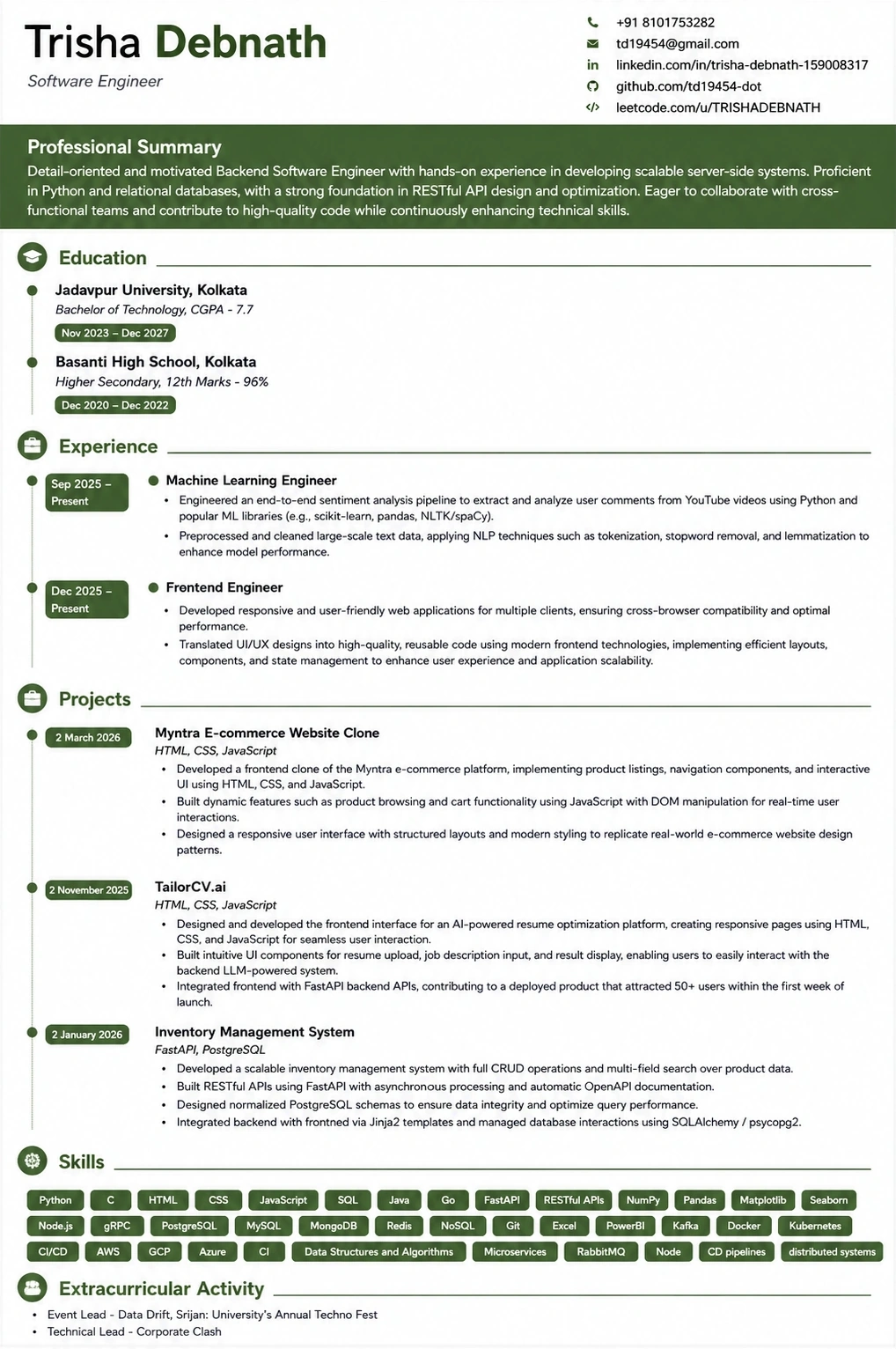
What the tailored resume looks like
This is the format the extension exports to — ATS-tested, so the match score you saw survives the parser.
Was this guide useful?
Be the first to rate it.