 TD
TD
Key Takeaways
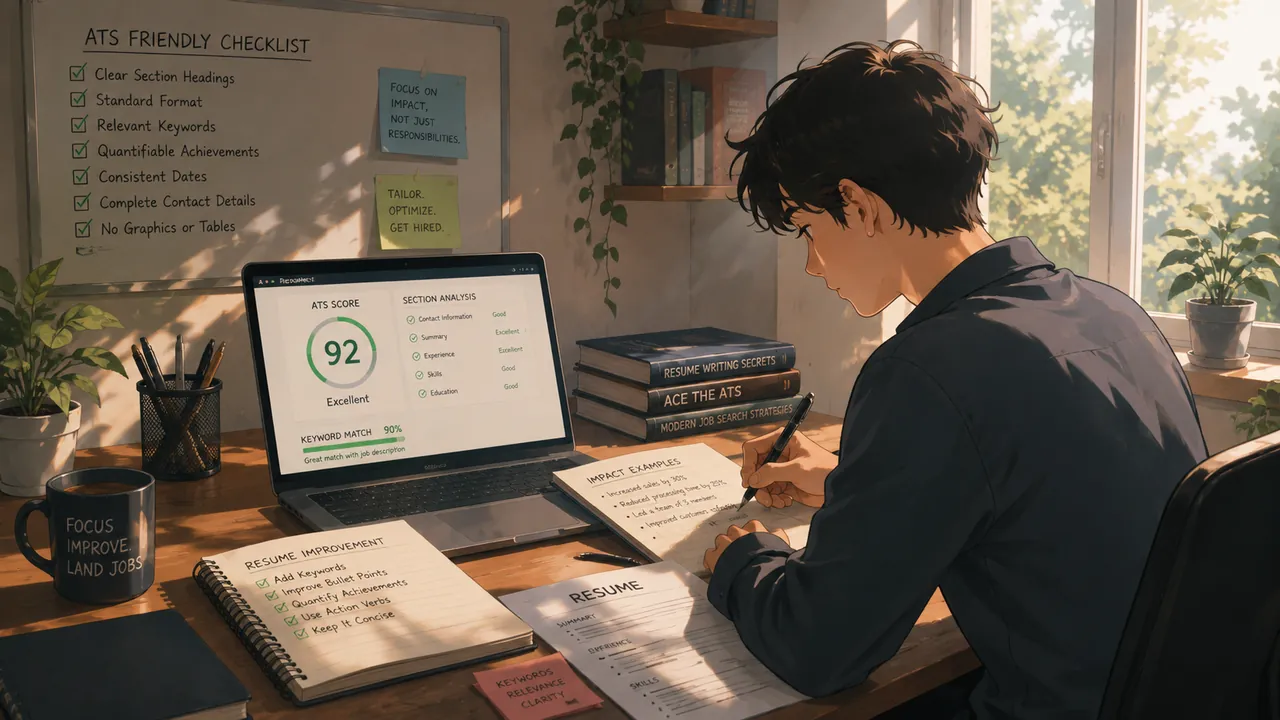
- An ATS parser friendly resume should have clear headings, normal text, simple formatting, and a predictable structure to ensure important details are not lost.
- Parsing is the process of extracting information from a resume and mapping it into structured data, which can break if the layout is too complex.
- Different ATS platforms have similar mechanics for reading resumes, but older systems are stricter about layout and may struggle with complex formatting.
- Common parsing failures often occur due to multi-column layouts and tables, which can lead to mixed or skipped content.
- To ensure your resume parses correctly, format it in plain, linear, and predictable text, regardless of the ATS used.
An ATS parser friendly resume is easy for software to read. It has clear headings, normal text, simple formatting, and predictable structure. If your resume looks beautiful but parses badly, important details can disappear before a recruiter ever opens the file, which is a different problem than a low ATS score caused by weak keywords.
Start with ATS-friendly resume templates and read ATS Resume Formatting Mistakes for common problems. This guide goes deeper into the mechanics: how parsers actually extract text, where layouts break, and how to test your own file before you submit it.
What Resume Parsing Means
Parsing is the process of extracting information from your resume file and mapping it into structured data. ATS software does not "read" your resume the way a person does. It runs a text-extraction step first, then tries to identify which chunks of text belong to which field:
- Name
- Email and phone
- Skills
- Work history
- Education
- Dates
- Certifications
This second step, matching raw text to a field, is where most damage happens. The extraction usually works fine even on a messy file. What breaks is the interpretation: a parser sees a wall of text and has to guess where your job title ends and your company name begins, or whether "2019 - 2021" belongs to the line above it or below it. If the layout is too complex, the parser puts information in the wrong section, merges two jobs into one, or drops content entirely. Your resume can look perfect on screen and still turn into scrambled, unreadable data inside the recruiter's dashboard.
It helps to think of parsing as a two-stage pipeline: first the file is converted into a stream of text (with rough position data), then that stream is chopped into fields using pattern matching and layout heuristics. A parser-friendly resume is one that survives both stages cleanly.
How Different ATS Platforms Actually Read Your Resume
Not every applicant tracking system behaves the same way, but the underlying mechanics are similar across systems like Workday, Greenhouse, Taleo, iCIMS, and Lever-style platforms:
- The system opens your file and pulls out the raw text layer, ignoring most visual styling.
- It looks for patterns it recognizes, such as email formats, phone number formats, and date ranges.
- It tries to detect section boundaries using heading keywords ("Experience," "Education," "Skills").
- It reorders extracted text into a candidate profile, which is what the recruiter and hiring manager actually see when they search or filter.
Older, legacy-style systems (the Taleo and iCIMS category) tend to be stricter about layout and more likely to choke on columns or graphics. Newer platforms (the Workday and Greenhouse category) are generally better at handling moderate formatting, but "better" does not mean immune. Even well-built parsers can misread a resume that uses tables for layout, unusual fonts, or content placed inside headers and footers.
The practical takeaway: you cannot know which specific system a company uses, and you cannot design around one platform's quirks. The safer approach is to format for the lowest common denominator, plain, linear, predictable text, so your resume parses correctly no matter which engine picks it up. You can sanity-check this yourself with the free ATS score checker, or read How ATS Resume Checkers Work for more detail on what these tools evaluate.
Where Parsing Commonly Breaks
Most parsing failures trace back to a small set of repeat offenders. Watch for these:
- Multi-column layouts. Parsers typically read left to right, top to bottom. A two-column resume can get read straight across both columns, mixing your skills list with your work history mid-sentence.
- Tables. Content inside table cells is sometimes skipped entirely, or extracted in an order that has nothing to do with how it reads visually. Merged cells make this worse, since the parser cannot tell which row a value belongs to.
- Headers and footers. Some parsers ignore header and footer regions completely. If your name, phone number, or a summary line lives there, it may never reach the parsed data at all.
- Text boxes. A text box floats on top of the page rather than sitting in the normal text flow. Many parsers skip floating objects, so anything inside one, contact details, a callout summary, a sidebar, can vanish.
- Graphics and icons used for information. A phone icon next to a number, a skill bar rendered as a shape, or a rating shown as dots all carry meaning visually but nothing extractable as text.
- Non-standard or decorative fonts. Some fonts embed characters in a way that does not map cleanly to standard text during extraction, especially in older PDF export pipelines.
- Special characters. Fancy bullets, unusual dashes, or symbol-based dividers can convert into garbled characters or get silently dropped.
- Merged or nested cells in tables used for the whole page layout. This is the single riskiest pattern of all, because it affects every section on the page at once instead of just one line.
None of these guarantee failure on every system. But each one adds risk, and risk compounds. A resume with three of these problems stacked together is far more likely to parse badly than one with a single minor issue.
PDF vs DOCX: Which File Format Is Safer
This question comes up constantly, and the honest answer is "it depends on how the file was built," not the format label itself.
- PDF preserves your exact visual layout across devices, which is why most job seekers default to it. A text-based PDF (one exported directly from a word processor or design tool, not scanned) usually extracts cleanly. The risk is with PDFs generated from complex, design-heavy templates, especially ones with layered graphics, columns, or custom fonts, where the underlying text layer can end up out of order.
- DOCX is the native format many ATS platforms were originally built around, so parsing tends to be more predictable, particularly on older systems. The tradeoff is that DOCX can render slightly differently depending on the software and fonts installed on the reader's machine.
- Scanned image PDFs are the one format to avoid outright. If your resume is an image (even a very high-resolution one), most ATS parsers cannot extract any text from it without OCR, and not all systems run OCR by default.
If a job posting specifies a format, follow it exactly. If it does not, PDF is a safe default as long as it is a genuine text-based export from a simple, single-column layout. When in doubt, or when you are applying through an older-looking careers portal, DOCX is the more conservative choice. For a deeper breakdown of export settings and software-specific quirks, see the Resume File Format Guide.
Best ATS-Friendly Structure
Use a predictable, reverse-chronological order:
- Contact information
- Professional summary
- Skills
- Work experience
- Projects
- Education
- Certifications
This order works for most job seekers and is easy for both recruiters and parsers to scan, because it matches the structure the parser's heuristics were built around. If you are weighing a non-standard structure, such as leading with skills or grouping experience by theme instead of by date, read Chronological vs Functional Resume first. Functional and hybrid formats tend to parse worse, because they break the linear, date-ordered pattern that most ATS logic expects.
Dates deserve their own attention. Keep every date range in the same format throughout the document, for example MM/YYYY - MM/YYYY, and list experience in reverse-chronological order (most recent role first) within each section. Parsers often use date patterns as anchor points to figure out where one job entry ends and the next begins. Inconsistent formats, like mixing "Jan 2022" with "01/2022" with "2022-2023," make that anchor unreliable and increase the chance that two roles get merged into one entry or that a date lands in the wrong field.
Section Heading Naming Pitfalls
Creative section headings might look good on a designed resume, but they actively work against parsing. ATS heading detection relies heavily on keyword matching against a known list of common section names. When you rename a standard section, you remove the exact keyword the parser is scanning for.
Avoid headings like these:
Where I've Worked My Journey What I Bring to the Table Tools of the Trade
Replace them with plain, literal, boring headings:
Experience Summary Skills Education
The same applies to subtler variations. "Professional Experience" and "Work History" both parse reasonably well because they still contain a recognizable anchor word. "Career Highlights" or "Where I've Added Value" do not. If you want personality in your resume, put it in the content and the bullet points, not in the section labels. Save the creative language for your cover letter, where a human is reading from the start.
Formatting Rules That Keep Parsers Happy
Keep formatting simple and linear:
- Use standard headings like "Experience" and "Education"
- Avoid text boxes
- Avoid tables for critical content
- Avoid icons for contact links
- Use normal bullet points, not custom symbol characters
- Use a one-column layout when possible
- Stick to standard, widely installed fonts (Arial, Calibri, Georgia, Times New Roman)
- Keep font sizes consistent within a section
- Save as PDF unless the employer asks for DOCX
- Check spacing and margins so the page does not force awkward line breaks; see Resume Margins, Spacing, and Formatting
Every one of these rules exists for the same reason: it reduces the number of decisions the parser has to make about where text belongs. The fewer ambiguous layout choices you introduce, the fewer chances there are for something to be misread.
Contact Details
Write contact details as plain text on their own line near the top of the page, outside of any header or footer region:
Priya Sharma | priya@email.com | +91 98765 43210 | LinkedIn.com/in/priya
Do not rely only on icons for email, phone, LinkedIn, or GitHub. Some parsers ignore icon glyphs entirely, which means the field simply comes back empty even though the information is sitting right there visually. If you want icons for visual polish, pair each one with the actual text, never let the icon stand alone as the only carrier of the information.
Skills Section
Group skills clearly using simple labels and plain punctuation, not a skill matrix, rating bars, or a table:
Data: SQL, Excel, Power BI, Tableau Programming: Python, Pandas, NumPy Business: KPI reporting, stakeholder communication
This helps both ATS parsing and human skimming. A comma-separated list under a plain-text category label extracts as clean, searchable keywords. A visual skill bar or a five-dot rating system extracts as nothing, because there is no text there to extract, only shapes. If you are trying to decide which skills to include in the first place, Resume Keywords Guide and ATS Keyword Mistakes cover that selection process in more depth.
Before and After: A Worked Example
Here is what a parsing-unfriendly work experience entry often looks like, built with a two-column layout and a table for the date range:
[Left column, inside a table cell] Marketing Manager Northwind Retail
[Right column, inside a text box] Jun 2021 - Present Bengaluru
• Led campaigns 📈 • Grew engagement ★★★★☆
Run this through a parser and you can end up with the job title separated from the company name, the date range dropped because it lived inside a text box, and both bullet points garbled because of the icon and the star rating.
Here is the same information rebuilt in a linear, single-column format:
Marketing Manager, Northwind Retail - Bengaluru June 2021 - Present
- Led three paid-and-organic campaigns that increased quarterly engagement by a measurable double-digit percentage
- Managed a $50,000 monthly ad budget across two channels
Nothing here relies on position on the page. Every fact is expressed as plain text in a normal top-to-bottom order, so a parser reading straight through the document extracts the job title, company, location, dates, and bullet points in the correct sequence, every time.
How to Test If Your Resume Parses Cleanly
You do not need special software to catch most parsing problems. Run this quick check before you submit anywhere:
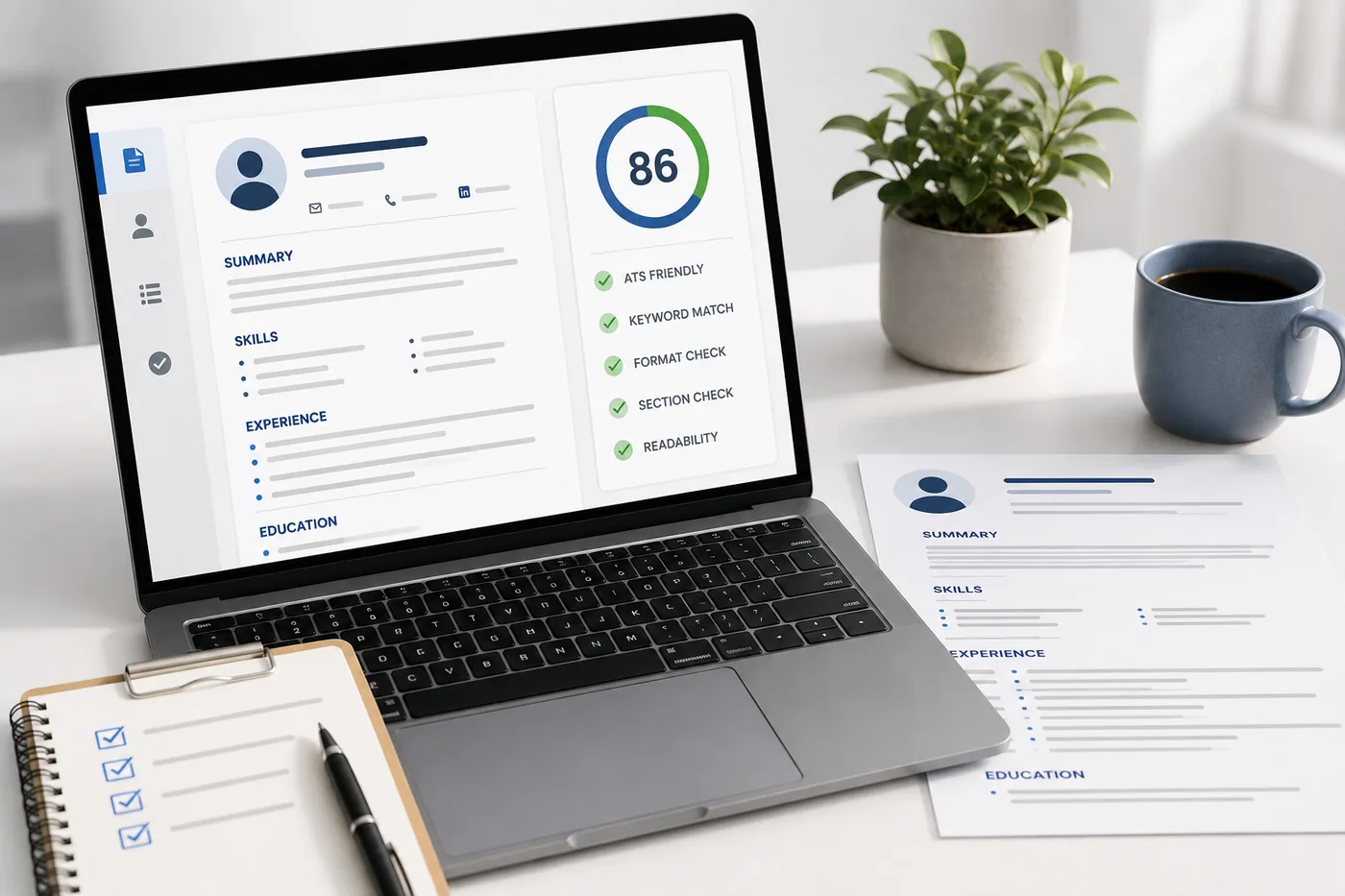
What an ATS score report actually shows you

A score on its own is not actionable. The per-check list beside it - missing LinkedIn, skills gap, formatting the parser cannot read - is what you work through.
- Open your resume file and select all the text (Ctrl+A), then copy it.
- Paste the copied text into a plain text editor, like Notepad, or a blank Google Doc with formatting stripped.
- Read through the pasted result from top to bottom.
Look specifically for:
- Does the text appear in the same order it appears visually on your resume, or does it jump around between columns?
- Are your job titles, companies, and dates still grouped together, or did they get separated?
- Did any content go missing entirely (a phone number, a section heading, a whole bullet point)?
- Are there strange characters where bullets, dashes, or symbols used to be?
- Is the contact information at the very top, intact and readable, not embedded halfway through a paragraph?
If the plain-text version reads as a jumbled mess, an ATS parser will very likely produce the same jumbled result. Fix the layout, re-export, and repeat the test. For a more automated version of this check, including a rough compatibility score, run the file through the free ATS score checker, and use Does My Resume Pass ATS or Free ATS Resume Scan for a walkthrough of what a passing result actually looks like.
Formatting for Creative, Academic, and Sidebar Resumes
Certain resume types are naturally more prone to parsing problems, and it helps to know what to do about each one.
- Creative and design resumes. A visually distinctive resume can be worth the risk for design-specific roles where a portfolio matters as much as the document itself, but it is still worth keeping a plain-text version in your back pocket for any application that goes through an ATS. See Graphic Designer Resume for role-specific guidance, and lean on a portfolio link to carry the visual work instead of packing it into the resume file itself.
- Academic CVs. Longer, multi-page CVs with dense publication lists and nested subsections are common in academia, but many corporate-style ATS platforms were not built with that structure in mind. If you are applying to an industry role after an academic career, keep section headings standard ("Publications," "Research Experience," "Education") and avoid deeply nested formatting even if your field's conventions allow it.
- Sidebar layouts. A resume with a narrow sidebar for skills, contact info, or a photo alongside a wider main column has the same core risk as any two-column design: the parser may read straight across the page instead of down each column separately. If you want to keep a sidebar for visual appeal when a human opens the file, still submit a single-column version for any application that goes through an automated system, and test both with the copy-paste method above.
When you are not sure which template category is safest for your situation, How to Choose a Resume Template walks through the tradeoffs, and the ATS-friendly resume templates library defaults to single-column, parser-tested layouts.
If you are unsure whether your current design is causing parsing issues, compare it against the examples in ATS Resume Formatting Mistakes. Then apply the practical rules from How to Make Resume ATS Friendly, especially if you use columns, icons, or visual sections.
Make This Practical
Do not guess whether your resume is ready. Upload it to the free ATS score checker, compare the result with the ATS Score Guide, and fix formatting issues using ATS Resume Formatting Mistakes and the copy-paste test above.
After the technical cleanup, improve relevance. Use Resume Matching With Job Description, strengthen keyword coverage with the Resume Keywords Guide, and avoid overdoing it by checking ATS Keyword Mistakes. If the layout itself is weak, rebuild with an ATS-friendly resume template instead of patching a design that was never built to parse cleanly. Once the resume itself is solid, pair it with a matching cover letter and rehearse likely questions with the AI mock interview tool so formatting problems are not the only thing standing between you and an offer.
FAQ
Are two-column resumes bad for ATS?
Not always, but they are riskier. Some newer parsers handle columns correctly, while older systems read straight across both columns and mix up your content. If you use a two-column design, run the copy-paste test described above, and keep a single-column backup for applications where you are not sure which system is being used.
Can ATS read PDFs?
Most modern systems can read text-based PDFs exported directly from a word processor or design tool. What they generally cannot read is a scanned image PDF, since there is no underlying text layer to extract. If you scanned a printed resume or exported a flattened image, convert it to a genuine text-based file before applying.
Should I use graphics or icons on my resume?
Avoid graphics for anything that carries actual information, such as skill levels, contact icons without accompanying text, or star ratings. Decorative elements that do not hold meaningful content, like a thin divider line or a color accent, are generally lower risk, but text is always the safest way to communicate anything a recruiter or a parser needs to find.
Does file naming affect parsing?
File naming does not affect how the content parses, but a clear file name like "FirstName-LastName-Resume.pdf" makes your document easier for a recruiter to find later, and avoids confusion in systems that display the file name directly. It is a small courtesy that costs nothing.
Will a parser understand my resume if I use a non-standard section order?
It might, but it is less reliable. Most parsing logic is tuned around a conventional order (contact, summary, skills, experience, education). Putting projects before experience or burying your skills section at the bottom does not break parsing outright, but it increases the odds of a field being misclassified. Stick to the conventional order unless you have a strong reason not to.
Can I use a resume header or footer for my name and contact details?
It is best to avoid it. Header and footer regions sit outside the main body text in many document formats, and some ATS parsers skip that region entirely during extraction. Keep your name and contact block in the main body of the page, as the very first lines of content.
Does a parser care about font choice?
Mostly no, as long as the font is a standard, widely available one and properly embedded in the file. Decorative, script, or highly stylized fonts occasionally cause characters to extract incorrectly, especially in older PDF generation tools. Stick to common fonts like Arial, Calibri, or Georgia to remove this risk entirely.
How is a parsing problem different from a low keyword match?
Parsing is about whether the software can correctly extract and structure your text at all. Keyword matching is about whether the content itself is relevant to the job once it has been extracted correctly. You can have perfectly parseable formatting and still score poorly if your resume lacks the right keywords, or you can have strong keyword coverage that never gets read properly because of a broken layout. Fix parsing first, since it is a prerequisite for the rest of your content being seen, then work on relevance using the Resume Keywords Guide.
Next Step
Upload your resume to the ATS score checker and check whether formatting issues are hurting your score before you send out another application.
Does your formatting survive the parser?
Upload your resume and see what an ATS actually reads back.
Drop your resume here or choose a file
PDF only. Max 2 MB.
We never share your data or use it to train AI models.
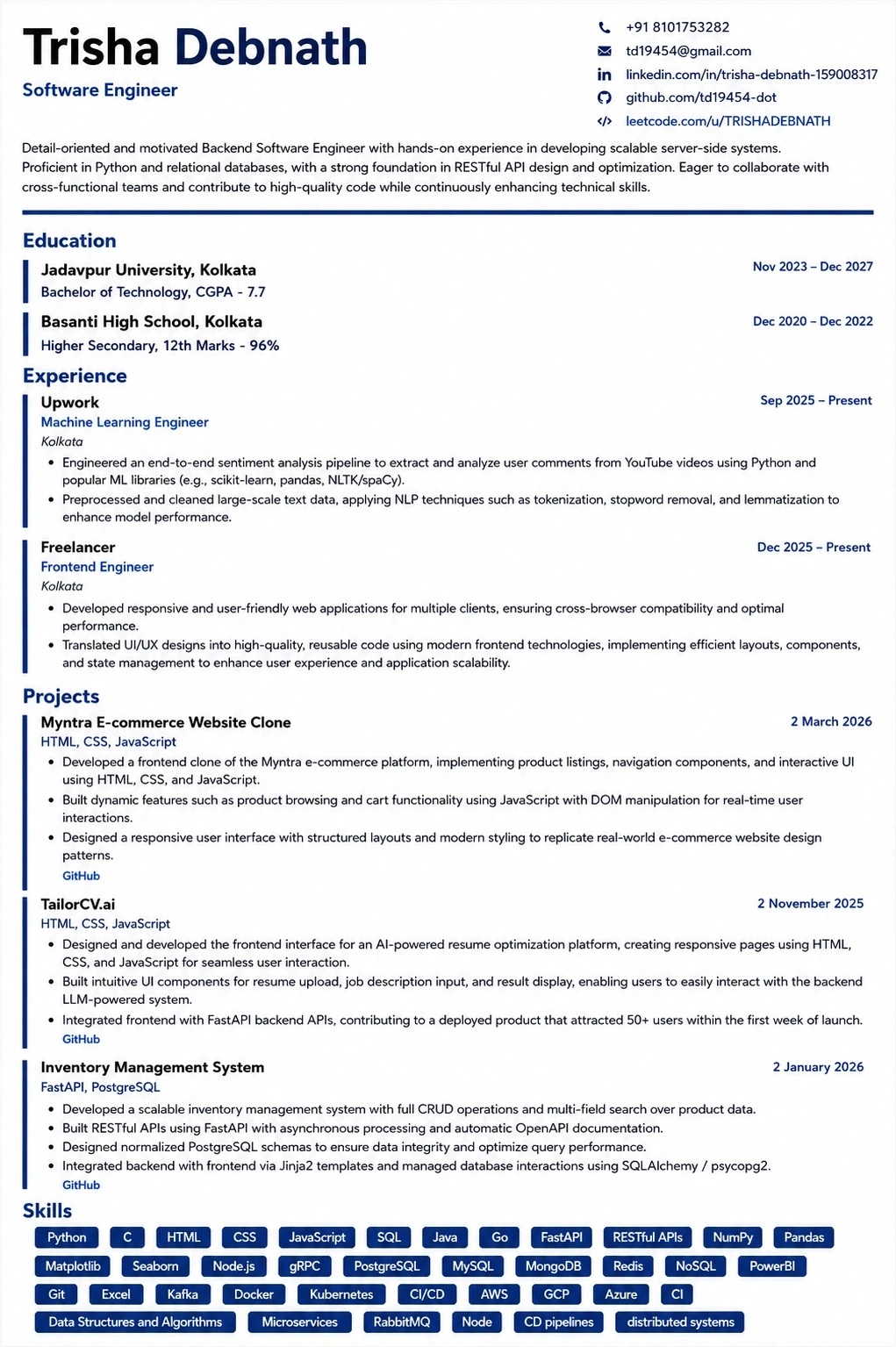
A layout that parses cleanly
Single column, standard headings, no text boxes — the formatting rules in this guide, already applied.
Was this guide useful?
Be the first to rate it.