 SS
SS
Key Takeaways
- You can host a professional portfolio for free using platforms like GitHub Pages, Netlify, Vercel, or Cloudflare Pages.
- A custom domain enhances professionalism and branding, costing around $10/year, but is optional initially.
- GitHub Pages is ideal for static sites, while Netlify and Vercel offer user-friendly interfaces with additional features.
- To improve site performance, compress images, avoid heavy frameworks, and use a Content Delivery Network.
- For immediate online presence, consider using a portfolio builder that publishes a live link directly from your resume.
How to Host Your Portfolio Website for Free (2026 Guide)
You can host a fast, professional portfolio for exactly $0 in 2026. The only thing worth paying for is a custom domain (~$10/year), and even that is optional at the start. Here are the best free options and how to set them up. Pair this with the Best Portfolio Website Builders 2026 and the Portfolio Domain Name Guide.
Free Hosting Options
GitHub Pages
- Description: Free static hosting directly from a GitHub repository. Ideal for simple websites and portfolios.
- Pros: Easy to set up, integrates seamlessly with version control, and is widely recognized by tech recruiters.
- Cons: Limited to static sites; dynamic content requires additional setup.
- Setup Steps:
1. Create a GitHub account.
2. Start a new repository and upload your portfolio files.
3. Go to the repository settings and enable GitHub Pages.
4. Your site will be live at
username.github.io/repository-name.
For more on optimizing your GitHub profile, check out our guide on GitHub Portfolio Optimization.
Netlify
- Description: Offers drag-and-drop deployment and Git-based workflows, with a generous free tier that includes HTTPS.
- Pros: User-friendly interface, automatic deployments from Git, and built-in features like form handling.
- Cons: Some limitations on bandwidth and build minutes.
- Setup Steps: 1. Sign up for a Netlify account. 2. Link your GitHub repository or drag-and-drop your site files. 3. Configure your custom domain if you have one. 4. Your portfolio is now live and ready for sharing.
Vercel
- Description: Best for projects built with Next.js and React; provides a great free tier for developers.
- Pros: Automatic scaling, fast performance, and easy integration with popular frameworks.
- Cons: Primarily focused on JavaScript frameworks; not ideal for static HTML/CSS.
- Setup Steps: 1. Create a Vercel account. 2. Import your GitHub repository or upload your project. 3. Configure your project settings and deploy. 4. Your portfolio is now accessible online.
Cloudflare Pages
- Description: Provides a global CDN for fast loading times, along with free hosting for static sites.
- Pros: Fast performance, easy integration with Git, and automatic HTTPS.
- Cons: Limited support for dynamic content.
- Setup Steps: 1. Create a Cloudflare account. 2. Connect your GitHub repository or upload your site files. 3. Deploy your site and configure your custom domain if desired. 4. Your site is now up and running globally.
Publish Straight From Your Resume
The simplest route skips build steps entirely: the portfolio builder publishes a live link for you. This is a great option if you want your portfolio online immediately. For a detailed walkthrough, see Turn Your Resume Into a Portfolio in Minutes.
Add a Custom Domain
A custom domain looks far more professional than a free subdomain. Here’s how to get started:
- Buy a Domain: Purchase a domain name from a registrar (approx. $10/year). For tips, see our guide on How to Choose a Domain Name for Your Portfolio (2026).
- Point the DNS Records to Your Host: Follow your hosting provider's instructions to update the DNS settings.
- Enable HTTPS: Use Let's Encrypt or your host's built-in options to secure your site.
Benefits of a Custom Domain
- Professionalism: A custom domain enhances your credibility.
- Branding: It helps in building a personal brand.
- Improved SEO: Custom domains can improve your search visibility.
Keep It Fast
To ensure your portfolio loads quickly, consider the following tips:
- Compress and Lazy-load Images: Use tools like TinyPNG or ImageOptim to reduce image sizes.
- Avoid Heavy Frameworks: Stick to lightweight frameworks or plain HTML/CSS for simple portfolios.
- Use Built-in CDN: Leverage your host's Content Delivery Network for faster content delivery.
- Aim for a Quick First Paint: Optimize your HTML/CSS to ensure that your site renders quickly.
Speed Optimization Checklist
- unchecked: Compress images before uploading.
- unchecked: Minify CSS and JavaScript files.
- unchecked: Use a CDN for serving static assets.
- unchecked: Test your site speed using tools like Google PageSpeed Insights.
Make It Findable
Once your portfolio is live, help recruiters and clients find it with light SEO. Here are essential steps:
- Title Tags & Descriptions: Ensure each page has a unique title and meta description.
- Sitemap: Create a sitemap.xml file and submit it to search engines.
- Keyword Optimization: Use relevant keywords naturally throughout your content.
For more in-depth strategies, refer to our guide on Portfolio SEO: Get Found.
Keep Your Resume and Portfolio in Sync
Your resume, LinkedIn, and portfolio should tell the same story—same name, same headline, same top projects—just at different levels of depth. A recruiter who sees a 'Full Stack Developer' resume and a portfolio headlined 'Aspiring Designer' gets confused, and confusion loses interviews.
Turning a resume into a portfolio site
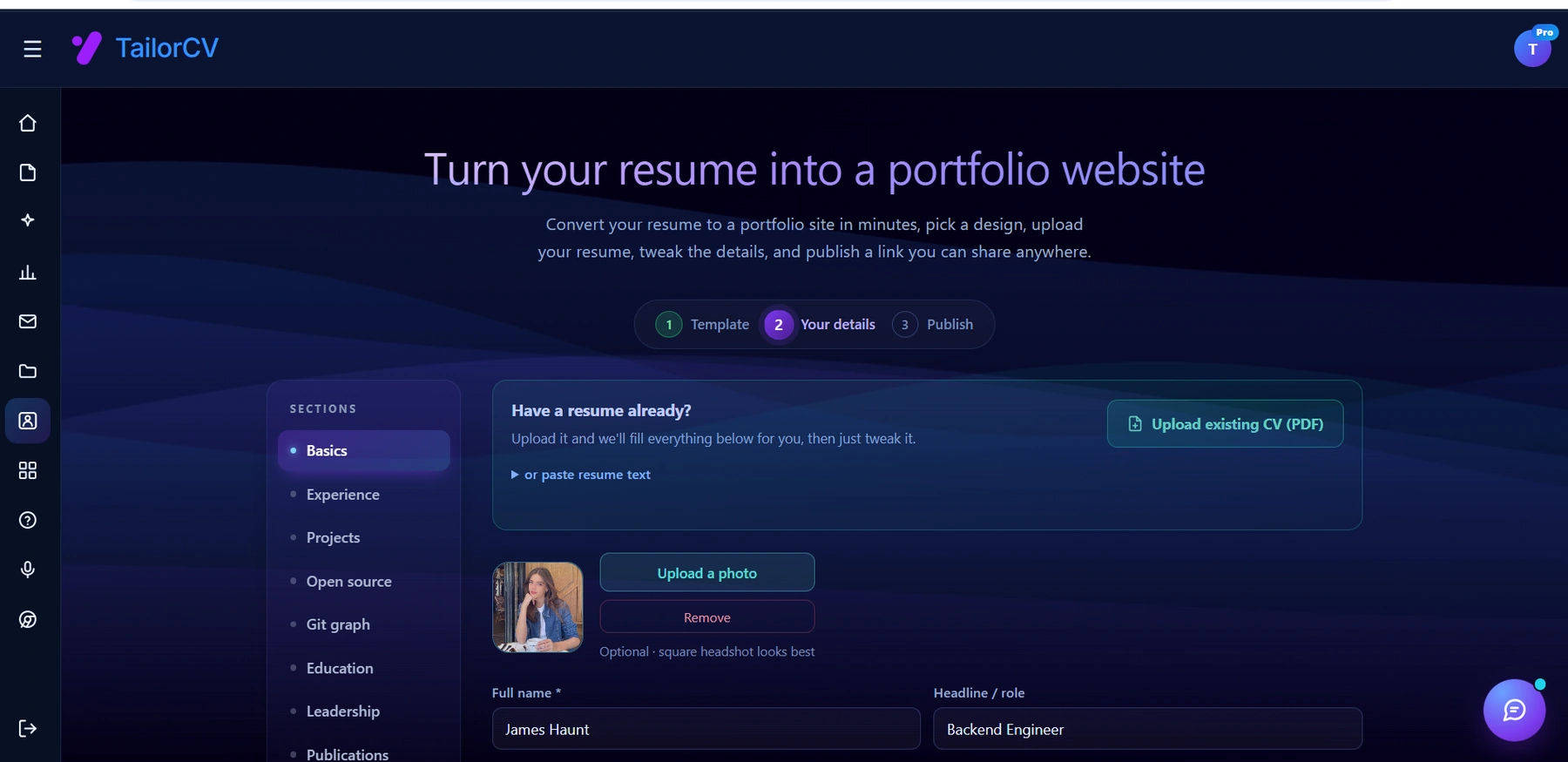
The three steps are template, details, publish. Uploading an existing CV fills in the details step for you, which is why this takes minutes rather than a weekend.
- Lock the Resume Down First: Use the ATS score checker to ensure your resume is optimized.
- Mirror Your Positioning: Ensure your portfolio matches the narrative of your resume.
- Reinforce Each Touchpoint: Every interaction should push your candidacy forward.
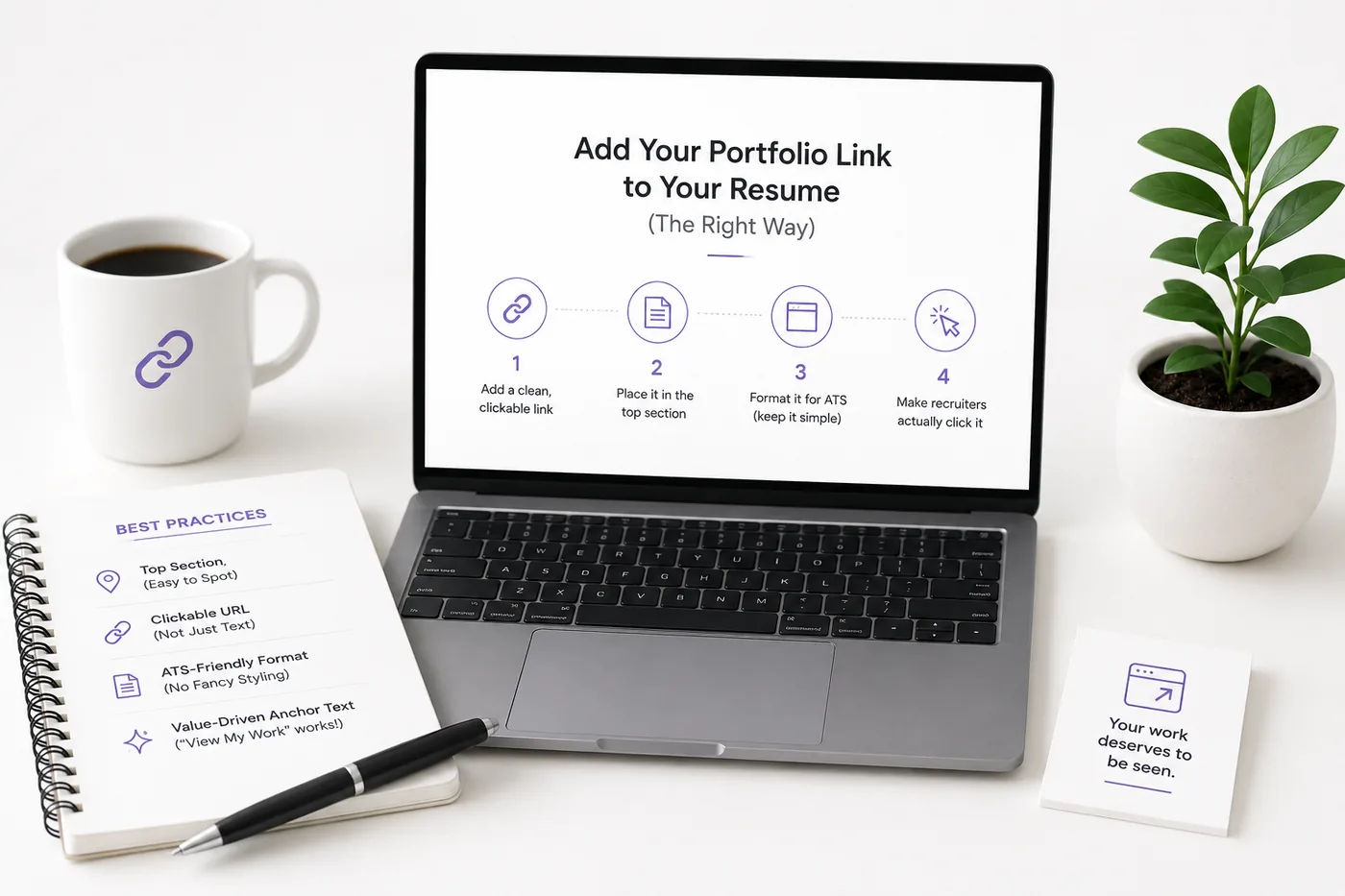
For tips on incorporating your portfolio link into your resume, see How to Add Your Portfolio Link to Your Resume.
Common Mistakes to Avoid
| Mistake | Why it costs you |
|---|---|
| Forgetting HTTPS | Browsers flag "not secure," which can deter visitors |
| Using Huge, Unoptimized Images | Slow loading times can frustrate users |
| Blocking the Site from Google | Accidental settings in robots.txt can prevent indexing |
| Dead Links After Deploy | Always run the Portfolio Checklist Before You Apply to ensure everything is functional |
Conclusion
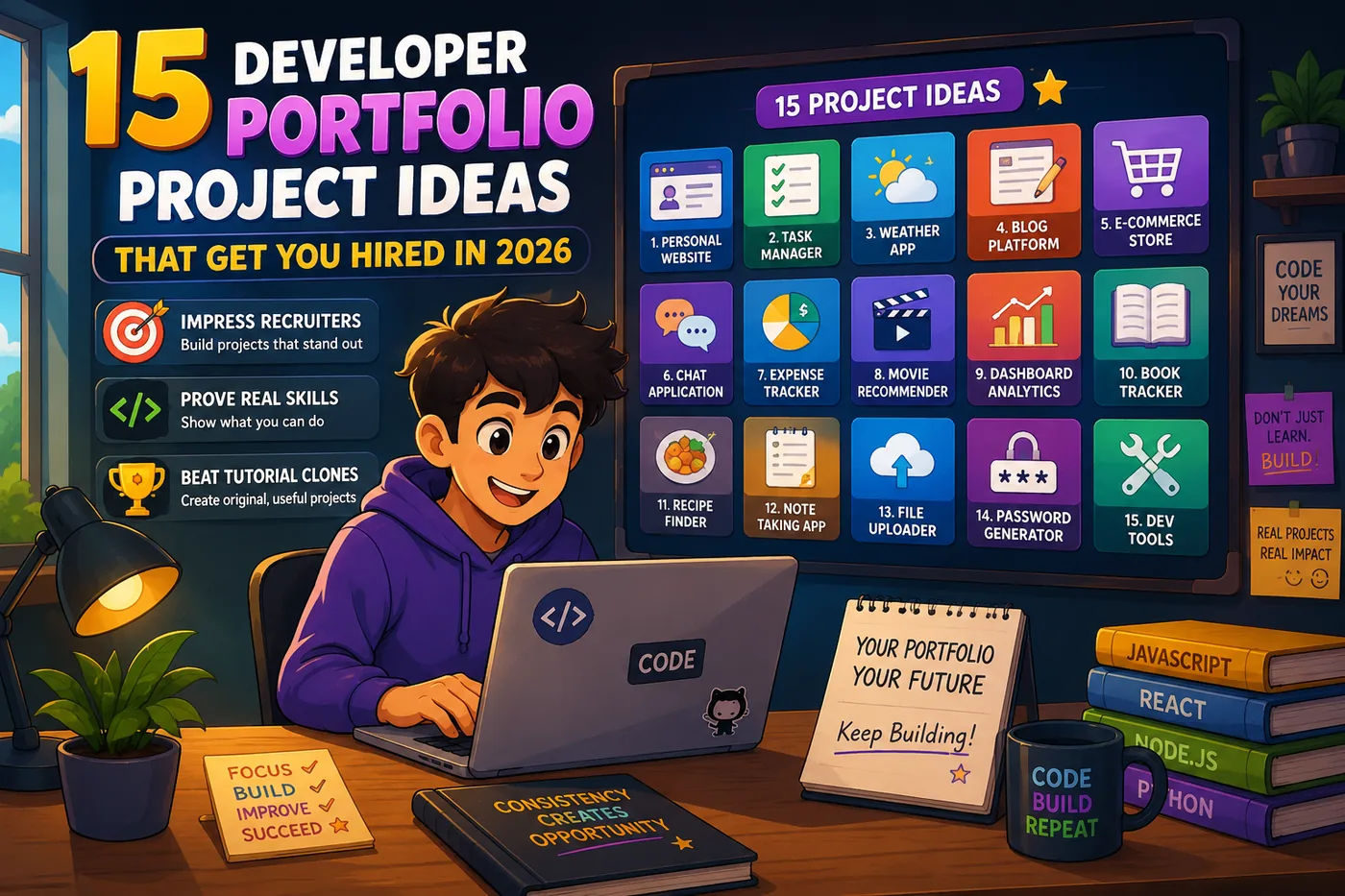
Hosting your portfolio website for free in 2026 is entirely feasible with the available tools and platforms. By following the steps outlined above, you can create a professional online presence that effectively showcases your skills and projects. Whether you're a backend developer, frontend developer, or a full-stack developer, having a well-structured portfolio can significantly enhance your job prospects. For project ideas to include in your portfolio, check out our list of 15 Developer Portfolio Project Ideas That Get You Hired in 2026.
Frequently Asked Questions
Is free hosting reliable for a portfolio?
Yes. GitHub Pages, Netlify, Vercel, and Cloudflare are production-grade and used by professionals daily.
Do I need to know how to code to host one?
No - the portfolio builder publishes a link for you. Coders can use GitHub Pages or Netlify.
Is a custom domain worth it?
Yes, for ~$10/year it noticeably boosts credibility. See the Portfolio Domain Name Guide.
Build Your Portfolio Now
You do not need to code a site from scratch or spend a weekend wrestling with a website builder. Turn your existing resume into a live, shareable portfolio website in minutes with the TailorCV portfolio builder - choose a template, upload your CV, tweak the details, and publish a link you can drop straight onto your resume and LinkedIn. Before you start applying, run your resume through the free ATS score checker and switch to an ATS-friendly template so your portfolio and resume tell one clean, consistent story to every recruiter.
Related Guides
- How to Build a Professional Portfolio
- Best Portfolio Website Builders 2026
- Portfolio Domain Name Guide
- GitHub Portfolio Optimization
- Portfolio SEO: Get Found
- Turn Your Resume Into a Portfolio in Minutes
- Frontend Developer Portfolio Guide
- Portfolio Checklist Before You Apply
- Portfolio Mistakes to Avoid
- Portfolio Contact Section
- How to Add Your Portfolio Link to Your Resume
- Personal Website vs Portfolio
Make This Practical
If this topic connects to your work samples, turn the advice into a live proof page with the TailorCV portfolio builder. After publishing, add the link correctly using How to Add Your Portfolio Link to Your Resume, tighten the page with the Portfolio Checklist Before Applying, and make sure recruiters can contact you through a clean Portfolio Contact Section.
Your portfolio works best when it supports the resume, not when it replaces it. Run the resume through the free ATS score checker, choose an ATS-friendly resume template, and use Portfolio SEO: Get Found so your name, role, and strongest projects are easier to discover.
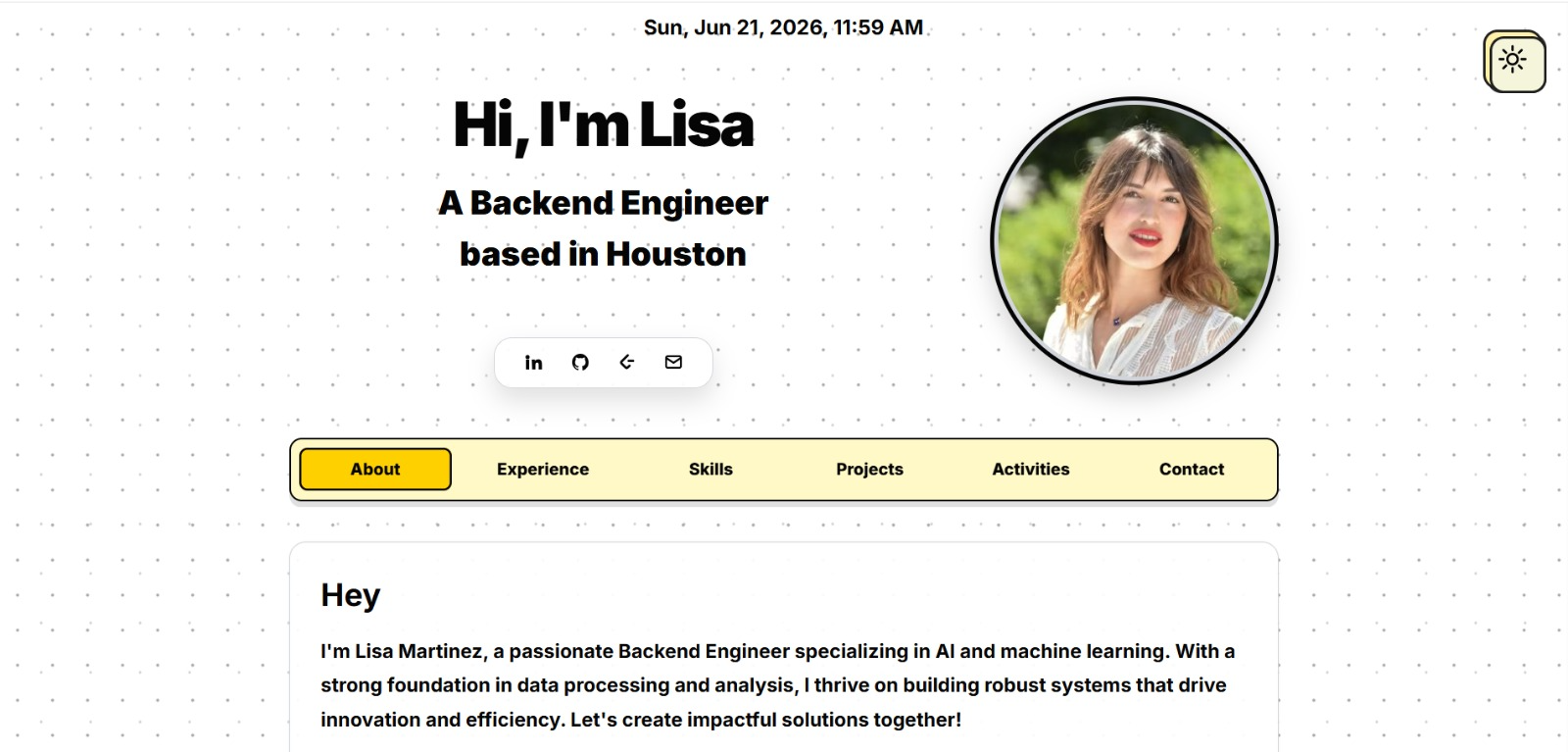
See what your portfolio could look like
This theme is built straight from your resume — pick one and your portfolio is live in minutes.
Was this guide useful?
Be the first to rate it.