TD
TD
Key Takeaways
- A job-search extension is worth installing only if it removes friction you pay repeatedly.
- Resume tailoring is the highest-leverage slot because it changes outcomes rather than just convenience.
- ATS score checkers tell you how big the gap is before you tailor; autofill, job trackers, and LinkedIn tools each solve a different problem.
- Ten extensions slow your browser down and none get used - pick based on your actual bottleneck.
- An extension can by definition see the page you have open, so check its permissions before installing.
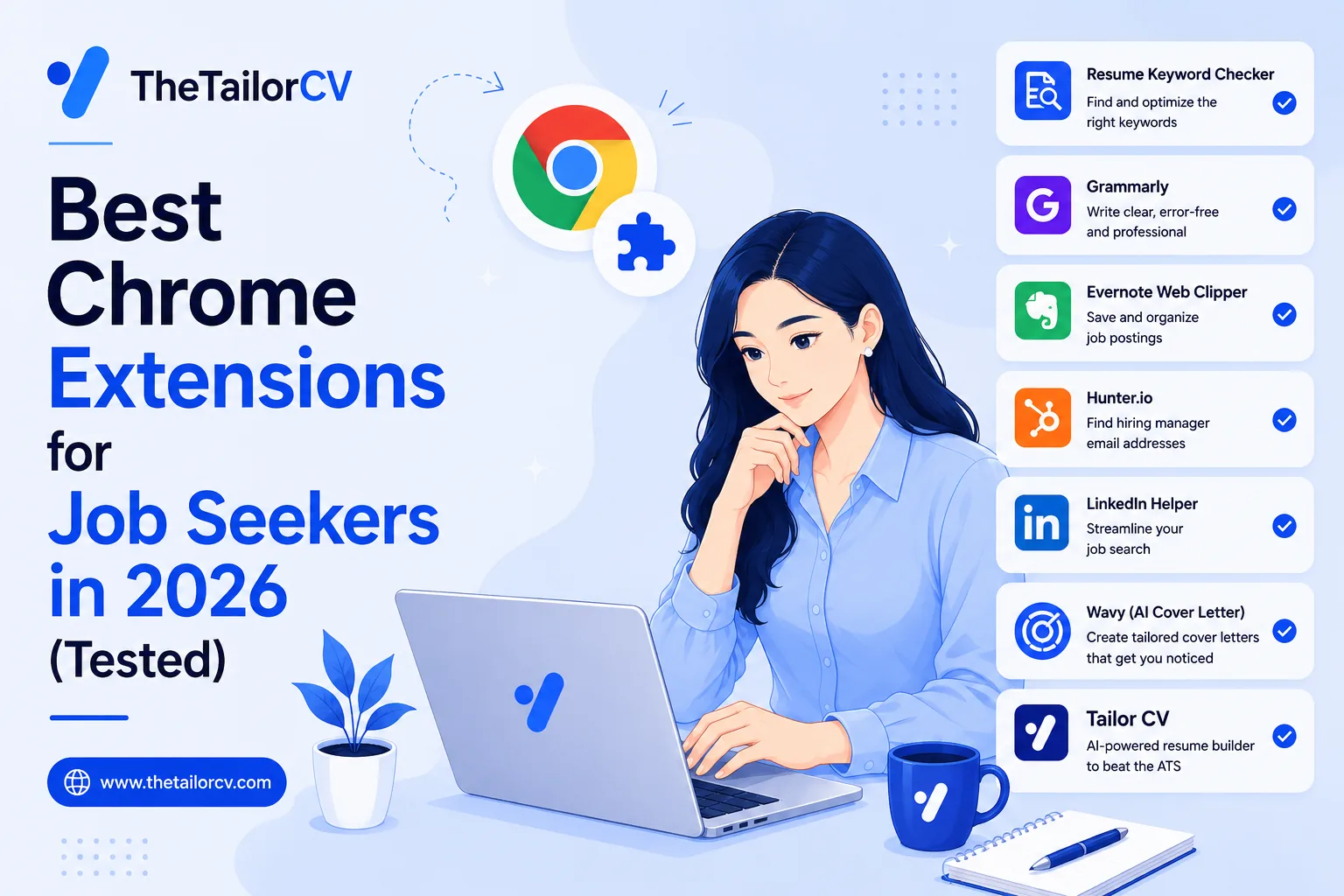
Your browser is where the job search actually happens. You read postings in it, you apply in it, you doom-scroll LinkedIn in it. So the tools that live inside the browser — right there on the job page — save you more time than any separate app you have to remember to open.
The catch is that most "job search extensions" do one small thing and then ask you to pay for it. This is an honest, tested rundown of the Chrome extensions genuinely worth a slot on your toolbar in 2026, grouped by the job they actually do. We build one of them (TailorCV), and we will be clear about where that bias sits — but the goal here is a list you can trust, not a sales page.
What to Actually Look For
Before the list, one filter that cuts it down fast. A job-search extension is worth installing only if it removes friction you pay repeatedly. A tool you use once is a website, not an extension. The value of living on your toolbar is that it saves you ninety seconds on every application — and over a real search of eighty-plus applications, ninety seconds each is hours.
So the question for each tool is: does this do something on every job, or just once?
1. Resume Tailoring — the highest-leverage slot
This is the one that changes outcomes, not just convenience, so it goes first.
What it looks like on a LinkedIn job post
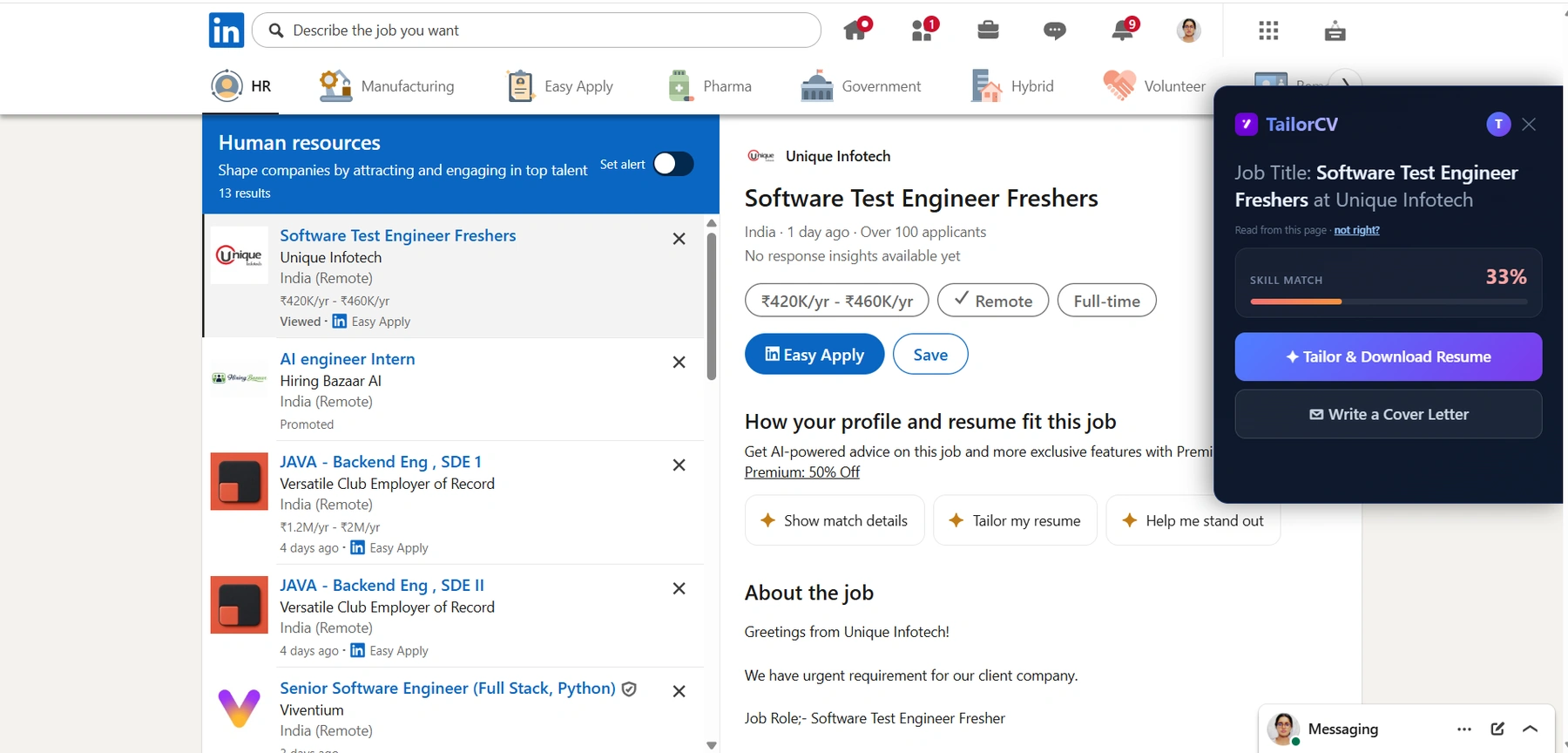
This is what "highest-leverage" looks like on a real posting. The extension reads the job off the page you are already on, scores your resume against it (33% here - worth knowing before you apply), and lets you tailor or write the cover letter without leaving LinkedIn.
The single biggest reason applications fail is that the resume was not tailored to the posting. When you apply through a portal, software parses your resume and matches it — by exact language — against the job description. A generic resume that says "worked with clients and teams" simply does not match a posting that asks for "stakeholder management", even though a human would call them the same thing. Our tailored vs generic resume piece shows what that gap costs, and how to stop sounding generic covers the fix. The whole game is matching your resume's keywords to the job description so you pass the ATS in 2026.
The problem is that tailoring by hand is miserable. Open the resume, duplicate it, rewrite the bullets, re-export, rename the file — ten minutes a job, so nobody does it past week two. And it is easy to do badly: stuffing keywords in without context is one of the most common ATS keyword mistakes, and it reads as obviously robotic to the human who eventually sees it. Good tailoring keeps your own voice while carrying the posting's language, quantifying your achievements rather than padding — which is harder than it sounds at 11pm. It also has to survive the parser, so ATS formatting mistakes will sink even well-written bullets. If you have never done it, how to tailor a resume for every job walks through the manual version, and doing it in five minutes is the faster route.
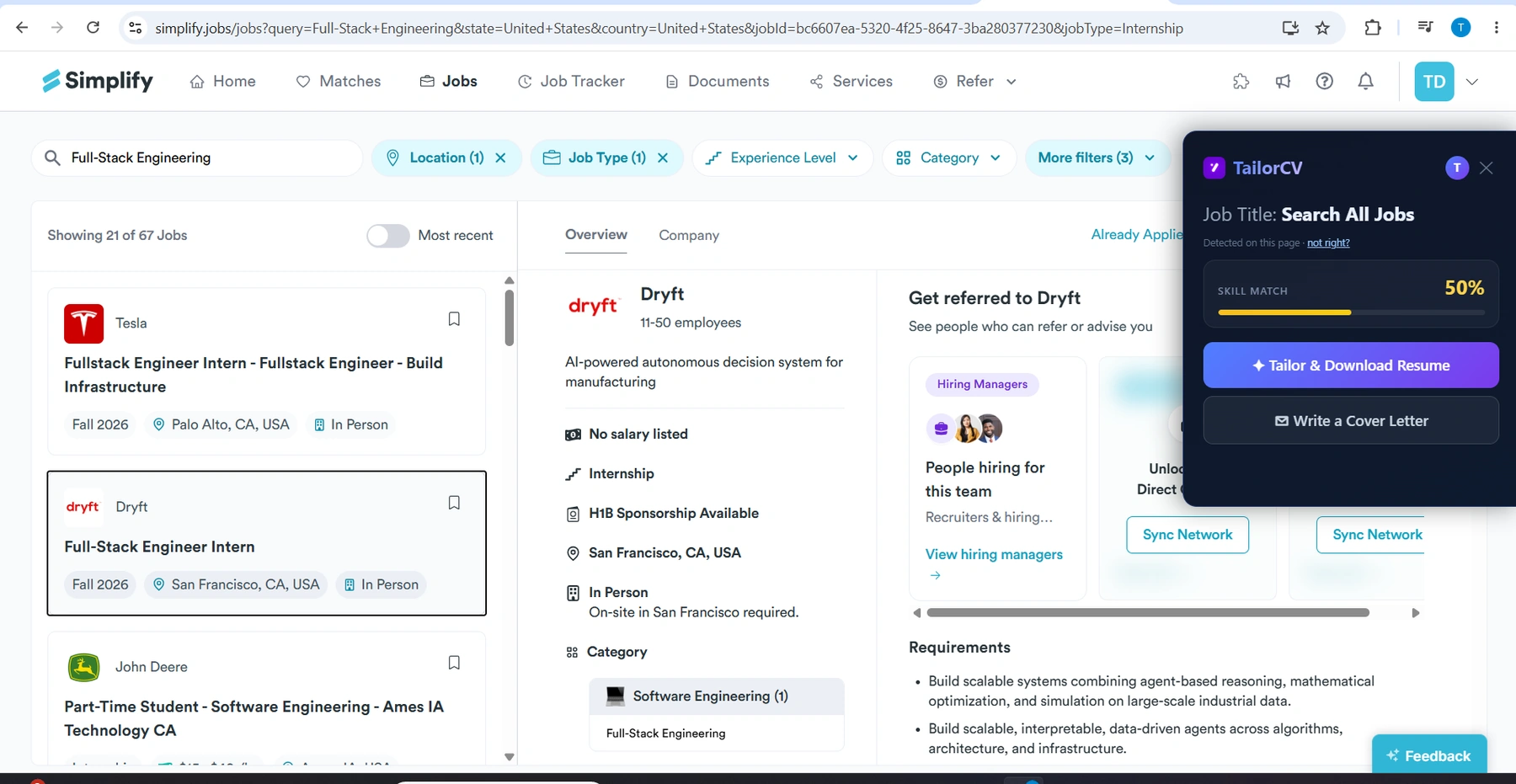
TailorCV's extension (ours) exists to collapse that to one click. Open a job on LinkedIn, Indeed, Naukri, Greenhouse, Lever, Workday, Ashby, Glassdoor, ZipRecruiter, Monster, SimplyHired, Dice or Wellfound, and a panel opens beside it. It reads the job description off the page, shows your skill-match score against that role, and with one click rewrites your resume to match — honestly, using only what is already on it — and downloads the ATS-ready PDF. A second click writes the matching cover letter. It works on fifteen boards out of the box and on any other site from the toolbar.
Our bias, stated plainly: this is our product, so treat the pitch as a pitch. But the category — tailor on the page, not in a separate tab — is the one we would tell you to prioritise regardless of whose tool you use, because it is the only one that changes whether you get the interview rather than just how fast you apply.
2. ATS Score Checkers
Before you tailor, it helps to know how bad the gap is. An ATS-scoring extension pulls the job description off the page and scores your resume against it, showing the keywords you are missing.
Several tools do a version of this. Ours folds it into the tailoring panel — you see the skill-match score before you tailor, and again after — so you are not guessing whether the rewrite helped. If you only want the diagnosis and prefer to rewrite by hand, a standalone ATS checker is a reasonable single-purpose install. You can also just check your ATS score for free without an extension at all. Just know that a score alone leaves you with the hard part still to do. Our ATS score guide covers what the number does and does not tell you, ATS score vs resume score clears up a common confusion, and making your resume parser-friendly is the formatting groundwork that a score alone will not fix.
3. Application Autofill
The most purely time-saving category. Filling the same name, email, work history and education into the fortieth Workday form is genuinely soul-destroying, and autofill extensions do exactly that — read your saved profile and populate the form fields.
This is worth having, and it is a real gap in our own tool: we do not autofill forms. If the repetitive data entry is your main pain, install a dedicated autofill extension. One honest caution — autofill gets a generic resume into the form faster. It speeds up the wrong thing if the resume itself is not matched to the job. Pair it with tailoring, not instead of it. This matters most on LinkedIn Easy Apply, where the low friction of applying makes it dangerously easy to fire off the same untailored resume to twenty roles in an afternoon.
4. Job Trackers
Once you are applying to dozens of roles, you lose track of what went where. Tracker extensions let you save a job from the posting into a board, then move it through stages — applied, interviewing, offer.
These are useful for a high-volume search. Our approach is a little different: instead of asking you to save jobs manually, our Job Tracker fills itself in — every resume you tailor is recorded automatically with its score and the job it was written for. So you get the tracking as a byproduct of tailoring, rather than as a separate chore. A good tracker also nudges you to do the part most people skip: following up after the application and following up after the interview, both of which move the needle more than another application. If pure organisation across hundreds of saved-but-not-applied roles is your need, a dedicated tracker still does that better.
5. LinkedIn Profile Tools
A different pipeline: these help recruiters find you rather than helping you apply. They score your LinkedIn profile and suggest improvements to headline, about section and keywords. Genuinely useful if your problem is visibility rather than rejection — our LinkedIn profile optimization guide covers the manual version, LinkedIn headline examples give you something to copy, and using LinkedIn for your job search ties it together. Not something our extension does; it is pointed at the resume, not the profile.
The Math on Time Saved
It is worth being concrete about why the on-page category matters, because "saves you time" is a claim every tool makes.
A realistic serious search is somewhere between fifteen and thirty applications a month. Tailoring a resume by hand — opening the document, comparing it to the posting, rewriting bullets to carry the right keywords, re-exporting and renaming — takes about ten minutes if you are quick and honest about it. Across twenty-five applications, that is over four hours a month of fiddly, morale-draining work, and it lands hardest exactly when you are most tired: the eleventh application on a Sunday night.
That is the moment tailoring dies. Not because anyone believes generic resumes are better — nobody does — but because the friction is real and it compounds. By week three most people quietly stop tailoring and start sending one resume everywhere, and the reply rate falls off a cliff. If you have wondered how many jobs you should apply to per day, the honest answer is fewer, tailored, rather than many, generic.
An on-page tool collapses that ten minutes to about one. It does not just make you faster; it makes the good habit survivable for the length of a real search. That is the entire argument for the category, and it is why we put resume tailoring at the top of the list rather than autofill, which merely makes a bad approach quicker.
Do You Even Need One? A 60-Second Check
Before installing anything, find out whether the resume is your actual bottleneck, because if it is not, no extension will help.
Pick a job you genuinely want, copy the full description, and run it against a free ATS score with your current resume. Read the number and the missing-keywords list:
- 80% or above — your resume is well matched. Your bottleneck is elsewhere (visibility, or the roles you are targeting), and a tailoring tool will not move much. Look at LinkedIn optimization instead.
- 55–75% — the dangerous middle, and where most people land. Your resume is fine and losing anyway, because "fine" does not rank against a specific posting. This is exactly what an on-page tailoring tool fixes, and our how to increase your ATS score guide covers the manual version.
- Below 55% — you are being filtered before a human reads you. The resume has to change per job, and doing that by hand every time is the friction an extension removes.
This one check saves you from installing five tools to solve a problem you may not have. It also tells you which of the categories below is worth your one toolbar slot.
If You Are a Student or Fresher
The extension math is even more lopsided in your favour if you are early-career, because you are usually applying to more roles with a thinner resume — which means more tailoring, over less material, more often.
A few things matter more for you than for a mid-career applicant. First, your ATS score as a fresher leans heavily on projects and coursework, so fresher resume projects that get interviews is the highest-leverage read here. Second, if you are going through campus placement, you are often submitting the same base resume to very different companies in a week — exactly the case tailoring solves. And if you are chasing your first tech job or trying to land a role with no experience, a tailored resume plus a portfolio site does more than any amount of applying with a generic PDF. Building a professional portfolio is often the single move that gets a fresher noticed.
If You Are Applying Remotely or Abroad
Remote and international searches add their own wrinkle, and a couple of extensions earn their slot here specifically.
Remote roles attract huge applicant volumes, so the ATS filter is even more aggressive — matching your resume to a remote job description is not optional, and a remote-focused cover letter helps you stand out from the hundreds who sent a generic one. If you are targeting a specific country, the parsing conventions differ: getting a job in the USA and getting a job in Canada each have their own resume norms worth reading before you apply. And wherever you apply remotely, be alert — remote listings attract more fraud, so know how to spot a job scam before you hand over any documents.
How to Choose (Without Installing Ten of Them)
Ten extensions slow your browser down and none of them get used. Pick based on your actual bottleneck:
- "I apply and hear nothing" → resume tailoring. This is a rejection problem, and it is the one that changes outcomes.
- "Filling forms is killing me" → autofill.
- "I've lost track of my applications" → a tracker.
- "Recruiters never reach out" → LinkedIn tools.
Most people reach for autofill first because the pain is so visible, and never fix the resume — which is why they stay busy and still hear nothing. If you install one thing, make it the one that changes whether you get read.
A Note on Privacy
A job-search extension can, by definition, see the page you have open. Before installing any of them, check what permissions it asks for and what it does with the data. A well-built one only reads the job page when you open its panel and sends nothing else. Ours reads the posting only when you open it on a job page, uses it to tailor your resume, and does not track your browsing. Whatever you install, install from the official Chrome Web Store and skim the permissions — that thirty seconds is worth it.
Frequently Asked Questions
Are job search Chrome extensions safe? The reputable ones are, but permissions matter. Install only from the Chrome Web Store, check what host access the extension requests, and prefer tools that read the job page only when you invoke them rather than tracking every site you visit.
What is the best Chrome extension for tailoring a resume? We are biased, but the category to prioritise is any tool that tailors on the job page itself rather than making you copy-paste into a separate site. TailorCV's extension does this across fifteen job boards; try it against a job you actually want and judge the output.
Do I need to pay for these? Many have free tiers. Ours gives you unlimited ATS scores free; tailoring is part of a paid plan. Autofill and basic trackers are often free. Be wary of tools that let you do the work free and then charge to download the result.
How many extensions should I install? As few as possible. Each one you add slows your browser and clutters your toolbar. Pick one per real bottleneck — most people need a tailoring tool and maybe an autofill, and nothing else.
Will these work on Indeed and Naukri, not just LinkedIn? The good ones do. Ours supports LinkedIn, Indeed, Naukri, Greenhouse, Lever, Workday, Ashby, Glassdoor, ZipRecruiter, Monster, SimplyHired, Dice and Wellfound out of the box, plus any other site from the toolbar.
Putting It All Together
Your browser is the room where your job search lives, and the right two or three extensions turn it from a place where applications are tedious into one where they are fast. But do not confuse fast with effective. Autofill and trackers make you quicker; only tailoring makes you land. If your inbox is quiet after dozens of applications, the missing extension is not the one that fills forms — it is the one that fixes the resume before it goes in.
Start with the bottleneck that is actually costing you interviews. If you are not sure what that is, run a free ATS score against a job you want and let the number tell you. Then install the one tool that fixes it, and leave the other nine in the store.
And once the resume is landing interviews, point your energy at the next stage rather than more tools — a good cover letter, a strong opening line, and real mock interview practice do more at that point than any extension. From there it is researching the company before the interview, rehearsing behavioural questions, and — when one does not go your way — handling the rejection and moving to the next. The browser gets you seen; what you do after is what gets you hired.
Check your match before you install anything
Same score the extension shows on a job page - run it here on any resume and job description.
Drop your resume here or choose a file
PDF only. Max 2 MB.
We never share your data or use it to train AI models.

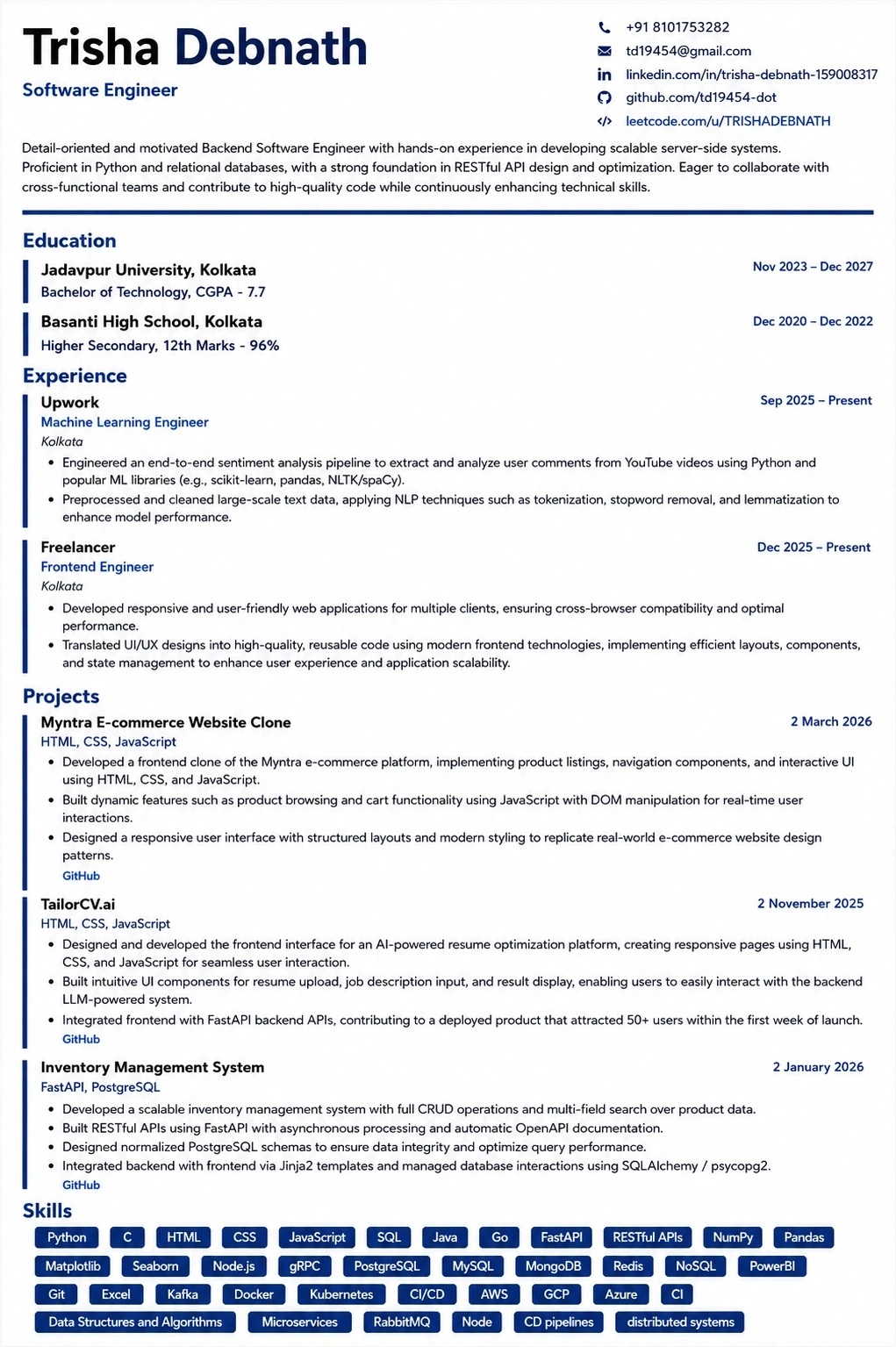
What the tailored resume looks like
This is the format the extension exports to — ATS-tested, so the match score you saw survives the parser.
Was this guide useful?
Average 5.00 / 5.00 · 1 rating