 SS
SS
Key Takeaways
- Certifications enhance resumes, especially in technical, healthcare, finance, and project management fields.
- Place certifications in a dedicated section, near the top, or in the education section based on their relevance to the job.
- Use a standard format that includes the certification name, issuing organization, and year, with expiration dates when applicable.
- Include only relevant, industry-standard certifications and those mentioned in job descriptions, while omitting outdated or irrelevant ones.
certifications can strengthen your resume significantly - especially for technical, healthcare, finance, and project management roles where credentials are screening criteria. But many candidates list them incorrectly, bury them, or include irrelevant ones. This guide shows you exactly how to list certifications for maximum impact.
Why Certifications Matter
- Prove specific skills and knowledge
- Serve as ATS keywords (many jobs require specific certs)
- Differentiate you from candidates without them
- Are sometimes legal requirements (nursing, accounting, etc.)
- Show initiative and commitment to professional growth
For some roles (PMP for project management, CPA for accounting, AWS for cloud, RN license for nursing), the right certification is non-negotiable.
Where to Place Certifications on Your Resume
Option 1: Dedicated Certifications Section (Most Common)
Create a clearly labeled "certifications" section, usually after your work experience and education.
This works best when you have 2+ relevant certifications.
Option 2: Near the Top (When Certifications Are Critical)
If a certification is the key qualifier for the role (e.g., a nursing license, PMP for a PM role, CPA for accounting), place it prominently - in your header area, summary, or a certifications section right after your summary.
Option 3: In Your Education Section
If you have just one certification, you can include it within or right after your education section.
Option 4: After Your Name (For Critical Credentials)
For credentials that are part of your professional identity, add them after your name:
- "Jane Smith, CPA"
- "John Doe, PMP"
- "Priya Sharma, RN, BSN"
How to Format Certifications
Standard format:
Certification Name | Issuing Organization | Year (and expiration if applicable)
Examples:
- AWS Certified Solutions Architect - Associate | Amazon Web Services | 2025
- Project Management Professional (PMP) | PMI | 2024
- Google Data Analytics Professional Certificate | Coursera | 2026
- Certified Public Accountant (CPA) | State Board of Accountancy | 2023
Include Expiration Dates When Relevant
For certifications that expire (BLS, ACLS, some IT certs), include the validity:
- Basic Life Support (BLS) | American Heart Association | Valid through 2027
Include In-Progress Certifications
If you are studying for a certification, you can list it as in progress:
- AWS Certified Solutions Architect - Professional | In progress, expected 2026
- CFA Level 2 Candidate | June 2026
Which Certifications to Include
Include
- certifications directly relevant to the target role
- Industry-standard credentials (PMP, CPA, AWS, CISSP, RN license)
- Certifications mentioned in the job description
- Recent, reputable certifications
Leave Off
- Irrelevant certifications (a sommelier certification on a software engineer resume)
- Very outdated or obsolete certifications
- Trivial or low-credibility "certificates" that add no value
- Too many minor certifications that dilute the important ones
Quality over quantity. Three relevant certifications beat fifteen random ones.
Certifications by Industry
Tech / Software / Cloud
- AWS / GCP / Azure certifications
- Certified Kubernetes Administrator (CKA)
- CompTIA (Security+, Network+)
- Cisco (CCNA)
- HashiCorp Terraform Associate
Cybersecurity
- OSCP, CISSP, CEH, CompTIA Security+, CISM
Project Management
- PMP, PRINCE2, CSM, PSM, SAFe, PMI-ACP
Data
- Google Data Analytics, Microsoft Power BI, Tableau Desktop Specialist, Databricks, AWS ML Specialty
Finance / Accounting
- CPA, CA, ACCA, CFA, CMA, FRM
Healthcare
- RN/PharmD licenses, BLS, ACLS, PALS, CCRN, board certifications
Marketing
- Google Ads, Google Analytics, HubSpot, Meta Blueprint
HR
- SHRM-CP, SHRM-SCP, PHR, SPHR
Certifications Section Examples
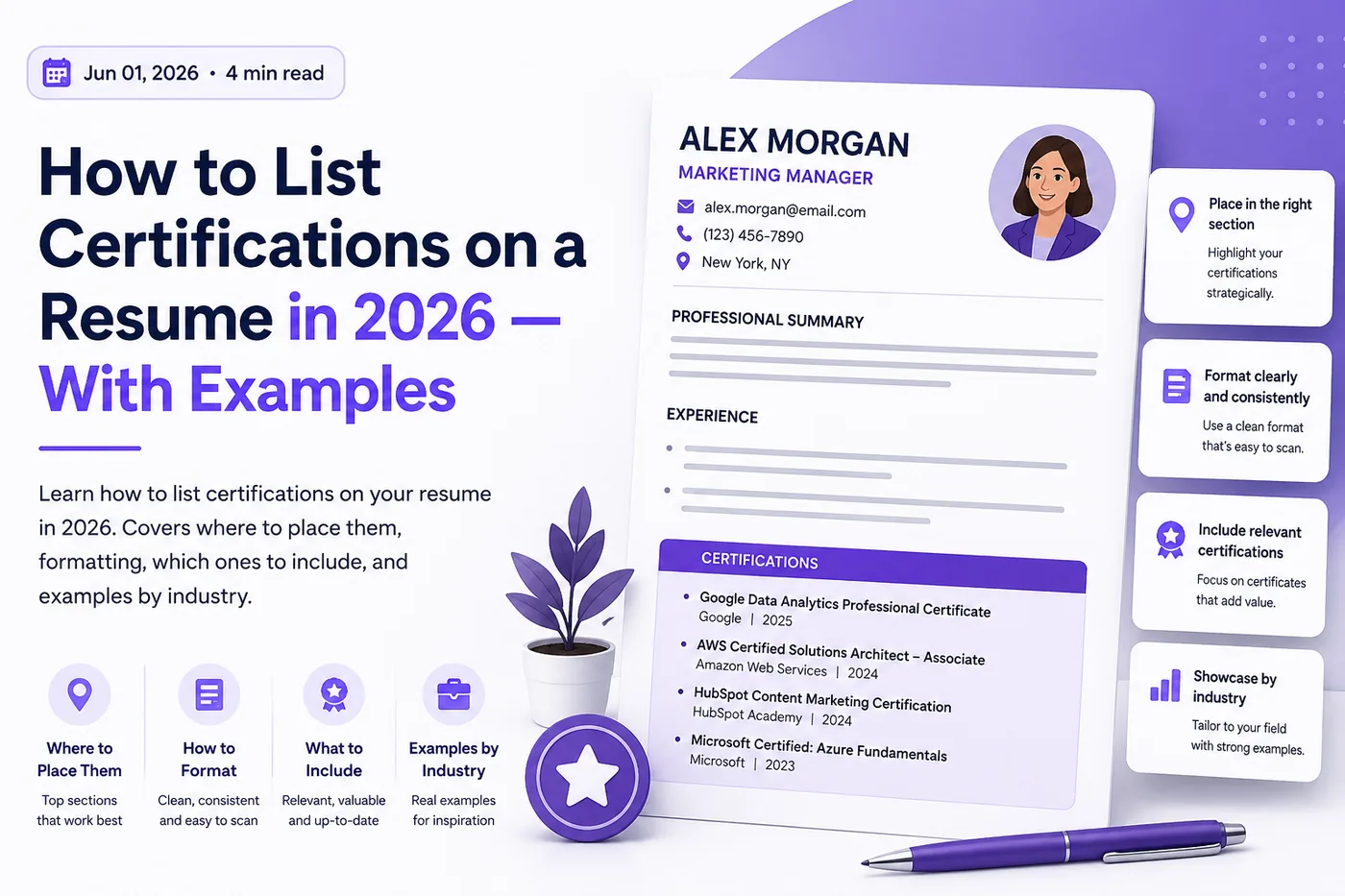
Before finalizing, run your resume through the ATS score checker - many job descriptions list required certifications as keywords, and the ATS scans for them. Use an ATS-friendly template.
Example for a Cloud Engineer
- AWS Certified Solutions Architect - Professional | AWS | 2025
- HashiCorp Certified: Terraform Associate | HashiCorp | 2025
- Certified Kubernetes Administrator (CKA) | CNCF | 2024
Example for a Nurse
LICENSURE & certifications
- Registered Nurse (RN) | State Board of Nursing | Active, valid through 2027
- Basic Life Support (BLS) | AHA | Valid through 2026
- Advanced Cardiac Life Support (ACLS) | AHA | Valid through 2026
- Critical Care Registered Nurse (CCRN) | AACN | 2025
Example for a Project Manager
- Project Management Professional (PMP) | PMI | 2024
- Certified ScrumMaster (CSM) | Scrum Alliance | 2023
Common Certification Mistakes
Mistake 1: Burying critical certifications
If a certification is a job requirement, do not hide it at the bottom. Make it visible.
Mistake 2: Listing expired certifications without noting it
An expired certification listed as current is misleading. Note the status or renew it.
Mistake 3: Including irrelevant certifications
Random certifications dilute your relevant ones and waste space.
Mistake 4: Inconsistent formatting
Keep your certification formatting consistent: Name | Issuer | Year.
Mistake 5: Not using the exact certification name
Use the official certification name, especially since ATS may scan for it. "AWS Certified Solutions Architect" not "AWS cloud cert."
Related Guides
- How to List Education on a Resume
- Soft Skills for Resume
- What Not to Put on a Resume
- 200 Best Action Verbs for Resume
- How to Quantify Resume Achievements
- How to Write a Resume Headline
- How to Write a Resume Summary
- Top Skills to Add to Your Resume
- Chronological vs Functional Resume
- How to Explain Resume Gaps
- How to Make Your Resume ATS-Friendly
- Ideal Resume Length
- How to Write a Resume with AI in 2026 - Smart Use Without the Risks
- MBA Resume 2026 - Complete Guide with Examples
- Cover Letter Guide 2026 - How to Write a Cover Letter That Gets Read
- 10 ATS Resume Formatting Mistakes That Get You Rejected Before a Human Reads Your Resume
- How to Write a Resume Summary With No Experience (10 Real Examples for 2026)
Make This Practical
Use this guide as part of a complete job-search workflow. Check your resume with the free ATS score checker, improve targeting with the Resume Optimization Guide, and choose a clean format from the ATS-friendly resume templates.
After the resume is ready, strengthen the rest of the application. Draft a targeted letter with the AI cover letter generator, practice interviews with the AI mock interview tool, and create a project-backed proof page with the portfolio website builder if you need a stronger online presence.
Conclusion
List certifications in a clear, consistently formatted section, place critical credentials prominently, and include only relevant certifications. Use the exact official names so ATS systems can match them to job requirements.
Run your resume through the TailorCV ATS score checker to verify your certifications match the job description's requirements. Read how to list education on resume and the resume optimization guide for complete resume guidance.
Frequently Asked Questions
How should I format certifications on my resume?
When listing certifications, be consistent in your formatting. Include the certification name, issuing organization, and date obtained. For example, you might format it as "Certified Project Management Professional (PMP), Project Management Institute, 2023." For more tips on formatting your resume sections, check out our Resume Section Order Guide.
Where is the best place to list certifications on my resume?
The most common approach is to create a dedicated "Certifications" section after your work experience and education. However, if a certification is critical for the role, consider placing it near the top of your resume. This helps ensure that it catches the hiring manager's eye immediately. For further guidance on organizing your resume, refer to our How to List Education on a Resume in 2026.
What types of certifications should I include on my resume?
Include certifications that are relevant to the job you are applying for, particularly those that are required or preferred by the employer. Focus on industry-recognized certifications that demonstrate your skills and knowledge. For more ideas on how to enhance your resume content, explore our post on 200 Best Action Verbs for Resume in 2026.
How can I ensure my resume is ATS-friendly when listing certifications?
To make your resume ATS-friendly, use keywords from the job description that include specific certifications. Additionally, ensure that your formatting is simple and clear, avoiding images or complex layouts. You can check your resume's compatibility with an ATS using our Free ATS score checker.
Should I include expired certifications on my resume?
It's generally best to exclude expired certifications unless they are still relevant to the position you're applying for or demonstrate a long-term commitment to your field. If you choose to include them, clearly indicate their expiration date. For tips on crafting impactful content, see our guide on How to Write a Resume Summary in 2026.
What is your resume scoring right now?
Scan it against a job description and get your ATS match score in about a minute.
Drop your resume here or choose a file
PDF only. Max 2 MB.
We never share your data or use it to train AI models.

Templates that keep this structure intact
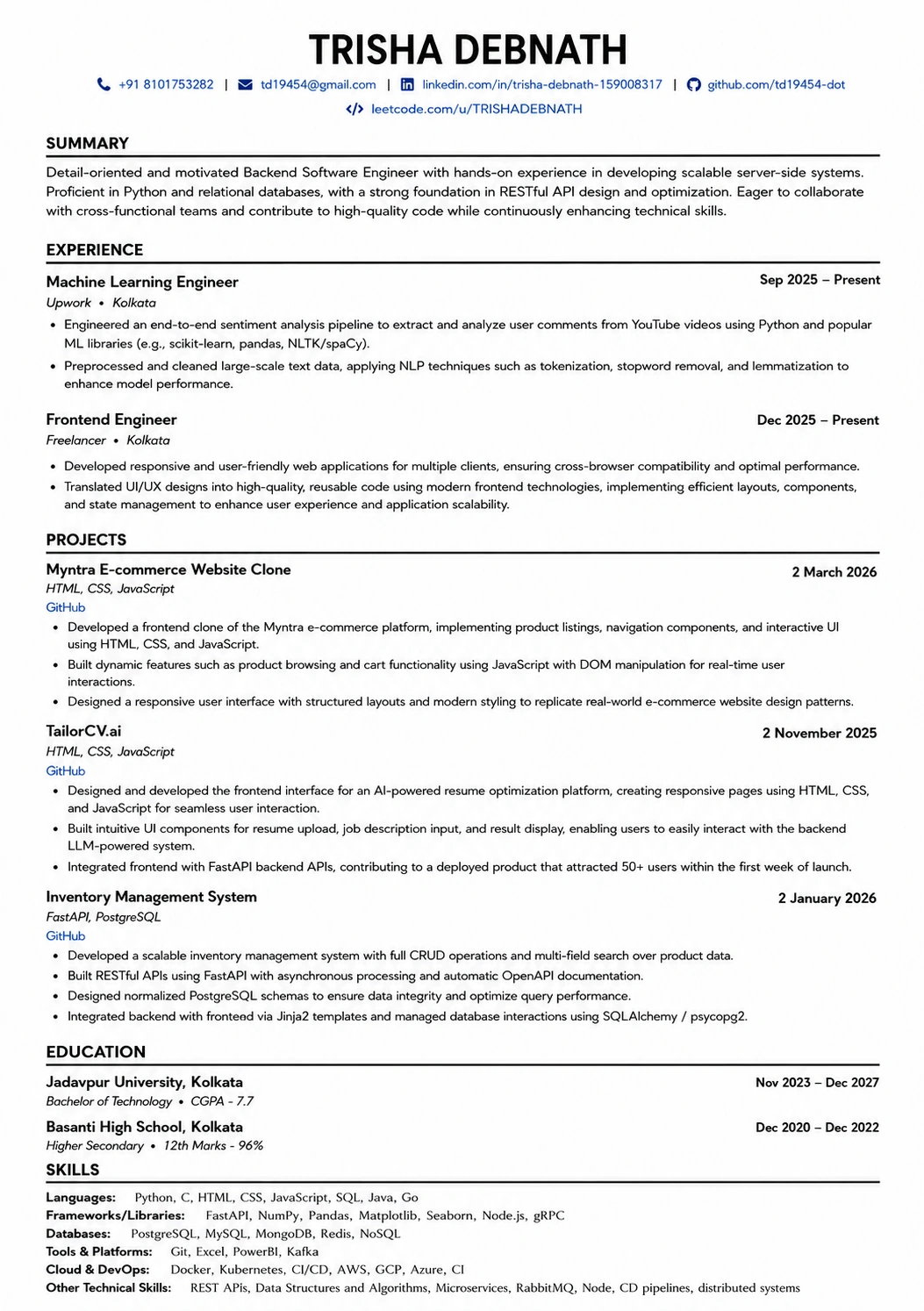
This template is ATS-tested — start from it and the formatting rules in this guide are already handled.
Was this guide useful?
Be the first to rate it.