 SS
SS

Key Takeaways
- Job descriptions are intentional and contain keywords that are crucial for matching resumes to job requirements.
- Extracting keywords systematically from job descriptions increases the chances of passing ATS screenings and reaching human recruiters.
- Focus on high-priority sections of job descriptions, especially "Required Qualifications," which contain critical keywords.
- Use a color-coded highlighting system to categorize keywords into hard skills, tools, soft skills, industry terms, and certifications for better organization.
- Build a keyword list from extracted terms to ensure your resume aligns closely with the job description.
The job description is not just a list of requirements. It is a cheat sheet.
Every word in a well-written job description is intentional. The skills they list are the skills they screen for. The tools they mention are the tools you need to name. The phrases they repeat are the things they care about most.
The problem: most candidates read job descriptions casually and miss the signals buried in them.
This guide teaches you how to extract every useful keyword from any job description - and then use those keywords to build a resume that gets noticed.
Use TailorCV's automated keyword extractor to do this instantly for any job. Pair it with ATS-friendly resume templates to ensure your format lets keywords be read correctly.
Why Keyword Extraction Is a Job Search Superpower
Before a recruiter reads your resume, an ATS reads it.
The ATS compares your resume to the job description using keyword matching algorithms. If your keywords do not match, your resume scores low. If your score is low, you never reach a human reviewer.
Keyword extraction solves this systematically. Instead of guessing, you know exactly which words to use. Instead of hoping, you verify your match before applying.
The candidates who get callbacks are not always the most qualified. They are the ones whose resumes best match the job description.
Read how resume matching with job description works to understand the full system.
Anatomy of a Job Description: Where to Find Keywords
A job description has several sections. Each one contains different types of keywords.
| JD Section | Keywords to Extract | Priority |
|---|---|---|
| Job title | Role name, seniority level | Very high |
| Overview / Summary | Industry terms, company mission language | High |
| Responsibilities | Action verbs + skill objects, tools | Very high |
| Required qualifications | Hard skills, certifications, experience level | Critical |
| Preferred qualifications | Tools, bonus skills, domain knowledge | High |
| About the team | Work style terms, culture terms | Medium |
| About the company | Industry, product type, scale | Medium |
The "Required Qualifications" section is always the highest priority. Missing a required keyword is more damaging than missing a preferred one.
Step-by-Step: How to Extract Keywords from Any Job Description
Step 1: Read the Full JD Once Without Highlighting
Read it completely before you start extracting. Understand the role, the team, the company. This gives you context that improves extraction quality.
Step 2: Copy the JD Into a Working Document
Paste it into a Google Doc or Word document. You will use this for highlighting and annotation.
Step 3: Highlight in Categories
Use different highlight colors for different keyword types:
- Yellow = Hard skills (Python, SQL, Figma, etc.)
- Green = Tools and platforms (Jira, HubSpot, AWS, etc.)
- Blue = soft skills and work style (cross-functional, stakeholder management, etc.)
- Orange = Industry terms (CAC, MRR, HIPAA, GDPR, etc.)
- Pink = certifications and qualifications (PMP, CPA, AWS Certified, etc.)
This visual map shows you exactly what the employer values.
Step 4: Build Your Keyword List
Organize your extracted keywords into a table:
| Category | Keywords Extracted | In My Resume? |
|---|---|---|
| Hard skills | Python, SQL, Tableau | Python , SQL , Tableau ✗ |
| Tools | Jira, Confluence, Slack | Jira , Confluence ✗, Slack ✗ |
| Soft skills | Cross-functional leadership, data storytelling | Cross-functional , Storytelling ✗ |
| Industry terms | Product analytics, retention, funnel metrics | Product analytics , Retention ✗ |
| Certifications | Google Analytics certified | Not listed ✗ |
The "In My Resume?" column becomes your action list.
Step 5: Identify High-Frequency Keywords
Read back through the JD. Circle any keyword that appears more than once. These are the highest-priority keywords.
If "data-driven" appears three times, the employer is telling you it is a core value. If "Agile" appears twice in requirements and once in responsibilities, it is not optional.
Step 6: Look for Hidden Keyword Patterns
Some keywords are not stated directly but implied by context.
Example 1: A JD that mentions "B2B SaaS", "MRR growth", and "PLG motion" is asking for someone with SaaS product knowledge - even if "SaaS experience" is not listed as a requirement.
Example 2: A JD that mentions "unstructured data", "ML pipelines", and "model deployment" is looking for an ML engineer, not just a data scientist.
Read the JD holistically to find these implied keyword clusters.
Step 7: Prioritize Your Keyword List
Not all extracted keywords are equal. Sort them by priority:
Tier 1 - Critical (must be in your resume if you have the skill)
- Required hard skills
- Required certifications
- Job title / role keywords
Tier 2 - Important (should be in your resume)
- Required tools
- Repeated keywords
- Key responsibilities language
Tier 3 - Helpful (add if genuine)
- Preferred skills
- soft skills
- Culture/work style terms
Step 8: Map Keywords to Resume Sections
For each Tier 1 and Tier 2 keyword, decide where it will live in your resume:
| Keyword | Where to Place |
|---|---|
| Python, SQL | Skills section + at least one bullet |
| Stakeholder management | Summary + relevant bullet |
| Tableau | Skills section |
| Cross-functional | Summary or bullet |
| PMP | Certifications section |
| Product analytics | Summary + 1-2 bullets |
This mapping ensures you do not just add keywords to your skills list - you embed them in context throughout your resume.
Keyword Extraction for Different Job Types
Tech / Engineering Roles
Focus on:
- Programming languages and frameworks
- Cloud platforms (AWS, GCP, Azure)
- Development practices (CI/CD, TDD, Agile)
- system design terms (microservices, APIs, distributed systems)
- Specific tools (Docker, Kubernetes, Terraform)
Data Roles
Focus on:
- Query and scripting languages (SQL, Python, R)
- Visualization tools (Tableau, Power BI, Looker)
- Database types (PostgreSQL, BigQuery, Snowflake)
- Analysis terms (A/B testing, cohort analysis, statistical modeling)
- Business context (KPIs, OKRs, attribution)
Marketing Roles
Focus on:
- Channel-specific keywords (SEO, PPC, email, content, social)
- Platforms (HubSpot, Marketo, Google Ads, Meta Ads)
- Metrics (CAC, LTV, conversion rate, ROAS)
- Strategy terms (go-to-market, demand generation, brand positioning)
Finance / Accounting Roles
Focus on:
- Technical skills (financial modeling, DCF, Excel)
- Compliance terms (GAAP, IFRS, SOX, FASB)
- Systems (SAP, Oracle, NetSuite)
- Analysis terms (variance analysis, forecasting, budget management)
The 3 Keyword Extraction Mistakes That Hurt Your ATS Score
Mistake 1: Only Extracting Hard Skills
Hard skills are important. But recruiter-driven searches often use soft skill terms too. "Stakeholder management", "executive communication", and "cross-functional collaboration" appear in ATS searches. Extract them and use them.
Mistake 2: Ignoring the Responsibilities Section
Most candidates focus on the "Requirements" section. The "Responsibilities" section is equally important for keyword extraction. It tells you what you will do every day - and those verbs and nouns are keyword gold.
Mistake 3: Using Synonyms Instead of Exact JD Language
ATS systems do not always recognize synonyms. "Client success" and "customer success" may not be treated as equivalent. Always use the JD's exact phrasing.
Read how to match resume keywords to job description for the full translation guide.
Tools for Keyword Extraction
What an ATS score report actually shows you

Passed and failed checks are listed individually, so you can see which part of the resume is costing you points.
Manual Method
Read the JD, highlight keywords, build a table. Pros: thorough, gives full context. Cons: takes 30-45 minutes per JD.
Word Frequency Tools
Paste the JD into a word counter to find the most frequent terms. Pros: fast identification of high-frequency keywords. Cons: misses context and semantic patterns.
TailorCV AI Extractor
TailorCV automatically reads the JD, identifies all high-priority keywords, compares them to your resume, and shows you your gap list. Pros: instant, comprehensive, shows exact what is missing. Cons: requires uploading your resume.
For job seekers applying to multiple roles per week, automated extraction is the only sustainable approach.
Extracted Keywords: What to Do With Them
Extracting keywords is only step one. The second step is using them correctly in your resume.
Rules for keyword usage:
- Add to skills section for instant keyword credit
- Embed in bullet points with context (tool + action + result)
- Include in professional summary for top-of-resume visibility
- Use exact JD phrasing, not paraphrases
- Never keyword-stuff (insert keywords unnaturally)
Read how to tailor your resume for every job for the full tailoring process.
Then check your match score using TailorCV before applying.
Make This Practical
Do not guess whether the resume is ready. Upload it to the free ATS score checker, compare the result with the ATS Score Guide, and fix formatting issues using ATS Resume Formatting Mistakes and ATS Resume Parser Friendly Format.
After the technical cleanup, improve relevance. Use Resume Matching With Job Description, strengthen keyword coverage with the Resume Keywords Guide, and avoid overdoing it by checking ATS Keyword Mistakes. If the layout itself is weak, rebuild with an ATS-friendly resume template.
FAQ
How many keywords should I extract from a job description?
Aim for 20-40 keywords from a typical JD. Then prioritize the top 10-15 as must-haves.
What if the JD is vague or poorly written?
Use the job title and company industry to supplement. Search for similar roles at competitors to see standard keyword expectations.
Should I extract keywords from the "About the Company" section?
Occasionally useful. If the company emphasizes a specific methodology or technology in their about section, it may appear in interview discussions and is worth including if genuine.
Do soft skills keywords matter for ATS?
Less than hard skills. But modern ATS systems do extract soft skill terms. Include them in your bullet points and summary naturally.
Is automated keyword extraction accurate?
Yes, especially for technical roles. AI-based tools like TailorCV identify keywords with high accuracy and context. But always review the output manually. For more insights, check out our guide on resume keyword density.
Related Guides
- Resume Matching with Job Description - Complete Guide
- How to Match Resume Keywords to Job Description
- Resume Keywords Guide 2026
- ATS Score Guide 2026
- How to Tailor Your Resume for Every Job
- How to Make Your Resume ATS-Friendly
- Resume Matching Checklist
- How to Improve Your Resume-to-Job Match Score
- Why Your Resume Doesn't Match the Job Description
- ATS Keyword Mistakes That Are Costing You Interviews (And How to Fix Them in 2026)
- How to Improve Your ATS Score in 2026
- How to Use LinkedIn for Job Search in 2026 - Complete Guide
- What is an ATS Score and Why Does It Decide Your Job Application Before Any Human Reads It
- How to Get Your First Tech Job in 2026 - Complete Guide for Freshers
- 35 Powerful Technical Skills in Resume for Freshers With No Experience (2026 Guide)
Conclusion
job description keyword extraction is the most systematic thing you can do for your job search.
Stop guessing. Stop using generic keywords. Start reading job descriptions like a strategist and extracting the exact words employers use.
The process:
- Read the full JD for context
- Highlight keywords by category
- Build a keyword list with priority tiers
- Map keywords to resume sections
- Update your resume with exact JD language
- Check your match score before applying
Do this manually (30-45 min/application) or use TailorCV to do it in 3 minutes.
Every keyword you add is another signal to the ATS that you belong in the shortlist.
Extract My Resume Keywords Free
See which keywords you are missing
Scan your resume against the posting and get the exact terms it did not find.
Drop your resume here or choose a file
PDF only. Max 2 MB.
We never share your data or use it to train AI models.
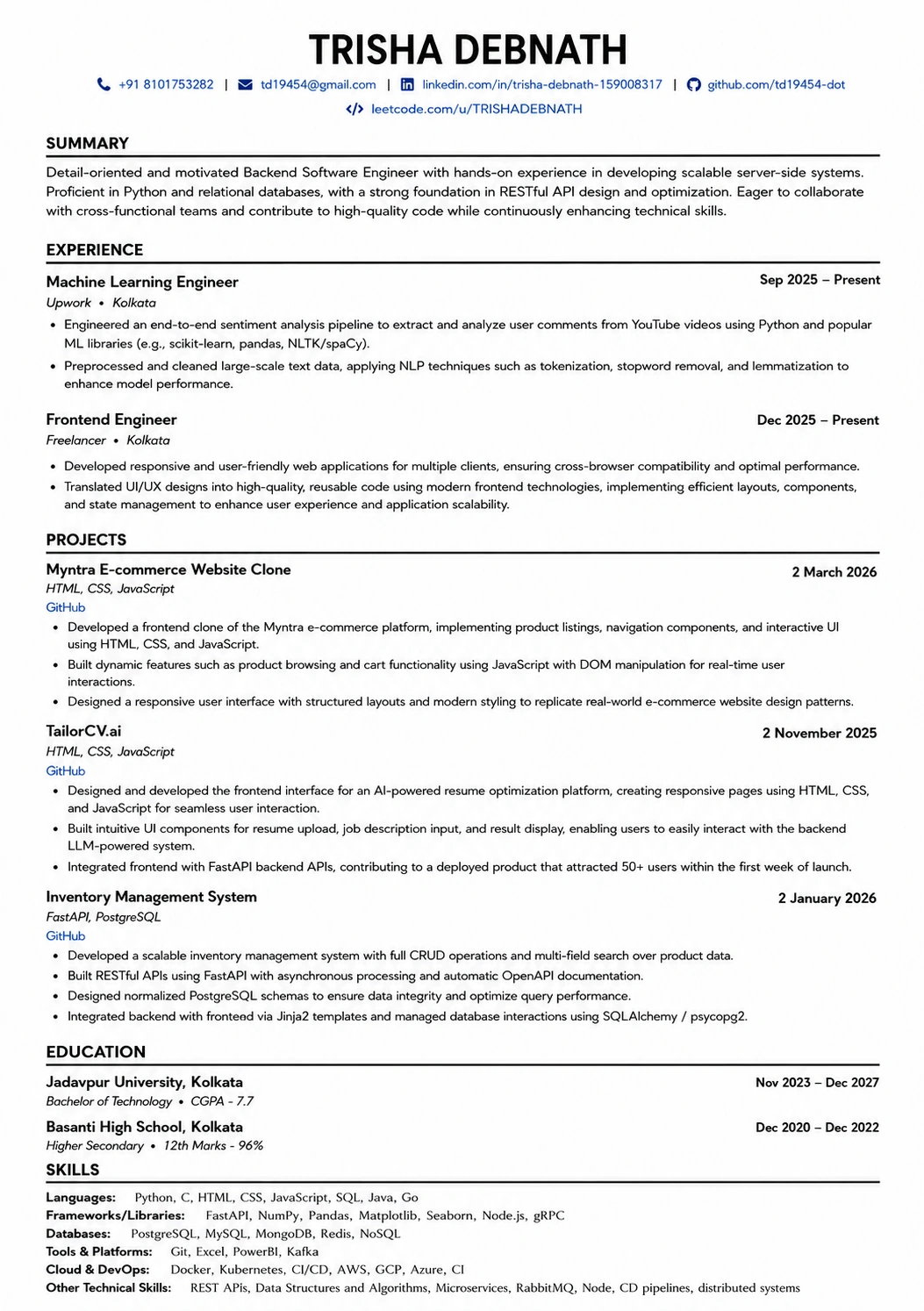
Where those keywords actually go
A layout with a real skills section gives the parser somewhere clean to find every term you just added.
Was this guide useful?
Be the first to rate it.