TD
TD
Key Takeaways
- A portfolio website enhances your job application by providing proof of your skills beyond a resume, but its effectiveness depends on how you present it.
- Fields like UI/UX design and data analysis benefit greatly from a portfolio link, while roles in finance and HR may not require one unless relevant work is showcased.
- Place your portfolio link in high-visibility areas such as your resume header, cover letter closing, LinkedIn profile, and application forms to ensure recruiters see it.
- In quick-apply scenarios where dedicated portfolio fields are absent, always include the link in your resume to maintain accessibility for recruiters.
- If submitting a cover letter as free text, reference your portfolio link to guide recruiters to your work effectively.
A portfolio website gives recruiters proof beyond your resume, but most applicants stop at "build the site" and never think through how it actually gets used inside an application. Where you place the link, how you describe it, and what a recruiter sees in the first few seconds after clicking matter as much as the projects themselves. This post is about that second half of the problem: getting a finished portfolio to actually do work for you during the application process, not just exist somewhere online.
Who Actually Needs a Portfolio Link in an Application
Not every application benefits equally from a portfolio link. Where you sit on this spectrum should change how much weight you give it.
Keeping every tailored resume with its job
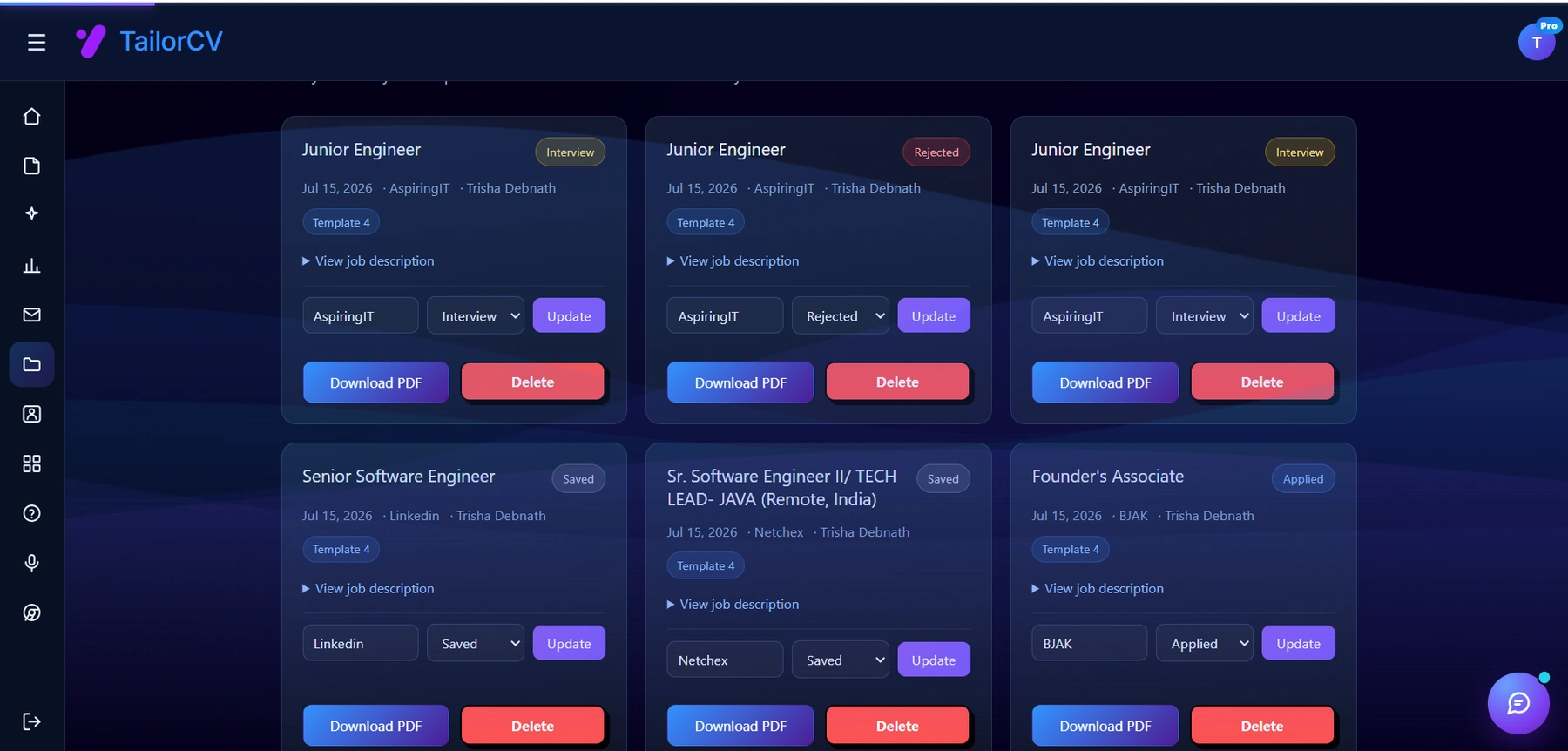
Every resume you tailor is saved against the job it was written for, with the company, the job description and a status you can move from Saved to Applied to Interview. That is the part a spreadsheet usually gets wrong - the tracker and the actual document drift apart, and you end up guessing which version you sent.
- High value, almost expected: UI/UX designers, product designers, front-end and full-stack developers, data analysts, data scientists, video editors, and content or copywriters. In these fields, a missing portfolio link can itself read as a gap.
- Medium value, a differentiator: Product managers, marketers, technical writers, QA engineers, and consultants. A portfolio here is not assumed, but a well-built one with real case studies sets you apart from candidates who only submit a resume.
- Low value, use with judgment: Finance, HR, operations, sales, legal, and most people-management roles. A portfolio is unusual here and can look out of place unless you have something genuinely relevant, like a public speaking reel or a published research report.
If you are unsure which bucket you fall into, check the job description for words like "portfolio," "work samples," "GitHub," or "writing samples." If none appear and your field is not on the high-value list, a portfolio link is optional polish rather than a requirement. For students and career changers with thin work history, a portfolio can still help; see Portfolio With No Experience and Portfolio for Someone With No Projects for how to fill that gap credibly.
Where to Place the Link in Your Application
A portfolio link only helps if it appears somewhere a recruiter will actually see it during the 30-60 seconds they spend reviewing your application. Cover the following spots:
- Resume header. Put it next to your email, phone, and LinkedIn URL. This is the single most important placement, since it's the first thing scanned.
- Cover letter closing. Reference it once, briefly, near the end so it reads as a natural next step rather than an afterthought.
- LinkedIn "Contact Info" and Featured section. Recruiters sourcing candidates on LinkedIn often never open your resume first; the portfolio link on your profile can be the first touchpoint.
- Application form "Website / Portfolio" field. Many ATS platforms (Greenhouse, Lever, Workday) have a dedicated field for this. Always fill it in even if you already listed the link on your resume, since some parsers only capture structured fields reliably. If you're unsure how your resume renders in these systems, read the Greenhouse, Lever, or Workday guides.
- Email signature, if you're emailing a recruiter or hiring manager directly.
Skip these spots and the link may never get clicked at all, no matter how good the site is behind it.
Quick-Apply Forms and Job Boards
A growing share of applications go through one-click or quick-apply flows on LinkedIn, Indeed, and similar job boards. These forms often skip a dedicated "portfolio" or "website" field entirely, which means your resume becomes the only carrier of the link. If the header line isn't there, the recruiter has no path to your work at all, regardless of how the rest of the application went.
Two practical adjustments for this:
- Never rely solely on a platform's optional profile field for your portfolio link. Bake it into the resume file itself, since that's what actually gets attached and forwarded.
- If a quick-apply form asks for a cover letter as free text rather than a file upload, that's still a valid spot to reference the link with a short line of context, the same way you would in a full cover letter.
Sample Lines: Resume Header and Cover Letter Closing
The wording around the link matters. A bare URL is fine in a header, but a short line of context in a cover letter increases the odds someone actually clicks it.
For a resume header contact line:
Jordan Lee | jordan@email.com | linkedin.com/in/jordanlee | jordanlee.dev
For a cover letter closing paragraph:
You can see three recent case studies, including the checkout redesign that cut cart abandonment for a mid-size retailer, at jordanlee.dev. I'd welcome the chance to walk through the process in an interview.
Notice the second example names a specific, concrete result instead of just saying "please see my portfolio." That one sentence gives the recruiter a reason to click before they've even opened the site. For more closing-line patterns, see the Cover Letter Guide.
Introducing the Link in Outreach and Cold Emails
If you're reaching out to a recruiter or hiring manager directly, whether through a cold email, a LinkedIn message, or a referral request, the portfolio link should show up as supporting evidence, not as the headline of the message.
- Lead with a one-line reason you're reaching out and what role you're targeting.
- Add one sentence of proof, with the link attached to something specific: "including the dashboard redesign I shipped for [Company]."
- Keep the link itself short and readable, ideally a custom domain rather than a long subdomain with tracking parameters. See the Portfolio Domain Name Guide and Custom Domain Portfolio Guide if you haven't set one up.
- Don't send the link cold with no context. "Here's my portfolio: [link]" with nothing else is easy to skip past in a busy inbox.
For a full walkthrough of cold outreach structure and tone, read How to Write a Cold Email to a Recruiter. If you've already applied and want to reinforce the link after the fact, a short follow-up email is a good place to mention it again, especially if you've added a new project since you applied.
What a Recruiter Actually Does in 30-60 Seconds
Assume a recruiter clicks your portfolio link between reviewing several other candidates. They are not going to read every case study. In that short window, they typically:
- Glance at the headline to confirm your role and level match the job.
- Scroll (or not) to see if there's visible proof of work above the fold.
- Skim one project title or thumbnail to judge whether the work looks relevant and finished.
- Check if the site loads fast and looks credible on the device they're using, often a phone.
- Look for a way to contact you or find your resume, in case they want to move forward.
If any of these steps takes more than a couple of seconds, most recruiters will bail rather than dig for it. This is why homepage structure matters more than the depth of any individual case study.
Structuring the Homepage So Proof Is Visible Immediately
Because the click is short, put your strongest, most relevant proof where it can be seen without scrolling. A homepage that requires digging to find real work will lose most of the value of having a portfolio at all.
Turning a resume into a portfolio site

You upload the resume you already have and the sections fill themselves in - basics, experience, projects, education - so building the site is editing rather than starting from an empty page.
- Headline: Your name and role, stated plainly. "Product Designer" beats a clever tagline that requires interpretation.
- One-line value statement: What kind of problems you solve, for whom. Keep it to a sentence.
- Featured work, immediately visible: One or two of your strongest projects, shown with a thumbnail or a one-line result, not buried in a "Projects" tab three clicks deep.
- Resume link and contact method: Visible in the same view, so a recruiter who is convinced can act right away.
If you're not sure your homepage copy is doing this well, Portfolio Homepage Copy Examples has before-and-after wording, and Portfolio About Me Section covers how to write the short bio that usually sits near the top. For layout decisions, One-Page vs Multi-Page Portfolio walks through which structure fits a fast-scan use case like this one.
Once someone does click into a project, the case study itself needs to hold up. Use a consistent structure so the recruiter isn't guessing what they're looking at:
- Problem
- Your role
- Tools used
- Process
- Result
- Link or screenshot
Designers and researchers should look at UI/UX Case Study Portfolio and data-focused candidates at Data Analyst Case Study Portfolio for field-specific formats. Developers should also read GitHub Portfolio Optimization if code repositories are part of the proof.
Tracking Whether the Link Is Even Being Clicked
It's easy to assume the portfolio link is working simply because you added it. Without basic analytics, you have no way to know whether recruiters are clicking it, how long they stay, or whether they leave immediately.
At minimum, set up:
- A lightweight analytics tool on your portfolio (privacy-friendly options work fine; you don't need anything heavy).
- Tracking on the resume download or "Contact me" button, since these are the actions that matter most.
- A separate, distinguishable link for the resume header versus the one on LinkedIn or in cold emails, so you can tell which channel is driving clicks.
Once you have a few weeks of data, look for two signals:
- No clicks at all. This usually means the link isn't visible in your applications, or the URL is broken. Double-check every placement listed earlier in this post.
- Clicks but no time spent on the page. This usually points to a homepage that doesn't immediately look credible or relevant, not a traffic problem. Revisit the structure guidance above before touching anything else.
For a deeper walkthrough of setting this up and reading the numbers, see Portfolio Analytics and View Tracking.
When the Portfolio Link Is Hurting, Not Helping
A portfolio isn't automatically an asset. A weak one can actively cost you more than not having one at all, because it gives a recruiter a reason to doubt you after your resume already got their attention. Check for these before you submit another application:
- Broken or expired link. Domains lapse, hosting free tiers get suspended, and typos happen. Test the exact link you're about to paste into an application, every time.
- Placeholder or unfinished projects. "Coming soon" sections and lorem ipsum text read as unprofessional, not as work-in-progress.
- No depth behind the thumbnails. A grid of screenshots with no explanation of your role or the outcome doesn't function as proof; see Portfolio Mistakes to Avoid for the most common versions of this.
- Slow load time. If the homepage takes more than a couple of seconds to load, especially on mobile, you lose people before they see anything.
- Not mobile-friendly. A large share of recruiters will open the link from a phone between meetings. If the layout breaks or text is unreadable, the click was wasted.
- Outdated resume or contact info on the site. If the resume you're currently tailoring for the role doesn't match the one linked on your portfolio, it creates confusion about what's current.
- Mismatched work. Linking a portfolio full of unrelated hobby projects for a role that needs a specific skill set can undercut the resume's positioning rather than reinforce it. Check that your featured work lines up using Matching Your Portfolio to the Job Description.
If you've had a portfolio link on your resume for a while with no interview upticks, it's worth auditing against this list before assuming the resume itself is the problem.
A Quick Pre-Submit Checklist
Before you attach a portfolio link to your next application, run through this fast:
- unchecked: Link works and points to the current version of the site
- unchecked: URL is short, readable, and uses your own domain if possible
- unchecked: Homepage shows your name, role, and strongest project without scrolling
- unchecked: At least one full case study follows the problem-role-process-result structure
- unchecked: Resume link and contact method are visible on the homepage
- unchecked: Site loads quickly and displays correctly on mobile
- unchecked: Featured projects are relevant to the specific job you're applying to, not just your best work overall
For a more complete version of this process, see Portfolio Checklist Before Applying.
Make This Practical
If you don't have a portfolio live yet, use the TailorCV portfolio builder to get a working site up quickly, then structure it with How to Build a Professional Portfolio. Once it's live, place the link correctly using the placements above, and confirm it's working with the Portfolio Checklist Before Applying.
Your portfolio supports the resume, it doesn't replace it. Run your resume through the free ATS score checker, format it with an ATS-friendly resume template, and pair the portfolio link with a tailored AI-generated cover letter that references your strongest project by name, the way the sample closing line above does. If you land an interview off the back of this, practice talking through your case studies out loud with the AI mock interview tool before the call.
FAQ
Does a portfolio help with ATS screening?
Not directly. Most ATS systems parse text and don't follow links or evaluate what's on the other end. The benefit comes after your resume passes the initial screen, when a human recruiter clicks through to see more.
Where exactly should the link go on my resume?
In the contact line at the top, alongside your email, phone, and LinkedIn URL. Some candidates also add it once more near a relevant project bullet, but the header placement is the one that gets seen consistently. See Resume Contact Section for formatting details.
Should I mention my portfolio in the cover letter if it's already on my resume?
Yes, briefly. Repeating the link with one added sentence of context, like naming a specific project and result, gives the reader a reason to click that the bare URL on the resume doesn't provide.
Is a PDF portfolio enough instead of a live website?
A live site is easier to update, share, and track, and it works better across devices. A PDF can work for design-heavy roles where the format itself is part of the presentation, but it won't give you analytics or a way to update work after you send it.
How many projects should be visible without clicking further?
One or two, chosen for relevance to the specific job, not your full archive. A recruiter deciding whether to keep reading needs to see quality fast, not volume; see Portfolio Homepage Copy Examples for how to frame that first view.
What if I don't have real projects to show yet?
Coursework, personal projects, freelance work, hackathons, and volunteer work all count if you present them with the same problem-role-process-result structure as a professional case study. Portfolio With No Experience and Portfolio for Someone With No Projects cover this in detail.
Should I use the same portfolio link for every application?
Use the same site, but consider tailoring which projects are featured for each application if your work spans multiple domains. Check Matching Your Portfolio to the Job Description for how to reorder or swap featured work without rebuilding the whole site.
Can I keep a portfolio private and only share it with select recruiters?
Yes. Password-protected or unlisted pages work for sensitive client work or when you want more control over who sees it. See Private Portfolio Sharing Guide for how to set that up without losing the benefits of a shareable link.
Next Step
Build or update your site with the TailorCV portfolio builder, then place the link correctly across your resume, cover letter, and LinkedIn before your next application.
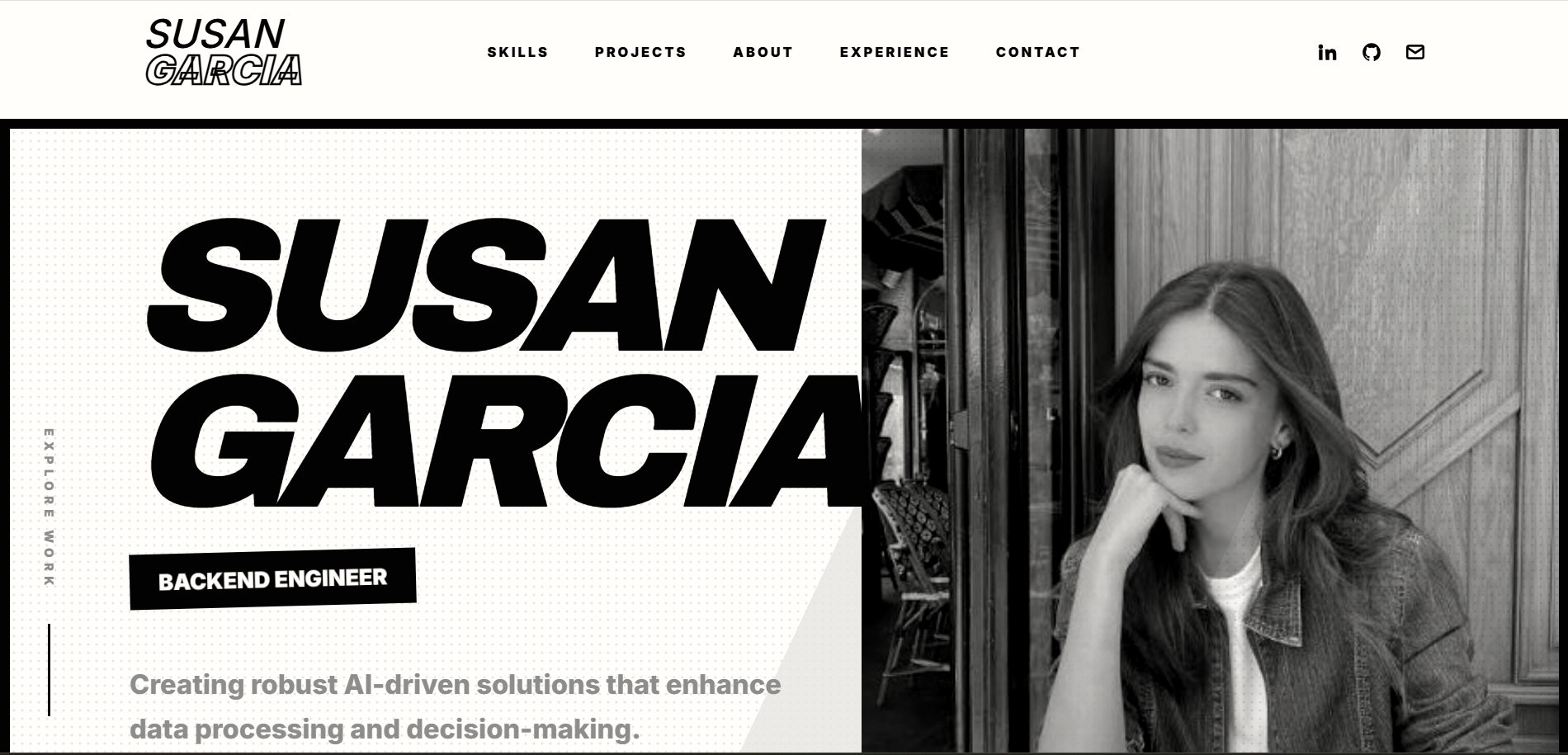
See what your portfolio could look like
This theme is built straight from your resume — pick one and your portfolio is live in minutes.
Was this guide useful?
Be the first to rate it.