SS
SS

Key Takeaways
- Portfolio analytics provide feedback on recruiter interest that resumes cannot, including view counts and engagement.
- Tracking views helps confirm link functionality, identify timing signals, and gauge which projects attract attention.
- To effectively use data, establish a baseline view count, check for changes after applications, and correlate views with interview requests.
- Avoid common mistakes like overinterpreting single data points and relying solely on view counts to assess portfolio quality.
- For targeted tracking, use private links for specific applications and analyze trends over time to refine your job search strategy.
A resume gives you no feedback after you hit send. A portfolio with view tracking tells you something a resume never can: whether anyone is actually looking at your work, and when. Pair this with How to Build a Professional Portfolio and Portfolio Checklist Before Applying.
Why Portfolio Analytics Matter in a Job Search
| Reason | What it gets you |
|---|---|
| Confirmation your link works | if an application says "portfolio attached" and you see zero views a week later, something is broken - a dead link, a typo, or a spam-filtered email |
| Timing signals | a spike in views the day after you submit an application, or right before a scheduled interview, tells you someone is doing their homework |
| Where interest concentrates | if you have multiple portfolios or project pages, view counts show which work actually gets attention |
| A gut-check on your outreach | if you are cold-emailing recruiters with your portfolio link and seeing no views at all, your emails may not be getting opened |
What the TailorCV Portfolio Builder Tracks
Every portfolio published with the TailorCV portfolio builder includes a built-in view counter, visible from your My Portfolios dashboard. This gives you a simple, no-setup way to see total views without installing separate analytics tools.
Keeping every tailored resume with its job
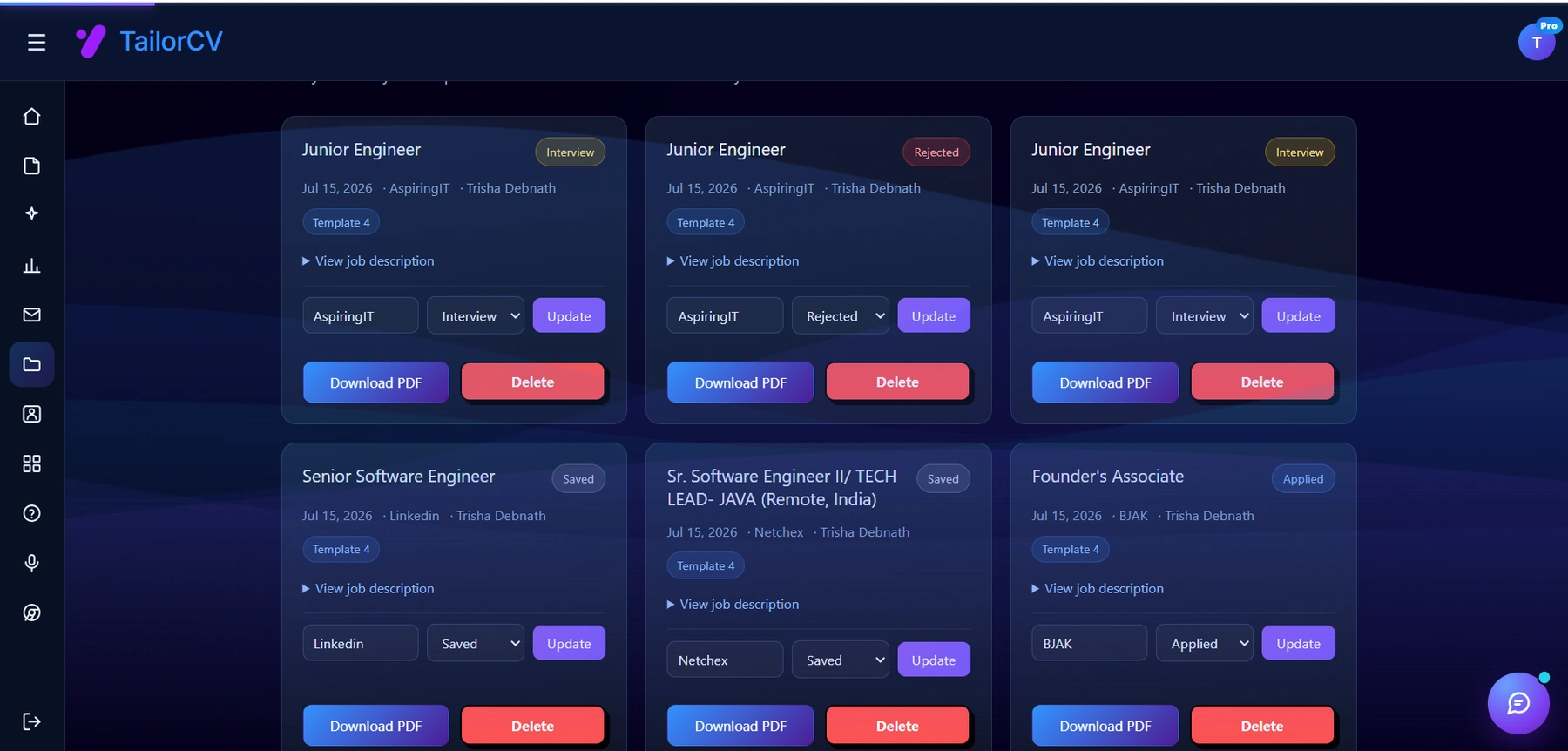
Every resume you tailor is saved against the job it was written for, with the company, the job description and a status you can move from Saved to Applied to Interview. That is the part a spreadsheet usually gets wrong - the tracker and the actual document drift apart, and you end up guessing which version you sent.
How to Use the Data
- Set a baseline - note your view count the moment you send out a batch of applications
- Check again 24-72 hours later - a jump usually means your link was opened; no movement at all after several applications is worth investigating
- Correlate with interview requests - if interviews follow view spikes closely, your portfolio link is doing real work in your process; if not, the portfolio content itself may need strengthening, not just the tracking
- Do not over-interpret single data points - one view could be you checking your own link. Look at trends across multiple applications, not one number in isolation
Common Mistakes
- Reading too much into a single view or a single day's numbers
- Never checking analytics at all, so a broken or unshared link goes unnoticed for weeks
- Using view count as the only measure of portfolio quality - a portfolio can get views and still fail to convert if the content itself is weak, see Portfolio Mistakes to Avoid
- Sharing your portfolio link so broadly (public forums, social media) that view counts become noisy and uninformative for job-search purposes specifically
Pro Tips
- If you want interview-specific tracking, use a private, unlisted link for that one interviewer or application - see Private Portfolio Sharing Guide - so the view data is cleanly attributable
- Pair view data with your ATS score checker results - a strong resume plus a viewed-but-not-converting portfolio usually points to weak portfolio content, not weak visibility
- Check your view count right before following up on an application - if it shows recent activity, that is a good moment to send a polite follow-up referencing your portfolio
Step-by-Step Guide to Analyzing Portfolio Analytics Data
To effectively utilize portfolio analytics, follow this step-by-step guide that will help you interpret the data and make informed decisions about your job search strategy:
-
Collect Your Data: Start by gathering all relevant analytics from your portfolio. This includes views, shares, and engagement metrics. Use the TailorCV Portfolio Builder to streamline this process.
-
Identify Key Metrics: Focus on specific metrics that indicate recruiter interest, such as: - Number of views per project - Average time spent on each project - Click-through rates on your contact information
-
Segment Your Audience: If possible, categorize the visitors to your portfolio by their source (e.g., direct links, job boards, social media). This segmentation helps you understand where your traffic is coming from and which platforms are most effective.
-
Analyze Trends Over Time: Look at how your metrics change over weeks or months. Are there specific times when your portfolio sees a spike in views? This can help you plan when to apply for jobs or share your portfolio.
-
Compare with Industry Benchmarks: Research average engagement rates for portfolios in your field. This can give you context for your own metrics and help you identify areas for improvement.
-
Make Data-Driven Adjustments: Based on your analysis, make informed changes to your portfolio. For example, if a particular project is getting a lot of views but few clicks on your contact information, consider enhancing the call-to-action on that project.
-
Test and Iterate: Continuously test different portfolio layouts, project presentations, and content types. Use A/B testing to see which changes positively impact your analytics.
Common Pitfalls in Portfolio Analytics Interpretation
Understanding portfolio analytics is crucial, but many job seekers fall into common pitfalls that can mislead their decisions. Here are some mistakes to avoid:
-
Ignoring Low Engagement Rates: If your portfolio has high view counts but low engagement, don’t just celebrate the views. Investigate why visitors aren’t interacting more deeply with your content.
-
Overlooking Source Data: If you don’t analyze where your views are coming from, you may miss out on opportunities to optimize your sharing strategies. Focus on the channels that yield the best results.
-
Failing to Update Regularly: Analytics can change rapidly, and what worked last month may not work now. Regularly review and update your portfolio based on the latest data trends.
-
Neglecting Mobile Users: With an increasing number of users accessing portfolios via mobile devices, ensure your portfolio is optimized for mobile viewing. Poor mobile experiences can skew your analytics.
Mini Checklist: Optimizing Your Portfolio Based on Analytics
Use this mini checklist to ensure your portfolio is effectively leveraging analytics data for maximum recruiter interest:
Turning a resume into a portfolio site

The three steps are template, details, publish. Uploading an existing CV fills in the details step for you, which is why this takes minutes rather than a weekend.
- unchecked: Have I regularly reviewed my portfolio analytics?
- unchecked: Am I tracking the right metrics relevant to my goals?
- unchecked: Have I identified which projects are performing best?
- unchecked: Have I compared my analytics with industry benchmarks?
- unchecked: Is my portfolio optimized for both desktop and mobile devices?
- unchecked: Am I sharing my portfolio on the most effective platforms?
- unchecked: Have I updated my portfolio based on recent analytics findings?
Practical Scenarios for Using Portfolio Analytics
To illustrate how to apply portfolio analytics effectively, here are a few scenarios:
-
Scenario: High Views, Low Engagement
You notice that one of your projects has many views but few clicks on your contact information. This might indicate that while the project is interesting, the call-to-action needs to be more compelling. Consider revising the project description to include a stronger invitation to connect. -
Scenario: Seasonal Traffic Patterns
After analyzing your data, you find that views on your portfolio increase during certain months, such as graduation season. Use this insight to ramp up your job applications during peak times and promote your portfolio heavily on social media. -
Scenario: Visitor Source Discrepancies
If you discover that most of your traffic comes from LinkedIn but very little from job boards, it may be time to optimize your portfolio for LinkedIn. Update your LinkedIn profile to include a link to your portfolio and encourage connections to view your work.
Do's and Don'ts of Using Portfolio Analytics
To maximize the effectiveness of your portfolio analytics, follow these do's and don'ts:
Do's:
- Do regularly monitor your metrics to stay informed about trends.
- Do seek feedback from peers or mentors on how to improve your portfolio based on analytics.
- Do experiment with different content types (videos, case studies, etc.) to see what resonates most with viewers.
Don'ts:
- Don't rely solely on one metric to gauge success; consider multiple indicators.
- Don't ignore feedback from analytics; make adjustments based on what the data tells you.
- Don't be afraid to pivot your strategy if certain projects aren’t performing well.
By following these practical steps, you can enhance your portfolio's impact and better gauge recruiter interest through analytics.
Frequently Asked Questions
Can recruiters tell that I am tracking views?
No - view counting is passive and visible only to you on your dashboard; visitors are not shown any tracking indicator.
What if I see views but never hear back?
That usually means the portfolio content itself needs work, not the traffic. Revisit Portfolio Mistakes to Avoid and How to Write a Portfolio Case Study to strengthen what visitors see once they arrive.
Should I share the same link with every recruiter?
You can, but a private, unlisted link per opportunity (see Private Portfolio Sharing Guide) gives you cleaner, per-application view data if you want to track engagement precisely. Additionally, consider using resume templates to enhance your application materials.
Build Your Portfolio Now
You do not need to code a site or bolt on a separate analytics tool. Turn your existing resume into a live, shareable portfolio in minutes with the TailorCV portfolio builder - choose a theme, upload your CV, let AI pull in your experience, then track views right from your My Portfolios dashboard as you apply. Before you apply, run your resume through the free ATS score checker and switch to an ATS-friendly resume template so your portfolio and resume tell one consistent story.
Related Guides
- How to Build a Professional Portfolio
- Private Portfolio Sharing Guide
- Portfolio Checklist Before Applying
- Portfolio Mistakes to Avoid
- Portfolio SEO: Get Found
- AI Portfolio Builder: No Code Required
- How to Write a Portfolio Case Study
- Add Portfolio Link to Resume
- How to Follow Up After a Job Interview
- Custom Domain Portfolio Guide
- Personal Website vs Portfolio
- Why Am I Not Getting Interviews for Jobs I'm Qualified For?
Make This Practical
If this topic connects to your work samples, turn the advice into a live proof page with the TailorCV portfolio builder. After publishing, add the link correctly using How to Add Your Portfolio Link to Your Resume, tighten the page with the Portfolio Checklist Before Applying, and make sure recruiters can contact you through a clean Portfolio Contact Section.
Your portfolio works best when it supports the resume, not when it replaces it. Run the resume through the free ATS score checker, choose an ATS-friendly resume template, and use Portfolio SEO: Get Found so your name and strongest work are easier to discover.
Related Guides to Strengthen This Topic
Use these internal guides to connect this topic with the rest of your job-search workflow:
- How to Build a Professional Portfolio
- Portfolio Website for Job Applications
- Portfolio Checklist Before Applying
- Portfolio Mistakes to Avoid
- How to Write Portfolio Case Study
- Add Portfolio Link to Resume
- Resume Matching With Job Description
- ATS-Friendly Resume Builder
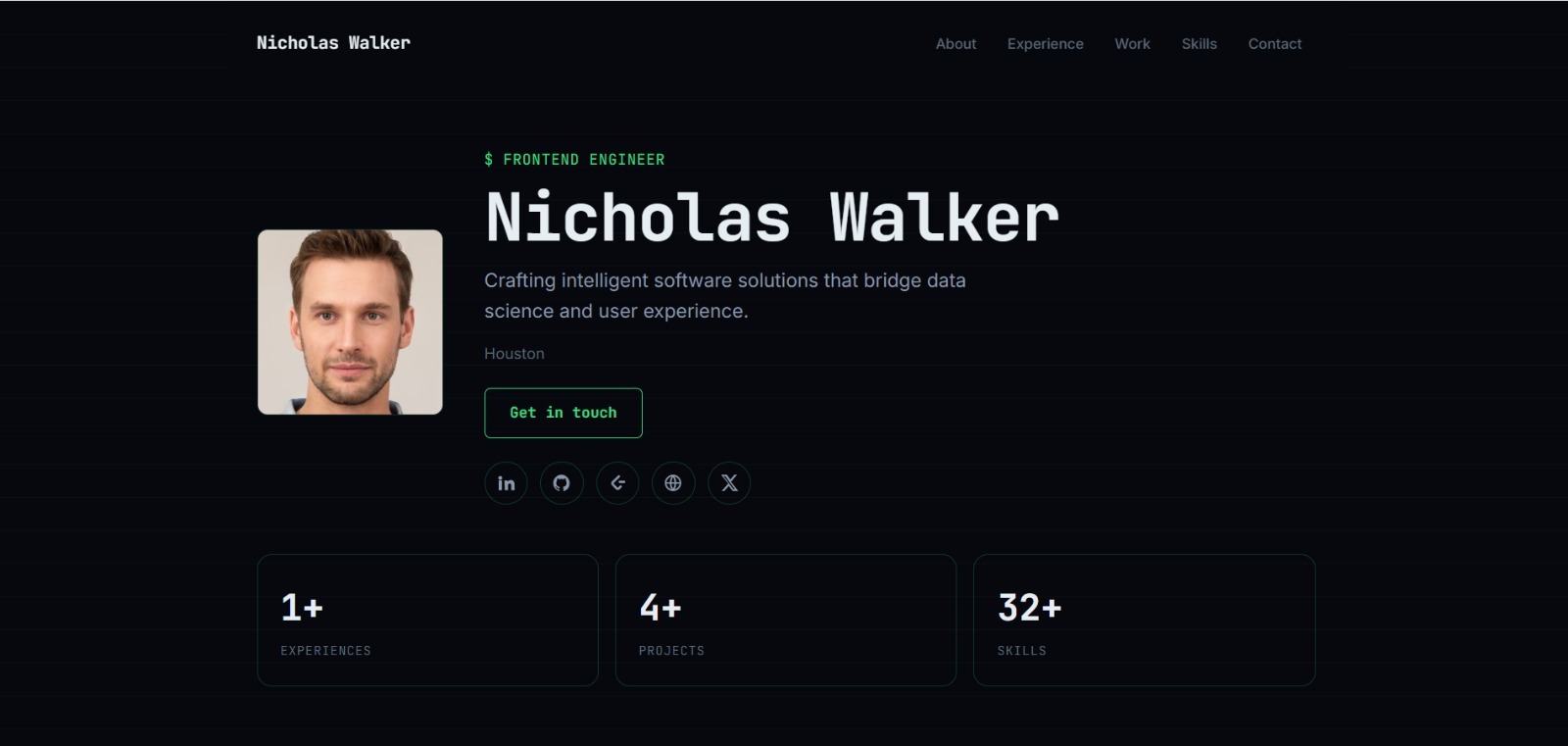
See what your portfolio could look like
This theme is built straight from your resume — pick one and your portfolio is live in minutes.
Was this guide useful?
Be the first to rate it.