 SS
SS

Key Takeaways
- A resume should have a structured format with essential sections like Contact Information, Professional Summary, Skills, Work Experience, and Education.
- The Contact Information section must include your name, professional email, phone number, and relevant online profiles while excluding personal details like full address and photo.
- A strong Professional Summary is crucial; it should succinctly convey who you are, what you do, and your key strengths or accomplishments.
- The Skills section is vital for ATS optimization; list relevant skills using the exact terminology from the job description and categorize them effectively.
- Work Experience should detail your roles and achievements, emphasizing quantifiable results to showcase your impact in previous positions.
A resume is more than a list of jobs. It is a structured document with specific sections, each serving a distinct purpose in convincing a hiring manager to call you. Understanding what every section does - and how to write each one - is the foundation of a great resume.
This guide walks through every resume section: mandatory ones you must include, optional ones that can strengthen your application, and sections you should remove entirely.
Start from an ATS-friendly template so your structure is already correct, then use this guide to fill in the content. Test the finished product with the TailorCV ATS score checker.
Standard Resume Structure
A well-structured resume follows this order:
- Contact Information
- Professional Summary
- Skills
- Work Experience
- education
- Optional Sections (projects, Certifications, Awards, Volunteer Work)
The order matters. Hiring managers and ATS systems expect the most important and relevant information first.
Section 1: Contact Information
Your name and contact details sit at the top of your resume. This section seems obvious, but it is frequently done wrong.
Include:
- Full name (larger font - 16-20pt)
- Professional email address
- Phone number
- City and state/country (not full address)
- LinkedIn profile URL
- GitHub (for technical roles)
- portfolio URL (for creative/design roles)
Exclude:
- Full street address (security and space waste)
- Date of birth
- Marital status or gender
- A photo (in the US, Canada, UK - it invites bias)
- Unprofessional email addresses
Read the full resume contact section guide for detailed dos and don'ts.
Section 2: Professional Summary
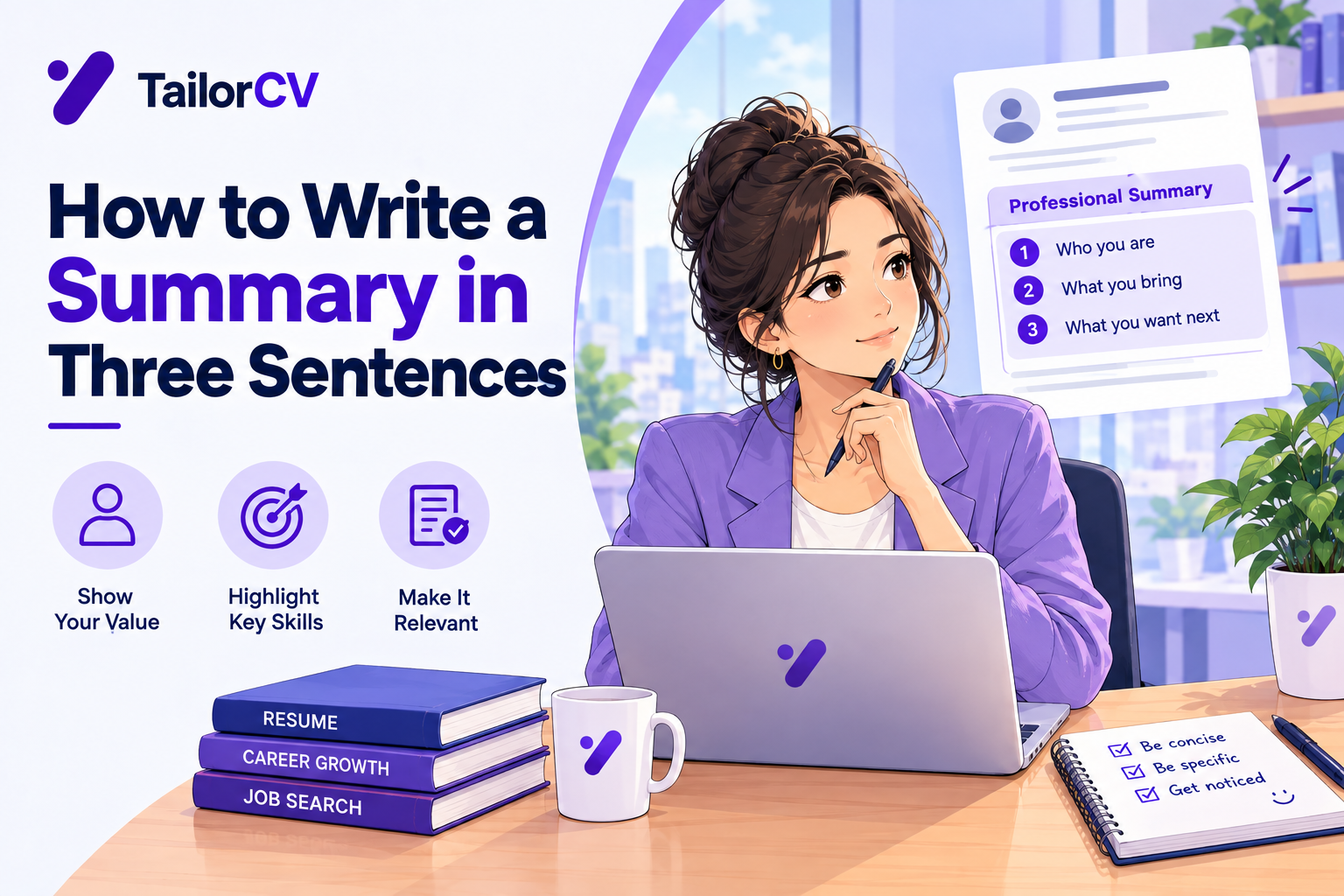
The summary is 2-4 lines at the top of your resume that frame your professional identity and highlight your most relevant value. It is the first thing recruiters read and the piece that tells them whether to continue.
A good summary answers: Who are you? What do you do? What is your biggest strength or accomplishment?
Example:
"software engineer with 5 years of experience building scalable backend systems at fintech startups. Led migration of a monolithic system to microservices, reducing latency by 40%. Expert in Python, Go, and AWS."
Read how to write a resume summary for templates and examples by experience level. For those with no experience, see resume summary with no experience.
Avoid:
- Generic phrases like "hardworking team player"
- Objectives ("Seeking a position where I can grow...")
- Buzzwords with no substance
Section 3: Skills
The skills section is one of the most ATS-critical parts of your resume. ATS systems scan here for keyword matches against the job description.
How to structure it:
- Group skills by category (Languages, Tools, Platforms, soft skills)
- Use the exact terminology from the job description
- Keep it concise - 15-25 skills is typical
Example:
Languages: Python, Java, SQL
Tools: Git, Docker, Kubernetes
Platforms: AWS, GCP, Azure
Read skills to add to your resume in 2026 and technical skills for freshers for categorized skill lists by role.
Section 4: Work Experience
The work experience section is the heart of your resume. This is where you demonstrate what you have actually done and what impact it had.
Structure each role as:
- Job title | Company | Location | Dates (month/year - month/year)
- 3-6 bullet points per role
- Each bullet: action verb + what you did + quantified result
Example bullet:
"Reduced database query time by 60% by implementing Redis caching, improving page load speed for 200,000 daily active users."
Key rules:
- Start every bullet with a strong action verb
- Quantify wherever possible - read how to quantify resume achievements
- List roles in reverse chronological order (most recent first)
- Include dates consistently
Read how to write resume bullet points that get results for detailed examples.
Section 5: Education
The education section lists your academic degrees. For recent graduates and freshers, it carries more weight. For experienced professionals, it is brief.
Include:
- Degree and field of study
- Institution name
- Graduation year (or expected year)
- GPA (only if 3.5/4.0 or higher, and only within 3 years of graduation)
- Relevant coursework (for freshers with limited experience)
- Academic honors (cum laude, dean's list)
Exclude:
- High school (once you have a degree)
- GPA older than 3-4 years
- Irrelevant or failed coursework
Read how to list education on a resume for full formatting guidance.
Section 6: Projects (Optional but Often Critical)
For students, freshers, career changers, and software engineers, a projects section can be the most important optional section. It demonstrates practical skill even without formal work experience.
Include for each project:
- Project name and brief description
- Technologies and tools used
- Your specific contribution
- Measurable outcome or impact
- GitHub or demo link (if public)
Read how to add projects to your resume for complete guidance with examples.
Section 7: Certifications (Optional but High Value)
Certifications from recognized providers add credibility and ATS keywords. They matter most in tech, finance, project management, and healthcare.
List:
- Certification name
- Issuing organization
- Date (month/year)
Read how to list certifications on a resume and best free online certificates for resume.
Section 8: Awards and Achievements (Optional)
If you have notable awards - academic, professional, or competitive - a dedicated section or inclusion within experience can strengthen your case. Read how to list awards and achievements on a resume for placement advice.
Your resume after optimization
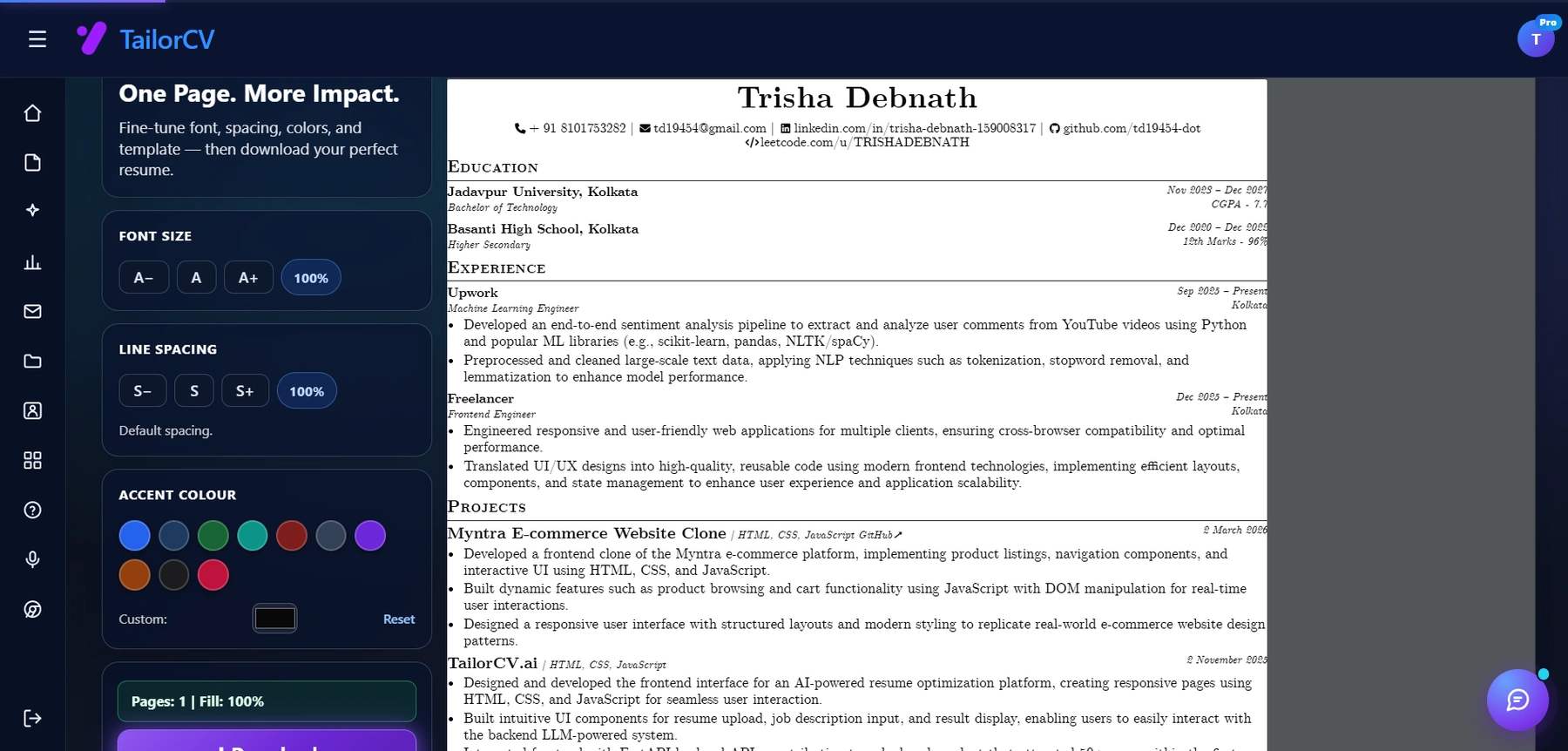
Font size, spacing, accent colour and template are all adjustable, with a live page counter.
Section 9: Volunteer Work (Optional)
Volunteer experience demonstrates character and fills gaps. It is especially valuable for freshers and career changers. Read how to add volunteer work to your resume.
Sections to Remove
- "References available upon request" - Assumed, wastes space
- Hobbies and interests - Unless directly relevant to the role
- Objective statement - Replaced by the summary in most cases
- Full address - City + state is sufficient
- Photo - In the US, Canada, and UK, photos invite bias and are not expected
Section Order by Career Stage
| Career Stage | Recommended Order |
|---|---|
| Fresh graduate / no experience | Contact -> Summary -> Education -> Projects -> Skills -> (any experience) |
| Early career (1-5 years) | Contact -> Summary -> Skills -> Experience -> Education -> Projects |
| Mid to senior (5+ years) | Contact -> Summary -> Skills -> Experience -> Education -> Certifications |
| Career changer | Contact -> Summary -> Skills -> (relevant) Experience -> Education -> Projects |
ATS and Your Resume Structure
ATS systems look for standard section headings. Avoid creative naming like "My Journey" or "What I've Done." Use standard headings: Experience, Education, Skills, Projects, Certifications. Verify your structure with the TailorCV ATS checker to confirm sections parse correctly.
Read 10 ATS resume formatting mistakes to avoid the most common parsing errors.
Related Guides
- What Is a Resume and Why Does It Matter?
- How to Write a Resume Summary
- Best Action Verbs for Resume
- How to Quantify Resume Achievements
- Resume Keywords Guide
- Skills to Add to Your Resume in 2026
- How to List Education on a Resume
- How to List Certifications on a Resume
- How to Add Projects to Your Resume
- Ideal Resume Length Guide
- How to Make Your Resume ATS-Friendly
- Resume Contact Section Guide
- Architect Resume Guide 2026
Make This Practical
Use this guide as part of a complete job-search workflow. Check your resume with the free ATS score checker, improve targeting with the Resume Optimization Guide, and choose a clean format from the ATS-friendly resume templates.
After the resume is ready, strengthen the rest of the application. Draft a targeted letter with the AI cover letter generator, practice interviews with the AI mock interview tool, and create a project-backed proof page with the portfolio website builder if you need a stronger online presence.
Conclusion
A perfect resume has every section working together: contact info that is easy to find, a summary that hooks, skills that match the job, experience that shows impact, and education that confirms your credentials. Every optional section adds evidence. Every unnecessary section removes it.
Start from an ATS-friendly template, build each section using the linked guides above, and run the finished resume through the TailorCV ATS checker. Once your resume lands interviews, use the mock interview tool to close them.
Frequently Asked Questions
What are the mandatory sections to include in a resume?
The mandatory sections that every resume should include are Contact Information, Professional Summary, Skills, Work Experience, and Education. Each of these sections serves a crucial purpose in conveying your qualifications and suitability for the position. For a deeper understanding of how to structure these sections, refer to our Resume Section Order Guide.
How can I make my resume ATS-friendly?
To ensure your resume is ATS-friendly, start by using an ATS-friendly template that aligns with modern standards. Additionally, focus on using relevant keywords from the job description throughout your resume, especially in the Professional Summary and Skills sections. You can test your finished product with the free ATS score checker to see how well it performs.
What should I include in my Professional Summary?
Your Professional Summary should offer a brief overview of your career, highlighting your most relevant skills and experiences. Aim for 2-4 sentences that summarize your qualifications in relation to the job you’re applying for. For tips on crafting an impactful summary, check out our guide on How to Write a Resume from Scratch.
How do I list awards and achievements on my resume?
When listing awards and achievements, create a separate section or incorporate them into your Work Experience or Education sections. Be sure to include the award name, the issuing organization, and the date received. For specific examples and formatting tips, refer to our post on How to List Awards and Achievements on a Resume.
What common mistakes should I avoid in the Contact Information section?
In the Contact Information section, avoid including your full street address for privacy reasons; instead, simply list your city and state or country. Additionally, ensure that your email address is professional and free of any quirky usernames. For a detailed breakdown of what to include and exclude, check our guide on the Resume Contact Section.
What is your resume scoring right now?
Scan it against a job description and get your ATS match score in about a minute.
Drop your resume here or choose a file
PDF only. Max 2 MB.
We never share your data or use it to train AI models.

Templates that keep this structure intact
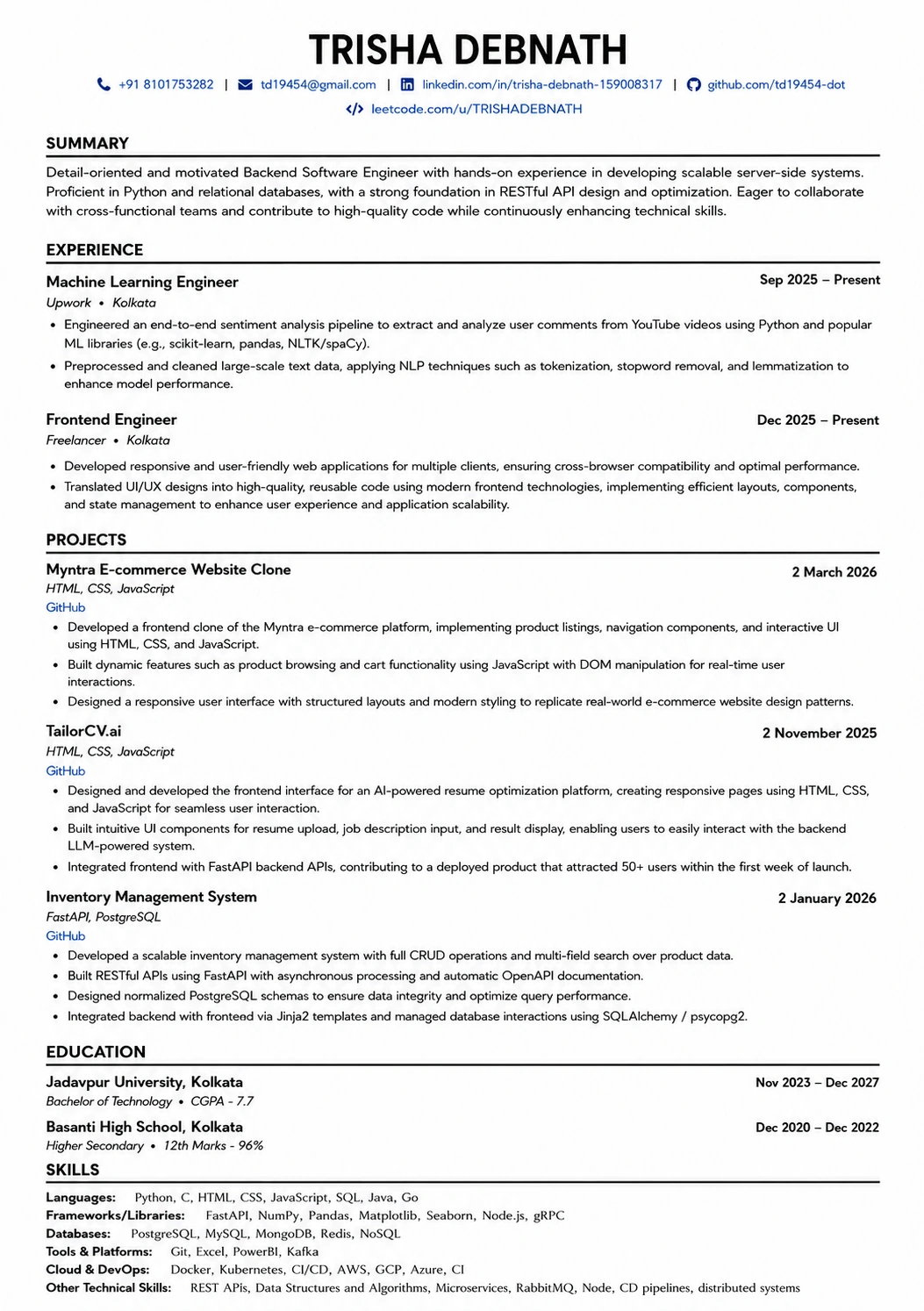
This template is ATS-tested — start from it and the formatting rules in this guide are already handled.
Was this guide useful?
Be the first to rate it.