TD
TD
Key Takeaways
- AI simplifies portfolio creation by automatically generating content from your resume, allowing for quick publication without coding or design skills.
- Users can choose from various themes, and the AI enriches the portfolio with structured prose and a coherent layout.
- It's essential to personalize the About section, expand on key projects, and proofread AI-generated text before publishing.
- Free portfolios come with a watermark, while Pro options offer custom domains and remove branding.
- Regularly update your portfolio by re-uploading your resume and revisiting the site to reflect new achievements.
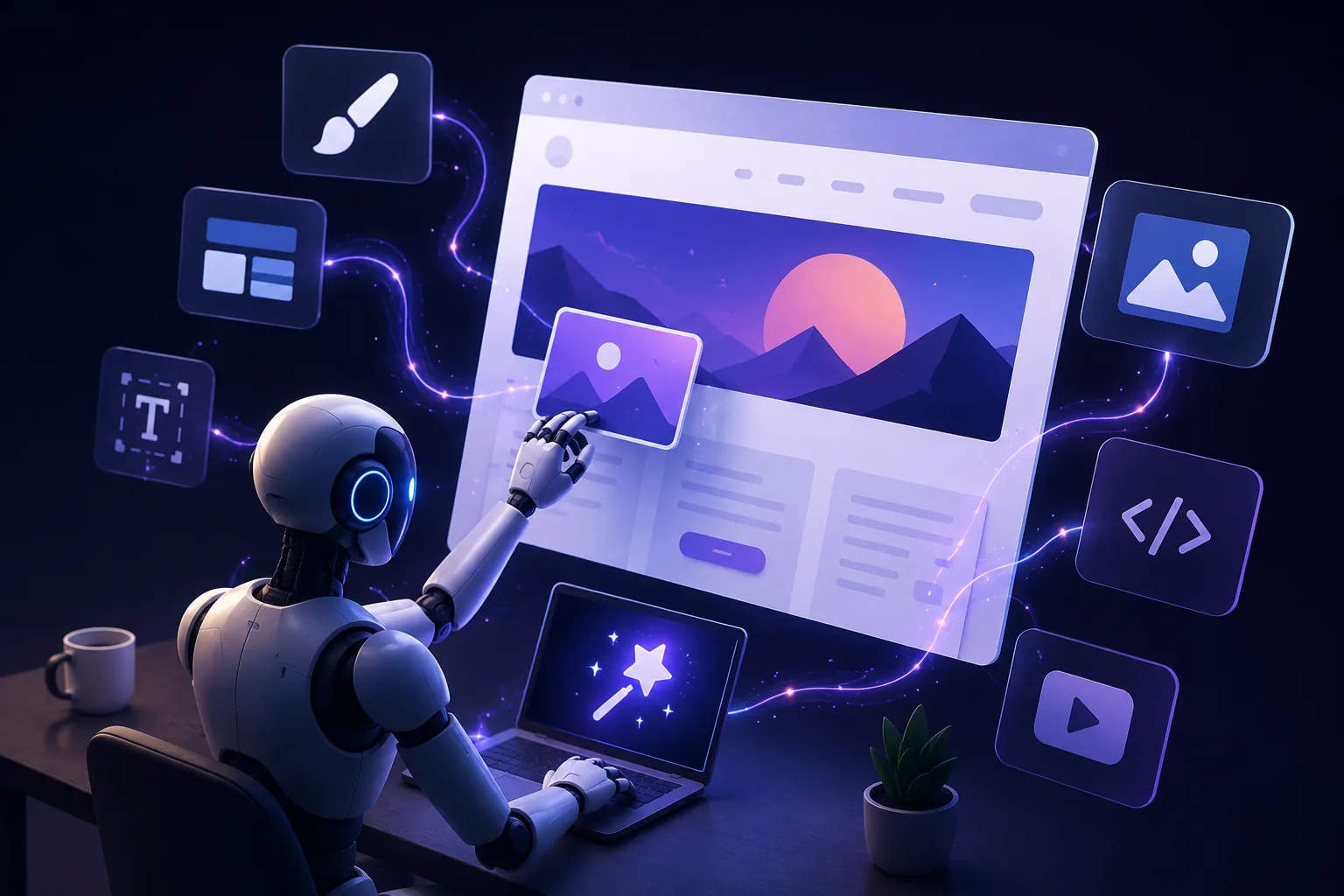
For years, building a portfolio meant learning HTML and CSS, wrestling with a drag-and-drop website builder for a weekend, or paying a freelance developer. AI has removed that barrier - you can now go from a resume PDF to a live, published portfolio in minutes. Pair this with How to Build a Professional Portfolio and Best Portfolio Website Builders 2026.
How AI-Based Portfolio Building Works
The TailorCV portfolio builder follows a simple flow:
- Choose a theme - pick from a library of design styles (Editor, Nova, Terminal, Neon, and more) matched to your industry
- Upload your resume - the AI reads your experience, skills, summary, and projects directly from the file
- AI auto-fills your content - your name, role summary, skills, work history, and projects populate automatically, with an AI-enriched introduction written for you
- Edit in-browser - adjust wording, add project details, swap in screenshots or links, and reorder sections
- Publish - get a shareable link instantly; login is only required at this final step
No design software, no code editor, and no separate hosting account to configure.
What the AI Actually Does Well
- Turning bullet points into readable prose - resume bullets are terse by design; the AI expands them into portfolio-appropriate sentences
- Structuring your experience consistently - it organizes roles, skills, and projects into a coherent layout automatically
- Getting you to a "good enough to publish" first draft fast - the biggest barrier to having a portfolio is never finishing one; AI removes the blank-page problem entirely
What You Should Still Do Yourself
- Add real project depth - expand your one or two strongest projects into full case studies using How to Write a Portfolio Case Study; AI can draft a summary, but the specific decisions and outcomes are yours to add
- Proofread the AI-generated text - skim for anything generic or slightly off before publishing
- Personalize your About section - see Portfolio About Me Section for how to make it sound like you, not a template
Free vs Pro
Free portfolios built this way include a small "Made with TailorCV" watermark; upgrading to Pro removes the watermark for a fully unbranded site, and unlocks custom domain support via one-click Netlify deploy - see Custom Domain Portfolio Guide.
Common Mistakes
- Publishing the AI's first draft without personalizing the About section or expanding your best project
- Choosing a theme that does not match your industry's visual expectations - see Portfolio Website Themes 2026
- Forgetting to keep the resume you uploaded up to date - an outdated resume produces an outdated portfolio
- Never revisiting the site after the initial build, even as new projects and roles accumulate
Pro Tips
- Re-upload an updated resume any time you have a new role or achievement, rather than manually rewriting the whole portfolio
- Use the AI draft as a starting point for your project descriptions, then rewrite the outcome/result sentence yourself with real numbers - AI cannot know your specific metrics unless you tell it
- Check your portfolio on mobile immediately after publishing - test before sharing the link anywhere
Step-by-Step Guide to Creating Your AI-Enhanced Portfolio
Building your portfolio with AI doesn't have to be a daunting task. Follow this simple, step-by-step process to create a standout portfolio that showcases your skills and experiences effectively.
-
Define Your Goals
Start by identifying what you want to achieve with your portfolio. Are you looking to land a specific job, attract freelance clients, or demonstrate your expertise in a particular field? Knowing your goals will help guide the content and design of your portfolio. -
Choose an AI Tool
Select an AI-based portfolio builder that aligns with your needs. Tools like Wix ADI or Squarespace can help you create visually appealing layouts without coding. Review their features to ensure they meet your requirements. -
Gather Your Content
Collect all necessary materials, including past projects, case studies, testimonials, and any relevant work samples. If you're unsure what to include, refer to our Business Analyst Portfolio Guide or DevOps Engineer Portfolio Guide: Prove Your Infrastructure Impact for inspiration. -
Utilize AI Features
Take advantage of the AI features offered by your chosen tool. For instance, use AI-driven design suggestions to create an aesthetically pleasing layout. Consider AI content generation to draft project descriptions or case studies based on the information you provide. -
Customize Your Design
Personalize your portfolio to reflect your style and brand. Adjust colors, fonts, and layouts to create a cohesive look. Don’t forget to include a professional headshot and a brief bio to humanize your portfolio. -
Optimize for SEO
Ensure your portfolio is discoverable by using relevant keywords and phrases related to your industry. Include meta descriptions for each page and optimize images with alt text. This will increase your chances of appearing in search results. -
Test Your Portfolio
Before launching, preview your portfolio on different devices to ensure it’s mobile-friendly and functional. Check all links and features to confirm they work as intended. -
Launch and Promote
Once satisfied, publish your portfolio. Share it on your social media platforms and consider linking it to your LinkedIn profile using our guide on How to Turn Your LinkedIn Profile Into a Portfolio Website.
Common Mistakes to Avoid When Building an AI Portfolio
Creating a portfolio using AI can streamline the process, but there are pitfalls to look out for. Here are common mistakes to avoid:
Turning a resume into a portfolio site

You upload the resume you already have and the sections fill themselves in - basics, experience, projects, education - so building the site is editing rather than starting from an empty page.
-
Neglecting Personalization
Relying too heavily on AI-generated content can make your portfolio feel generic. Always infuse your personality and unique insights into the projects you showcase. -
Overloading with Information
Less is often more. Avoid cluttering your portfolio with too many projects or excessive text. Focus on quality over quantity by selecting your best work. -
Ignoring User Experience
Ensure your portfolio is easy to navigate. Complicated layouts or excessive animations can frustrate visitors. A clean, straightforward design enhances user experience. -
Failing to Update Regularly
Your portfolio should be a living document. Regularly update it with new projects and experiences to keep it relevant and reflective of your current skills. -
Underestimating the Importance of Feedback
Before finalizing your portfolio, seek feedback from peers or mentors. Their insights can help you identify areas for improvement that you might have overlooked.
Mini Checklist for an Effective AI-Enhanced Portfolio
Use this checklist to ensure your portfolio is comprehensive and impactful:
- unchecked: Clearly defined goals
- unchecked: Selection of a user-friendly AI portfolio builder
- unchecked: Collection of high-quality content (projects, testimonials, etc.)
- unchecked: Personalization of design elements
- unchecked: SEO optimization (keywords, meta descriptions, alt text)
- unchecked: Mobile-friendly layout
- unchecked: Functional links and features
- unchecked: Regular updates and maintenance
- unchecked: Feedback incorporated from trusted sources
Scenarios: How AI Can Enhance Your Portfolio in Different Fields
Understanding how to leverage AI for portfolio building can vary by industry. Here are a few scenarios that illustrate its application:
-
For Graphic Designers: Use AI tools like Canva to create stunning visuals for your projects. AI can suggest color palettes and layouts based on current design trends, helping you stand out.
-
For Finance Professionals: AI can help analyze past projects, generating insights into your financial modeling or analysis work. Use these insights to create compelling case studies that showcase your expertise, as detailed in our Finance and Accounting Portfolio Guide.
-
For HR Professionals: AI can assist in crafting narratives around successful recruitment campaigns or employee engagement initiatives. Use this data to create impactful stories in your HR and Recruiter Portfolio Guide.
By following these practical steps and avoiding common pitfalls, you can build a professional portfolio that effectively showcases your skills and attracts the right opportunities.
Frequently Asked Questions
Do I need any design or coding experience to use this?
No. Choosing a theme, uploading a resume, and editing text in a browser is the entire process - no HTML, CSS, or design tool knowledge required.
Will my portfolio look generic since AI generated it?
The AI populates content and structure, but the theme, your specific project details, and your own edits make each portfolio distinct - especially once you expand your strongest projects into full case studies.
Can I switch themes after publishing without starting over?
Yes - your content stays intact when you change themes, so you can experiment without losing your work. You can also use the portfolio builder to easily manage your projects. Additionally, consider how to put your portfolio on a custom domain for a more personalized touch.
Build Your Portfolio Now
You do not need to code a site or spend a weekend wrestling with a website builder. Turn your existing resume into a live, shareable portfolio in minutes with the TailorCV portfolio builder - choose a theme, upload your CV, let AI auto-fill your experience, then personalize and publish a link for your resume and LinkedIn. Before you apply, run your resume through the free ATS score checker and switch to an ATS-friendly resume template so your portfolio and resume tell one consistent story.
Related Guides
- How to Build a Professional Portfolio
- Best Portfolio Website Builders 2026
- Portfolio Website Themes 2026
- Custom Domain Portfolio Guide
- How to Write a Portfolio Case Study
- Portfolio About Me Section
- How to Host Your Portfolio for Free
- Portfolio From Resume in Minutes
- Portfolio Checklist Before Applying
- Portfolio Mistakes to Avoid
- Portfolio SEO: Get Found
- Personal Website vs Portfolio
- Portfolio SEO Guide 2026 - Getting Found by Recruiters
Make This Practical
If this topic connects to your work samples, turn the advice into a live proof page with the TailorCV portfolio builder. After publishing, add the link correctly using How to Add Your Portfolio Link to Your Resume, tighten the page with the Portfolio Checklist Before Applying, and make sure recruiters can contact you through a clean Portfolio Contact Section.
Your portfolio works best when it supports the resume, not when it replaces it. Run the resume through the free ATS score checker, choose an ATS-friendly resume template, and use Portfolio SEO: Get Found so your name and strongest work are easier to discover.
Related Guides to Strengthen This Topic
Use these internal guides to connect this topic with the rest of your job-search workflow:
- How to Build a Professional Portfolio
- Portfolio Website for Job Applications
- Portfolio Checklist Before Applying
- Portfolio Mistakes to Avoid
- How to Write Portfolio Case Study
- Add Portfolio Link to Resume
- Resume Matching With Job Description
- ATS-Friendly Resume Builder
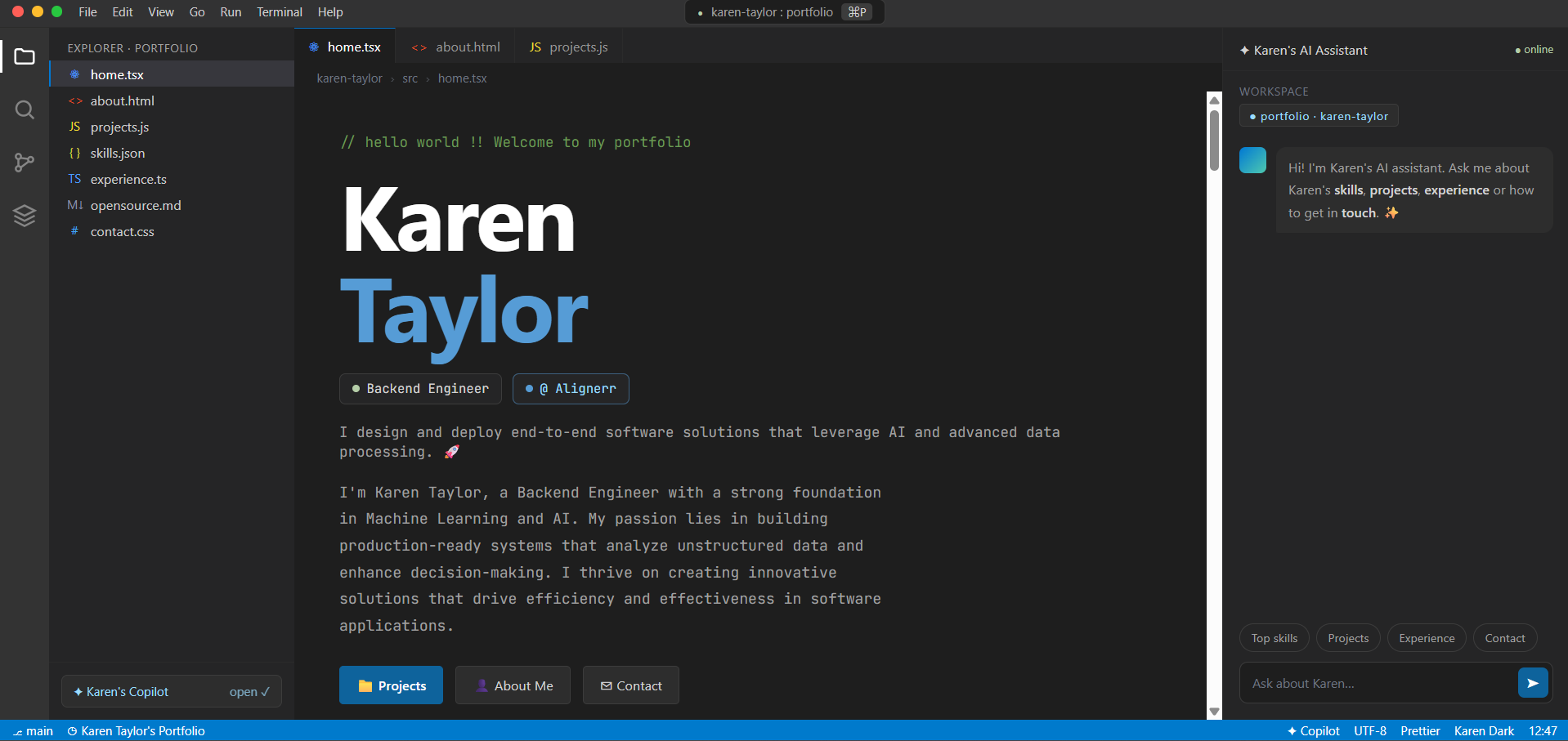
See what your portfolio could look like
This theme is built straight from your resume — pick one and your portfolio is live in minutes.
Was this guide useful?
Be the first to rate it.