 SS
SS
Key Takeaways
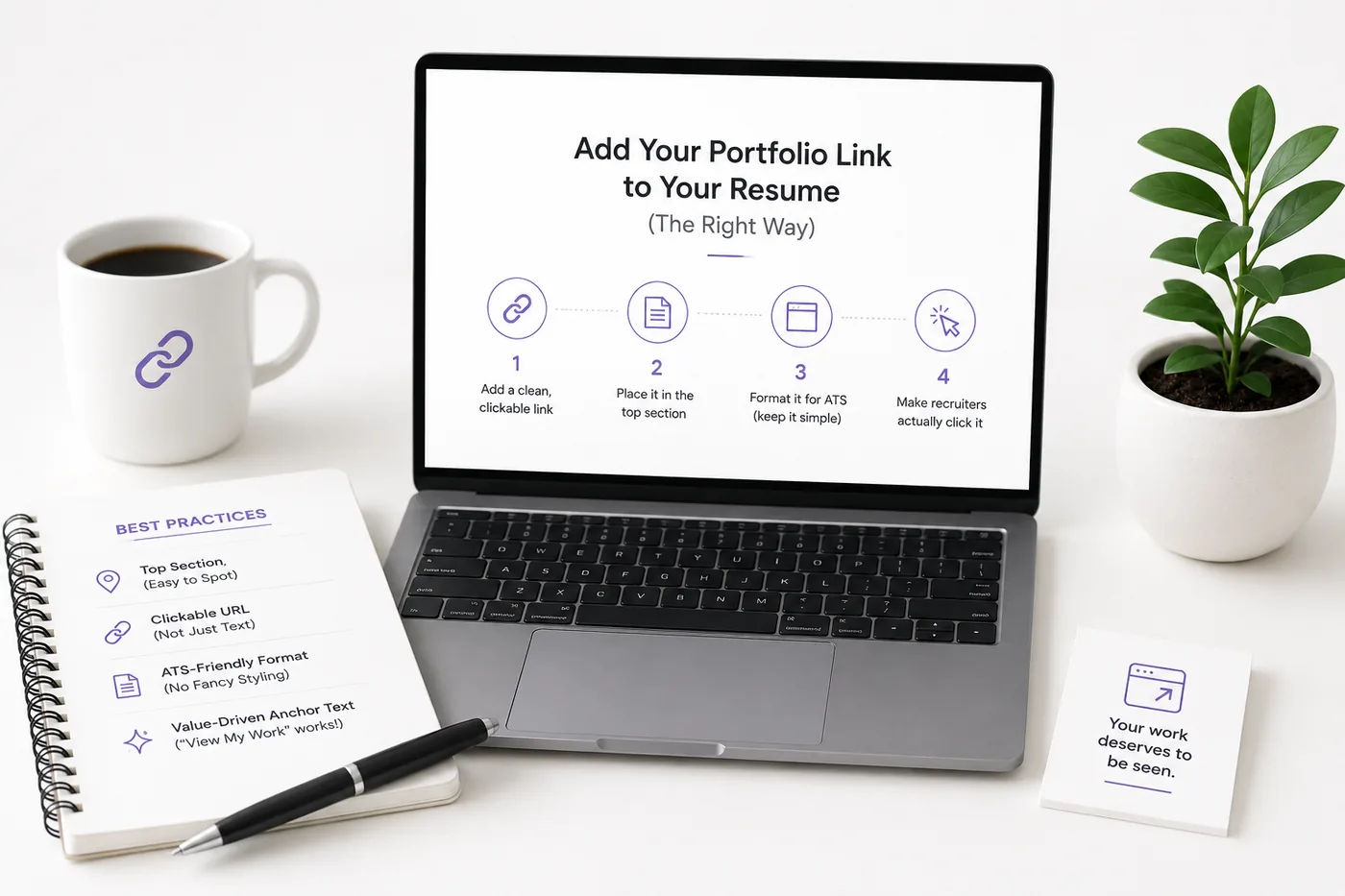
- Place your portfolio link in the header/contact line of your resume for visibility during quick skims.
- Use a clean, readable URL and hyperlink the text while displaying the URL to ensure accessibility for both ATS and humans.
- Enhance clickability by adding a one-line hook that describes your portfolio's content and value.
- Ensure consistency across your resume, LinkedIn, and portfolio regarding name, headline, and featured work to avoid confusion.
- Regularly test and update your portfolio link, ensuring it is mobile-friendly and optimized for SEO.
A portfolio only helps if recruiters can find and click it - and surprisingly many candidates either hide the link, format it badly, or let it 404. Here is how to add it so it works for both humans and Applicant Tracking Systems. Pair this with How to Build a Professional Portfolio and How to Make a Resume ATS-Friendly.
Where to Put It
In the header/contact line, alongside your email and LinkedIn. Keep it near the top so it survives the seven-second skim. See Resume Contact Section.
Format It for ATS and Humans
- Use a clean, readable URL: yourname.com or GitHub.com/you
- Hyperlink the text and also show the URL - some ATS strip hyperlinks, so the visible text must still be usable
- Avoid long tracking URLs and link shorteners (they look spammy and can break)
- Make sure it is https and live
Make People Want to Click
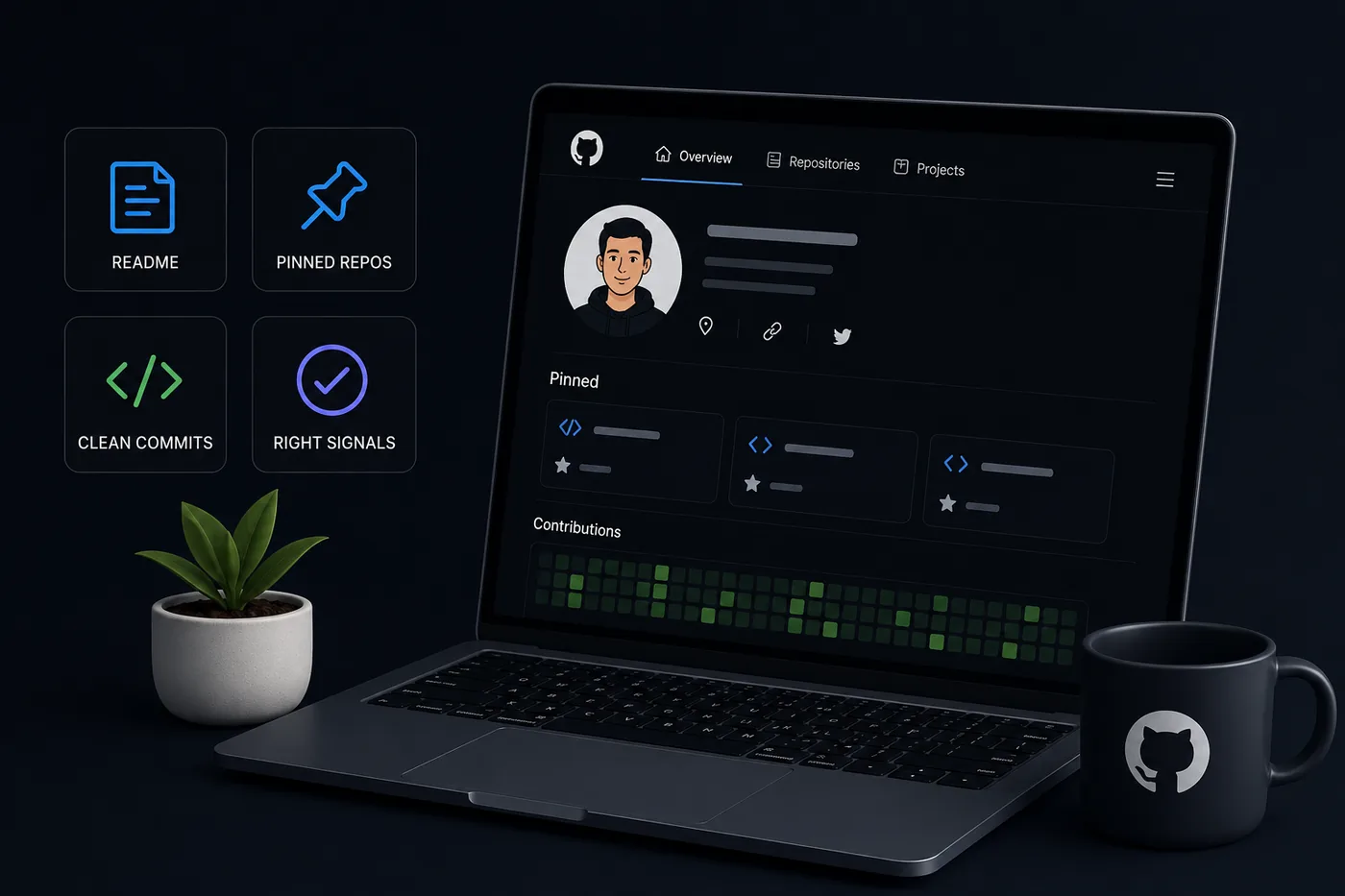
A bare URL is easy to ignore. Add a one-line hook: "Portfolio: live projects + case studies -> yourname.com." Context earns clicks. If you are a developer, link both your site and your GitHub (GitHub Portfolio Optimization).
Keep Everything Consistent
Your resume, LinkedIn, and portfolio should share the same name, headline, and featured work. Run the resume through the ATS score checker and use an ATS-friendly template so the link parses correctly. Read How to Write a Resume Headline to align the top line.
No Portfolio Yet?
Generate one from your resume in minutes with the portfolio builder, then add the link. If you are unsure whether you even need one, read Portfolio vs Resume.
Keep Your Resume and Portfolio in Sync
Your resume, your LinkedIn, and your portfolio should tell the same story - same name, same headline, same top projects - just at different levels of depth. A recruiter who sees a 'Full Stack Developer' resume and a portfolio headlined 'Aspiring Designer' gets confused, and confusion loses interviews. Lock the resume down first with the ATS score checker and an ATS-friendly template, then mirror that exact positioning in your portfolio. When they reinforce each other, every recruiter touchpoint pushes you forward. See How to Add Your Portfolio Link to Your Resume for placing the link correctly.
Pro Tips
- Test the link from a phone and an incognito window before applying.
- Put the most impressive destination first (site or GitHub, depending on role).
- Audit the link every cycle with the Portfolio Checklist Before You Apply.
Common Mistakes to Avoid
When adding your portfolio link to your resume, many candidates make easily avoidable mistakes. Here are some of the most common pitfalls:
-
Using a Non-Professional URL: Avoid using URLs that are unprofessional or contain unnecessary characters. Instead, stick with a straightforward format like yourname.com or yournameportfolio.com.
-
Forgetting to Update Links: Ensure that your portfolio link is always current. An outdated link can lead to missed opportunities.
-
Neglecting Mobile Optimization: Many recruiters review resumes on mobile devices. Make sure your portfolio is mobile-friendly. Test how it looks on various devices.
-
Overloading with Content: While showcasing your work is essential, too much information can overwhelm recruiters. Curate your portfolio to highlight your best projects.
-
Ignoring SEO Best Practices: If your portfolio is online, apply SEO techniques to improve its visibility. Use relevant keywords, meta descriptions, and alt tags for images.
How to Choose the Right Portfolio Format
The format of your portfolio can significantly impact how recruiters perceive your work. Here are some formats to consider based on your profession:
-
Website Portfolio: Ideal for creatives like designers and photographers. A personal website allows for complete customization and branding. Use How to Put Your Portfolio on a Custom Domain to learn how to set this up.
-
GitHub Portfolio: Perfect for developers. A GitHub account can showcase your coding skills and projects effectively. Ensure your repositories are well-documented to enhance recruiter understanding.
-
PDF Portfolio: Useful for professionals in fields like business analysis. A well-designed PDF can be easily shared and printed. Refer to the Business Analyst Portfolio Guide for tips.
-
Video Portfolio: If you're in a field like marketing or broadcasting, a video portfolio can be a dynamic way to showcase your work. Keep it concise and engaging.
Examples of Well-Formatted Portfolio Links
Here are a few examples of how to format your portfolio link effectively on your resume:
Turning a resume into a portfolio site
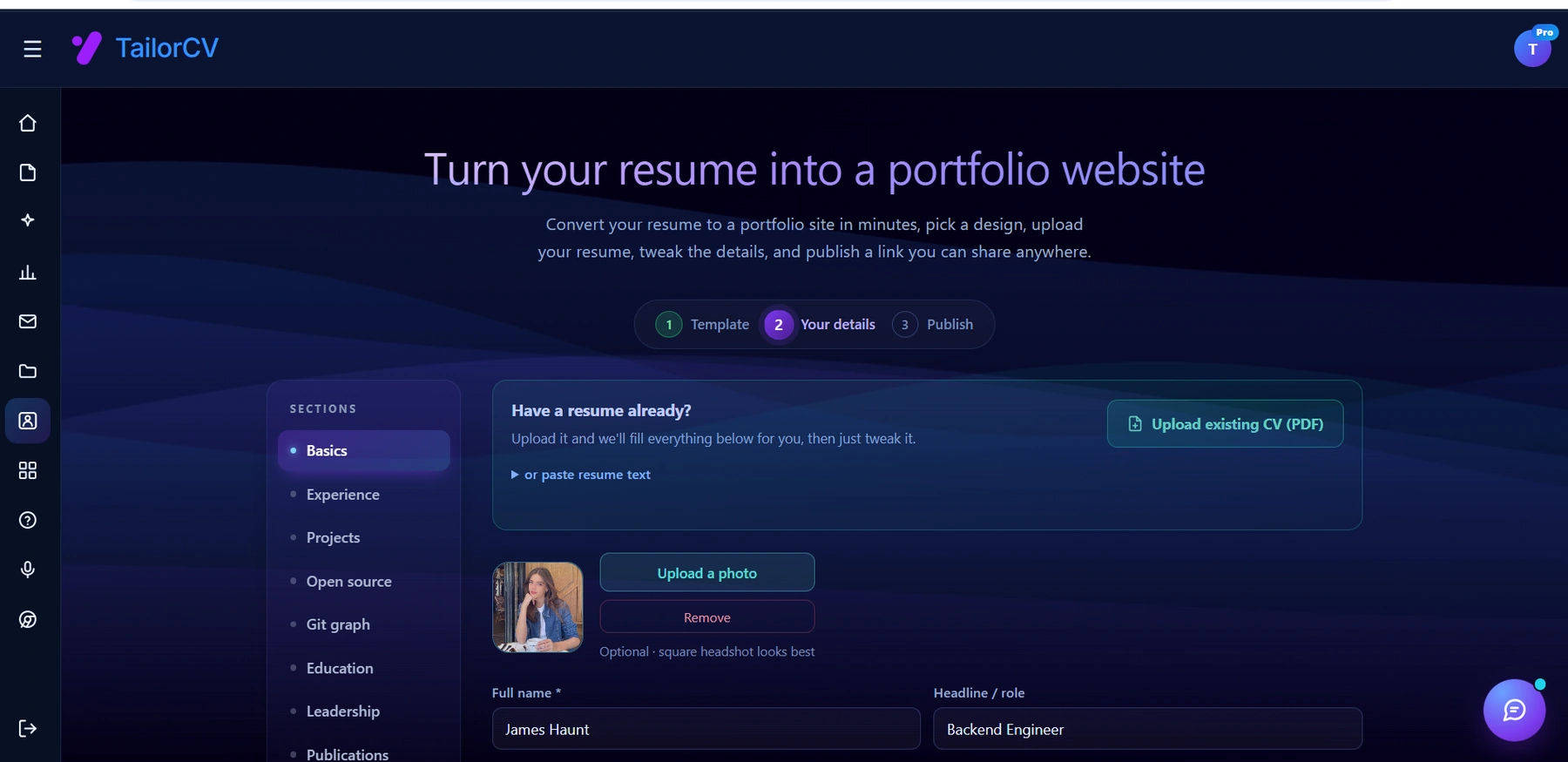
The three steps are template, details, publish. Uploading an existing CV fills in the details step for you, which is why this takes minutes rather than a weekend.
-
Example 1:
Portfolio: Design Projects & Case Studies → yourname.com -
Example 2:
GitHub: Code Samples & Projects → github.com/yourusername -
Example 3:
Portfolio: Business Analysis & Insights → yournameportfolio.com
By clearly labeling your links and making them inviting to click, you can increase the likelihood that recruiters will explore your work.
Short Data Points: Why a Portfolio Matters
- Increased Interview Chances: Candidates with portfolios are 50% more likely to get interviews compared to those without.
- Showcase Your Unique Skills: Portfolios allow you to demonstrate skills that a resume alone may not convey, such as creativity and technical abilities.
- Recruiter Preferences: 75% of recruiters prefer candidates who include a portfolio with their application.
Creating a Compelling Portfolio
If you don’t have a portfolio yet or want to improve your existing one, consider these steps:
- Select Your Best Work: Choose 4-6 projects that showcase your skills and align with the jobs you are applying for.
- Write Case Studies: For each project, include a brief description of the problem, your solution, and the impact it had. This contextualizes your work for recruiters.
- Use Visuals: Include images or videos of your work. Visuals can make your portfolio more engaging and memorable.
- Keep It Updated: Regularly update your portfolio with new projects and achievements to keep it fresh and relevant.
Leveraging AI for Your Portfolio
In today’s tech-driven landscape, leveraging AI can streamline the portfolio creation process. Tools like the AI Portfolio Builder can help you create a professional-looking portfolio without any coding skills. This is particularly beneficial for those who may not have design experience but still want to present their work effectively.
Conclusion
Adding your portfolio link to your resume is a crucial step in the job application process. By placing it strategically, formatting it for both ATS and human readers, and ensuring it’s compelling enough to encourage clicks, you enhance your chances of landing an interview. Remember, consistency across your resume, LinkedIn, and portfolio is key to presenting a cohesive professional image. Use the tips and strategies outlined in this article to create a seamless connection between your resume and your portfolio, ensuring that recruiters can easily explore your work and understand your potential.
Frequently Asked Questions
Will ATS read my portfolio link?
Most parse the visible URL text fine; some strip the clickable hyperlink. Always show the URL as readable text, not hidden behind a word like 'here'.
Should I link GitHub or my website?
Both if relevant. For developers, GitHub plus a site is ideal. For designers, the site (or Behance) comes first.
Where exactly on the resume?
The header contact line. Keep it with email and LinkedIn so it is seen immediately. You can also consider using a portfolio builder to create a professional online presence.
Build Your Portfolio Now
You do not need to code a site from scratch or spend a weekend wrestling with a website builder. Turn your existing resume into a live, shareable portfolio website in minutes with the TailorCV portfolio builder - choose a template, upload your CV, tweak the details, and publish a link you can drop straight onto your resume and LinkedIn. Before you start applying, run your resume through the free ATS score checker and switch to an ATS-friendly template so your portfolio and resume tell one clean, consistent story to every recruiter.
Related Guides
- How to Build a Professional Portfolio
- Resume Contact Section
- Portfolio vs Resume
- How to Make a Resume ATS-Friendly
- LinkedIn Profile Optimization Guide
- Portfolio Checklist Before You Apply
- How to Write a Resume Headline
- GitHub Portfolio Optimization
- Turn Your Resume Into a Portfolio in Minutes
- Portfolio Mistakes to Avoid
- How to Write a Resume From Scratch
- Portfolio Domain Name Guide
- Architect Resume Guide 2026
Make This Practical
If this topic connects to your work samples, turn the advice into a live proof page with the TailorCV portfolio builder. After publishing, add the link correctly using How to Add Your Portfolio Link to Your Resume, tighten the page with the Portfolio Checklist Before Applying, and make sure recruiters can contact you through a clean Portfolio Contact Section.
Your portfolio works best when it supports the resume, not when it replaces it. Run the resume through the free ATS score checker, choose an ATS-friendly resume template, and use Portfolio SEO: Get Found so your name, role, and strongest projects are easier to discover.
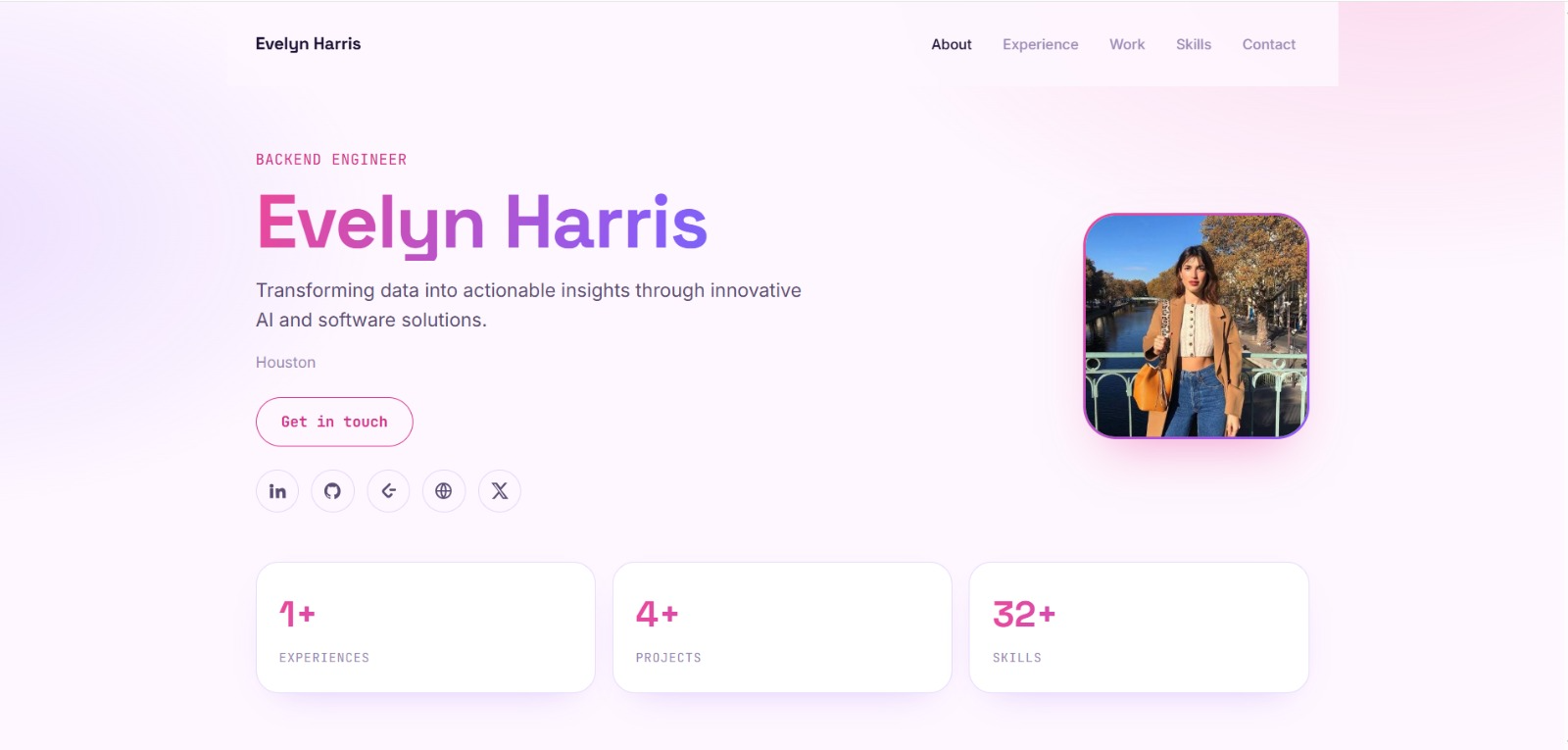
See what your portfolio could look like
This theme is built straight from your resume — pick one and your portfolio is live in minutes.
Was this guide useful?
Be the first to rate it.