SS
SS

Key Takeaways
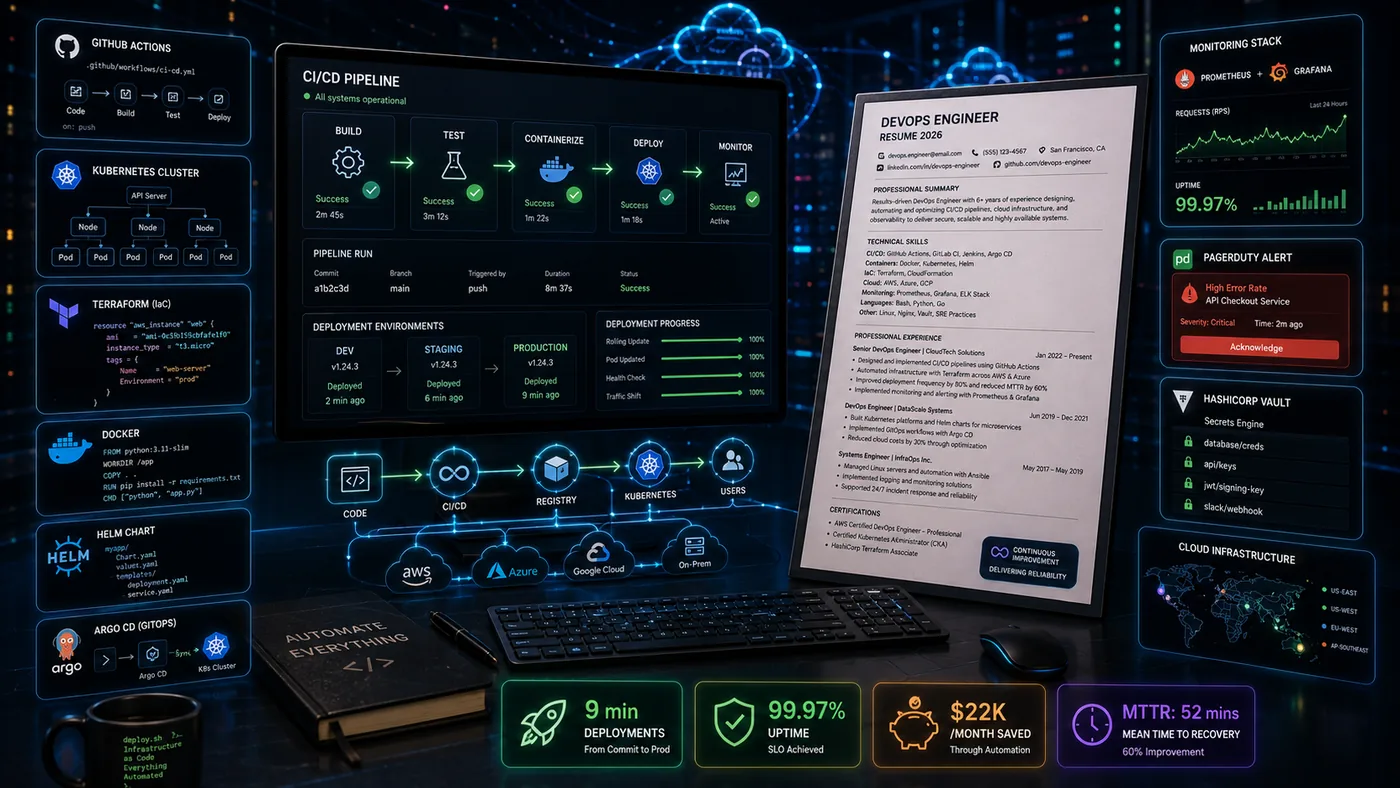
- Include Infrastructure-as-code repos, CI/CD pipeline projects, observability setups, incident write-ups, and relevant certifications in your DevOps portfolio.
- Frame your contributions by detailing the starting state, what you built, and measurable outcomes to demonstrate your impact.
- Host your portfolio on GitHub and a personal site, ensuring it narrates your projects and links to relevant repositories.
- Keep your resume and portfolio aligned in terms of technology stack and project scale to present a cohesive narrative.
- Avoid common mistakes such as listing tools without context, sharing sensitive information, and providing dead links or expired environments.
DevOps and SRE work is often invisible until something breaks - which makes it hard to show on a resume. A portfolio lets you demonstrate the pipelines, infrastructure, and incident response that keep systems reliable. Pair this with How to Build a Professional Portfolio and GitHub Portfolio Optimization.
What to Include
| What to include | Why |
|---|---|
| Infrastructure-as-code repos | Terraform, Pulumi, or CloudFormation modules with clear READMEs |
| CI/CD pipeline projects | a working pipeline (GitHub Actions, GitLab CI, Jenkins) with build, test, and deploy stages documented |
| Observability setups | dashboards or alerting configs (Grafana, Prometheus, Datadog) built for a real or side project |
| Incident write-ups | a sanitized postmortem showing root cause, remediation, and prevention steps |
| Certifications | AWS/GCP/Azure certifications, CKA/CKAD, HashiCorp certifications |
Frame Reliability, Not Just Tools
Listing "Kubernetes, Terraform, Prometheus" tells a hiring manager what you have used, not what you improved. For each project:
- The starting state - "Deploys took 45 minutes and failed roughly one in five times"
- What you built - the pipeline redesign, the IaC migration, the monitoring you added
- The measurable outcome - "Deploy time dropped to 8 minutes with a 98% success rate"
Where to Host It
- GitHub - your primary showcase for IaC modules, pipeline configs, and dashboards-as-code
- A personal site via the TailorCV portfolio builder - to narrate the projects and link out to the repos
- A short architecture diagram or Loom-style walkthrough embedded on your site for complex systems
Turning a resume into a portfolio site

The three steps are template, details, publish. Uploading an existing CV fills in the details step for you, which is why this takes minutes rather than a weekend.
Keep Your Resume and Portfolio in Sync
Your resume, GitHub, and portfolio should tell the same story - same tech stack, same scale (traffic, node count, team size) - just at different levels of depth. Lock the resume down first with the ATS score checker and an ATS-friendly template, then mirror that positioning in your portfolio. See How to Add Your Portfolio Link to Your Resume for placing the link correctly.
Common Mistakes
- A list of tools with no project or outcome behind them
- Sharing real production credentials, internal hostnames, or company-specific architecture without sanitizing
- No incident or postmortem example - it is one of the strongest signals of operational maturity
- Dead demo links or expired cloud sandbox environments - see Portfolio Checklist Before Applying
Pro Tips
- Include one project that shows cost optimization, not just uptime - both matter to hiring managers
- Add a simple architecture diagram to every project; it is often more persuasive than the code itself
- Generate your portfolio shell from your resume with the portfolio builder and link out to your GitHub repos
Showcase Real-World Scenarios
When building your DevOps portfolio, it's crucial to include real-world scenarios that demonstrate your problem-solving skills and the impact of your work. Here are a few examples you can consider:
-
Automating Deployment: - Describe a project where you automated the deployment process using CI/CD tools like Jenkins or GitLab CI. Include details about the challenges faced, the tools used, and how your solution improved deployment speed and reduced errors.
-
Infrastructure as Code (IaC): - Share an experience where you implemented IaC using Terraform or AWS CloudFormation. Highlight how this approach enhanced scalability and reduced the time needed for infrastructure setup.
-
Monitoring and Performance Optimization: - Provide a case study of a system you monitored using tools like Prometheus or Grafana. Discuss how you identified bottlenecks and the steps you took to optimize performance, along with the measurable outcomes.
Step-by-Step Guide to Creating a Case Study
Creating case studies is an effective way to showcase your work. Follow these steps to create impactful case studies for your portfolio:
-
Select a Project: - Choose a project that highlights your skills and had a significant impact on the organization.
-
Outline the Problem: - Clearly articulate the problem or challenge you faced. Make it relatable to potential employers by linking it to common issues in DevOps.
-
Describe Your Solution: - Detail the tools and methodologies you used. Be specific—did you implement a new tool, optimize a process, or improve a system?
-
Highlight Results: - Use metrics to showcase the impact of your work. For example, mention percentage reductions in deployment time or improvements in system uptime.
-
Include Visuals: - Enhance your case study with visuals such as diagrams, flowcharts, or screenshots that illustrate your work and its results.
-
Write a Conclusion: - Summarize the key takeaways and lessons learned from the project, emphasizing how it has shaped your development as a DevOps engineer.
Common Mistakes to Avoid
When creating your DevOps portfolio, be mindful of these common pitfalls:
-
Overloading with Technical Jargon: While it's important to demonstrate your technical knowledge, avoid excessive jargon that may alienate non-technical viewers. Aim for clarity and accessibility.
-
Neglecting Soft Skills: DevOps is not just about technical prowess; soft skills like communication and teamwork are equally important. Include examples showcasing how you collaborated with cross-functional teams.
-
Ignoring Updates: Regularly update your portfolio with new projects and skills. An outdated portfolio can give the impression that you are not keeping up with industry trends.
-
Lack of Context: Always provide context for your projects. Explain why a project mattered and what specific role you played in its success.
Mini Checklist for Your Portfolio
Use this checklist to ensure your DevOps portfolio is comprehensive and effective:
- unchecked: Clear and professional design
- unchecked: Relevant projects that showcase a variety of skills
- unchecked: Case studies with clear problem-solution-result structures
- unchecked: Metrics to quantify your impact
- unchecked: Examples of collaboration and soft skills
- unchecked: Regular updates to reflect your current skills and projects
- unchecked: Links to relevant resources, articles, or tools you’ve utilized
Do's and Don'ts of Portfolio Presentation
Do's:
- Do Tailor Your Portfolio: Customize your portfolio for specific job applications by emphasizing skills and projects most relevant to the position.
- Do Include Testimonials: If possible, add quotes or testimonials from colleagues or supervisors that speak to your abilities and contributions.
- Do Make It Mobile-Friendly: Ensure your portfolio is accessible on mobile devices, as many recruiters may view it on the go.
Don'ts:
- Don't Include Every Project: Focus on quality over quantity. Include only the projects that best demonstrate your skills and impact.
- Don't Forget About SEO: Optimize your portfolio for search engines by using relevant keywords related to your skills and projects.
- Don't Ignore the User Experience: Ensure navigation is intuitive and that visitors can easily find the information they need.
Scenarios to Enhance Your Portfolio
Consider incorporating hypothetical scenarios that display your thought process and decision-making skills. For example:
-
Scenario 1: A sudden increase in user traffic leads to performance issues. Describe how you would analyze the situation, what tools you'd use, and the steps you would take to resolve the issues.
-
Scenario 2: A critical security vulnerability is discovered in your application. Outline your approach to assess the risk, implement fixes, and communicate with stakeholders.
These scenarios not only show your technical skills but also highlight your ability to think critically under pressure.
Frequently Asked Questions
Do I need a live, running infrastructure demo?
Not always - a well-documented repo with architecture diagrams and a recorded walkthrough is often enough. Live demos help most when the interaction itself is the point (a dashboard, a deployed service).
I only have experience inside one company's private infrastructure - what do I show?
Rebuild a simplified, sanitized version of a system you worked on as a personal project, or document a side-project pipeline end-to-end. See Portfolio No Projects.
How do I align my resume?
Keep your tech stack and scale claims (traffic, uptime, team size) identical across resume and portfolio. You can also explore How to Build a Portfolio With AI - No Coding Required for additional insights.
Build Your Portfolio Now
You do not need to code a site or spend a weekend on a website builder. Turn your existing resume into a live, shareable portfolio in minutes with the TailorCV portfolio builder - choose a theme, upload your CV, let AI pull in your experience, then link out to your GitHub repos and infrastructure write-ups and publish a link for your resume and LinkedIn. Before you apply, run your resume through the free ATS score checker and switch to an ATS-friendly resume template so your portfolio and resume tell one consistent story.
Related Guides
- How to Build a Professional Portfolio
- GitHub Portfolio Optimization
- Backend Developer Portfolio
- Full Stack Portfolio Guide
- Portfolio Website for Job Applications
- Portfolio Checklist Before Applying
- Portfolio Mistakes to Avoid
- Portfolio No Projects
- Custom Domain Portfolio Guide
- AI Portfolio Builder: No Code Required
- Portfolio Website Themes 2026
- Personal Website vs Portfolio
Make This Practical
If this topic connects to your work samples, turn the advice into a live proof page with the TailorCV portfolio builder. After publishing, add the link correctly using How to Add Your Portfolio Link to Your Resume, tighten the page with the Portfolio Checklist Before Applying, and make sure recruiters can contact you through a clean Portfolio Contact Section.
Your portfolio works best when it supports the resume, not when it replaces it. Run the resume through the free ATS score checker, choose an ATS-friendly resume template, and use Portfolio SEO: Get Found so your name, stack, and strongest projects are easier to discover.
Related Guides to Strengthen This Topic
Use these internal guides to connect this topic with the rest of your job-search workflow:
- How to Build a Professional Portfolio
- Portfolio Website for Job Applications
- Portfolio Checklist Before Applying
- Portfolio Mistakes to Avoid
- How to Write Portfolio Case Study
- Add Portfolio Link to Resume
- Resume Matching With Job Description
- ATS-Friendly Resume Builder
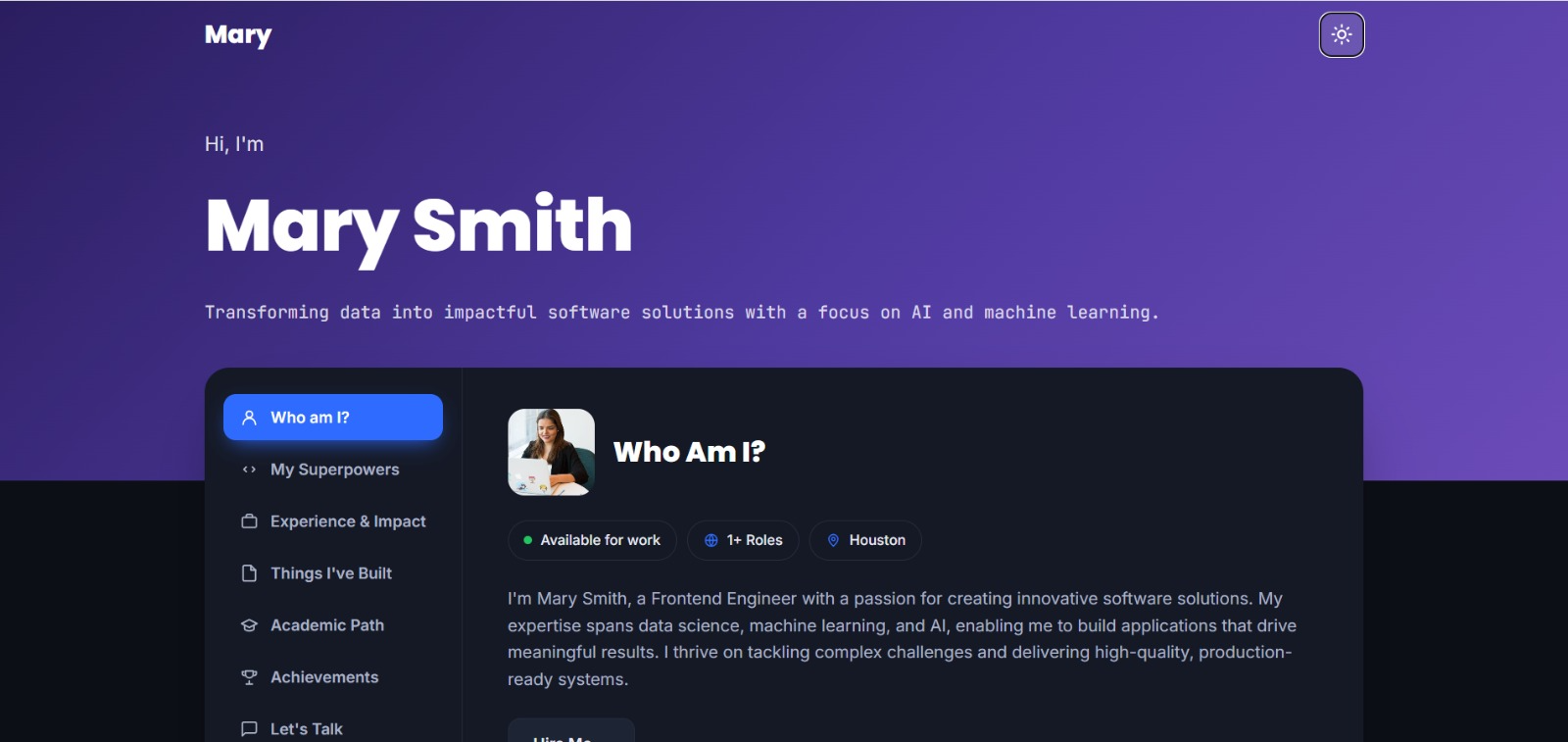
See what your portfolio could look like
This theme is built straight from your resume — pick one and your portfolio is live in minutes.
Was this guide useful?
Be the first to rate it.