 SS
SS
Key Takeaways
- Transform your resume into a portfolio website quickly using a portfolio builder that automatically fills in your details.
- Enhance your portfolio by adding project links, screenshots, and a clear "About Me" section within about 20 minutes.
- Ensure consistency between your resume, LinkedIn, and portfolio to avoid confusion for recruiters.
- Regularly update your portfolio to keep it current and avoid common mistakes like broken links or placeholder text.
- Select 3-5 key projects to showcase, including case studies that highlight your contributions and measurable outcomes.
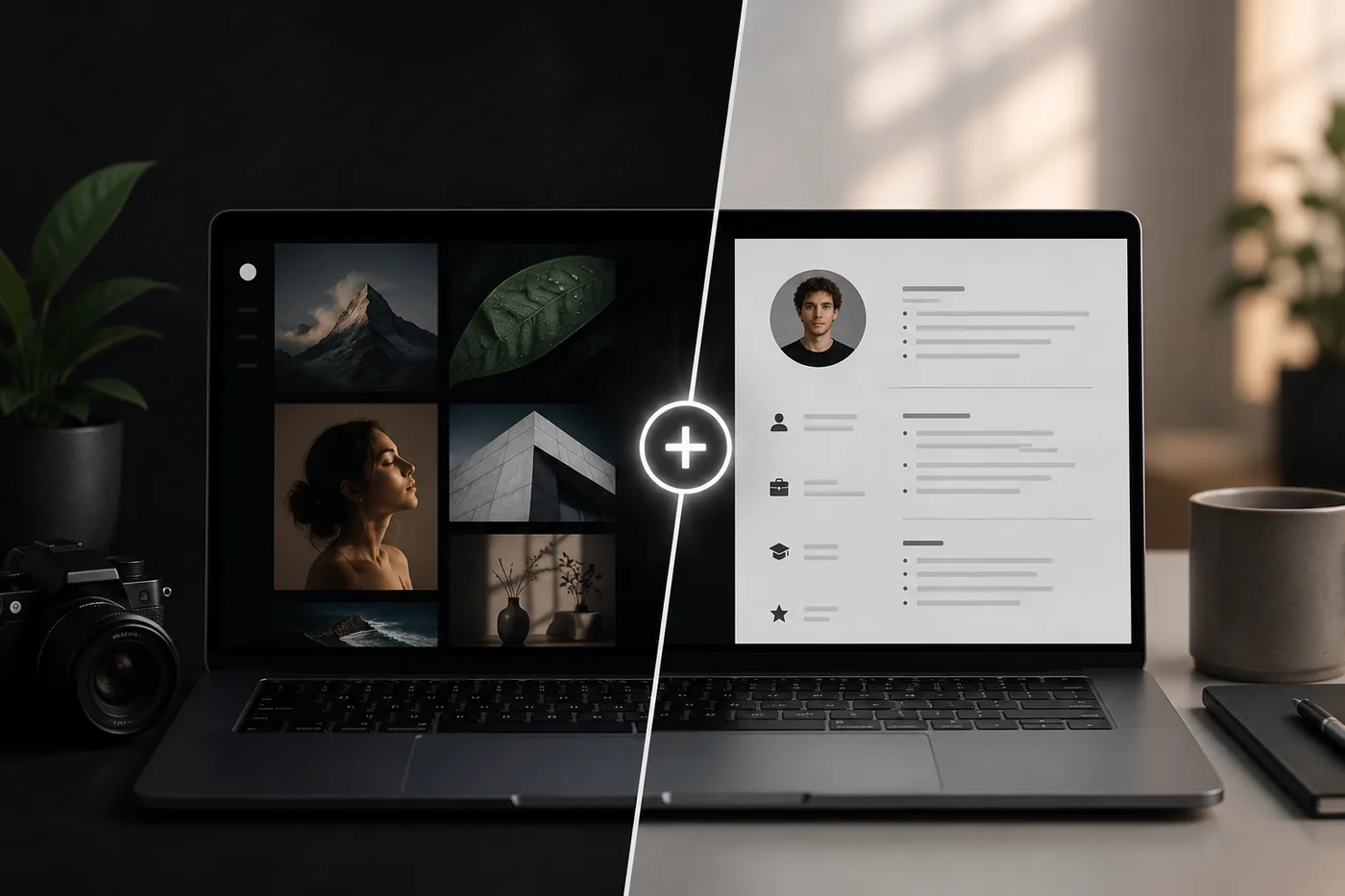
The number one reason people do not have a portfolio is time. Building a site from scratch feels like a weekend project you keep postponing. Here is how to skip all of that and publish a real portfolio today, using something you already have: your resume. Pair this with the Best Portfolio Website Builders 2026 and How to Build a Professional Portfolio.
Start From What You Already Have
Your resume already contains everything a portfolio needs - your projects, experience, skills, education, and contact info. Instead of starting from a blank page, reuse it.
The 5-Minute Path
- Open the TailorCV portfolio builder.
- Pick a template that fits your field.
- Upload your resume - your details fill in automatically.
- Tweak the wording and add project links/screenshots.
- Publish and copy your live link.
That is a real, shareable portfolio in the time it takes to make coffee.
Then Polish (Another 20 Minutes)
- Add demo links and screenshots to your projects (How to Write a Portfolio Case Study)
- Write a short, specific Portfolio About Me Section
- Make your Portfolio Contact Section obvious
- Run the Portfolio Checklist Before You Apply before you share it
Keep Resume and Portfolio in Sync
Same name, same headline, same featured work. Optimize the resume too with the ATS score checker and an ATS-friendly template, then add the link per How to Add Your Portfolio Link to Your Resume.
Make It Yours
Add a custom domain (Portfolio Domain Name Guide), host it free (How to Host Your Portfolio for Free), and make it findable with Portfolio SEO: Get Found.
Keep Your Resume and Portfolio in Sync
Your resume, your LinkedIn, and your portfolio should tell the same story - same name, same headline, same top projects - just at different levels of depth. A recruiter who sees a 'Full Stack Developer' resume and a portfolio headlined 'Aspiring Designer' gets confused, and confusion loses interviews. Lock the resume down first with the ATS score checker and an ATS-friendly template, then mirror that exact positioning in your portfolio. When they reinforce each other, every recruiter touchpoint pushes you forward. See How to Add Your Portfolio Link to Your Resume for placing the link correctly.
Common Mistakes
- Publishing and forgetting - keep it current
- Leaving placeholder text in
- Broken project links - audit with the Portfolio Checklist Before You Apply
- See Portfolio Mistakes to Avoid
Step-by-Step Guide to Showcasing Projects
Creating a portfolio website is not just about displaying your resume; it’s also about showcasing the projects that highlight your skills. Here’s a quick guide to effectively presenting your work:
-
Select Your Best Projects: Choose 3-5 projects that best represent your skills and achievements. Focus on quality over quantity.
-
Create Case Studies: For each project, write a brief case study that includes: - Project Overview: A short description of what the project is about. - Your Role: Clearly define your contributions. - Outcome: Include measurable results, such as percentage increases in efficiency or revenue.
-
Include Visuals: Use images, graphs, or videos to illustrate your work. Visuals can make your portfolio more engaging and help potential employers understand your projects better.
-
Use Clear Headings and Subheadings: Make it easy for visitors to navigate through your projects. Use headings like "Overview," "My Role," and "Results."
-
Add a Call to Action: Encourage viewers to reach out for more information or to discuss potential opportunities.
By following these steps, you can create compelling project showcases that will resonate with potential employers.
Portfolio Design Do's and Don'ts
When designing your portfolio website, aesthetics play a significant role in how your work is perceived. Here are some do's and don’ts to keep in mind:
Turning a resume into a portfolio site
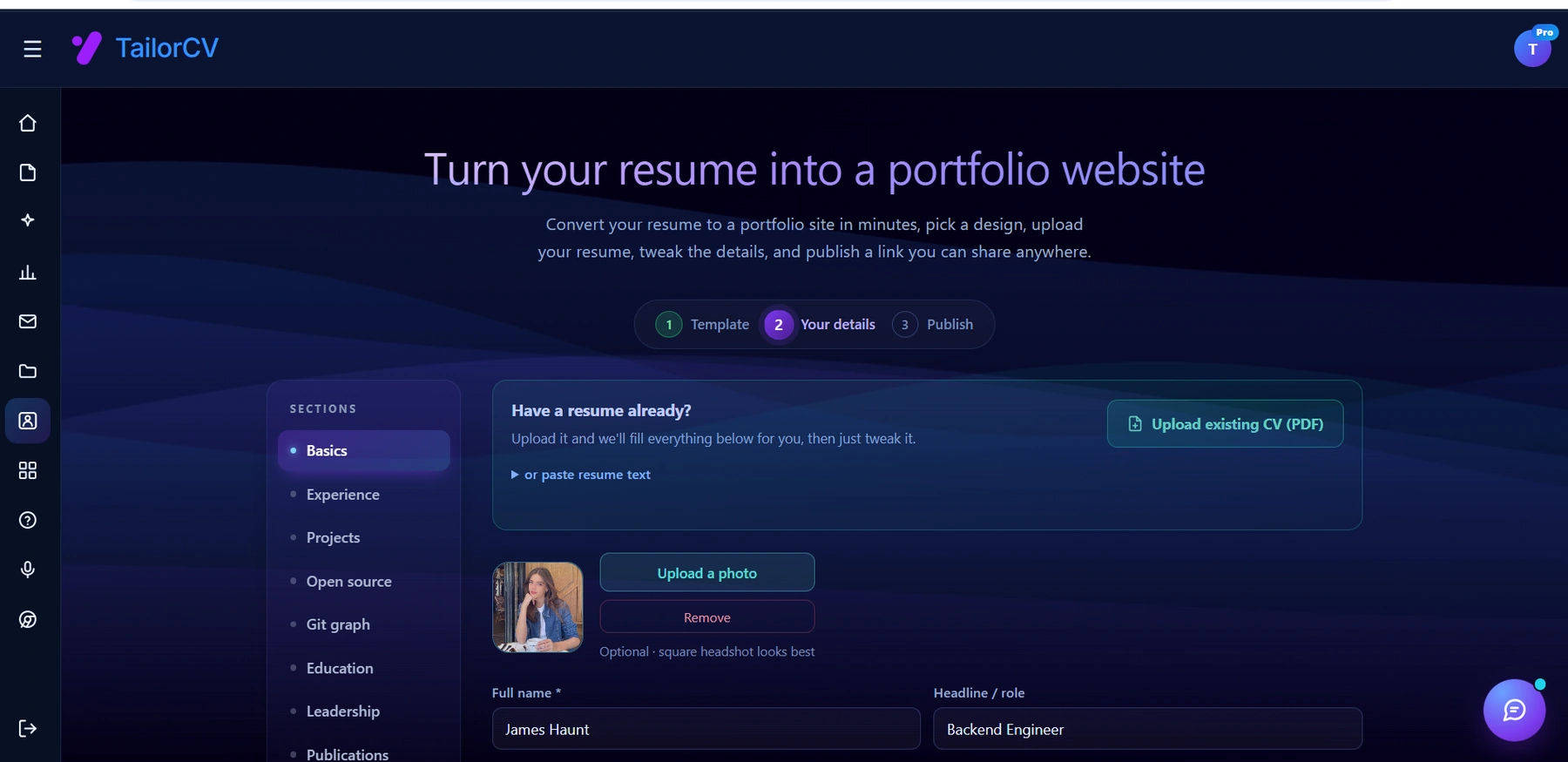
The three steps are template, details, publish. Uploading an existing CV fills in the details step for you, which is why this takes minutes rather than a weekend.
Do's
| What | Details |
|---|---|
| Keep It Simple | A clean, straightforward design helps visitors focus on your content |
| Use Consistent Branding | Align your portfolio's colors, fonts, and styles with your personal brand |
| Make Navigation Easy | Ensure that visitors can easily find what they're looking for with a clear menu structure |
| Optimize for Mobile | Many users will visit your site on mobile devices; ensure it's responsive and looks good on all screens |
Don'ts
- Avoid Clutter: Too much information can overwhelm visitors. Stick to essential content.
- Don’t Use Distracting Animations: While animations can add flair, too many can distract from your work.
- Avoid Generic Templates: Stand out by customizing templates rather than using the default designs provided by portfolio builders.
By following these guidelines, you will create a visually appealing and user-friendly portfolio that showcases your talents effectively.
Common Scenarios: When to Use Your Portfolio vs. Resume
Understanding when to present your portfolio versus your resume can be crucial during the job search. Here are a few scenarios to help you decide:
-
Scenario 1: Networking Event
Use Your Portfolio: At networking events, a portfolio allows you to visually demonstrate your work and engage in deeper conversations about your projects. -
Scenario 2: Job Application
Use Your Resume: When applying for a job, your resume should be the primary document, as it's more concise and tailored to the specific role. -
Scenario 3: Interview
Use Both: In interviews, bring both your resume and portfolio. The resume provides a quick overview, while the portfolio allows you to delve into specific projects. -
Scenario 4: Informational Interview
Use Your Portfolio: During an informational interview, your portfolio can help you showcase your skills and projects, making it easier for the person you're meeting to understand your capabilities.
By knowing when to use each document, you can maximize your chances of making a positive impression.
Mini Checklist for Your Portfolio Launch
Before you launch your portfolio website, use this checklist to ensure everything is in order:
- unchecked: Review Content: Double-check all text for spelling and grammatical errors.
- unchecked: Test Links: Ensure all links to projects and social media work correctly.
- unchecked: Mobile Optimization: Test the site on various devices to ensure it displays correctly.
- unchecked: SEO Basics: Implement basic SEO practices, such as meta descriptions and alt tags for images.
- unchecked: Analytics Setup: Integrate analytics tools to track visitor behavior and engagement.
- unchecked: Feedback: Share your portfolio with a few trusted peers for feedback before launching.
By following this checklist, you can confidently launch a polished portfolio that showcases your work effectively.
Portfolio Maintenance Tips
Once your portfolio is live, it’s essential to keep it updated. Here are some maintenance tips to ensure it remains relevant:
| Tip | How to apply it |
|---|---|
| Regular Updates | Schedule monthly reviews to add new projects and remove outdated ones |
| Content Refresh | Update your case studies with new outcomes and metrics as you achieve them |
| Engage with Visitors | If your portfolio allows comments or messages, respond promptly to inquiries and feedback |
| Stay Current | Reflect any changes in your career, such as new skills or certifications, on your website |
By maintaining your portfolio, you ensure it accurately reflects your current skills and experiences, helping you stay competitive in the job market.
Frequently Asked Questions
Do I need any coding to do this?
None. The builder generates and hosts the site from your resume; you just edit text and links.
How long does it really take?
About five minutes to publish, another 20 to polish projects, About Me, and contact.
Will it look generic?
Pick a template that fits your field and add real screenshots and a personal About Me - it will look like you, not a template.
Build Your Portfolio Now
You do not need to code a site from scratch or spend a weekend wrestling with a website builder. Turn your existing resume into a live, shareable portfolio website in minutes with the TailorCV portfolio builder - choose a template, upload your CV, tweak the details, and publish a link you can drop straight onto your resume and LinkedIn. Before you start applying, run your resume through the free ATS score checker and switch to an ATS-friendly template so your portfolio and resume tell one clean, consistent story to every recruiter.
Related Guides
- How to Build a Professional Portfolio
- Best Portfolio Website Builders 2026
- How to Host Your Portfolio for Free
- How to Add Your Portfolio Link to Your Resume
- Portfolio Checklist Before You Apply
- How to Write a Resume From Scratch
- Portfolio About Me Section
- Portfolio Contact Section
- Portfolio Domain Name Guide
- Portfolio SEO: Get Found
- Portfolio Mistakes to Avoid
- Portfolio vs Resume
- Relocating to Singapore for Your First Job - A Practical Guide
Make This Practical
If this topic connects to your work samples, turn the advice into a live proof page with the TailorCV portfolio builder. After publishing, add the link correctly using How to Add Your Portfolio Link to Your Resume, tighten the page with the Portfolio Checklist Before Applying, and make sure recruiters can contact you through a clean Portfolio Contact Section.
Your portfolio works best when it supports the resume, not when it replaces it. Run the resume through the free ATS score checker, choose an ATS-friendly resume template, and use Portfolio SEO: Get Found so your name, role, and strongest projects are easier to discover.
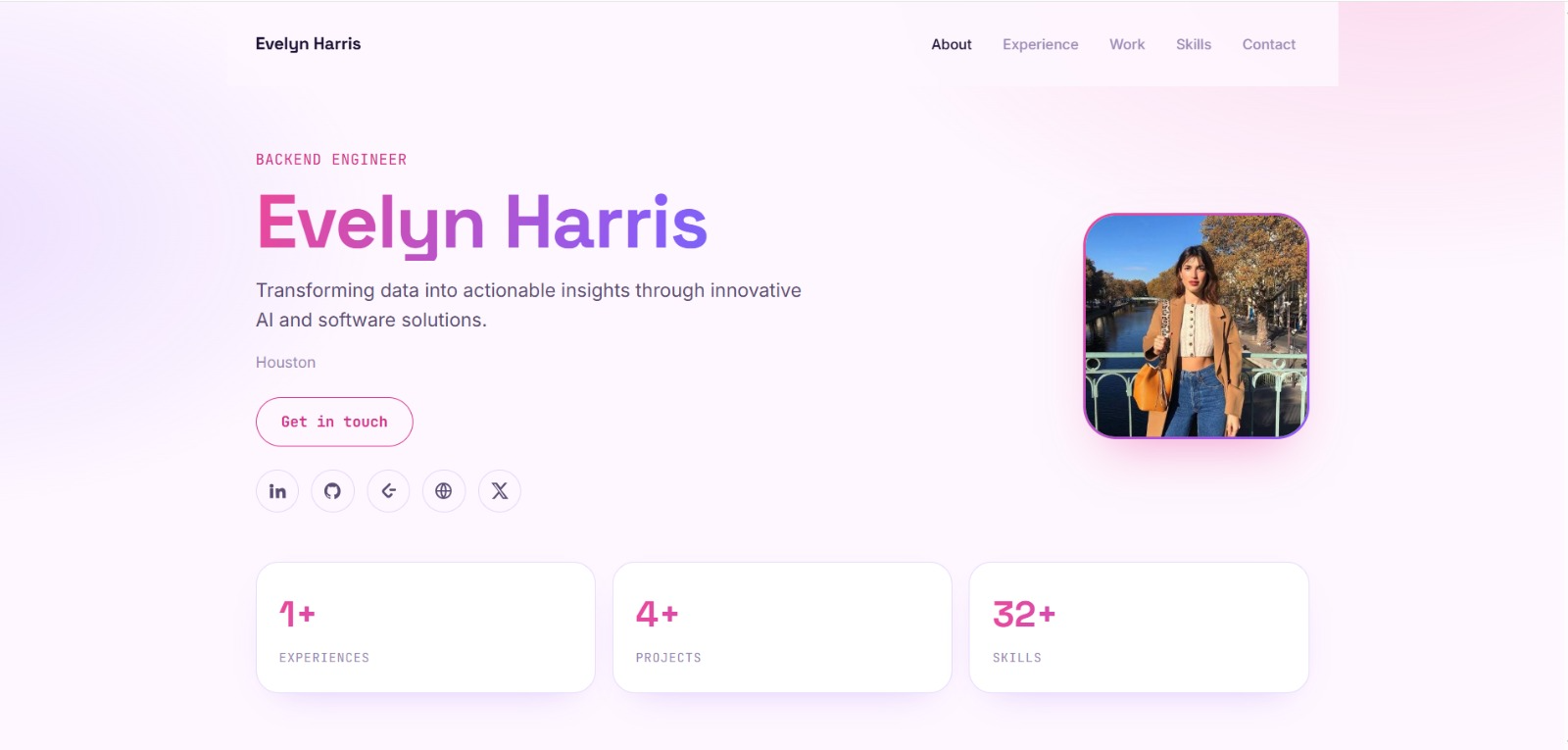
See what your portfolio could look like
This theme is built straight from your resume — pick one and your portfolio is live in minutes.
Was this guide useful?
Be the first to rate it.