TD
TD
Key Takeaways
- Transform your LinkedIn profile into a portfolio by expanding on experience, skills, and recommendations for a more personalized presentation.
- A portfolio allows for detailed case studies, visual work, and a unique design that LinkedIn's format cannot accommodate.
- Use a portfolio builder to quickly generate a portfolio shell from your resume, making the process efficient and aligned with your LinkedIn content.
- Ensure both your LinkedIn and portfolio are linked and up-to-date, as they serve complementary roles in showcasing your professional identity.
- Avoid common mistakes like verbatim copying from LinkedIn and neglecting to include clear contact information or calls to action on your portfolio.
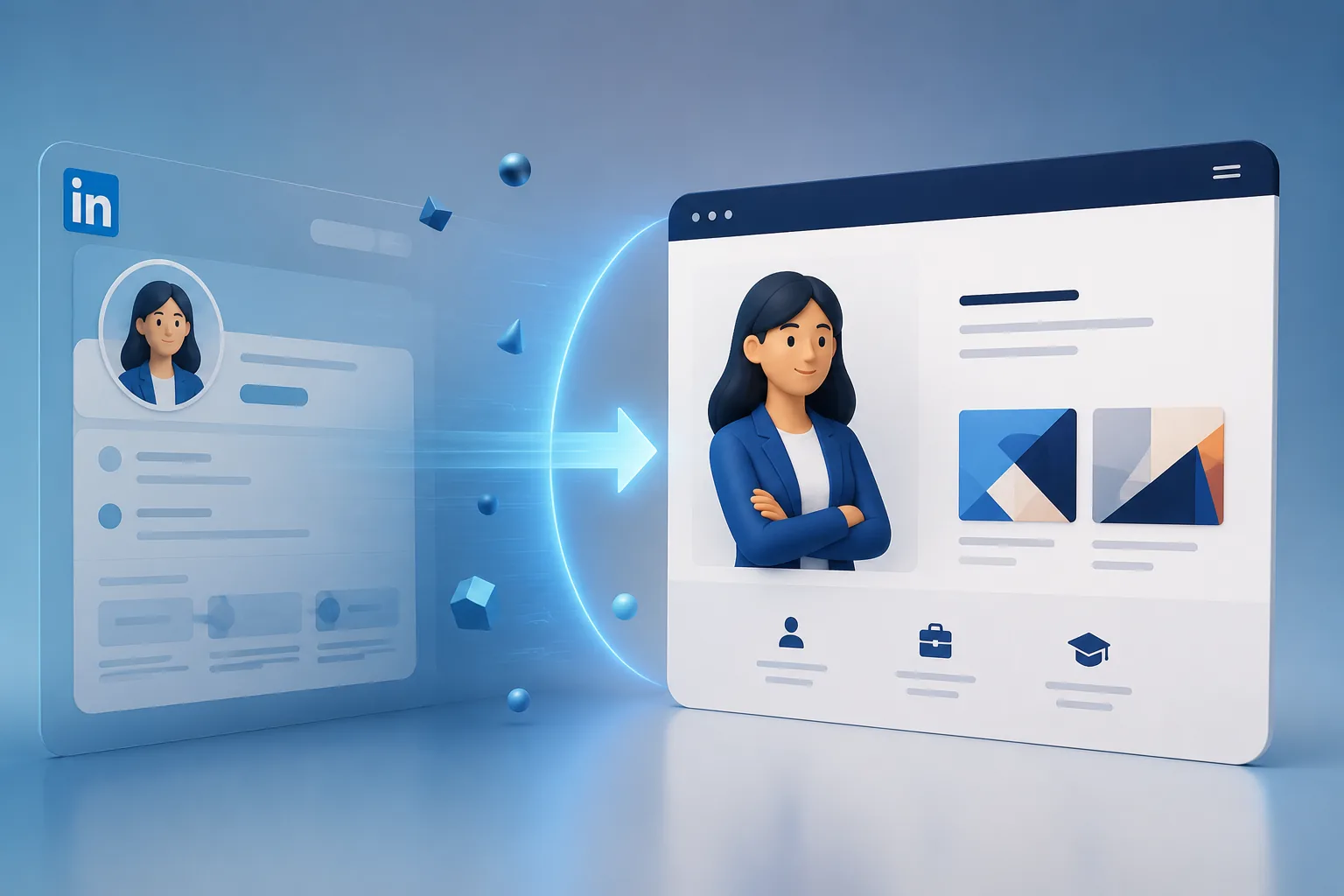
Your LinkedIn profile already has most of the raw material for a portfolio - experience, summary, skills, and projects. The problem is that LinkedIn's format is generic and shared with 900 million other profiles. A dedicated portfolio lets that same content breathe, with room for case studies, media, and a design that reflects you specifically. Pair this with How to Build a Professional Portfolio and LinkedIn Profile Optimization Guide.
What to Carry Over From LinkedIn
| Skill | Why it matters |
|---|---|
| Your headline and summary | rewrite them slightly more personally; a portfolio can be less formal than LinkedIn's corporate tone |
| Experience and role descriptions | expand the bullet points into short narratives with more context |
| Skills | group them by category instead of a flat tag list |
| Recommendations | pull 2-3 of your strongest LinkedIn recommendations into a testimonials section |
What a Portfolio Adds That LinkedIn Cannot
| What to include | Why |
|---|---|
| Case studies | full project write-ups with process, decisions, and outcomes, not just a bullet |
| Visual work | screenshots, demos, videos, and design files that LinkedIn cannot showcase well |
| A consistent design that is yours | not constrained to LinkedIn's fixed template |
| Direct contact and calls to action | a contact form or scheduling link tailored to your job search |
The Fastest Way to Do This
Rather than starting from a blank page, the TailorCV portfolio builder can generate a portfolio shell directly from your resume (which is often close to your LinkedIn content already). From there:
- Upload your resume to auto-fill your experience, skills, and summary
- Expand your strongest 2-3 roles or projects into full case studies
- Add media - screenshots, links, or demos - that LinkedIn could not hold
- Publish and link the portfolio back into your LinkedIn Featured section
Keep Both Profiles Working Together
Do not delete or neglect LinkedIn once your portfolio is live - they serve different purposes. LinkedIn is where recruiters discover you and message you; your portfolio is where they go deeper once interested. Link your portfolio prominently in your LinkedIn Featured section and your About summary.
Common Mistakes
- Copy-pasting LinkedIn bullet points verbatim instead of expanding them into real narratives
- Building a portfolio and forgetting to link it anywhere on LinkedIn, so nobody finds it
- Letting the two go out of sync - a portfolio that says "Product Manager" while LinkedIn still says "Associate PM" from two roles ago
- No clear next step on the portfolio (no contact info, no resume download) once someone arrives from LinkedIn
Pro Tips
- Add "Portfolio: [link]" directly in your LinkedIn headline or the first line of your About section - do not bury it
- Use your portfolio to answer the question LinkedIn cannot: "show me the actual work," not just "tell me about the work"
- Generate your portfolio shell from your resume with the portfolio builder, since your resume and LinkedIn content overlap heavily already
Step-by-Step Guide to Creating a Compelling Portfolio from Your LinkedIn Profile
Transforming your LinkedIn profile into a portfolio can be straightforward if you follow a structured approach. Here's a step-by-step guide to help you effectively showcase your skills and accomplishments:
-
Identify Key Highlights: Start by reviewing your LinkedIn profile. Identify the top three to five accomplishments or projects that best showcase your skills. Use metrics and specific examples to demonstrate impact.
-
Choose the Right Platform: Decide where you want to build your portfolio. Options include website builders like Wix, Squarespace, or a custom domain that you can learn about here.
-
Create Sections: Organize your portfolio into clear sections. Common sections include: - About Me: A brief introduction that summarizes your professional journey. - Projects: Detailed descriptions of your key projects, including objectives, your role, tools used, and outcomes. - Testimonials: Include quotes or recommendations from colleagues or clients. - Skills: Highlight specific skills relevant to your industry. - Contact Information: Make it easy for visitors to reach you.
-
Design with Purpose: Choose a template that reflects your personal brand. Ensure it is visually appealing and easy to navigate. Maintain a consistent color scheme and font style.
-
Incorporate Visuals: Use images, infographics, or videos to make your portfolio more engaging. Visual content can often convey information more effectively than text alone.
-
Optimize for SEO: Use relevant keywords throughout your portfolio to improve searchability. Incorporate phrases related to your industry and roles, such as "business analyst" or "machine learning engineer."
-
Link Back to LinkedIn: Ensure there is a clear link to your LinkedIn profile. This allows visitors to see your professional network and endorsements, reinforcing your credibility.
-
Review and Revise: Before publishing, review your portfolio for typos and inconsistencies. Consider seeking feedback from peers or mentors to ensure clarity and impact.
Common Mistakes to Avoid When Building Your Portfolio
Creating a portfolio can be an exciting process, but there are pitfalls to watch out for. Here are some common mistakes to avoid:
Turning a resume into a portfolio site

You upload the resume you already have and the sections fill themselves in - basics, experience, projects, education - so building the site is editing rather than starting from an empty page.
-
Neglecting Mobile Optimization: Ensure your portfolio is mobile-friendly. Many recruiters review portfolios on their smartphones, and a poorly designed mobile site can deter potential opportunities.
-
Overloading with Information: Avoid cluttering your portfolio with excessive text or too many projects. Keep it concise and focused on your best work.
-
Ignoring Updates: A static portfolio can become outdated quickly. Make a habit of revisiting your portfolio every few months to add new projects or update existing content.
-
Lack of Personal Branding: Failing to communicate your unique value proposition can make your portfolio blend in with others. Clearly define what sets you apart in your industry.
-
Forgetting About Calls to Action: Include clear calls to action (CTAs) that guide visitors on what to do next. Whether it’s to contact you or view your LinkedIn profile, make sure your intentions are clear.
Do's and Don'ts of Portfolio Creation
Creating a portfolio involves more than just showcasing your work; it’s about strategically presenting yourself. Here’s a quick checklist of do's and don'ts:
Do's:
- Do use a professional tone: Maintain a professional yet approachable tone throughout your portfolio.
- Do showcase diversity in projects: Highlight a range of projects that demonstrate your versatility.
- Do include links to live projects: If applicable, link to live versions of your work to provide context.
- Do integrate your LinkedIn summary: Consider using insights from your Executive LinkedIn Summary Examples for Senior Leaders to craft your "About Me" section.
Don'ts:
- Don't use jargon excessively: Avoid industry jargon that may alienate potential employers or clients.
- Don't forget about accessibility: Ensure your portfolio is accessible to all users, including those with disabilities.
- Don't rush the process: Take your time to ensure every element of your portfolio accurately represents your skills and achievements.
- Don't ignore analytics: If your portfolio platform offers analytics, use them to understand visitor behavior and refine your content accordingly.
Scenario Examples: Portfolio Success Stories
Consider these scenarios of professionals who successfully transitioned their LinkedIn profiles into engaging portfolios:
-
Scenario 1: The Business Analyst: Jane, a business analyst, used her LinkedIn profile as a foundation to create a portfolio. She highlighted case studies from her previous roles, showcasing her analytical skills and the impact of her work. By linking to her portfolio in her LinkedIn summary, she attracted recruiters looking for data-driven professionals. For more insights, check out the Business Analyst Portfolio Guide.
-
Scenario 2: The Machine Learning Engineer: Mark, a machine learning engineer, transformed his LinkedIn profile into a portfolio that featured projects demonstrating his algorithms and models. He integrated video explanations and code snippets, making his portfolio a dynamic showcase of his skills. His portfolio helped him stand out during interviews, as hiring managers could see his work in action. Learn more about creating a standout portfolio in the Machine Learning Engineer Resume 2026 - Complete Guide.
By following these guidelines and avoiding common pitfalls, you can create a portfolio that not only complements your LinkedIn profile but also elevates your professional presence online.
Frequently Asked Questions
Should my portfolio and LinkedIn say exactly the same thing?
The core facts (titles, dates, company names) should match exactly. The tone and depth can differ - LinkedIn stays professional and concise, your portfolio can go deeper into process and personality.
Do I still need LinkedIn if I have a strong portfolio?
Yes. LinkedIn remains where most recruiters search and message first. Your portfolio is the destination, not the discovery channel. For tips on enhancing your LinkedIn presence, check out our LinkedIn Headline Examples for Job Seekers in 2026.
How long does this conversion take?
With a resume already prepared, generating the shell takes minutes with the TailorCV portfolio builder; expanding it into full case studies is the part worth spending real time on. For more insights on showcasing your work, refer to our Business Analyst Portfolio Guide.
Build Your Portfolio Now
You do not need to code a site or spend a weekend on a website builder. Turn your existing resume (and by extension, your LinkedIn content) into a live, shareable portfolio in minutes with the TailorCV portfolio builder - choose a theme, upload your CV, let AI pull in your experience, then expand your strongest roles into case studies and publish a link back into your LinkedIn profile. Before you apply, run your resume through the free ATS score checker and switch to an ATS-friendly resume template so your resume, LinkedIn, and portfolio all tell one consistent story.
Related Guides
- How to Build a Professional Portfolio
- LinkedIn Profile Optimization Guide
- How to Use LinkedIn for Job Search
- AI Portfolio Builder: No Code Required
- Personal Website vs Portfolio
- Portfolio About Me Section
- Portfolio Website Themes 2026
- Portfolio SEO: Get Found
- Portfolio Checklist Before Applying
- Portfolio Mistakes to Avoid
- Add Portfolio Link to Resume
- Personal Branding for Professionals
Make This Practical
If this topic connects to your work samples, turn the advice into a live proof page with the TailorCV portfolio builder. After publishing, add the link correctly using How to Add Your Portfolio Link to Your Resume, tighten the page with the Portfolio Checklist Before Applying, and make sure recruiters can contact you through a clean Portfolio Contact Section.
Your portfolio works best when it supports the resume, not when it replaces it. Run the resume through the free ATS score checker, choose an ATS-friendly resume template, and use Portfolio SEO: Get Found so your name and strongest work are easier to discover.
Related Guides to Strengthen This Topic
Use these internal guides to connect this topic with the rest of your job-search workflow:
- How to Build a Professional Portfolio
- Portfolio Website for Job Applications
- Portfolio Checklist Before Applying
- Portfolio Mistakes to Avoid
- How to Write Portfolio Case Study
- Add Portfolio Link to Resume
- Resume Matching With Job Description
- ATS-Friendly Resume Builder
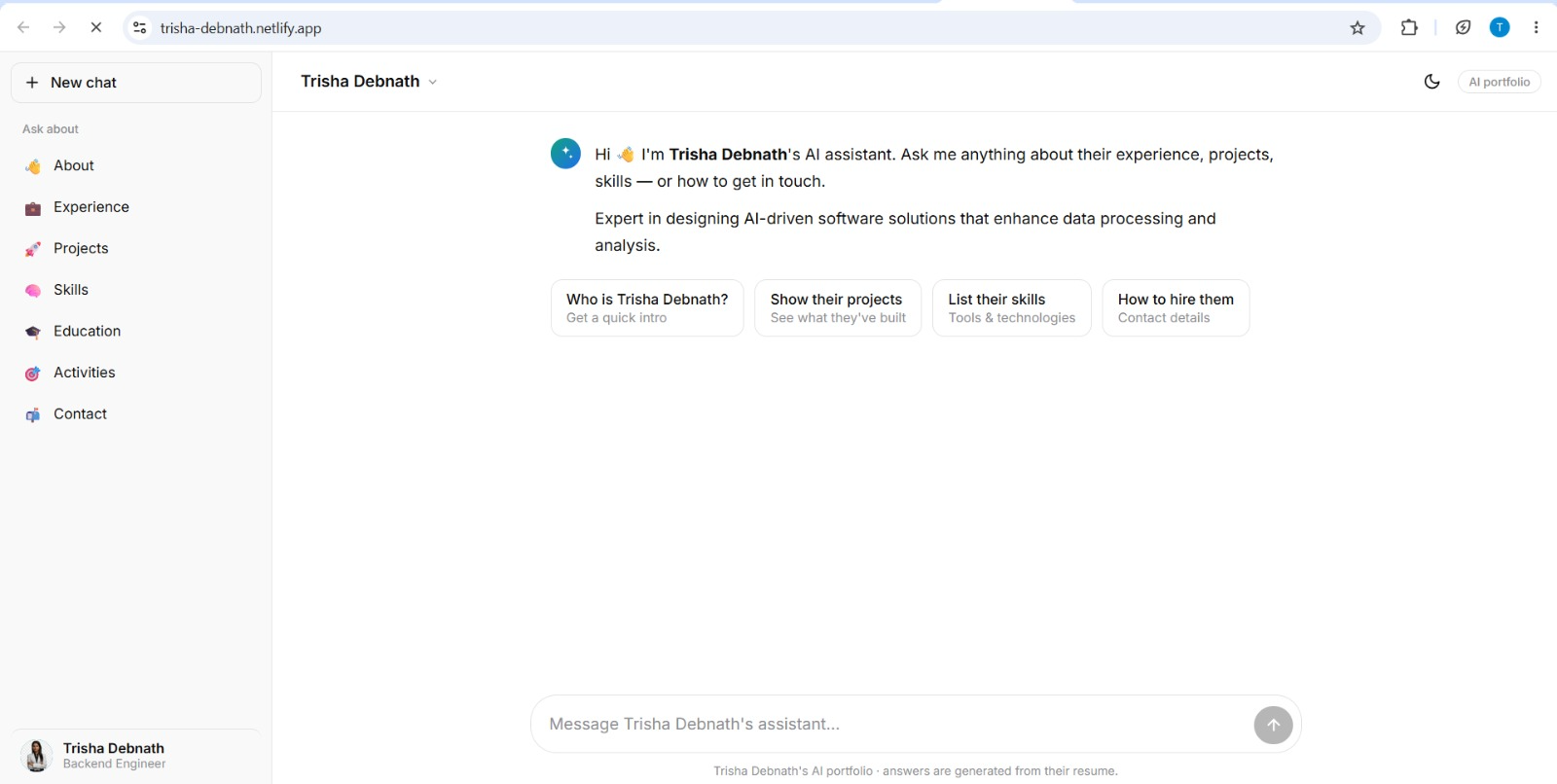
See what your portfolio could look like
This theme is built straight from your resume — pick one and your portfolio is live in minutes.
Was this guide useful?
Be the first to rate it.