SS
SS

Key Takeaways
- A UX portfolio should focus on case studies that demonstrate problem framing and decision-making rather than just visual appeal.
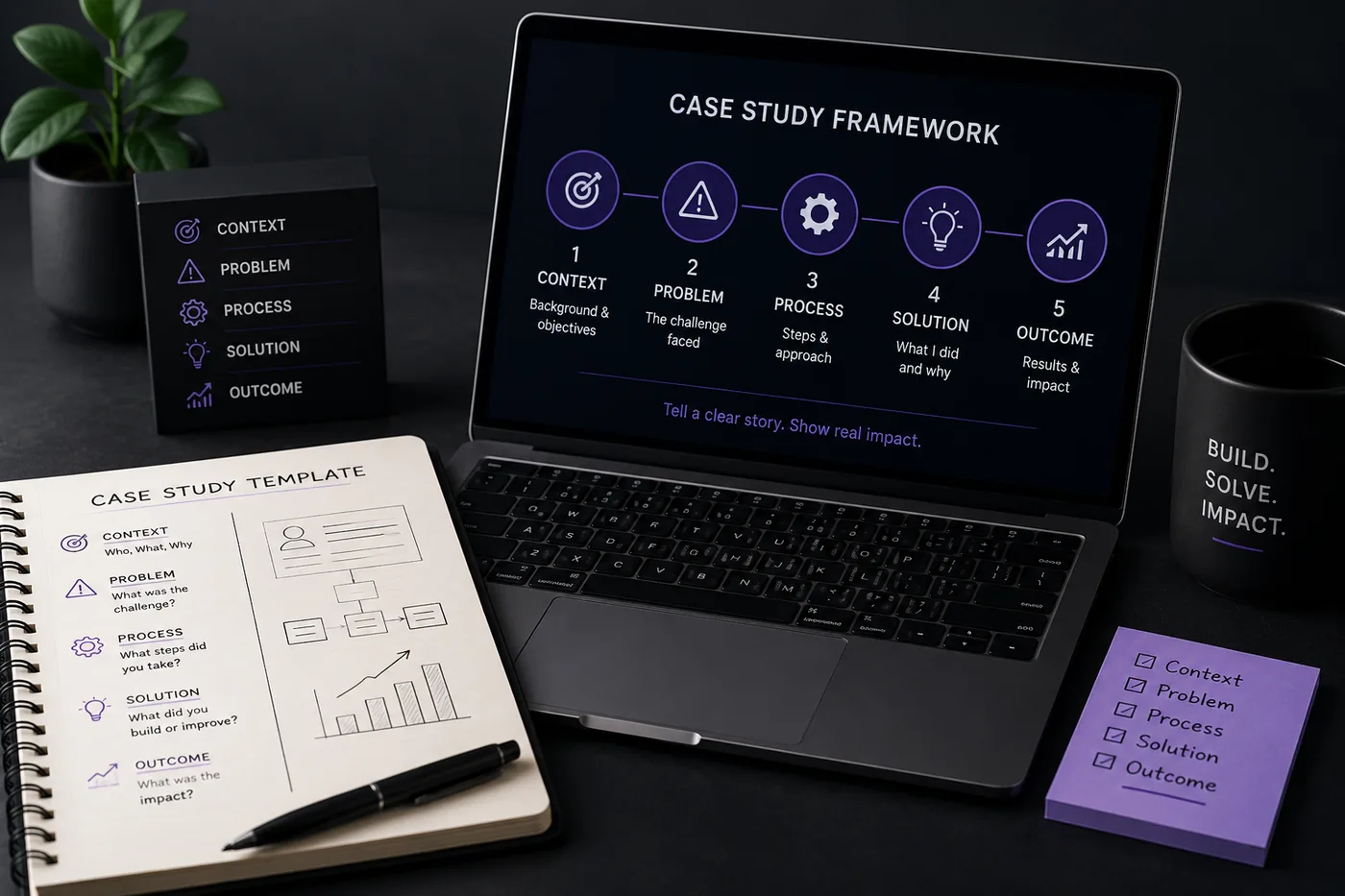
- Each case study should follow a structured arc: Context, Problem, Research, Process, Solution, and Outcome, showcasing the decision-making process.
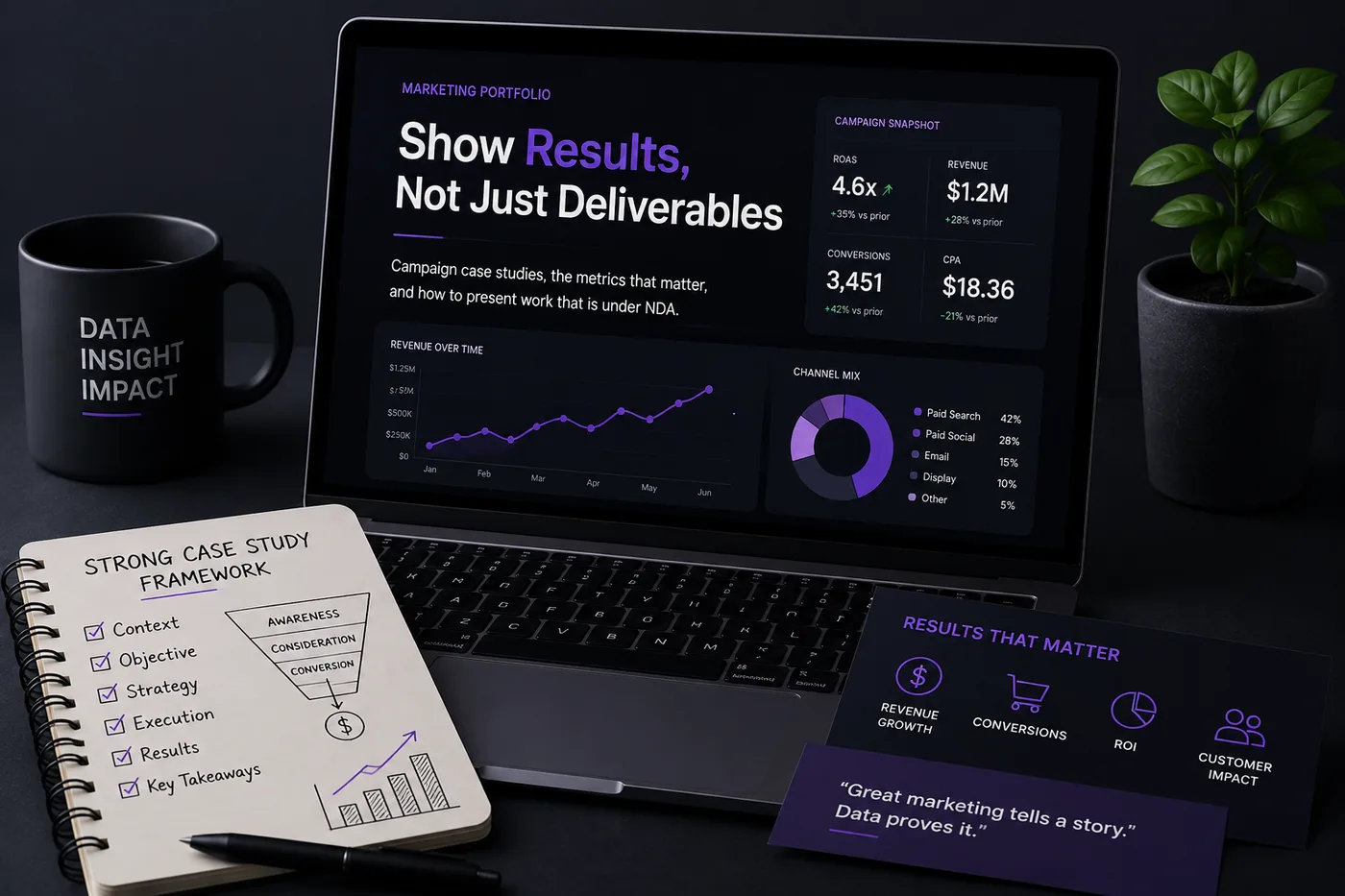
- Include real metrics to illustrate the impact of your work, such as task completion rates and usability test scores.
- Curate your portfolio to feature three to five strong case studies, prioritizing quality over quantity and ensuring they reflect your design process.
- Ensure your resume, LinkedIn, and portfolio are aligned in messaging to avoid confusion for recruiters.
A UX portfolio is judged on thinking, not just visuals. Pretty screens get scrolled past; case studies that show how you framed a problem and drove an outcome get interviews. Hiring managers are evaluating your judgment, and the only way to show judgment is to narrate your decisions. Pair this with How to Build a Professional Portfolio and the full template in How to Write a Portfolio Case Study.
The Case Study Structure That Works
Every case study should follow this arc:
Context -> Problem -> Research -> Process -> Solution -> Outcome
Crucially, show the messy middle: sketches, alternative directions, user flows, things that failed, and why you chose what you chose. The decisions are the content.
Include Real Metrics
Outcomes turn a designer from "makes nice screens" into "moves the business."
- Task completion rate improvement
- Conversion or click-through changes
- Usability test scores before/after
- Support tickets reduced
- NPS or retention gains
If results are under NDA, describe the impact without the sensitive specifics - see how marketers handle this in Marketing Portfolio Guide.
Curate, Do Not Dump
Three to five strong case studies beat ten thin ones. Lead with your best, include at least one research-driven study, and cut anything that does not show process.
Platforms
- A custom site (Framer, Webflow) for full narrative control
- Behance / Dribbble for reach and discovery
- Keep it fast and mobile-friendly - see How to Host Your Portfolio for Free
Write a Strong About + Contact
Your Portfolio About Me Section should establish your design philosophy in three sentences, and your Portfolio Contact Section should make hiring you effortless.
Keep Your Resume and Portfolio in Sync
Your resume, your LinkedIn, and your portfolio should tell the same story - same name, same headline, same top projects - just at different levels of depth. A recruiter who sees a 'Full Stack Developer' resume and a portfolio headlined 'Aspiring Designer' gets confused, and confusion loses interviews. Lock the resume down first with the ATS score checker and an ATS-friendly template, then mirror that exact positioning in your portfolio. When they reinforce each other, every recruiter touchpoint pushes you forward. See How to Add Your Portfolio Link to Your Resume for placing the link correctly.
Common Mistakes
- Screenshots with no problem statement or process
- No outcomes or metrics
- Burying your best work
- Walls of text - see Portfolio Mistakes to Avoid
Pro Tips
- Open each case study with the headline outcome.
- Add a 30-second summary at the top for skimmers, details below for deep readers.
- Generate your portfolio shell from your resume with the portfolio builder and drop your case studies in.
Step-by-Step Guide to Creating a Compelling Case Study
-
Choose Your Project Wisely: Select a project that showcases your skills and aligns with the type of UX design work you want to pursue. Look for projects with clear challenges and measurable outcomes.
-
Define the Problem: Start by clearly stating the problem your project aimed to address. Use straightforward language to ensure even non-designers can grasp the issue.
-
Outline Your Process: Detail the steps you took to solve the problem. This could include user research, wireframing, prototyping, user testing, and iterations. Use visuals like diagrams or flowcharts to illustrate your process.
-
Highlight Your Role: Make it clear what your specific contributions were. If you collaborated with a team, define your responsibilities to avoid ambiguity.
-
Showcase the Final Product: Include high-quality images or interactive prototypes of your final design. Use annotations to explain key features and decisions.
-
Present Results: Share quantitative data that demonstrates the impact of your design. For instance, mention increases in user engagement, conversion rates, or customer satisfaction scores.
-
Reflect on the Project: Conclude with a brief reflection on what you learned from the project and how it has influenced your design philosophy.
Common Mistakes to Avoid When Crafting Your Portfolio
- Overloading with Information: Avoid cramming too many projects into your portfolio. Focus on quality over quantity. A few well-documented case studies are more impactful than a dozen mediocre ones.
Turning a resume into a portfolio site

The three steps are template, details, publish. Uploading an existing CV fills in the details step for you, which is why this takes minutes rather than a weekend.
-
Neglecting User Feedback: Failing to incorporate user feedback into your case studies can weaken your credibility. Always include insights gained from user testing and how they influenced your design decisions.
-
Ignoring Visual Hierarchy: Ensure your portfolio has a clear visual hierarchy. Use headings, subheadings, and bullet points to guide the reader through each case study seamlessly.
-
Forgetting About Accessibility: Ensure your portfolio is accessible to all users. This includes providing text descriptions for images and ensuring navigability for screen readers.
Do's and Don'ts for an Effective UX Designer Portfolio
Do's
-
Do Keep It Updated: Regularly update your portfolio with new projects and skills to reflect your growth as a designer.
-
Do Tailor for Your Audience: Customize your portfolio for specific job applications. Highlight relevant skills and projects that align with the company's needs.
-
Do Include Testimonials: Add quotes or testimonials from colleagues, clients, or users that speak to your design abilities and work ethic.
Don'ts
-
Don't Use Stock Photos: Authenticity is key; using stock images can undermine the credibility of your work. Instead, use real project visuals.
-
Don't Skimp on Details: While brevity is essential, don’t leave out critical information. Ensure your case studies are thorough yet concise.
-
Don't Ignore SEO: Optimize your portfolio for search engines by using relevant keywords in your project descriptions and titles.
Mini Checklist for Your UX Portfolio
- unchecked: Select 3-5 Key Projects: Choose projects that best showcase your skills and expertise.
- unchecked: Define Clear Objectives: Ensure each case study has a well-defined problem statement and objectives.
- unchecked: Visualize Your Process: Include process visuals like user flows or wireframes.
- unchecked: Quantify Results: Present metrics that highlight the success of your designs.
- unchecked: Reflect on Learnings: Add a section on what you learned from each project.
- unchecked: Ensure Mobile Responsiveness: Check that your portfolio looks great on all devices.
- unchecked: Test for Accessibility: Use tools to ensure your portfolio is accessible to all users.
Scenarios to Illustrate Effective Case Studies
-
Scenario 1: A user-centric redesign of a mobile app led to a 30% increase in user retention. In your case study, present user personas and how their feedback shaped the design.
-
Scenario 2: You worked on a collaborative project where you facilitated a design sprint. Document how this approach led to rapid prototyping and user testing, resulting in a 25% improvement in task completion time.
-
Scenario 3: For an e-commerce website, you implemented a new checkout process. Include a side-by-side comparison of the old and new designs, showcasing a 15% increase in conversion rates.
By implementing these steps, avoiding common pitfalls, and following the do's and don'ts, you can create a standout UX portfolio that not only showcases your skills but also attracts the attention of potential employers. For additional resources, check out our guide on how to write a portfolio case study and see how to put your portfolio on a custom domain to enhance your professional presence.
Frequently Asked Questions
How many case studies do I need?
Three to five. Depth and process beat volume. One should be research-led.
I am junior with no client work - what do I show?
Realistic self-initiated briefs and a redesign with documented process. See Build a Portfolio With No Experience and What to Put in Your Portfolio With No Projects.
How do I align my resume?
Mirror your specialty in the UX Designer Resume guide and quantify with How to Quantify Resume Achievements.
Build Your Portfolio Now
You do not need to code a site from scratch or spend a weekend wrestling with a website builder. Turn your existing resume into a live, shareable portfolio website in minutes with the TailorCV portfolio builder - choose a template, upload your CV, tweak the details, and publish a link you can drop straight onto your resume and LinkedIn. Before you start applying, run your resume through the free ATS score checker and switch to an ATS-friendly template so your portfolio and resume tell one clean, consistent story to every recruiter.
Related Guides
- How to Build a Professional Portfolio
- UX Designer Resume 2026
- How to Write a Portfolio Case Study
- Graphic Designer Portfolio Guide
- Portfolio Mistakes to Avoid
- Portfolio About Me Section
- Portfolio Contact Section
- Personal Branding for Professionals
- How to Quantify Resume Achievements
- Build a Portfolio With No Experience
- Portfolio Checklist Before You Apply
- Product Manager Portfolio Guide
Make This Practical
If this topic connects to your work samples, turn the advice into a live proof page with the TailorCV portfolio builder. After publishing, add the link correctly using How to Add Your Portfolio Link to Your Resume, tighten the page with the Portfolio Checklist Before Applying, and make sure recruiters can contact you through a clean Portfolio Contact Section.
Your portfolio works best when it supports the resume, not when it replaces it. Run the resume through the free ATS score checker, choose an ATS-friendly resume template, and use Portfolio SEO: Get Found so your name, role, and strongest projects are easier to discover.
Related Guides to Strengthen This Topic
Use these internal guides to connect this topic with the rest of your job-search workflow:
- How to Build a Professional Portfolio
- Portfolio Website for Job Applications
- Portfolio Checklist Before Applying
- Portfolio Mistakes to Avoid
- How to Write Portfolio Case Study
- Add Portfolio Link to Resume
- Resume Matching With Job Description
- ATS-Friendly Resume Builder
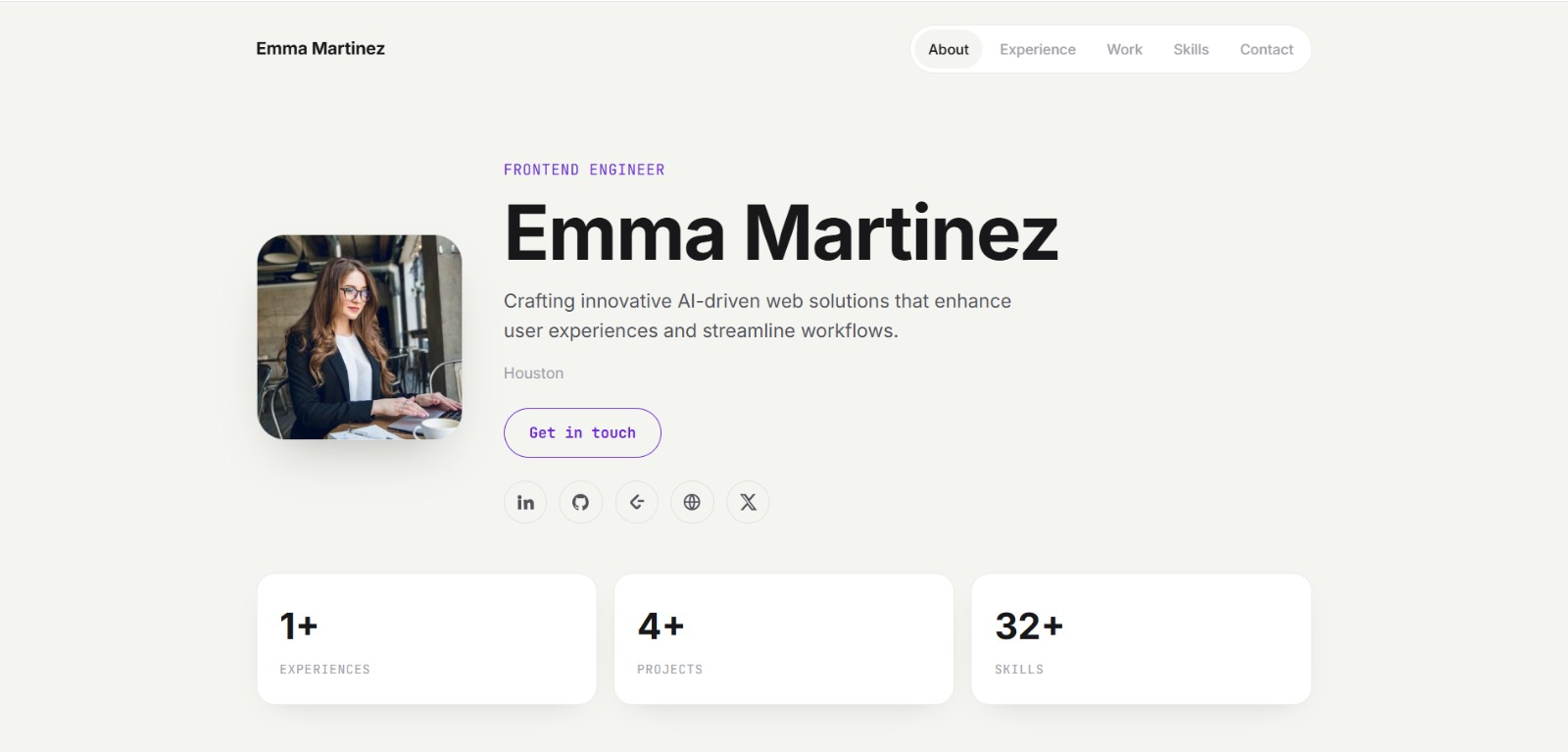
See what your portfolio could look like
This theme is built straight from your resume — pick one and your portfolio is live in minutes.
Was this guide useful?
Be the first to rate it.