TD
TD

Key Takeaways
- A graphic design portfolio is judged on both the quality of work and the presentation, making the design of the portfolio itself a critical component.
- Showcase 6-10 projects for generalists or early-career designers, focusing on quality over quantity; mix client work with personal projects to demonstrate range.
- The order of projects matters; lead with your strongest piece and close with your second strongest to leave a lasting impression.
- If lacking client work, create spec work with real briefs, redesign existing brands, or develop personal projects with self-imposed constraints to demonstrate your design skills.
A graphic design portfolio is judged in seconds, and the verdict is brutal: one weak piece can sink the whole set. Unlike a developer's GitHub or a writer's clip file, your portfolio is not just a container for your work - the layout, type choices, and pacing of the site itself are a design sample too. Get the curation and presentation guidance from How to Build a Professional Portfolio and see how a related discipline handles narrative in the UX Designer Portfolio Guide, then apply the design-specific advice below.
What Makes a Design Portfolio Different
A backend developer's portfolio gets judged on whether the code works. A UX designer's portfolio gets judged mostly on reasoning - can they walk you through a decision. A graphic design portfolio gets judged on both the work and the container it lives in, at the same time, in the first few seconds.
That double standard is the whole game. If your grid is uneven, your type sizes clash, or your images load slowly, a reviewer will assume your client work has the same problems - even if the actual projects inside are strong. The portfolio is not a gallery wall separate from your skill; it is itself an exhibit.
This means two things practically:
- Every layout, spacing, and typography decision on your own site is being evaluated as a live sample of your taste, not just a wrapper around your samples.
- You cannot outsource the portfolio's design to a generic template and expect it to disappear into the background. It either reinforces your work or quietly undercuts it.
Keep that tension in mind through every section below - the advice is not just "what to include" but "what does the container say about you."
How Many Projects to Show, and Which Ones
More projects do not make you look more hireable. A portfolio with fifteen average pieces reads weaker than one with six excellent ones, because reviewers extrapolate your ceiling from your weakest visible piece, not your average.
A workable range for most designers:
- 6-10 projects for a generalist or early-career portfolio
- 4-6 deeper case studies if you are positioning toward branding, packaging, or any discipline that rewards process depth over volume
- 10-15 only if you are an illustrator or motion designer showing shorter, self-contained pieces where each one takes seconds to read
Within that count, mix your best client work with strong personal or passion projects. Client work proves you can operate inside real constraints and stakeholder feedback; personal work proves range and initiative when the brief was entirely your own. A portfolio that is 100% client work can feel constrained by other people's decisions; one that is 100% personal work can feel untested by real-world pressure. A blend of both, weighted toward whichever you have more of, is the strongest signal.
Order matters as much as selection. Lead with your single strongest project, close with your second strongest, and bury anything merely "solid" in the middle. Visitors remember the first and last things they see and skim everything in between - see Portfolio Examples That Landed Interviews for how that ordering plays out on real homepages.
No Client Work Yet? Here Is What to Show Instead
If you are early in your career or pivoting into design, you do not need paid client work to build a credible portfolio - you need real constraints, because constraints are what separate a design exercise from a design decision.
Options that read as legitimate work, not filler:
- Spec work with a real brief. Pick an actual local business, nonprofit, or event and design a full identity or campaign as if they had hired you. Name the constraints you imposed on yourself (budget, print limitations, accessibility requirements) so it does not look arbitrary.
- Redesigns of existing brands. Take a brand you think is underserved by its current identity and redesign it, explaining what was wrong with the original and what your version fixes. This only works if you show the reasoning, not just a prettier logo.
- Personal projects with self-imposed constraints. A poster series, a type specimen, a packaging concept for a product you invented - these are fine as long as you treat them with the same process rigor as client work, including a stated goal and a stated audience.
- Collaborative or volunteer work. Designing for a friend's small business, a campus club, or a nonprofit gets you a real stakeholder and real feedback, which is the hardest thing to fake in spec work.
Whatever you choose, be upfront about what it is. Labeling a project "Speculative rebrand - self-initiated" is not a weakness; pretending unpaid spec work is a client engagement is the actual risk, because it erodes trust the moment someone asks a follow-up question. For more on framing early-career work honestly, see What to Put in Your Portfolio With No Projects.
Structuring a Case Study Like a Designer
A wall of final mockups with no explanation is decoration. A case study is what turns decoration into evidence of thinking, and for design work it should follow a specific arc that mirrors how you actually work:
- Brief or problem. What was the actual ask, and who was it for? One or two sentences.
- Constraints. Budget, timeline, brand guidelines you had to respect, technical print or platform limitations. Constraints are what make a solution look earned rather than arbitrary.
- Process. Early sketches, thumbnail explorations, type and color studies, rejected directions. This is the section most designers skip, and it is the section that proves you can generate options, not just execute one idea.
- Iteration and feedback. What changed between round one and the final, and why. Show at least one meaningful pivot.
- Final outcome. The polished deliverable, presented cleanly, ideally in context (packaging on a shelf, a poster on a wall, an app in someone's hand).
- Reflection. One or two sentences on what you would do differently or what you learned. This is a small section but it signals maturity.
Mini case study outline - beverage brand rebrand - Brief: Independent cold-brew coffee company needed a rebrand ahead of a retail expansion into three regional grocery chains. - Constraints: Existing loyal customer base did not want to lose the "handmade" feel; label had to survive black-and-white photocopying for wholesale order sheets. - Process: Twelve thumbnail logo directions narrowed to three; hand-lettering study to keep the handmade feel; two rounds of can mockups tested against shelf competitors. - Iteration: Initial direction tested too corporate with the founder; pulled back saturation and reintroduced a hand-drawn texture in round two. - Outcome: Final identity system, can design, and retail shelf mockup. - Reflection: Would have pushed for a simplified secondary mark earlier - the primary mark did not scale well to social avatars and required a late fix.
Notice what that outline is not: it is not a list of adjectives about the brand ("bold, modern, clean"). It is a sequence of decisions. For a longer worked template you can reuse across every project, see How to Write a Portfolio Case Study, and if you work on interface-adjacent projects, the process discipline in UI/UX Case Study Portfolio translates directly to branding and print work too.
Always state your specific role, especially for team or agency projects. "Contributed to this campaign" tells a reviewer nothing; "Led logo and packaging design; art direction and photo retouching were handled by the studio's senior team" tells them exactly what to credit you for.
Visual Presentation: Your Site Is Also a Sample
Because the portfolio itself is being judged as a piece of design, presentation choices carry real weight beyond just "looking nice."
Consistency. Use one grid, one type system, and one spacing rhythm across every project page. Switching layout logic from project to project reads as indecision, not versatility.
Image quality and load speed. Compress images aggressively before uploading - a beautifully art-directed shot that takes six seconds to load loses more credibility than a slightly smaller file that appears instantly. Export at web-appropriate resolution (usually 1500-2000px on the long edge is plenty) rather than uploading print-resolution files.
Show process, not just polish. A page of five flawless final shots proves you can execute. A page that also includes a sketch, a rejected direction, or an annotated iteration proves you can think. Reviewers specifically look for this because it is the hardest thing to fake.
One strong cover or hero image per project. This is what appears in thumbnail grids and what people decide to click on. Spend real time picking or shooting this image - a flat screenshot of a logo on a white background undersells work that might look excellent in context.
Restraint on the portfolio chrome itself. Decorative flourishes - custom cursors, heavy scroll animations, auto-playing video backgrounds - can hurt more than help if they slow the site down or obscure navigation. A portfolio's job is to get out of the way of the work. If a stylistic choice competes with the projects for attention, cut it.
For the underlying structural choices - one long scrolling page versus separate project pages - see One-Page vs. Multi-Page Portfolio, and for homepage copy that frames the grid well before someone clicks in, see Portfolio Homepage Copy Examples.
Picking or Signaling a Specialization
Graphic design covers genuinely different skill sets - branding, UI/product design, illustration, print and packaging, motion, editorial layout. A portfolio that tries to represent all six at once, evenly, usually signals unfocused rather than versatile.
Two workable strategies:
- Specialize and say so. If most of your strong work sits in one lane (say, packaging), lead your homepage with that lane explicitly - a one-line positioning statement like "Packaging and brand identity designer" does more work than a vague "Creative professional." Reviewers hiring for a specific role scan for exact-match language.
- Generalize, but organize. If your strength genuinely is range - say you do brand identity and motion equally well - group projects by discipline rather than mixing them into one undifferentiated grid, and use your homepage intro to name both lanes explicitly so the range reads as intentional rather than scattered.
What does not work is an unlabeled grid mixing a logo, an app screen, an illustration, and a motion still with no organizing thread. Even strong individual pieces lose impact when the viewer cannot tell what kind of designer they are looking at. Your Portfolio About Me Section is the natural place to state your specialization plainly in the first sentence, before any project speaks for itself.
Platforms: Behance, Dribbble, and a Custom Site
Different platforms serve different jobs in your search - use them together rather than picking one.
Turning a resume into a portfolio site

You upload the resume you already have and the sections fill themselves in - basics, experience, projects, education - so building the site is editing rather than starting from an empty page.
- Behance and Dribbble are best for discovery and reach. Recruiters and art directors browse these platforms directly, and strong pieces can get pulled into curated collections that put you in front of people who were not looking for you specifically.
- A custom site (Framer, Webflow, Adobe Portfolio, or a purpose-built site like the TailorCV portfolio builder) gives you full control over narrative, case study depth, and first impression - this is the link you put on your resume and LinkedIn. See Best Portfolio Website Builders 2026 for a comparison and Custom Domain for Your Portfolio for making it look established rather than like a free subdomain demo.
- Instagram works as a discovery funnel and a way to show work-in-progress, but it should point back to your main site, not replace it - a feed cannot hold case study depth.
Whichever platform is your primary link, keep it fast and mobile-first; a portfolio that looks great on your laptop but breaks or crawls on a phone loses a large share of first-time visitors before they see a single project. See How to Host Your Portfolio for Free for hosting options that keep load times reasonable, and Portfolio SEO: Get Found so people searching your name or specialty can actually find the site.
Common Mistakes That Sink Strong Work
Most weak design portfolios do not lack talent - they lack editing and clarity. Watch for these specifically:
- Too many mediocre projects diluting the strong ones. Every additional so-so piece lowers the average impression of the whole set. When in doubt, cut.
- No explanation of your specific role on team or agency projects. Reviewers cannot credit you for work you have not claimed clearly, and vague credit reads as evasive.
- Low-resolution or slow-loading images. This is especially damaging for a design portfolio because image quality is a direct proxy for craft attention.
- Decorative flourishes that hurt usability. Overly complex navigation, unreadable low-contrast type choices, or animation that blocks scrolling undermines the "I have good design judgment" claim the whole site is supposed to make.
- A buried or missing contact path. If someone likes what they see, they should be one click from reaching you - see Portfolio Contact Section for what that section needs.
- Inconsistent presentation across projects. Mixing wildly different layouts, mockup styles, and type treatments from project to project reads as indecision rather than range.
See more in Portfolio Mistakes to Avoid, and before you send your link out, run it against the Portfolio Checklist Before Applying.
Tie the Portfolio Back to Your Resume and Application
A strong portfolio does no good sitting disconnected from your job applications. Two concrete steps make sure it actually gets seen:
- Link it in your resume header, next to your name and contact details, not buried in a "References available on request" line at the bottom. Recruiters decide whether to click within the first scan of your resume, so the link needs to be visible immediately - see How to Add Your Portfolio Link to Your Resume for exact placement.
- Reference one or two signature projects by name in your cover letter, tied directly to what the job description asks for. "See the packaging redesign for [Client] on my portfolio for an example of shelf-ready brand systems" does more work than a generic "please see my attached portfolio." The AI cover letter generator can help you draft that connection quickly once you know which project to point to.
Your resume, LinkedIn, and portfolio should also tell the same story - same name, same headline, same top projects, just at different levels of depth. A recruiter who sees a resume headlined "Marketing Coordinator" and a portfolio headlined "Freelance Illustrator" gets confused, and confusion costs interviews. Lock the resume down first with the ATS score checker and an ATS-friendly template, then mirror that exact positioning across every channel. If you know you will be talking through your process live, run a practice round with the AI mock interview tool so you can narrate your case studies as smoothly as they read on the page.
Make This Practical
If this topic connects to your work samples, turn the advice into a live proof page with the TailorCV portfolio builder. After publishing, add the link correctly using How to Add Your Portfolio Link to Your Resume, tighten the page with the Portfolio Checklist Before Applying, and make sure recruiters can contact you through a clean Portfolio Contact Section.
Your portfolio works best when it supports the resume, not when it replaces it. Run the resume through the free ATS score checker, choose an ATS-friendly resume template, and pair your specialty positioning with the Graphic Designer Resume 2026 guide and Personal Branding for Professionals so your name, role, and strongest projects tell one consistent story everywhere a recruiter looks.
Weak vs. Strong Portfolio Presentation
The way you present your work can significantly impact how it's perceived. Here's a comparison of weak and strong portfolio presentation techniques to guide your curation.
| Aspect | Weak Presentation | Strong Presentation |
|---|---|---|
| Project Selection | Includes outdated or irrelevant projects | Showcases recent, relevant work aligned with goals |
| Visual Consistency | Inconsistent typography and color schemes | Cohesive design elements that reflect personal style |
| Project Descriptions | Vague or overly technical descriptions | Clear, engaging narratives that explain design choices |
| User Experience | Cluttered layout with poor navigation | Clean, intuitive layout that enhances usability |
| Image Quality | Low-resolution or poorly cropped images | High-quality, well-composed images |
| Personal Branding | Generic branding with no personal touch | Unique branding that reflects designer's personality |
| Call to Action | No clear next steps for the viewer | Strong calls to action encouraging engagement |
FAQ
How many pieces should a graphic design portfolio have?
Generalists and early-career designers do well with 6-10 strong pieces; deeper case-study-driven work (branding, packaging) can work with fewer, in the 4-6 range. Illustrators and motion designers showing shorter self-contained pieces can go a bit higher. In every case, one weak piece lowers the perceived quality of the whole set, so cut before you add.
What if I only have a couple of strong pieces?
Build the rest with spec work using a real brief, a redesign of an existing brand with documented reasoning, or a personal project treated with the same process rigor as client work. Label it honestly as self-initiated - see What to Put in Your Portfolio With No Projects.
Should I use Behance, Dribbble, or a custom site?
Use platforms like Behance and Dribbble for discovery and reach, and a custom site for full control over narrative and first impression. Put the custom site link on your resume and LinkedIn, since it is the version you control end to end.
Do I need to show process work, or just final results?
Show process. Final polished shots prove you can execute; sketches, rejected directions, and documented iteration prove you can think and generate options, which is what most reviewers are actually screening for.
How do I handle team or agency projects where I did not do everything?
State your specific role explicitly - for example, "Led logo and packaging design; photography and web development handled by the studio team." Vague credit reads as evasive and costs you trust on projects you may be proud of.
Should my whole portfolio focus on one specialization?
Only if that reflects your actual strength. If your best work clusters in one lane, say so explicitly on your homepage. If you genuinely have range across disciplines, organize projects by category and name both lanes in your intro so the range reads as intentional, not scattered.
How do I align my resume with my portfolio?
Use the Graphic Designer Resume 2026 guide to match your positioning, and nail your Portfolio About Me Section so the headline and specialty match across both documents.
My portfolio site looks fine on desktop but feels slow on my phone - does that matter?
Yes, significantly. A large share of first visits happen on mobile, and slow load times or broken layouts cost you the visit before a reviewer sees a single project. Compress images, simplify any heavy animation, and test on an actual phone before sharing the link. Consider using a portfolio builder to streamline the process.
Next Step
Turn your strongest projects into a fast, clean, mobile-ready portfolio site in minutes with the TailorCV portfolio builder.
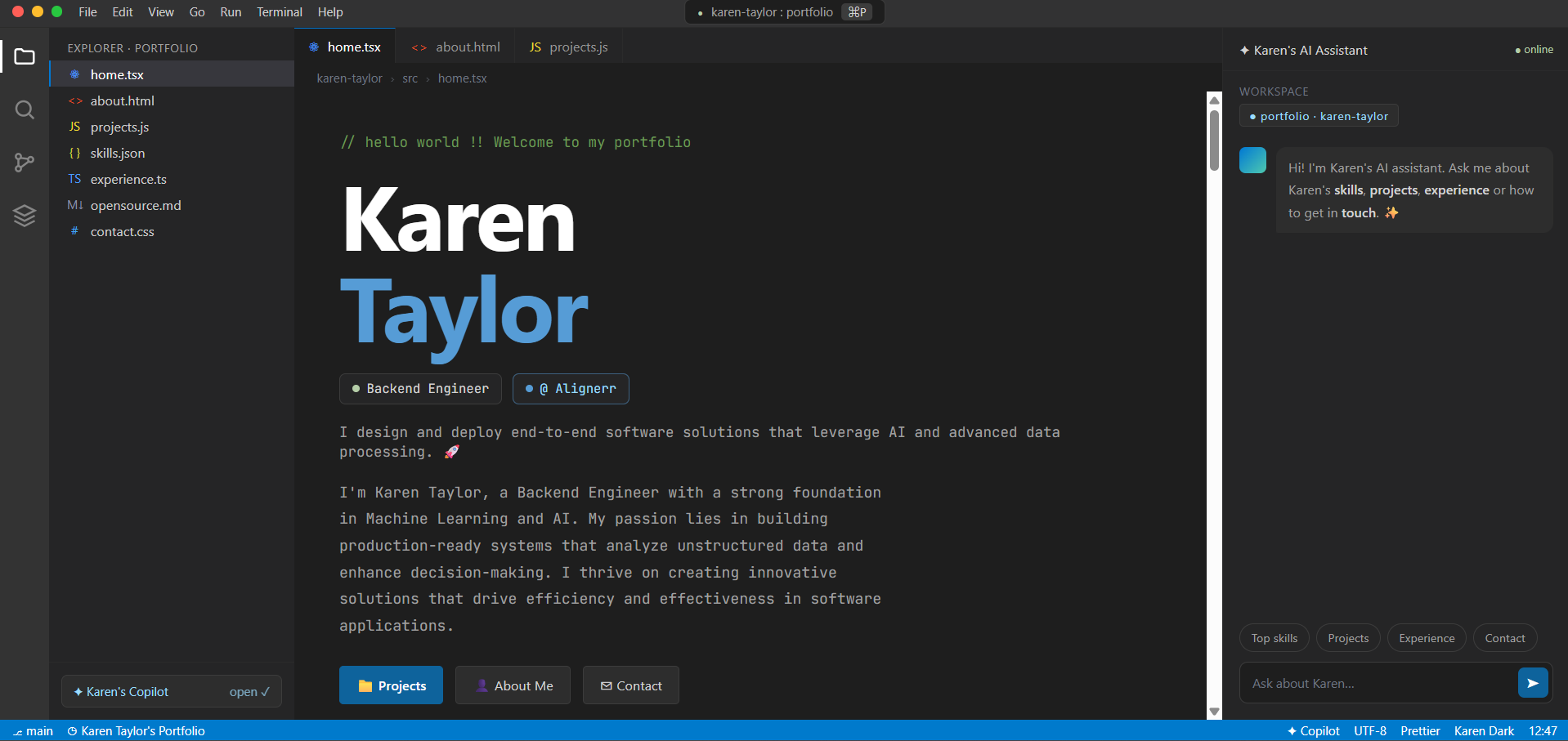
See what your portfolio could look like
This theme is built straight from your resume — pick one and your portfolio is live in minutes.
Was this guide useful?
Be the first to rate it.