TD
TD
Key Takeaways
- Include 2-4 published apps in your portfolio with links, screenshots, and descriptions of your role.
- Highlight store performance metrics like downloads and ratings, if permissible, to showcase your app's success.
- Provide code samples on GitHub that demonstrate your architectural choices and testing practices.
- Create a demo video or GIF for each app to facilitate easy evaluation without requiring installation.
- Ensure your resume, GitHub, and portfolio align in terms of platforms, architecture patterns, and featured apps for a cohesive narrative.
Mobile development is one of the few disciplines where you can point a recruiter directly to a live app on the App Store or Google Play - use that. A portfolio ties your published apps, code, and store metrics together in one place. Pair this with How to Build a Professional Portfolio and GitHub Portfolio Optimization.
What to Include
| What to include | Why |
|---|---|
| 2-4 published apps | App Store/Google Play links, screenshots, and a short description of your role on each |
| Store performance | downloads, ratings, or retention if you are allowed to share them |
| Code samples | GitHub repos showing architecture (MVVM, Clean Architecture), state management, and testing |
| Platform-specific skills | Swift/SwiftUI or Kotlin/Jetpack Compose, or cross-platform (Flutter, React Native) depending on your specialty |
| A demo video or GIF | a 15-30 second screen recording of key app flows for anyone who will not install the app |
Frame Shipping, Not Just Code
Anyone can show a code sample - what stands out is evidence you can ship and maintain a real product. For each app:
- The problem it solves - one sentence on the user need
- Your specific contribution - especially if it was a team project (which features, which architecture decisions)
- What happened after launch - store rating, download milestones, a crash-rate improvement, or a performance fix you shipped
Where to Host It
- GitHub for code, with clean READMEs and screenshots
- A personal site via the TailorCV portfolio builder - to link store pages, demo videos, and code together
- Direct links to your App Store and Google Play listings, not just screenshots of them
Keep Your Resume and Portfolio in Sync
Your resume, GitHub, and portfolio should tell the same story - same platforms, same architecture patterns, same headline apps - just at different levels of depth. Lock the resume down first with the ATS score checker and an ATS-friendly template, then mirror that positioning in your portfolio. See How to Add Your Portfolio Link to Your Resume for placing the link correctly.
Common Mistakes
- Screenshots with no live link or demo video - reviewers rarely install unfamiliar apps
- Listing "built an app" with no mention of your specific role on a team project
- Outdated apps pulled from the store with dead links still in your portfolio
- No testing evidence - unit or UI tests are increasingly expected, even for small apps
Pro Tips
- Record a short screen capture for every app - it removes the friction of installing to evaluate your work
- Include one app that handles a hard technical problem (offline sync, background processing, complex animations)
- Generate your portfolio shell from your resume with the portfolio builder and embed your demo videos and store links
Crafting Compelling Case Studies
One of the best ways to showcase your skills as a mobile app developer is through detailed case studies. These narratives provide insights into your problem-solving abilities and the impact of your work. Here's how to create compelling case studies for your portfolio:
-
Select Projects Wisely: Choose projects that highlight a range of skills. Focus on those that had significant challenges or required innovative solutions. If you have multiple projects, consider selecting a mix of personal, freelance, and professional work.
-
Structure Your Case Study:
| Section | What goes in it |
|---|---|
| Project Overview | Briefly describe the project, including its purpose and target audience |
| Your Role | Clearly outline your responsibilities and contributions |
| Challenges Faced | Discuss any obstacles you encountered and how you addressed them |
| Solutions Implemented | Highlight the technologies, frameworks, and methodologies you used |
| Results and Metrics | Provide quantifiable outcomes (e.g., user engagement, downloads, or revenue) to demonstrate the success of your project |
-
Visuals and Demonstrations: Include screenshots, videos, or links to the app (if available) to provide visual context. This not only makes your case study more engaging but also helps potential employers visualize your work.
-
Reflect on Learning: Conclude with a brief reflection on what you learned from the project and how it has influenced your development process.
Step-by-Step Guide to Creating a Portfolio Website
Building a portfolio website can seem daunting, but breaking it down into manageable steps can simplify the process. Follow this guide to get your portfolio online:
Turning a resume into a portfolio site

You upload the resume you already have and the sections fill themselves in - basics, experience, projects, education - so building the site is editing rather than starting from an empty page.
-
Choose Your Platform: Decide whether you want to use a website builder (like Wix or Squarespace) or a content management system (like WordPress). For a custom approach, consider using GitHub Pages or a static site generator like Jekyll.
-
Select a Domain Name: A custom domain name (like yourname.com) enhances your professionalism. Refer to our guide on How to Put Your Portfolio on a Custom Domain for tips on registering and setting up your domain.
-
Design Your Site: - Homepage: Create a welcoming homepage that introduces you and your work. - Portfolio Section: Dedicate a section to showcase your projects. Each project should have its own page or modal with details and visuals. - About Me: Write a brief bio that highlights your skills, experience, and interests. - Contact Information: Make it easy for potential employers to reach you. Include a contact form or your email address.
-
Optimize for SEO: Use relevant keywords in your text, image alt tags, and meta descriptions to improve your visibility in search engines.
-
Test and Launch: Before launching, test your website on different devices and browsers to ensure compatibility. Once you're satisfied, go live!
Do's and Don'ts of Portfolio Development
Creating a portfolio involves several best practices and common pitfalls. Here’s a concise list of do's and don'ts to guide you:
Do's:
- Do Update Regularly: Keep your portfolio current by adding new projects and removing outdated ones.
- Do Personalize Your Brand: Infuse your personality into your portfolio. Use a consistent color scheme and typography that reflects your style.
- Do Include Testimonials: If possible, add testimonials from clients or colleagues to build credibility.
- Do Make It Mobile-Friendly: Ensure your portfolio is responsive and looks good on mobile devices, considering your audience's browsing habits.
Don'ts:
- Don’t Overload with Information: Keep your content concise and relevant. Avoid lengthy paragraphs that may overwhelm visitors.
- Don’t Use Generic Templates: While templates can be helpful, customizing them adds uniqueness to your portfolio.
- Don’t Neglect Accessibility: Ensure your site is accessible to all users, including those with disabilities. Use proper contrast, alt text for images, and clear navigation.
- Don’t Ignore Analytics: Implement tools like Google Analytics to track visitor behavior and improve your site based on real data.
Mini Checklist for Portfolio Readiness
Before launching your portfolio, use this checklist to ensure everything is in order:
- unchecked: Portfolio Content: All projects are included with detailed descriptions.
- unchecked: Visuals: High-quality images and videos are present for each project.
- unchecked: SEO Elements: Meta tags, keywords, and alt text are implemented.
- unchecked: Mobile Compatibility: The site is responsive and functional on mobile devices.
- unchecked: Contact Information: Clear and accessible contact details are available.
- unchecked: Proofread: All text is free of spelling and grammar errors.
- unchecked: Live Links: All external and internal links are functional.
- unchecked: Feedback: Gather feedback from peers or mentors before finalizing.
By following these steps and tips, you can create a standout mobile app developer portfolio that effectively showcases your skills and attracts potential employers. For further resources, consider exploring our Business Analyst Portfolio Guide or DevOps Engineer Portfolio Guide for additional insights.
Frequently Asked Questions
My best work is a private company app I cannot show publicly - what do I do?
Describe the problem, your role, and the architecture without sharing proprietary code, and build one public side project to demonstrate hands-on skill. See Portfolio No Projects and consider using our portfolio builder for guidance.
Should I show native or cross-platform work?
Show whatever matches your target roles. If you know both, lead with your strongest platform and mention the other as a secondary skill. For tips on showcasing your work, check out the Business Analyst Portfolio Guide.
How do I align my resume?
Keep platform names, architecture patterns, and app names consistent across resume and portfolio. You can also use our Free ATS score checker to ensure your resume aligns well with industry standards.
Build Your Portfolio Now
You do not need to code a site or spend a weekend on a website builder. Turn your existing resume into a live, shareable portfolio in minutes with the TailorCV portfolio builder - choose a theme, upload your CV, let AI pull in your experience, then embed your app store links and demo videos and publish a link for your resume and LinkedIn. Before you apply, run your resume through the free ATS score checker and switch to an ATS-friendly resume template so your portfolio and resume tell one consistent story.
Related Guides
- How to Build a Professional Portfolio
- GitHub Portfolio Optimization
- Frontend Developer Portfolio
- Full Stack Portfolio Guide
- Developer Portfolio Project Ideas
- Portfolio Website for Job Applications
- Portfolio Checklist Before Applying
- Portfolio Mistakes to Avoid
- Portfolio No Projects
- AI Portfolio Builder: No Code Required
- Portfolio Website Themes 2026
- Custom Domain Portfolio Guide
Make This Practical
If this topic connects to your work samples, turn the advice into a live proof page with the TailorCV portfolio builder. After publishing, add the link correctly using How to Add Your Portfolio Link to Your Resume, tighten the page with the Portfolio Checklist Before Applying, and make sure recruiters can contact you through a clean Portfolio Contact Section.
Your portfolio works best when it supports the resume, not when it replaces it. Run the resume through the free ATS score checker, choose an ATS-friendly resume template, and use Portfolio SEO: Get Found so your name, platform, and strongest apps are easier to discover.
Related Guides to Strengthen This Topic
Use these internal guides to connect this topic with the rest of your job-search workflow:
- How to Build a Professional Portfolio
- Portfolio Website for Job Applications
- Portfolio Checklist Before Applying
- Portfolio Mistakes to Avoid
- How to Write Portfolio Case Study
- Add Portfolio Link to Resume
- Resume Matching With Job Description
- ATS-Friendly Resume Builder
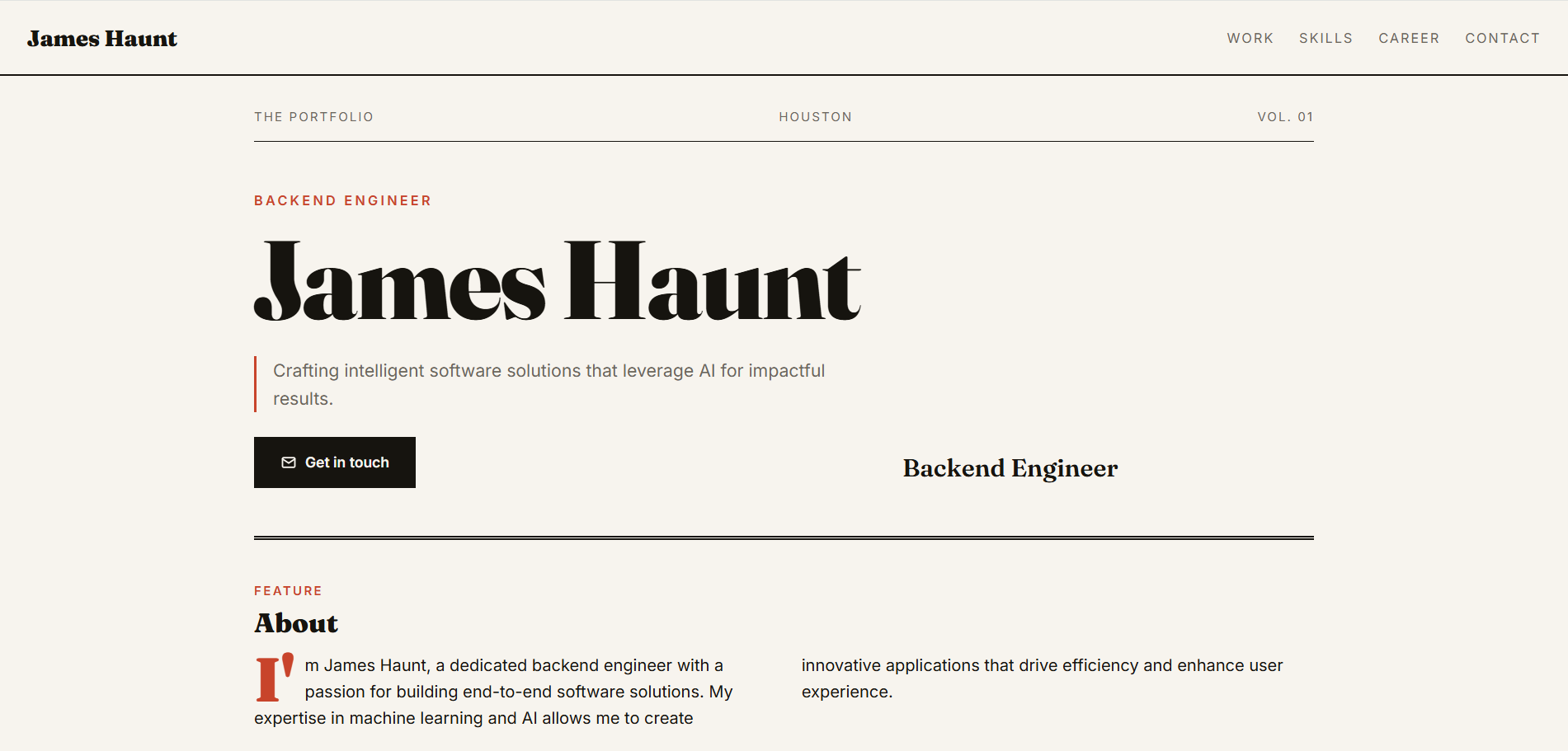
See what your portfolio could look like
This theme is built straight from your resume — pick one and your portfolio is live in minutes.
Was this guide useful?
Be the first to rate it.