 TD
TD

Key Takeaways
- Keyword mistakes can make your resume invisible to ATS, impacting your chances of getting interviews.
- Exact keyword matching is crucial; using synonyms can lead to missed opportunities as ATS may not recognize context.
- Include both acronyms and full forms of terms to ensure your resume is found in various search configurations.
- Use the TailorCV ATS score checker to identify keyword gaps and improve your resume's relevance to job descriptions.
Formatting gets your resume parsed. Keywords get you ranked. Most candidates fix neither - and wonder why they hear nothing back.
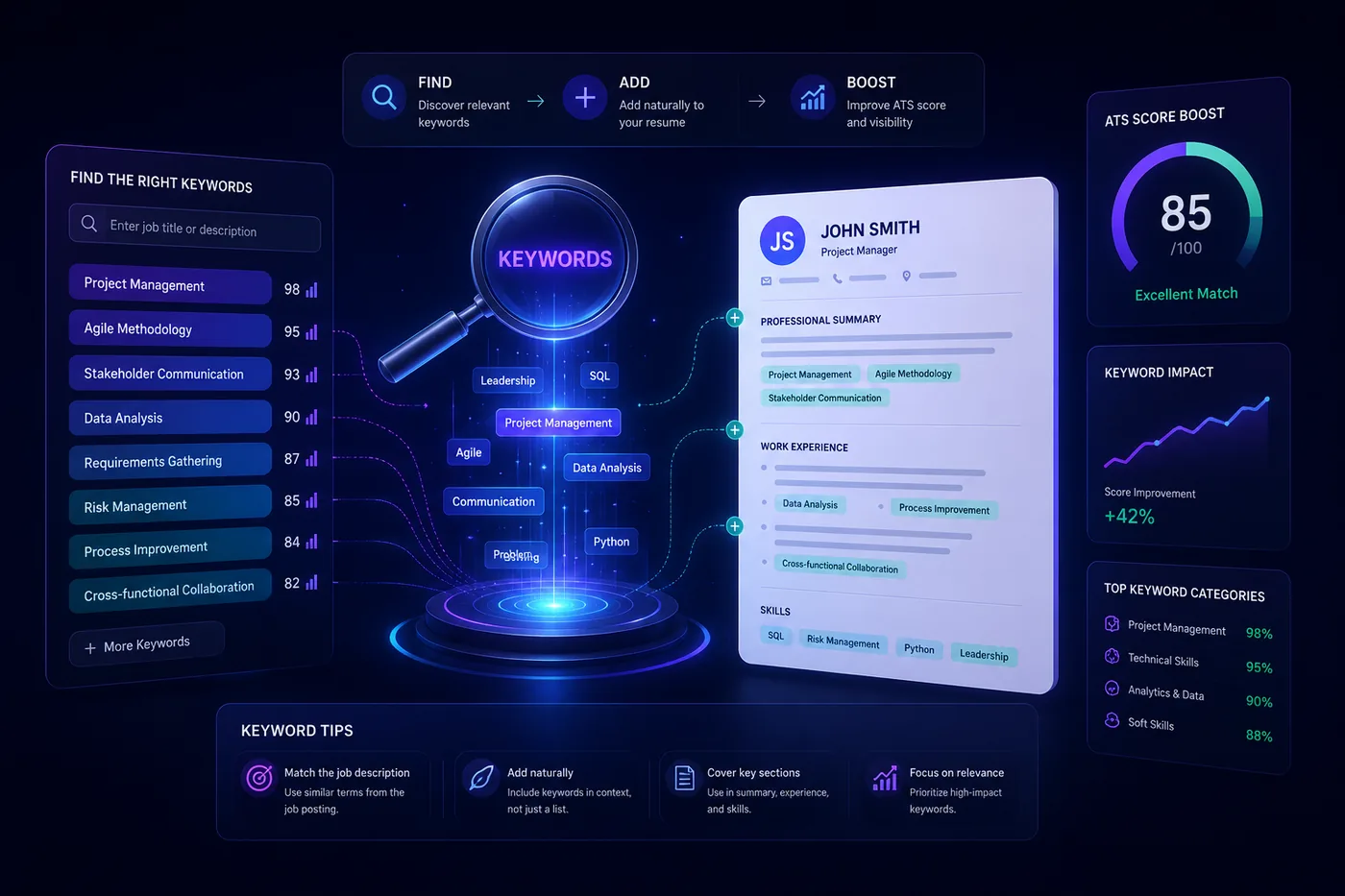
Keyword mistakes in an ATS resume are different from other resume errors. They do not just make your application look bad - they make it invisible. The ATS scores your resume partly on how well your keywords match the job description. Get the keywords wrong and you drop to the bottom of the candidate list before a single human has seen your name.
The fastest way to catch your keyword gaps is to run your resume against a specific job description with the TailorCV ATS score checker. Pair this with the resume keywords guide and ATS-friendly formatting guide for a complete picture.
How Keywords Affect Your ATS Score
When you submit a resume, the ATS:
What an ATS score report actually shows you

A score on its own is not actionable. The per-check list beside it - missing LinkedIn, skills gap, formatting the parser cannot read - is what you work through.
- Parses your document into structured text
- Extracts skills, titles, tools, certifications, and qualifications
- Compares your resume against the job description using keyword matching
- Ranks your application based on relevance score
- Surfaces top matches to recruiters first
Keyword matching accounts for 30-40% of most ATS ranking systems. It is one of the highest-weighted factors - more impactful than even years of experience in many systems.
Getting your keywords wrong, missing them, or including them in the wrong way directly costs you ranking points and interviews.
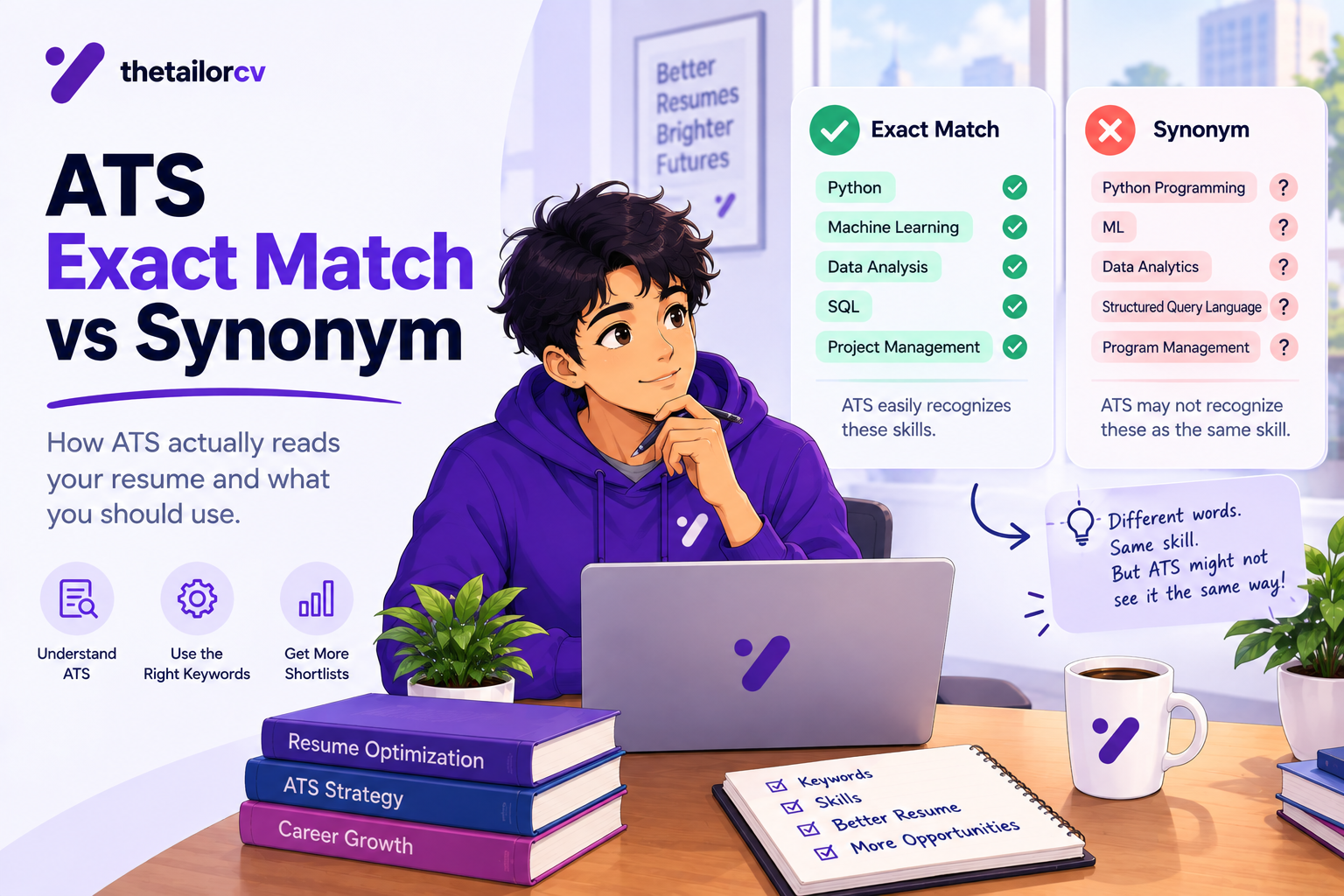
Keyword Mistake 1: Using Synonyms Instead of Exact Terms
The most common keyword error is using a synonym for the exact term the employer used in their job description. Candidates assume the ATS understands context. Many do not - they match exact strings.
The problem:
- job description says "customer relationship management (CRM)"
- Your resume says "client database management"
- No match registered, even though you did the same work
More examples of synonym traps:
- "Team leadership" vs "people management"
- "Online advertising" vs "digital marketing"
- "Content creation" vs "copywriting"
- "Web development" vs "front-end engineering"
The fix: Read the job description and use the exact phrasing it uses. If they say "stakeholder management," use "stakeholder management." If they say "product-led growth," use that phrase. Mirror their language, not your preferred terminology.
Keyword Mistake 2: Not Including Both Acronyms and Full Forms
ATS keyword matching can be literal. A recruiter who searches "CPA" may not find candidates who only wrote "Certified Public Accountant." A search for "SEO" misses "Search Engine Optimization."
The problem: Different recruiter searches and ATS configurations use both the acronym and the full form. If you only write one, you miss searches for the other.
Common pairs to include:
- Search Engine Optimization (SEO)
- Customer Relationship Management (CRM)
- Applicant Tracking System (ATS)
- Pay-Per-Click (PPC)
- Project Management Professional (PMP)
- machine learning (ML) / Artificial Intelligence (AI)
The fix: On first use, write both: "Search Engine Optimization (SEO)." After that, either form works. This ensures you match searches for both the acronym and the full term.
Keyword Mistake 3: Keyword Stuffing
Keyword stuffing means forcing keywords into your resume unnaturally - repeating them excessively, listing them without context, or hiding them in white text to fool the ATS.
What keyword stuffing looks like:
"Experienced in project management, project management tools, project management skills, agile project management, and project management professional certifications."
Or a hidden keyword block in white text at the bottom of the page.
Why it backfires:
- Modern ATS systems use semantic analysis that detects unnatural keyword density
- Recruiters who do read your resume recognize stuffing immediately
- Flagged applications get rejected or blacklisted
The fix: Use keywords naturally, once or twice in context. Place the primary keyword in your skills section, once in your summary, and once or twice in your experience bullets with surrounding context that makes it read naturally.
Keyword Mistake 4: Sending the Same Keywords to Every Job
Generic resumes fail ATS filters because different jobs use different keywords - even for similar roles. A "Software Engineer" role at a startup and a "Software Development Engineer" role at a large corporation are the same job but use completely different terminology.
The problem: Your standard resume includes "software development" but the target job emphasizes "full-stack engineering." Your generic resume ranks lower than a tailored one even when you are more qualified.
The fix: Tailor your keywords to each application. Take 15 minutes per job to:
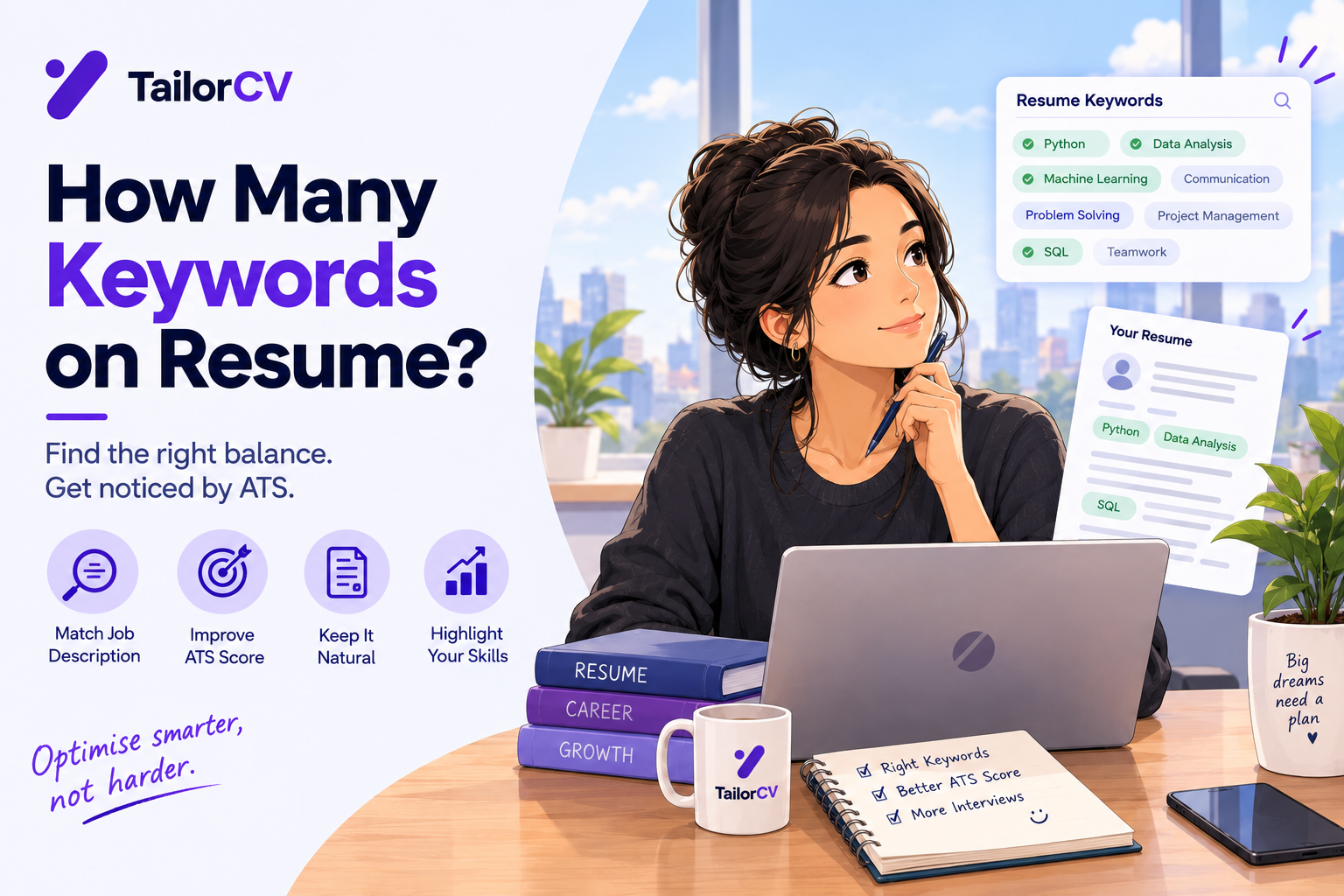
- Identify the top 5-10 keywords in the job description
- Check which ones your resume already includes
- Add the genuinely applicable missing keywords to your skills section and bullets
Use the TailorCV ATS score checker to see exactly which keywords each job description uses that your resume is missing.
For a complete tailoring workflow, see how to tailor your resume for every job.
Keyword Mistake 5: Missing Keywords in the Skills Section
The skills section is the most keyword-dense part of your resume for ATS purposes. It is where the system looks first for skill matches. Candidates who bury their skills in long narrative paragraphs or omit a dedicated skills section lose ATS ranking points.
The problem: You have the skills but never listed them explicitly. Your resume says "I used AWS to build the infrastructure" but never lists "AWS" as a standalone skill. Some ATS systems miss inline mentions when there is no structured skills section.
The fix: Create a clear, dedicated skills section. List skills explicitly:
Technical Skills: Python, AWS, Docker, Kubernetes, PostgreSQL, REST API, CI/CD
Then reinforce the most important skills in your experience bullets with context. The resume keywords guide covers exactly how to structure this.
Keyword Mistake 6: Listing Keywords You Cannot Back Up
Including skills on your resume that you cannot actually discuss in an interview is not just a keyword optimization mistake - it is a trust issue that leads to failed interviews.
The problem: Some candidates keyword-stuff their resume with skills they have minimal or no real experience with, hoping to pass the ATS filter. They get the interview, then cannot answer technical questions about their claimed skills.
The fix: Only list skills you genuinely possess. If you want to add a skill you are currently learning, note it accurately: "Kubernetes (learning)" or "Familiar with Terraform." Do not present it as full proficiency. The ATS gets you in the door; the interview determines if you stay.
Keyword Mistake 7: Ignoring Soft Skill Keywords
Most candidates focus entirely on hard skill keywords and neglect the soft skill keywords that many job descriptions explicitly require. ATS systems increasingly evaluate soft skill keywords when they appear in job description requirements.
Common soft skill keywords that appear in job descriptions:
- Cross-functional collaboration
- Stakeholder communication
- Team leadership
- Strategic planning
- Project management
- Data-driven decision making
The problem: Your resume says "good communicator" but the job description specifies "stakeholder communication." The exact phrase does not match.
The fix: Read the job description for soft skill requirements. Add the exact phrases to your summary and experience bullets where they genuinely apply.
Keyword Mistake 8: Not Using Keywords in Your Resume Summary
Many candidates write a generic summary that does not include any role-specific keywords. The summary is one of the first sections the ATS parses - and missing keywords there means a weaker initial relevance signal.
Weak summary (no keywords):
"Experienced professional with strong background in the financial industry and a track record of success."
Keyword-optimized summary:
"Financial analyst with 6 years of experience in financial modeling, risk analysis, and data visualization using Excel, Python, and Tableau. Track record of improving forecast accuracy and supporting C-suite decision-making."
The second version includes: financial analyst, financial modeling, risk analysis, data visualization, Excel, Python, Tableau - all keywords that commonly appear in finance job descriptions.
For more on writing a keyword-rich summary, see how to write a resume summary.
Keyword Mistake Comparison Table
| Mistake | What Happens | Fix |
|---|---|---|
| Using synonyms | No keyword match registered | Use exact JD phrasing |
| Missing acronym or full form | Misses recruiter searches | Include both forms |
| Keyword stuffing | Flagged by ATS, rejected by humans | Use keywords naturally with context |
| Generic keywords per application | Low relevance score | Tailor per application |
| No dedicated skills section | Skills not cleanly recognized | Add explicit skills section |
| Unverifiable skills listed | Failed interviews after ATS pass | Only list skills you can defend |
| Missing soft skill keywords | Incomplete match on role requirements | Mirror JD soft skill language |
| Generic summary | Weak initial relevance signal | Add 3-5 top role keywords to summary |
How to Fix Your Keywords in 5 Steps
- Copy the job description into a plain text document
- Highlight every skill, tool, certification, and requirement mentioned
- Compare each highlighted keyword against your current resume
- Add missing keywords that genuinely apply to your skills section and experience bullets
- Run your resume through the TailorCV ATS score checker to verify your keyword match score
This 15-20 minute process should be done for every job application. It is the single highest-return activity in your job search.
Related Guides
- ATS Score Guide 2026
- Resume Keywords Guide 2026
- 10 ATS Resume Formatting Mistakes That Get You Rejected
- Hidden ATS Mistakes Killing Your Job Search in 2026
- How to Tailor Your Resume for Every Job Application
- How to Make Your Resume ATS-Friendly in 2026
- How to Write a Resume Summary
- How to Improve Your ATS Score
- What is an ATS Score and Why Does It Decide Your Job Application Before Any Human Reads It
- Job Description Keyword Extraction - Complete Guide for 2026
- ATS Mistakes Tech Professionals Make in 2026 (Software Engineers, Data Scientists and Developers Guide)
- How to Match Resume Keywords to Job Description - 2026 Guide
- How to Explain Resume Gaps in 2026 - Honest Strategies That Work
- How to Negotiate a Salary Offer in 2026 - Tactics That Actually Work
Make This Practical
Use this advice as interview practice, not just reading material. Start a role-specific session with the AI mock interview tool, prepare your opening with How to Answer Tell Me About Yourself, and structure evidence-heavy answers with the STAR Method Interview Answers Guide.
Before the interview, make sure the resume that earned the call is still aligned with the role. Check it with the free ATS score checker, review Common Interview Mistakes to Avoid, and use How to Follow Up After an Interview once the conversation is over.
Conclusion
Keyword mistakes are silent killers in the ATS hiring process. They do not produce an error message - you simply do not hear back. The fix is precise and learnable: use exact phrasing from job descriptions, include both acronyms and full forms, add a dedicated skills section, and tailor your keywords per application.
Use the TailorCV ATS score checker to catch keyword gaps for every job you apply to. Read the resume keywords guide for a complete keyword strategy. Fix your formatting first with the ATS formatting mistakes guide, then optimize your keywords - and your ATS score will reflect both improvements.
Frequently Asked Questions
What are common ATS keyword mistakes job seekers make in 2026?
Common ATS keyword mistakes include keyword stuffing, using synonyms incorrectly, and failing to tailor your resume to the specific job description. These errors can lead to your application being ignored by the ATS, which ranks resumes based on keyword relevance. To avoid these pitfalls, consider using our Resume Keyword Map Template to align your resume with the job requirements.
How can I improve my ATS score with keywords?
To improve your ATS score, focus on matching your resume keywords with those found in the job description. Use tools like the Free ATS score checker to identify gaps in your keyword usage. Additionally, analyzing the job description for hidden keywords can help you enhance your resume's relevance and visibility.
What is keyword stuffing and why is it a problem?
Keyword stuffing refers to the excessive use of keywords in your resume to manipulate ATS rankings. This practice can make your resume appear unnatural and may lead to penalties from the ATS, causing your application to be ranked lower. Instead, aim for a balanced approach by using keywords naturally throughout your resume, as discussed in our Resume Keyword Density Guide.
How do I find the right keywords for my resume?
To find the right keywords, start by analyzing the job description for essential skills and qualifications. Look for repeated terms and phrases that highlight what the employer is looking for. For a detailed approach, check out our Job Description Keyword Extraction Guide to ensure you capture all relevant keywords.
What should I do if my resume isn't getting interviews?
If your resume isn't yielding interviews, it may be due to keyword mismatches or formatting issues. Review your resume against the job description and utilize tools like the Free ATS score checker to identify areas for improvement. Tailoring your application according to our Job Description Analysis Checklist can significantly enhance your chances of landing interviews.
Was this guide useful?
Be the first to rate it.