 TD
TD
Key Takeaways
- Virtual interviews are now standard, making video setup and presentation crucial for success.
- Ensure your camera is at eye level and clean for optimal video quality.
- Use good lighting, preferably natural light in front, to avoid shadows and silhouettes.
- A wired audio device enhances sound quality; minimize background noise for a clearer interview.
- Test the interview platform beforehand to avoid technical issues during the call.
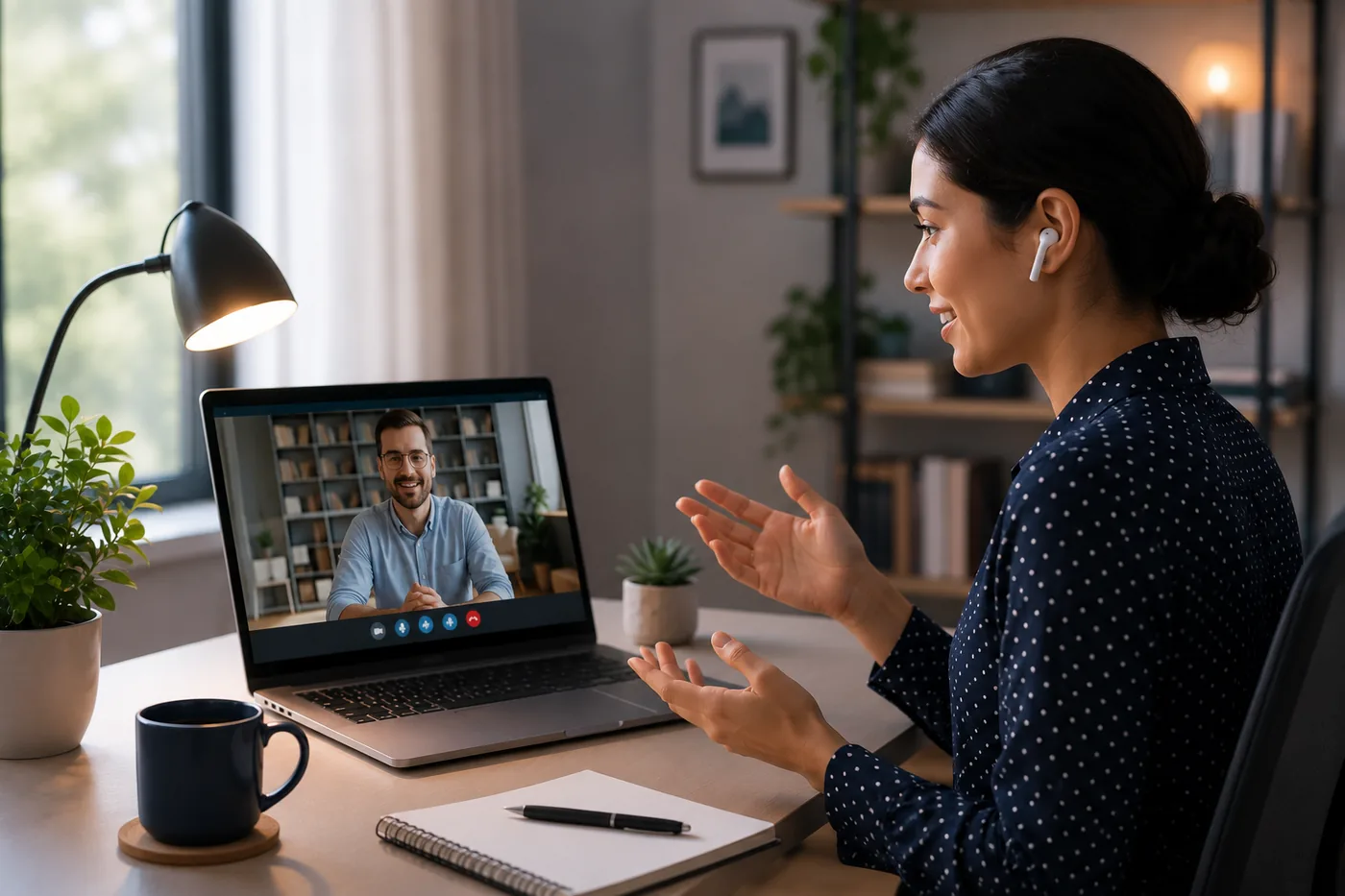
Virtual interviews are now standard across nearly every industry. Companies use Zoom, Microsoft Teams, Google Meet, and proprietary platforms to interview candidates across all stages - first screen, technical rounds, panel interviews, and final rounds. Many companies never meet candidates in person before making an offer.
This means your video interview setup, body language, and presentation quality matter as much as your answers. A great answer delivered while staring at a blurry camera with background noise is a worse experience than a decent answer from a well-lit, well-prepared candidate.
This guide covers every aspect of virtual interview preparation - from technical setup to body language to common mistakes.
Before your virtual interview, make sure your resume is strong. Use the TailorCV ATS score checker to optimize it, use an ATS-friendly template, and prepare your answers using the behavioral interview guide. You can also practice with the free AI mock interview tool to get comfortable with video interview delivery.
Technical Setup Checklist
Camera
- Use a webcam or laptop camera at eye level. Do not look down at the camera - it creates a double-chin effect and avoids eye contact.
- Place your camera slightly above eye level for the most flattering and professional angle.
- If you use an external webcam, a 1080p model (Logitech C920 or similar) significantly improves video quality.
- Clean your lens before the interview.
Lighting
- Natural light from a window in front of you is ideal.
- If you do not have good natural light, use a ring light or position a lamp in front of you, not behind you.
- Backlit rooms (window behind you) create a silhouette effect - avoid this.
- Overhead lighting creates harsh shadows under your eyes - diffuse it or supplement with front lighting.
Audio
- A wired headset or AirPods/earbuds provide better audio than your laptop's built-in microphone.
- Test your microphone 30 minutes before the interview.
- Close windows, doors, and notify others in your home that you are in an interview.
- Turn off fans, AC units, or anything that creates background noise during the call.
Internet Connection
- Use a wired ethernet connection if possible - WiFi can drop or fluctuate.
- If WiFi is your only option, sit as close to the router as possible.
- Close all non-essential browser tabs, streaming services, and downloads before the interview.
- Have your phone hotspot ready as a backup in case your connection drops.
Background
- A clean, neutral background (wall, bookshelf, or minimal decor) is professional.
- Virtual backgrounds can look unnatural - use them only if your actual background is messy. If using one, make sure it renders cleanly with your webcam.
- Remove clutter, laundry, or personal items that are visible in frame.
Platform Preparation
Test the specific platform the company is using before the interview. Do not wait until the interview starts to download Zoom or Teams.
Checklist:
- Download and install the platform
- Create an account if required
- Test your camera and microphone in the platform's settings
- Test screen share if the interview might require it (technical rounds)
- Know how to mute and unmute quickly
- Have the meeting link saved and accessible
Body Language for Video Interviews
Eye Contact
Look at the camera, not at the other person's face on screen. This is the most important video interview habit and the most commonly ignored one.
Looking at the screen -> you appear to look slightly down or to the side. Looking at the camera -> you appear to make direct eye contact.
Place a small sticky note arrow pointing at your camera to remind you.
Posture
Sit up straight. Do not lean into the camera or slouch back. A straight posture communicates confidence and engagement.
Gestures
Natural hand gestures are fine and actually increase perceived confidence. Sitting completely still can look stiff and robotic.
Expressions
Virtual calls flatten emotional expression. Smile slightly more than you naturally would. Nod when the interviewer speaks - it signals active listening and costs nothing.
Avoid
- Looking at yourself on screen while speaking (check your own window once, then ignore it)
- Checking your phone during the interview
- Typing notes loudly (use a physical notepad)
- Swiveling in your chair
What to Wear
Dress professionally from the waist up at minimum. If you stand up during the interview for any reason, you do not want to be caught in pyjamas. Dress fully as you would for an in-person interview.
Avoid:
- Bright white or bright red (bad on camera)
- Small patterns or checks (creates visual interference on video)
- Noisy jewelry (bracelets that clank on the desk during typing)
Solid colors - navy, grey, black, pastel tones - work best on video.
30-Minute Pre-Interview Checklist
- Test camera, microphone, and internet connection
- Close irrelevant browser tabs and apps
- Put phone on silent or Do Not Disturb
- Have a glass of water nearby
- Have your resume printed or on a second screen
- Have your notes from company research available
- Turn off desktop notifications (Slack, email, Teams popups)
- Join the call 2-3 minutes early (not 10 minutes early - that can catch interviewers off guard)
If Technical Problems Happen
Stay calm. Technical issues happen and interviewers understand.
If your video drops: "Apologies, I had a quick connection issue. I'm back now." If audio cuts out: "I think my audio may have frozen - could you repeat that?" If your internet fails entirely: Have the interviewer's phone number or email ready to quickly message them.
Never fake that you heard something you did not. Simply ask for clarification.
After the Virtual Interview
Send a thank-you email within 24 hours. Keep it brief - one paragraph.
"Dear [Name], Thank you for taking the time to speak with me today about the [Role] position. I enjoyed learning more about [specific topic discussed] and came away even more excited about the opportunity. I look forward to hearing about the next steps."
Read the how to follow up after an interview guide for more detailed follow-up advice.
Common Virtual Interview Mistakes
Mistake 1: Not testing the platform in advance
"Let me just download Zoom quickly" five minutes before the interview is not preparation. Test everything the day before.
Mistake 2: Looking at yourself
Self-monitoring while speaking kills natural delivery. Look at the camera, not your own face.
Mistake 3: Noisy environment
Barking dogs, construction, children - these are not excuses interviewers can overlook. Prepare your environment.
Mistake 4: Overloading the screen
Having Slack, email, and 20 browser tabs open invites distractions and notifications that visibly distract you.
Mistake 5: Treating it as less serious than in-person
Research shows candidates prepare less thoroughly for virtual interviews and interviewers sometimes perceive them as lower engagement. Take it as seriously as you would an in-person final round.
Related Guides
- How to Prepare for a Job Interview
- Behavioral Interview Questions and Answers
- 20 Common Interview Mistakes to Avoid
- How to Answer "Tell Me About Yourself"
- How to Follow Up After a Job Interview
- How to Research a Company Before Your Job Interview
- Best Questions to Ask in a Job Interview
- Remote Job Search Guide
- Group Discussion Tips
- How to Practice Mock Interviews Online for Free Using AI
- Phone Interview Tips
- Why Am I Not Getting Interviews for Jobs I'm Qualified For?
- Work-Life Balance Tips for Professionals in 2026 - Practical Guide
- How to Explain Resume Gaps in 2026 - Honest Strategies That Work
- How to Get a Job With No Experience - 10 Strategies That Actually Work in 2026
- How to Handle Job Rejection in 2026 - Practical Guide for Job Seekers
- How to List Education on a Resume in 2026 - Complete Guide with Examples
- How to Negotiate a Salary Offer in 2026 - Tactics That Actually Work
Make This Practical
Use this advice as interview practice, not just reading material. Start a role-specific session with the AI mock interview tool, prepare your opening with How to Answer Tell Me About Yourself, and structure evidence-heavy answers with the STAR Method Interview Answers Guide.
Before the interview, make sure the resume that earned the call is still aligned with the role. Check it with the free ATS score checker, review Common Interview Mistakes to Avoid, and use How to Follow Up After an Interview once the conversation is over.
Conclusion
Virtual interviews are a skill. Candidates who nail the technical setup, maintain strong eye contact with the camera, dress appropriately, and deliver confident well-prepared answers win offers.
Start with a strong resume - use the TailorCV ATS score checker to optimize it. Then prepare your answers with the behavioral interview guide and practice delivery using the free AI mock interview tool. Read the complete interview preparation guide for all interview stages.
Frequently Asked Questions
See it in action: a resume-based mock interview
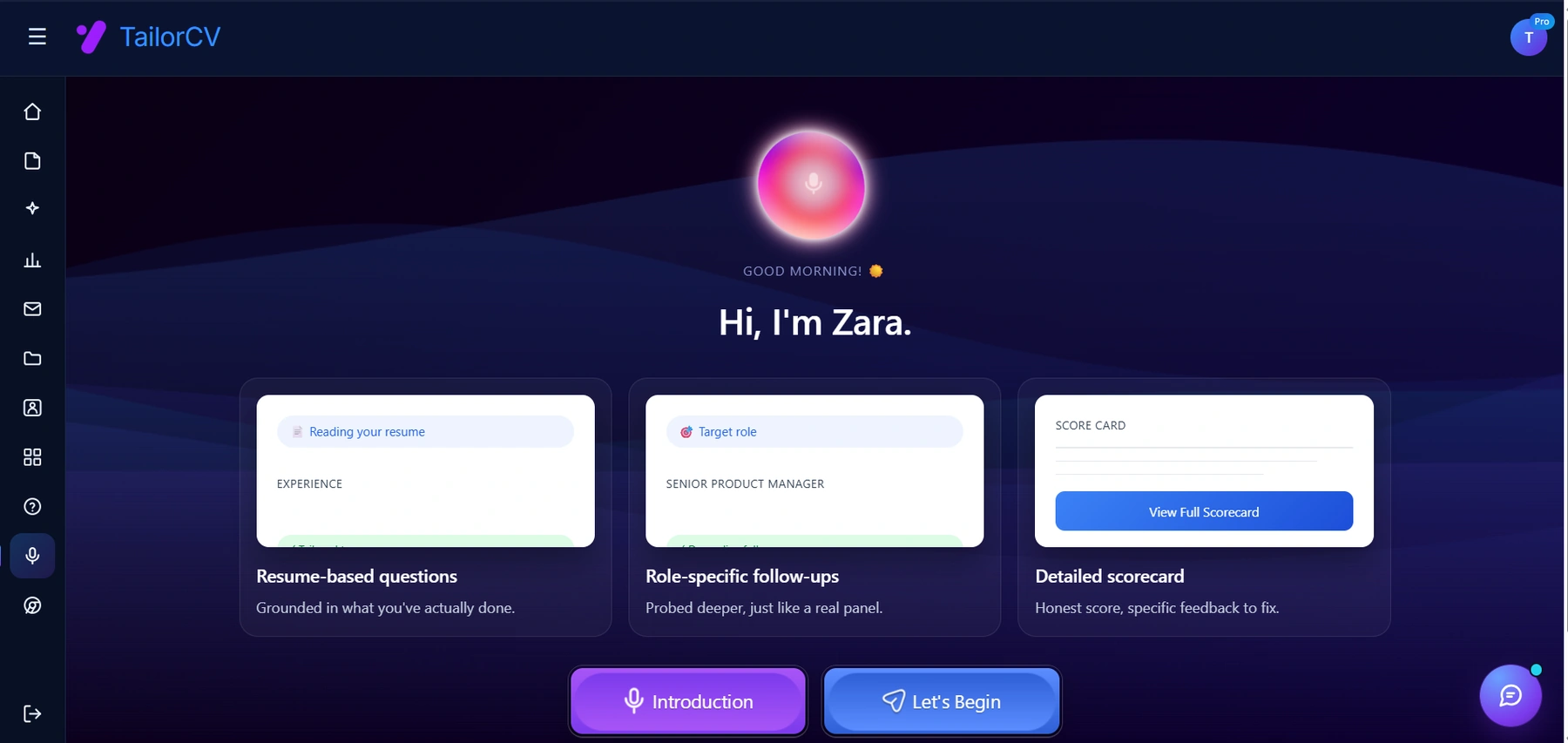
Practising out loud is the part most people skip. Here the session is built from your own resume and target role, and ends with a scorecard naming what to fix.
What are the key technical aspects to check before a virtual interview?
Before your virtual interview, ensure your camera is positioned at eye level or slightly above for a professional appearance. Test your microphone and speakers to avoid audio issues during the interview, and check your internet connection for stability. For additional preparation, consider using the free AI mock interview tool to practice your delivery.
How can I improve my body language during a video interview?
Maintaining good body language is crucial in virtual interviews. Sit up straight, make eye contact with the camera, and use hand gestures naturally to emphasize your points. Being aware of your body language can enhance your communication, making you appear more confident and engaged during the interview.
What should I do if I experience technical difficulties during the interview?
If you encounter technical issues, remain calm and communicate the problem to your interviewer. It's acceptable to ask for a moment to troubleshoot or switch to a backup platform if necessary. Preparing in advance by testing your equipment can help minimize these disruptions during your interview.
How can I stand out in a virtual interview?
To stand out, focus on your presentation quality and be well-prepared with your answers. Use a clean, well-lit background and dress professionally, just as you would for an in-person interview. Additionally, practicing with tools like the free AI mock interview can help you refine your delivery and boost your confidence.
What should I include in my resume before applying for virtual jobs?
Your resume should highlight relevant skills and experiences that align with the job description, ensuring it's optimized for ATS compatibility. Use the free ATS score checker to assess your resume's effectiveness, and consider utilizing an ATS-friendly template to enhance its presentation.
Was this guide useful?
Be the first to rate it.