TD
TD

Key Takeaways
- A sales portfolio complements your resume by showcasing how you achieved quota, including territory details and deal specifics.
- Include quota attainment history, deal case studies, pipeline evidence, testimonials, and tools used in your portfolio.
- Frame each deal as a story, detailing the context, obstacles, your approach, and the results to demonstrate judgment and impact.
- Host your portfolio on a personal site, LinkedIn, or as a PDF, ensuring it aligns with your resume for consistency.
- Avoid common mistakes like lacking context in quota numbers, not providing deal narratives, and sharing confidential information.
A resume tells a recruiter you hit 130% of quota. A portfolio shows how - the territory you inherited, the deals you built, and the numbers behind them. Sales is one of the few fields where a portfolio is still rare, which makes having one a real edge over other candidates. Pair this with How to Build a Professional Portfolio and How to Quantify Resume Achievements.
What to Include
| What to include | Why |
|---|---|
| Quota attainment history | a simple chart or table by quarter or year |
| 2-4 deal case studies | the account, the problem, your approach, the outcome |
| Pipeline and process evidence | how you prospect, qualify, and forecast (frameworks like MEDDIC, SPIN, or your own) |
| Testimonials | a line or two from a manager or client, with permission |
| Tools and stack | CRM (Salesforce, HubSpot), sales engagement tools, and any certifications |
Frame Every Deal as a Story
Recruiters and sales leaders do not want a list of closed-won deals - they want to see judgment. For each case study, cover:
- Territory or account context - size, industry, competitive landscape
- The obstacle - budget freeze, incumbent vendor, long sales cycle, technical objection
- Your approach - how you built the relationship, handled objections, and moved the deal
- The result - deal size, cycle time, expansion or renewal outcome
If deal specifics are confidential, describe them without naming the client: "Closed a $340K annual contract with a mid-market logistics company after a 4-month cycle, beating an incumbent vendor on implementation speed."
Where to Host It
- A personal site built with the TailorCV portfolio builder - clean, fast, and easy to keep current between roles
- LinkedIn Featured section - link your portfolio and pin your strongest testimonial
- A one-page PDF version for email attachments during the interview process
Keep Your Resume and Portfolio in Sync
Your resume, LinkedIn, and portfolio should tell the same story - same quota numbers, same specialty (SaaS, enterprise, SMB), same territory focus - just at different levels of depth. Lock the resume down first with the ATS score checker and an ATS-friendly template, then mirror that positioning in your portfolio. See How to Add Your Portfolio Link to Your Resume for placing the link correctly.
Common Mistakes
- Listing quota numbers with no context on team size, ramp time, or territory difficulty
- No deal narrative - just a spreadsheet of numbers
- Sharing confidential contract values or client names without permission
- A stale portfolio that stops at your last role - see Portfolio Checklist Before Applying
Pro Tips
- Lead with your best quarter or your most complex deal, not chronologically
- Include one case study where you lost then won the deal back - it shows resilience
- Generate your portfolio shell from your resume with the portfolio builder and drop in your deal stories
Crafting Compelling Case Studies
One of the most impactful ways to demonstrate your revenue impact in a sales portfolio is through detailed case studies. A well-structured case study not only showcases your achievements but also provides context and depth. Here’s how to create compelling case studies:
-
Choose the Right Projects: Select projects that had significant revenue implications. Look for examples where you played a crucial role in closing deals or turning around difficult client relationships.
-
Structure Your Case Study:
| Section | What goes in it |
|---|---|
| Background | Briefly describe the client’s business and the challenges they faced |
| Your Role | Clearly define your responsibilities and the strategies you employed |
| Outcome | Quantify the results. Use metrics such as revenue growth, percentage increases in sales, or improvements in client retention |
| Client Testimonial | If possible, include a quote from the client that highlights your contribution |
-
Visual Elements: Utilize graphs, charts, and other visual aids to make the data more digestible. Visual storytelling can enhance the impact of your case study.
-
Call to Action: Conclude with a call to action that invites potential employers or clients to discuss how you can deliver similar results for them.
By following these steps, you can create case studies that resonate with your audience and effectively showcase your sales prowess.
Checklist for an Impactful Sales Portfolio
Creating a sales portfolio can be daunting, but using a checklist can streamline the process. Here’s a mini checklist to ensure your portfolio is comprehensive and engaging:
- unchecked: Target Audience Identification: Know who will be viewing your portfolio.
- unchecked: Diverse Examples: Include a variety of projects that showcase different skills (e.g., B2B, B2C, international sales).
- unchecked: Quantifiable Metrics: Ensure each example includes measurable outcomes (e.g., revenue generated, deals closed).
- unchecked: Visual Aids: Incorporate images, graphs, or videos that enhance your storytelling.
- unchecked: Professional Design: Use a clean, professional layout that aligns with your personal branding.
- unchecked: Regular Updates: Schedule periodic reviews to update your portfolio with new projects and achievements.
- unchecked: Feedback Loop: Share your portfolio with peers or mentors for constructive feedback.
By following this checklist, you can create a compelling portfolio that effectively communicates your sales impact.
Do’s and Don’ts of Portfolio Creation
Creating a sales portfolio requires careful consideration. Here are some important do’s and don’ts to keep in mind:
Turning a resume into a portfolio site

You upload the resume you already have and the sections fill themselves in - basics, experience, projects, education - so building the site is editing rather than starting from an empty page.
Do’s:
- Do Tailor Your Content: Customize your portfolio for different job applications or industries.
- Do Focus on Outcomes: Highlight results and how your contributions led to revenue growth.
- Do Keep It Professional: Use a professional tone and language throughout your portfolio.
- Do Include a Personal Statement: Share your sales philosophy and what drives you in your career.
Don’ts:
- Don’t Overload with Information: Keep your examples concise and focused on key achievements.
- Don’t Use Jargon: Avoid industry jargon that may not be understood by all audiences.
- Don’t Neglect Design: A poorly designed portfolio can detract from your accomplishments.
- Don’t Forget to Proofread: Typos and grammatical errors can undermine your professionalism.
By adhering to these guidelines, you can create a polished portfolio that effectively communicates your value.
Scenario: Turning a Challenge into an Opportunity
Imagine you are faced with a declining sales quarter in your territory. Instead of viewing this as a setback, you take proactive steps to turn it into an opportunity:
- Identify Key Clients: Analyze your client base to identify those who may be at risk of churn.
- Engage in Dialogue: Reach out to these clients to understand their concerns and needs.
- Tailor Solutions: Propose customized solutions based on their feedback, showing that you value their business.
- Quantify Results: After implementing changes, track the retention rates and any upsell opportunities that arise.
In your portfolio, you can present this scenario as a case study that highlights your problem-solving skills and ability to drive revenue even in challenging situations.
Examples of Effective Sales Portfolios
To inspire your portfolio creation, here are a few examples of effective sales portfolios across different industries:
- B2B Technology Sales: A portfolio showcasing case studies of successful product launches, detailed client testimonials, and metrics demonstrating increased adoption rates.
- Retail Sales: A visually appealing portfolio that includes sales figures, marketing strategies employed during peak seasons, and customer engagement metrics.
- Real Estate Sales: A portfolio featuring high-resolution images of properties sold, market analyses, and personal stories of client interactions that led to successful sales.
By studying these examples, you can glean insights into how to structure your own portfolio, making it both effective and engaging.
For more guidance on building a strong portfolio, consider exploring our resources on How to Build a Portfolio With AI - No Coding Required or the Business Analyst Portfolio Guide.
Frequently Asked Questions
Is a portfolio unusual for sales roles?
Yes, which is exactly why it stands out. Sales leaders rarely see one, so a clear, numbers-backed portfolio signals initiative before the first interview.
What if my results are all under NDA?
Describe outcomes without naming the client or exact figures where required - percentage growth, relative deal size, and cycle time are usually safe to share.
How do I align my resume?
Use consistent quota and revenue framing across both - see How to Quantify Resume Achievements for the exact phrasing patterns recruiters respond to. Additionally, consider using resume templates to maintain a professional look. You might also find it helpful to explore our Business Analyst Portfolio Guide for more insights on showcasing your achievements.
Build Your Portfolio Now
You do not need to code a site or wrestle with a website builder for a weekend. Turn your existing resume into a live, shareable portfolio in minutes with the TailorCV portfolio builder - choose a theme, upload your CV, let AI pull in your experience, then add your deal case studies and publish a link for your resume and LinkedIn. Before you apply, run your resume through the free ATS score checker and switch to an ATS-friendly resume template so your portfolio and resume tell one consistent story.
Related Guides
- How to Build a Professional Portfolio
- How to Quantify Resume Achievements
- Business Analyst Portfolio Guide
- Portfolio Website for Job Applications
- Portfolio Checklist Before Applying
- Portfolio Mistakes to Avoid
- Portfolio About Me Section
- Portfolio Contact Section
- How to Use LinkedIn for Job Search
- AI Portfolio Builder: No Code Required
- Portfolio Website Themes 2026
- Personal Website vs Portfolio
Make This Practical
If this topic connects to your work samples, turn the advice into a live proof page with the TailorCV portfolio builder. After publishing, add the link correctly using How to Add Your Portfolio Link to Your Resume, tighten the page with the Portfolio Checklist Before Applying, and make sure recruiters can contact you through a clean Portfolio Contact Section.
Your portfolio works best when it supports the resume, not when it replaces it. Run the resume through the free ATS score checker, choose an ATS-friendly resume template, and use Portfolio SEO: Get Found so your name, role, and strongest deals are easier to discover.
Related Guides to Strengthen This Topic
Use these internal guides to connect this topic with the rest of your job-search workflow:
- How to Build a Professional Portfolio
- Portfolio Website for Job Applications
- Portfolio Checklist Before Applying
- Portfolio Mistakes to Avoid
- How to Write Portfolio Case Study
- Add Portfolio Link to Resume
- Resume Matching With Job Description
- ATS-Friendly Resume Builder
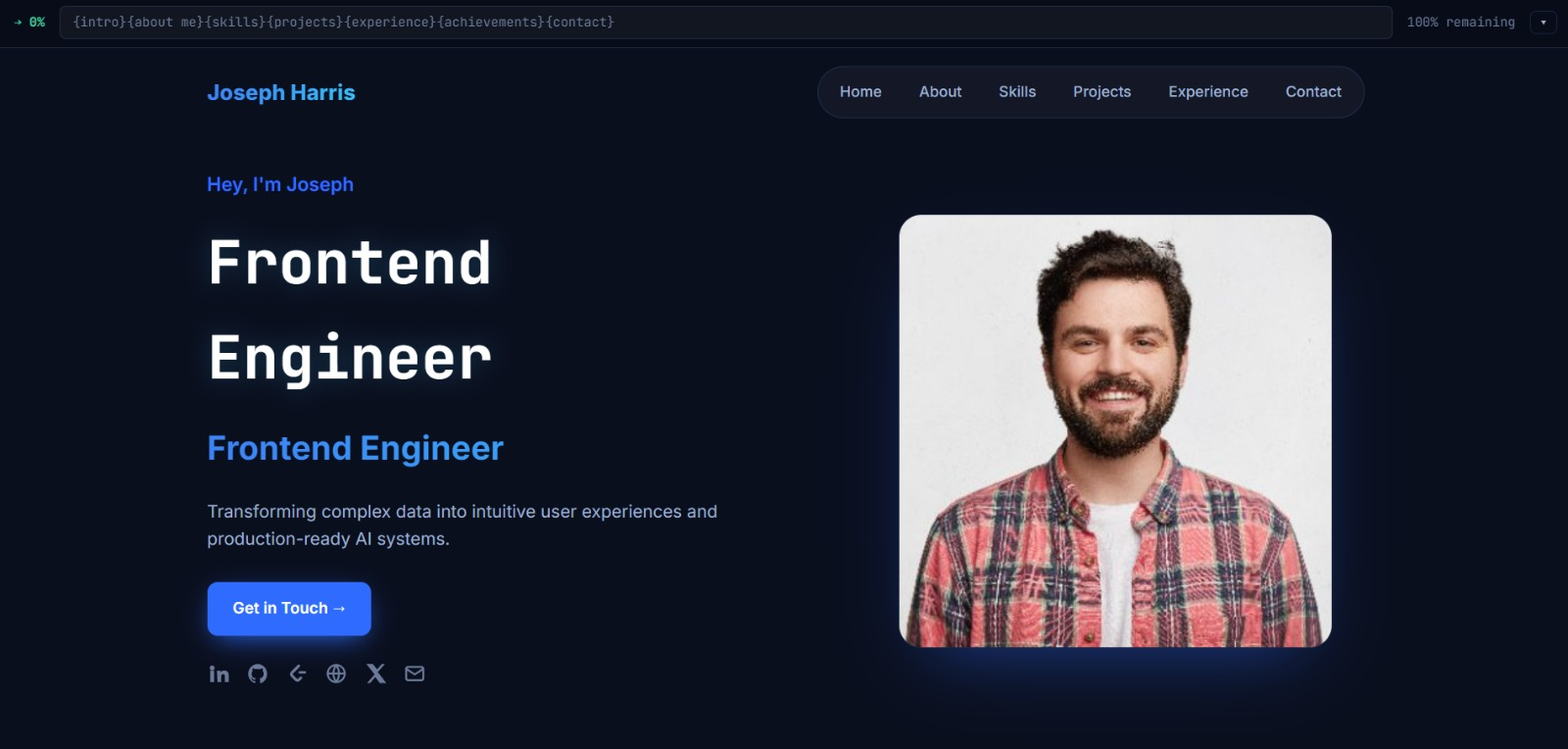
See what your portfolio could look like
This theme is built straight from your resume — pick one and your portfolio is live in minutes.
Was this guide useful?
Be the first to rate it.