 TD
TD

Key Takeaways
- Utilize a resume review checklist to catch mistakes before submitting your application, improving your chances of getting noticed by recruiters.
- Differentiate between a quick 5-minute check for high-volume applications and a deep review for roles you genuinely want, allocating appropriate time for each.
- Conduct a keyword pass against the job description first during a deep review, ensuring your resume aligns with the specific role.
- Ensure all contact information is professional and accurate, and that your resume is tailored to reflect the job title and relevant skills for each application.
A resume review checklist helps you catch mistakes before you apply, not after a recruiter has already formed an opinion. Many candidates submit resumes with missing keywords, weak bullets, broken links, or formatting problems that could have been fixed in five minutes. The gap between a resume that gets opened and one that gets ignored is often this final review, not the writing itself.
Use this checklist alongside the ATS score checker and the resume proofreading checklist so you catch both human-readable mistakes and machine-readable ones before you hit submit.
Quick Check vs. Deep Review: Two Different Workflows
Not every application deserves the same amount of review time. A role you are lukewarm on and a role you actually want need different levels of scrutiny, and treating them the same wastes time either way.
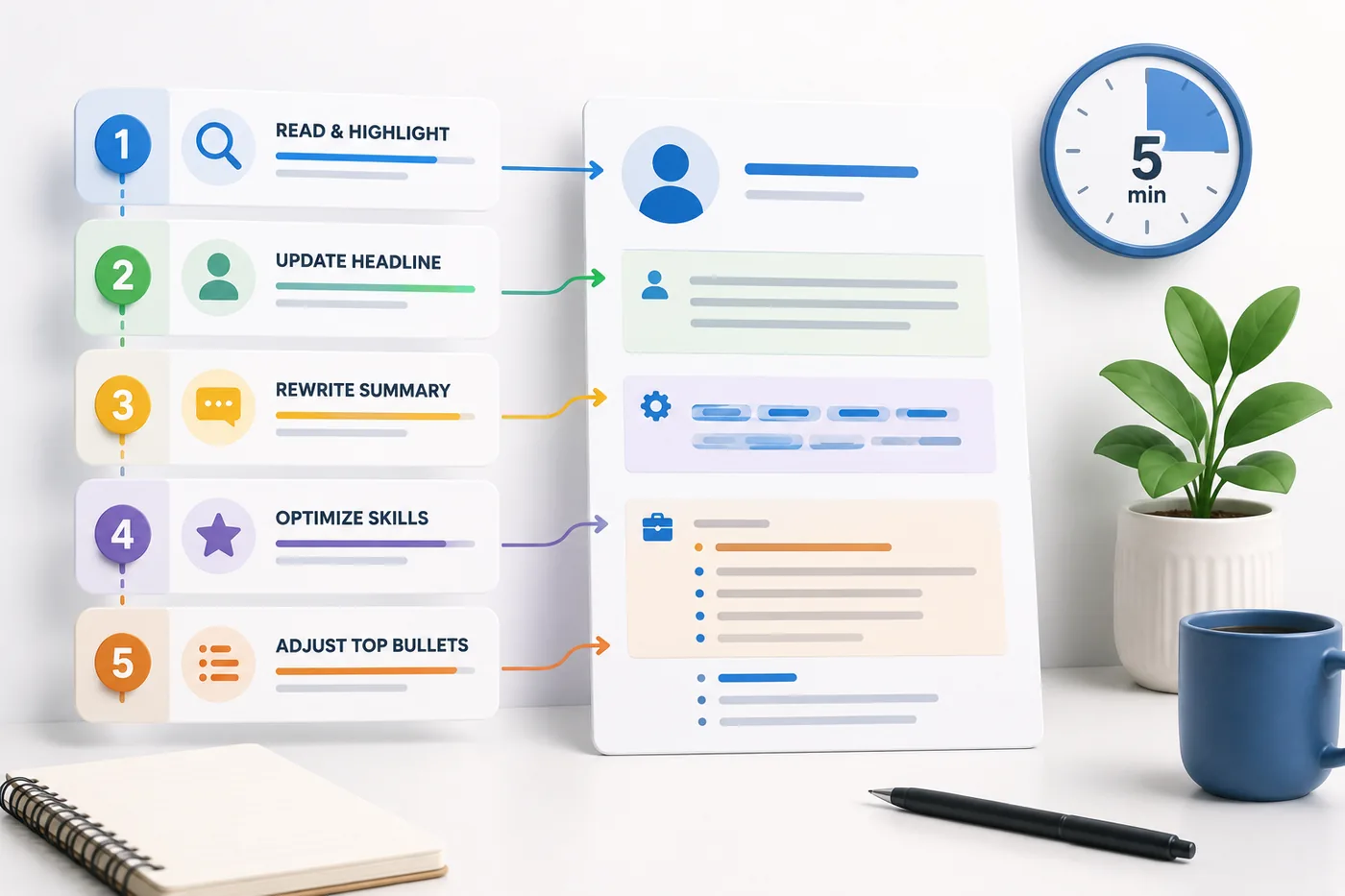
The quick 5-minute check is for high-volume applications where you are applying broadly and the resume is already reasonably well-tailored. Use this workflow:
- Skim the job title and confirm it matches the title on your resume header.
- Scan the top three bullets under your most recent role for obvious keyword gaps.
- Check the summary line for anything role-specific that is now wrong.
- Confirm the file opens correctly and the filename is sensible.
- Read the contact block once.
That is it. It will not catch everything, but it catches the mistakes that actually sink applications: a leftover company name, a dead link, a summary written for a different job.
The deep review is for a role you genuinely want, an internal referral, or any application where a single mistake would sting. Budget 30 to 45 minutes and work through it in stages instead of one continuous read:
- Do a keyword pass against the job description first, before you read for tone or grammar. See How to Match Resume Keywords to a Job Description for the mechanics.
- Walk the full master checklist below, section by section, rather than skimming top to bottom.
- Step away for at least a few hours, ideally overnight, then reread with fresh eyes (more on this later).
- Do a final proofread pass out loud.
- Confirm every link, attachment, and filename one last time before you click submit.
If you only have time for one of these, run the quick check every single time you apply and reserve the deep review for roles where the outcome actually matters to you.
The Master Resume Review Checklist
This is the full list. Not every check applies to every resume, but scan through the categories below before any serious application. Pair it with the resume customization checklist if you are tailoring the same base resume for multiple roles.
Contact and Basics
- Email address is professional, not a leftover handle from years ago.
- Phone number is correct and includes the right country code if applying internationally.
- LinkedIn link is present, correct, and actually clickable, not just plain text.
- Portfolio or GitHub link works and points to your current work, not an old project.
- City and country listed match what the role expects (remote, hybrid, or a specific location).
- Full name matches the name on your email signature, LinkedIn, and any documents you attach, so nothing looks inconsistent across the application.
Targeting and Relevance
- Job title on your resume header reflects the role you are applying to, not the title from three applications ago.
- Summary or headline is written for this specific role, not a generic version reused everywhere. See the resume optimization guide for how to rewrite it quickly.
- Core skills listed match the language used in the job description, not just skills you personally consider important.
- Nothing has been exaggerated or fabricated. Add truthful experience phrased in the employer's language, never skills you do not have.
- Irrelevant older roles, projects, or coursework have been trimmed or shortened so the resume supports this job, not your entire career history.
Content Quality
- Every bullet under recent roles follows action, tool or context, and result, not just a list of duties. Compare against How to Quantify Resume Achievements and Best Action Verbs for a Resume.
- No bullet is a duplicate or near-duplicate of another bullet elsewhere on the resume.
- Any resume gaps are handled deliberately rather than left as an obvious blank. See How to Explain Resume Gaps if this applies to you.
- Vague filler phrases like "hardworking professional" or "team player" have been replaced with specific, provable claims.
Formatting and ATS
- No text boxes, complex tables, icons carrying important information, or columns that could confuse a parser.
- Fonts are readable at standard size, nothing shrunk to fit more content on one page.
- Section headings are standard (Experience, Education, Skills) rather than creative labels a parser will not recognize.
- The file is a text-based PDF or Word document, never a scanned image.
- The layout has been checked with the ATS score checker or against Does My Resume Pass ATS? if you are unsure.
Proofreading and Final Pass
- Verb tense is consistent: past roles in past tense, your current role in present tense, throughout the entire document.
- Dates, punctuation, and capitalization follow the same style in every section.
- Spelling has been checked manually, not just trusted to autocorrect, since spellcheck will not catch a wrong-but-real word.
- The document has been read out loud at least once before submission.
Quick example of what a clean skills grouping should look like once you have trimmed and targeted it: Core Skills: Python, SQL, A/B testing, stakeholder reporting, Tableau
A Worked Example: Reviewing One Weak Bullet
Checklists are easier to apply when you see them in action. Here is a single bullet taken through a realistic review, step by step.
Your resume after optimization
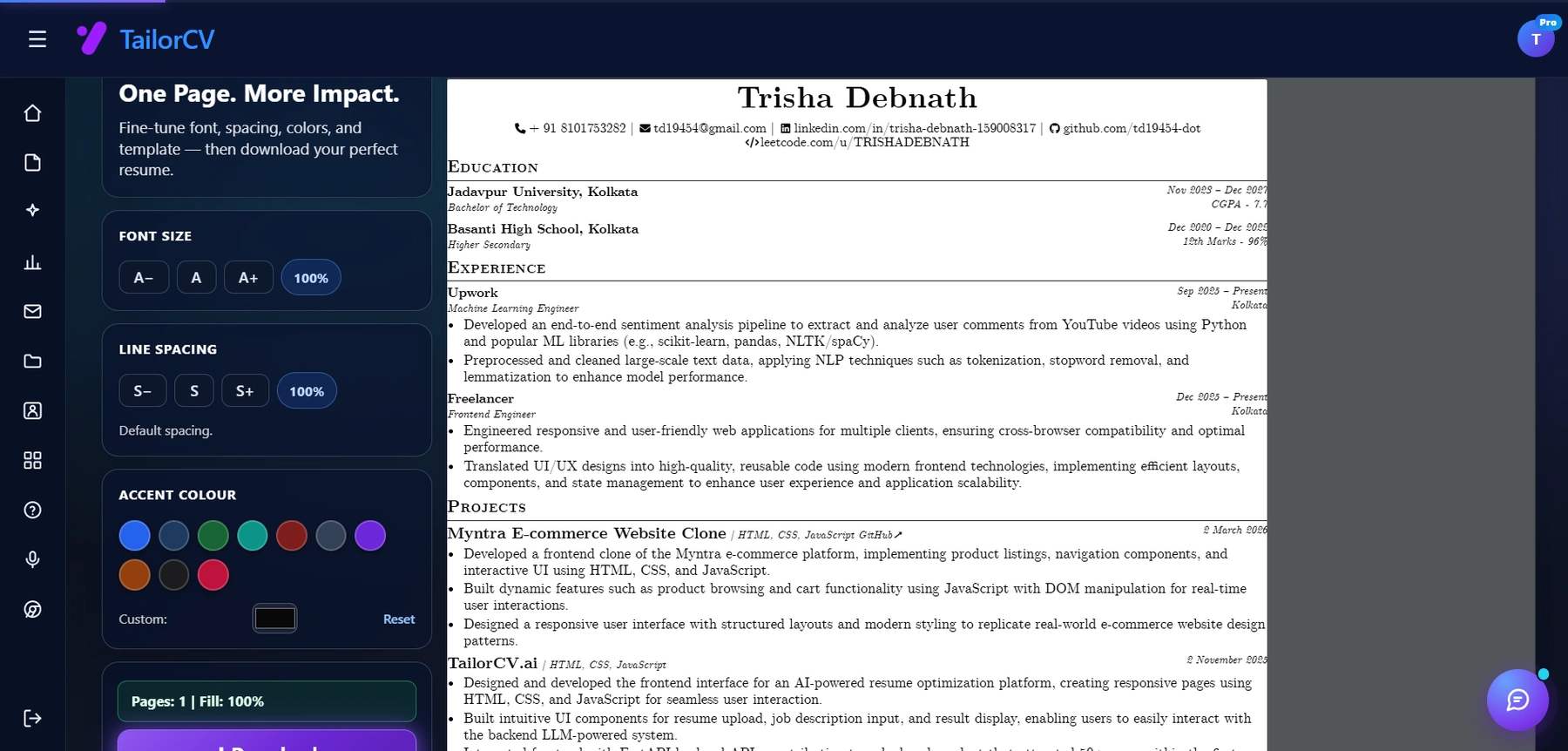
This is the resume after tailoring - the content is already matched, and these controls are how you fit it onto one page.
Before: "Responsible for managing social media accounts and helping with marketing campaigns."
Step 1: Check for duty language instead of achievement language. This bullet only describes a responsibility. It never says what happened as a result of the work.
After step 1: "Managed social media accounts and supported marketing campaigns, growing engagement across channels."
Step 2: Check for a real, specific result. "Growing engagement" is still vague. What grew, by how much, over what period?
After step 2: "Managed 4 social media accounts and supported quarterly marketing campaigns, growing follower engagement by 32% over 6 months."
Step 3: Check the action verb and tense. "Managed" is fine for a past role, but confirm it matches the tense of every other bullet under this job. If this is your current role, it should read "Manage."
Step 4: Check against the job description. If the target job description emphasizes content strategy and analytics rather than day-to-day account management, the bullet should lead with the part that matches.
Final: "Grew follower engagement 32% across 4 social accounts in 6 months by building a content calendar and analyzing weekly performance data."
Four passes, same underlying fact, a dramatically stronger bullet. Run this same sequence on your two or three weakest bullets before any application that matters. For more on this specific pattern, see How Recruiters Read Resumes.
Role-Specific Review Tweaks
The base checklist covers most applications, but certain situations call for extra attention in specific places.
Career-change applications. Your work history will not obviously map to the target role, so the review needs to focus harder on transferable framing. Reread your summary and top bullets and ask whether someone unfamiliar with your old industry would understand why you are qualified. Cross-check terminology against Career Change Resume: How to Write a Resume When Switching Industries and make sure you have not left industry jargon from your old field that a new-industry recruiter will not recognize.
Internal referrals. When someone is putting their name behind your application, small inconsistencies are more visible, because the reader already trusts the person who sent it and is looking for a reason to move fast. Double-check that your resume title matches what your referrer told the hiring manager about you, and that dates and company names are airtight. See Resume Matching for Referral Applications for what recruiters specifically check when a referral is attached.
Remote job applications. Location and time zone information needs a second look, since an address that reads as local for an onsite role can work against you for a remote one. Review how you present availability, time zone overlap, and any remote-specific tools you have used. Resume for Remote Developer Jobs and Resume Tailoring for Remote, Hybrid, and Onsite Roles both cover what to adjust.
Internal promotions or lateral moves. If you are applying inside your current company, make sure your resume does not contradict what your manager or HR already has on file for your title and start date. Small mismatches here read as carelessness rather than ambition.
Things People Forget to Check
Some mistakes are not about the content of the resume at all. They are small, easy-to-miss details that quietly signal a lack of care, and they are exactly the kind of thing a rushed final pass skips.
- Leftover template text. A previous company name, a placeholder bracket, or a template's sample bullet that never got deleted. This happens more often than people expect when resumes get copied and reused across applications.
- File naming. "Resume_final_v3_ACTUAL_FINAL.pdf" looks unprofessional next to "FirstName_LastName_Resume.pdf." Rename the file every time before you attach it.
- Tense drift mid-bullet. Starting a bullet in past tense and finishing it in present tense within the same sentence is common when bullets get edited piecemeal over time.
- LinkedIn and resume mismatch. If your resume says "Senior Product Manager" and LinkedIn still says "Product Manager," a recruiter who checks both will notice. Keep them aligned; LinkedIn and Resume Tailoring Sync walks through keeping the two consistent.
- Wrong company name in the summary or cover letter. This is the single most common mistake with reused templates. Search the whole document for the name of the last company you applied to before sending.
- Outdated contact details after a move or number change. People update their resume content constantly but forget the header.
- Hyperlinks that point to a draft, not the live version. Portfolio and LinkedIn links that were correct months ago can quietly break or redirect.
- Inconsistent bullet punctuation. Some bullets end with periods, others do not. Pick one and apply it everywhere.
If you want the deeper trust-and-credibility version of this, Resume Red Flags explains the warning signs that make recruiters hesitate, and What Not to Put on a Resume covers content that should be removed rather than fixed. Generic Resume Mistakes That Cost Interviews is also worth a scan if you suspect your resume reads as a template rather than a targeted document.
Reviewing With Fresh Eyes
The biggest obstacle to a good self-review is familiarity. You wrote the resume, so your brain fills in gaps and skips over errors automatically. These tricks work because they force you to process the text differently than you did while writing it.
- Wait at least a few hours, ideally overnight. Distance breaks the mental autopilot that lets errors slide past you.
- Read it out loud. Awkward phrasing and run-on bullets are much easier to hear than to see silently.
- Read bullets in reverse order, bottom to top. This breaks the narrative flow your brain expects and forces you to evaluate each line on its own.
- Change the font or view it as a printed page. A different visual format interrupts pattern recognition and surfaces formatting issues you have stopped noticing.
- Ask someone else to skim it for 30 seconds and say back what role you do. If they cannot answer clearly, your targeting is not clear enough yet.
- Zoom out to see the whole page at once. This catches spacing, alignment, and length problems that line-by-line reading misses entirely.
None of these take long, and combined they catch a different category of mistake than a straight top-to-bottom read.
Make This Practical
Turn this checklist into a repeatable part of your job-search workflow rather than a one-time exercise. Run every resume through the free ATS score checker before you submit it, sharpen targeting with the resume optimization guide, and start from a clean, parser-friendly layout using the ATS-friendly resume templates.
Once the resume itself is ready, review the rest of the application with the same discipline. Draft a targeted letter with the AI cover letter generator, rehearse likely questions with the AI mock interview tool, and if the role calls for one, back your claims with a project-based portfolio website.
For a repeatable per-application routine, pair this checklist with the resume customization checklist for tailoring and the resume proofreading checklist for the language-level pass, then confirm the result against Does My Resume Pass ATS? before you submit.
FAQ
How long should a resume review take?
A quick review takes about 5 to 10 minutes and is fine for high-volume applications to roles you are moderately interested in. A serious, role-specific deep review should take 30 to 45 minutes, spread across a few passes rather than one continuous read.
Should I review every application, even ones I am applying to quickly?
Yes, but at a lighter level. At minimum, check the job title, top three bullets, and contact section for every application. Save the full checklist for roles you genuinely want.
Can AI review my resume for me?
AI tools can catch keyword gaps, formatting issues, and phrasing problems quickly, and are worth using as a first pass. You should still verify truthfulness, tone, and factual accuracy yourself, since AI cannot confirm what actually happened at your last job.
What is the single most common mistake people miss on a final review?
Leftover details from a previous application: a wrong company name in the summary, an outdated job title, or a filename from a different role. These slip through because they are outside the "content" of the resume, which is where most people focus their attention during a review.
Should I review my resume differently for a referral application?
Yes. Referral applications get read more carefully because a colleague has already vouched for you, so consistency between what your referrer said and what your resume says matters more. See Resume Matching for Referral Applications for specifics.
Is it worth reviewing my resume against every single job description, or just the ones I care about most?
At minimum, do a fast keyword scan against every job description, since this takes only a couple of minutes and directly affects whether you pass an ATS filter. Reserve the full line-by-line comparison for roles you are seriously pursuing.
How do I know if my resume is ready to submit?
If it has passed the master checklist, been reviewed with fresh eyes after a break, and scored well on an ATS score checker, it is ready. If you are still unsure, run it past Does My Resume Pass ATS? one more time.
Should my LinkedIn profile match my resume exactly before I apply?
They do not need to be word-for-word identical, but your title, dates, and core skills should tell the same story. Recruiters frequently check both, and a mismatch reads as carelessness even when it is just an oversight. LinkedIn and Resume Tailoring Sync covers how to keep them aligned without duplicating effort.
Next Step
Run your resume through the free ATS score checker before your next application to catch formatting and keyword issues this checklist alone can miss.
What is your resume scoring right now?
Scan it against a job description and get your ATS match score in about a minute.
Drop your resume here or choose a file
PDF only. Max 2 MB.
We never share your data or use it to train AI models.

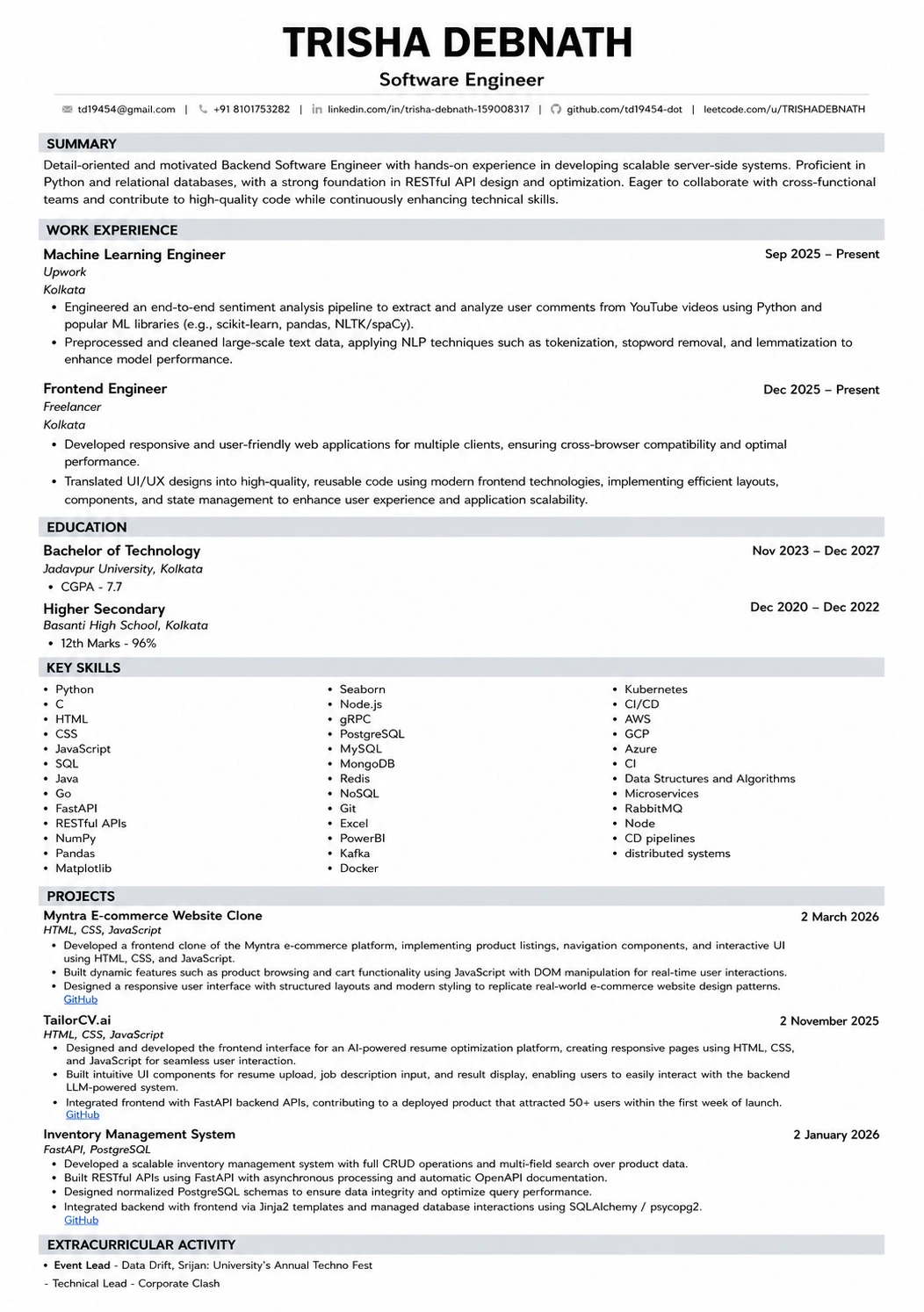
Templates that keep this structure intact
This template is ATS-tested — start from it and the formatting rules in this guide are already handled.
Was this guide useful?
Be the first to rate it.