 SS
SS

Key Takeaways
- Resume keyword density refers to the frequency and context of important job description terms in your resume.
- Modern ATS evaluates keyword presence, context, section placement, and relevance rather than relying on a specific density percentage.
- Focus on including required hard skills, specific tools, certifications, role responsibilities, industry terms, and relevant job titles in your resume.
- For key skills, aim to mention them once in the skills section, once in the summary, and one to two times in experience bullets, ensuring each mention is contextually relevant.
Resume keyword density means how often important job description terms appear in your resume, and getting it wrong in either direction costs you interviews. Too few mentions and the ATS never registers you as a match; too many and a recruiter reading the same resume five minutes later assumes you stuffed it. This guide focuses specifically on frequency: how many times a keyword should show up, where, and how to tell natural repetition from a red flag.
For a broader look at keyword strategy overall, read Resume Keyword Density Guide and Best Resume Keywords to Beat ATS.
What Keyword Density Actually Means for ATS
A lot of job seekers still picture ATS scoring the way early SEO tools scored web pages: count the keyword, divide by total words, and aim for some magic percentage like 3-5%. That model is mostly outdated and was never a reliable description of how resume-matching software works.
Modern applicant tracking systems and the resume parsers built into hiring platforms are not counting a ratio. They are checking for a mix of:
| Term | Why it matters |
|---|---|
| Presence | is the term there at all, in any form? |
| Context | does it appear near a verb, a result, or a tool, or is it just sitting in a list? |
| Section placement | does it show up in skills, experience, and summary, or only once in a footer? |
| Relevance | does the surrounding text support that you actually used the skill, not just mentioned it? |
A resume that mentions "SQL" once in a strong bullet with a real outcome will often score and read better than one that repeats "SQL" eight times with no context. Density in the old sense (raw repetition count divided by word count) is a weak signal on its own. What matters is whether the keyword shows up in the right places with enough supporting detail that both a parser and a human reader recognize it as a genuine skill.
This is also why chasing a specific percentage is the wrong mental model. There is no verified target ratio you should be optimizing toward, and treating one as gospel is how people end up stuffing. Think in terms of coverage and placement instead of density as a number.
What Keywords Matter Most
Not every word in a job description deserves the same treatment. Before worrying about frequency, sort the posting into buckets so you know which terms are worth repeating at all:
- Required hard skills (the tools, languages, or methods listed as "must have")
- Tools and platforms named specifically (Salesforce, Tableau, AWS, Figma)
- Certifications mentioned as required or preferred
- Role responsibilities described in verb phrases ("manage stakeholder communication," "own the release process")
- Industry or domain terms (fintech, healthcare compliance, B2B SaaS)
- Job titles and seniority language (Senior, Lead, II, III)
For example, a data analyst posting might repeat SQL, dashboards, KPIs, data cleaning, stakeholder reporting, and Power BI throughout its own text. Those are the terms worth prioritizing on your resume. A phrase that appears once, in passing, in a "nice to have" line carries far less weight and does not need the same repetition treatment.
If you are not sure how to separate the load-bearing terms from filler, Job Description Keyword Extraction Guide walks through pulling the real requirements out of a posting before you touch your resume.
How Often Should a Keyword Realistically Appear?
There is no single universal number that applies to every resume and every role, but there is a practical pattern that holds up across most one-to-two-page resumes. For a genuinely important, role-defining skill:
- Once in the skills section - as a scannable line item, so both the parser and a fast human read catch it immediately.
- Once in the summary - if the skill is central to the role you are applying for, not just one item among many.
- One to two times in experience bullets - each mention attached to a specific task, tool, or result, not repeated as the same sentence twice.
That works out to roughly two to four total mentions across the whole document for your top three to five priority skills. Secondary skills usually only need one or two mentions total: once in the skills list and, if there is room, once in a bullet.
A rough way to sanity-check yourself: if you removed every bullet containing a given keyword, would the resume lose real information, or would it just lose a repeated word? If a keyword appears five or six times but every instance is interchangeable with the others, that is repetition without added value, and it is a sign to cut rather than add.
Use the skills section as your baseline inventory, then let the summary and bullets reinforce only the handful of skills that actually differentiate you for that specific role.
A Worked Example: From Job Description to Resume
Here is how this plays out with an actual snippet. Say a job posting for a marketing analyst role includes this line:
"Looking for a candidate with strong SQL skills, experience building dashboards in Power BI, and a track record of turning customer data into actionable KPI reporting for stakeholders."
Pulled apart, the core terms are: SQL, dashboards, Power BI, customer data, KPI reporting, stakeholders. Those are the words worth weaving through your resume with intent, not just pasting into a list.
A stuffed, over-optimized skills section might look like this:
Skills: SQL, SQL queries, SQL reporting, SQL dashboards, Power BI, Power BI dashboards, KPI, KPI reporting, KPI tracking, stakeholder management, stakeholder reporting, stakeholder communication.
That reads as a keyword dump, not a skill set, and it is exactly the kind of list that makes a recruiter skim past your resume. A tighter version covers the same ground without repeating root words for no reason:
Skills: SQL, Power BI, Data Cleaning, KPI Reporting, Stakeholder Communication, Customer Analytics
Now look at how the same core terms should reappear in the experience section, with context instead of repetition:
Wrote SQL queries to consolidate customer purchase data from three systems into a single reporting table.
Built a Power BI dashboard that tracked weekly KPIs and was reviewed by stakeholders in the biweekly ops meeting.
Between the skills line and these two bullets, SQL appears twice, Power BI appears twice, KPI appears twice, and stakeholders appears once, each time attached to a different piece of evidence. That is coverage with proof, not a repeated phrase. It is also enough to satisfy both a parser scanning for the terms and a recruiter looking for a real story behind them.
The Risk of Over-Optimizing: When Density Becomes Stuffing
Chasing keyword count past the point of natural language creates two separate problems, and only one of them is about the ATS.
What optimizing actually does to your resume
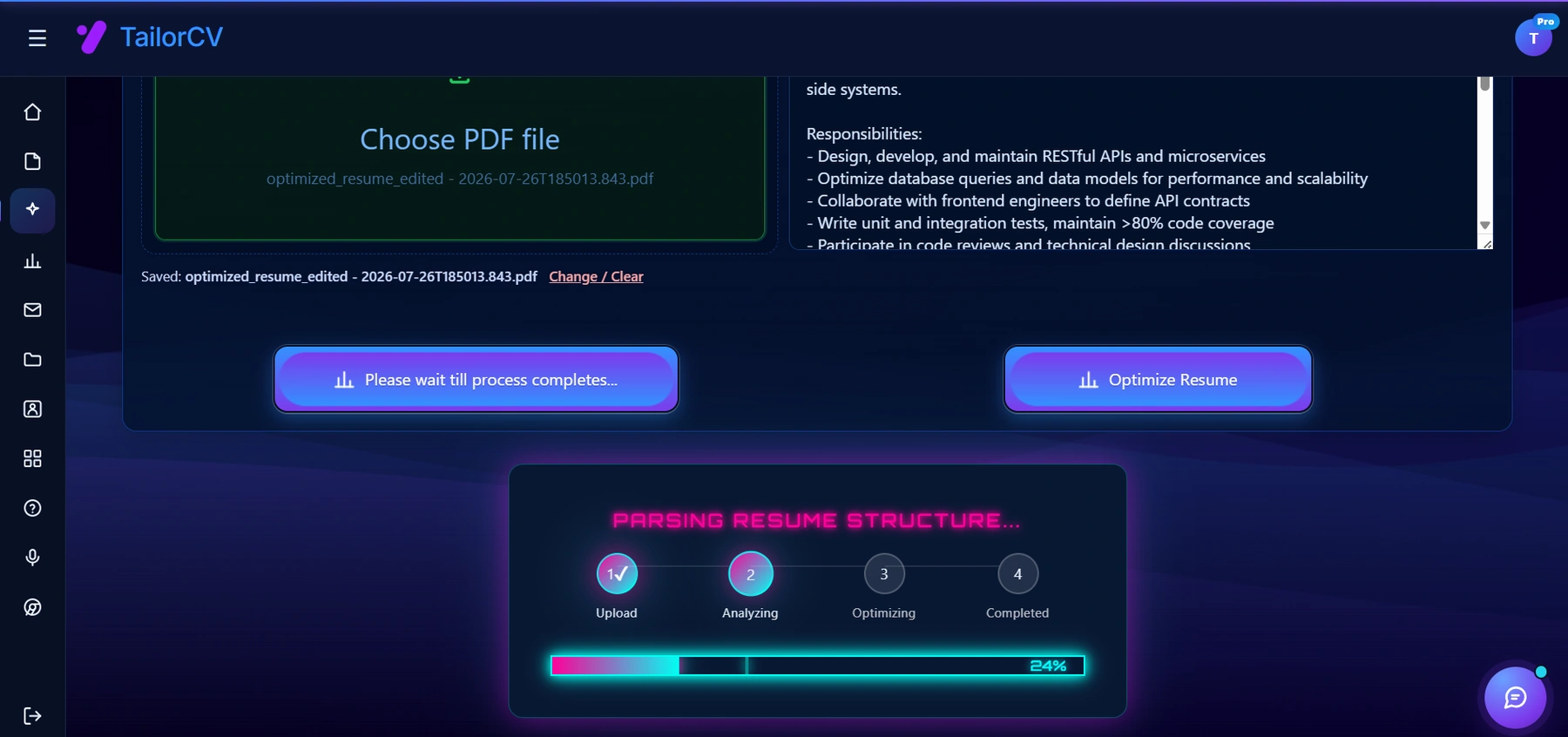
Checking against the real job description - rather than optimising in the abstract - is the step that actually moves the score.
The parser problem. Some ATS platforms and resume screening tools flag or discount resumes where a term repeats far beyond what a normal document would contain. It is not a guaranteed penalty on every system, but unnaturally dense keyword clusters are a known pattern that automated tools are built to catch, especially when the same phrase repeats back to back with no supporting language around it.
The human problem. This is the bigger risk in practice. Once your resume clears the initial screen, a recruiter or hiring manager reads it. Bullets like this are the giveaway:
Managed project management tasks using project management tools to improve project management outcomes.
That sentence technically contains "project management" three times, but it says almost nothing. It reads as robotic, or worse, as an attempt to game the system, which undermines trust in the rest of the resume even if your actual experience is strong.
Watch for these warning signs while editing:
- The same keyword appears twice in one sentence
- A skills list contains near-duplicate phrases (SQL, SQL queries, SQL reporting) instead of distinct skills
- A bullet reads fine if you delete the keyword, meaning it was inserted rather than integrated
- Multiple bullets in a row start with or center on the same term with no new context
If you are unsure whether your resume has crossed the line, ATS Keyword Mistakes covers the most common stuffing patterns recruiters and parsers both react badly to, and How ATS Detects a Generic Resume explains how repetition without specificity gets flagged as low-effort even when every required word is technically present.
Synonyms and Variant Forms: Why Exact-Match Isn't Enough
Keyword density is not just about how many times you say the exact phrase from the job posting. It is also about whether you cover the different ways that skill gets written across the industry. Relying only on the literal string from the job description, and repeating it, is a narrower strategy than covering the term and its natural variants once each.
Common patterns worth handling deliberately:
| Reason | What it gets you |
|---|---|
| Abbreviation vs. full term | "Project Management" vs. "PM," or "Search Engine Optimization" vs. "SEO." Use the full term at least once (often in the skills section or summary) and the abbreviation where it reads naturally in a bullet |
| Noun vs. verb form | "Project Management" as a skill line vs. "Managed cross-functional projects" as a bullet. Both signal the same competency to a reader, and many parsers match on the root term either way |
| Tool vs. category | "Google Analytics" is specific; "web analytics" or "digital analytics" is the category. If the posting uses the category term, include it once even if your bullets name the specific tool |
| US vs. regional spelling or phrasing | "Optimization" vs. "Optimisation," "Program Manager" vs. "Programme Manager," depending on the market you are applying in |
Covering variants is not the same as repeating the same idea five times. Each variant should appear once, in the spot where it reads most naturally, rather than cramming all forms into a single sentence. This spreads your keyword coverage across more of the ways a parser or recruiter might search for that skill, without inflating the raw repeat count of any single phrase.
Hard Skills vs. Soft Skills vs. Certifications: Different Density Rules
Not every keyword type should be treated the same way when it comes to frequency.
Hard skills and tools (SQL, Python, AutoCAD, Salesforce) tolerate the most repetition because each mention can point to a different, verifiable use case. Naming SQL in your skills list, then showing two different SQL-related accomplishments in two different jobs, is specific and credible rather than repetitive.
Certifications are close to binary. You either have the credential or you do not, so it typically only needs to appear once or twice: once in a dedicated certifications section or the summary, and possibly once more if a bullet directly ties the certification to work you did. Repeating a certification name across multiple bullets adds little, since it does not change based on context the way a skill does. See How to List Certifications on a Resume for placement guidance.
Soft skills (leadership, communication, stakeholder management, collaboration) are the riskiest to repeat literally. The word "leadership" typed three times is far weaker than one instance of the word plus two bullets that demonstrate it through action ("led a team of five," "presented findings to senior leadership"). Soft skills are better served by variety in demonstration than by repetition of the label. Soft Skills for Your Resume and Matching Resume to Soft Skills in a Job Description go deeper on translating these into evidence instead of adjectives.
As a rule of thumb: the more concrete and toolable the keyword, the more repetition it can absorb without sounding forced. The more abstract the keyword, the more it needs to be shown through outcomes rather than repeated as a word.
Where Keywords Should Go
Placement matters as much as count. Spread your priority keywords across:
- The skills section, for fast scanning by both parsers and humans
- The summary, for positioning and to signal your top two or three strengths immediately
- Experience bullets, where keywords get backed by evidence and numbers (see How to Quantify Resume Achievements)
- The projects section, for technical proof when your job history does not fully cover a required skill
Do not put keywords in hidden text, white-on-white fonts, or sections unrelated to the role. That tactic is easy for modern parsers to detect and does nothing for the human reading the resume, which means it carries real downside with no upside. If a keyword genuinely does not belong anywhere honest on your resume, that is a signal about the gap itself, not a formatting problem to trick your way around.
Strong action verbs also help keywords land with more weight in bullets rather than sitting flat in a list. Best Action Verbs for a Resume is a useful companion when you are rewriting bullets to carry both the keyword and the result.
How to Find and Prioritize the Right Keywords
Start by reading the job description line by line and marking terms that repeat, or that appear in the "requirements" section specifically rather than the general company description. Compare that list against what is already on your resume before you touch anything. A resume matcher tool can do this comparison in seconds and flag exactly which terms are missing.
If you are building a keyword strategy from scratch, start with Best Resume Keywords to Beat ATS, then use ATS Keywords to Boost Score to decide which terms deserve priority placement versus a single mention. A resume keyword map template can help you track which keyword belongs in which section before you start editing, so you are not guessing where each term should land.
Most keyword problems come from either missing important terms or forcing too many into one section. ATS Keyword Mistakes shows what keyword stuffing looks like in practice, while Hidden Keywords in a Job Description helps you find terms that are implied but never stated outright. After that, use Resume Skills Match Job Description to align your skills section with the specific role instead of a generic version of your skill set.
Make This Practical
Do not guess whether your resume's keyword balance is right. Upload it to the free ATS score checker, compare the result against the ATS Score Guide, and fix any formatting issues using ATS Resume Formatting Mistakes and ATS Resume Parser-Friendly Format.
After the technical cleanup, focus on relevance and frequency together. Use Resume Matching With Job Description to check overall alignment, strengthen coverage with the Resume Keywords Guide, and double-check you have not overcorrected into stuffing by reviewing ATS Keyword Mistakes one more time before you submit. If the underlying layout is weak, rebuild it with an ATS-friendly resume template so keyword placement is not fighting a cluttered design. Once your resume passes, you can prep for the next stage with an AI mock interview or pair it with a tailored AI cover letter that reinforces the same keywords without repeating your resume word for word.
FAQ
Can too many keywords hurt my resume?
Yes. Keyword stuffing makes bullets read as robotic and repetitive, which is a fast way to lose a recruiter even if you clear the automated screen. It can also look like an attempt to game the system rather than an honest description of your experience.
Is there an ideal keyword density percentage I should hit?
No verified universal percentage exists, and chasing one is what leads people into stuffing. Focus on whether each priority keyword appears in the right sections (skills, summary, at least one bullet) with supporting context, rather than counting toward a target ratio.
Should I use the exact wording from the job description?
Use exact wording for specific tools, technologies, and certifications, since those often need literal matches. For broader skills and responsibilities, it is fine and often better to include both the exact phrase once and a natural variant elsewhere.
How many times should one keyword realistically appear?
For a top-priority skill, two to four total mentions across the skills section, summary, and one or two bullets is a reasonable range. Secondary or supporting skills usually only need one or two mentions total.
What if I am missing a required keyword entirely?
Do not fabricate it. Add genuinely related experience if it exists, reframe a project or responsibility that touches the skill honestly, or invest in closing the gap with a course or certification before you claim it. See How to Explain Resume Gaps if the missing keyword relates to a broader experience gap.
Do soft skills need the same repetition as technical skills?
No. Soft skills like "leadership" or "communication" lose credibility when repeated as words but gain credibility when shown through specific actions and outcomes. One mention of the word plus two demonstrated examples usually beats three literal repetitions.
Will repeating a keyword in different sections count as stuffing?
Not if each mention adds new information. A skill named once in the skills list, once in the summary for positioning, and once in a bullet with a concrete result is normal, expected repetition, not stuffing. Stuffing is repeating the same phrase with no new context attached each time.
Can I check my keyword balance without guessing?
Yes. Run your resume against the actual job posting using a free ATS score checker, which will surface both missing keywords and sections where density looks unnatural, so you are not relying on a manual word count. For further optimization, consider using the Resume Matcher Tool for Job Descriptions to ensure your resume aligns with the job requirements. Additionally, you can utilize the Free Resume Optimizer Online 2026 for more insights.
Next Step
Run your resume against a real job posting with the free ATS score checker to see exactly which keywords are missing, which are overused, and where to fix both before you apply.
See which keywords you are missing
Scan your resume against the posting and get the exact terms it did not find.
Drop your resume here or choose a file
PDF only. Max 2 MB.
We never share your data or use it to train AI models.

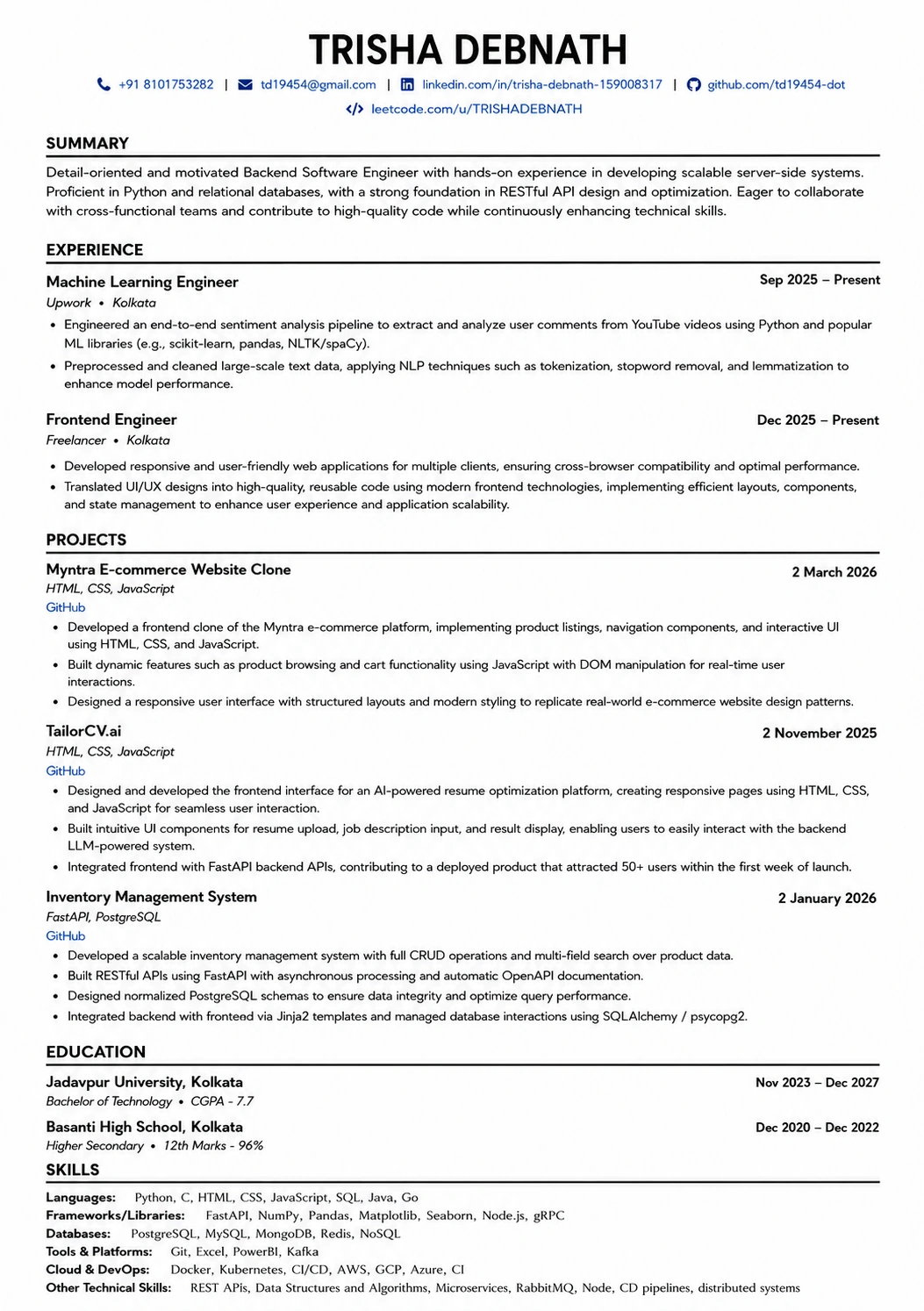
Where those keywords actually go
A layout with a real skills section gives the parser somewhere clean to find every term you just added.
Was this guide useful?
Be the first to rate it.