SS
SS
Key Takeaways
- Include projects in your portfolio that demonstrate actionable insights, such as polished dashboards, SQL case studies, end-to-end analyses, and A/B tests.
- Clearly frame each project around a business question, outlining the data source, method, findings, and the decision it supports.
- Host your portfolio on platforms like GitHub, Tableau Public, and Kaggle, ensuring it is visually appealing and easy to skim for recruiters.
- Maintain consistency across your resume, LinkedIn, and portfolio to present a cohesive professional narrative.
- Avoid common mistakes such as using toy datasets, failing to demonstrate SQL skills, and including dead links in your portfolio.
A data analyst portfolio proves one thing above all: you can turn raw data into a decision. Hiring managers do not want another rainbow dashboard - they want the insight and the business action it supports. Pair this with How to Build a Professional Portfolio and Data Scientist Portfolio Guide.
Projects to Include
- A polished dashboard (Tableau Public or Power BI Web) on a real dataset
- A SQL case study with non-trivial joins, window functions, and CTEs
- An end-to-end analysis: question -> data -> method -> insight -> recommendation
- An A/B test, cohort, or churn analysis
Always Frame the Business Question
For every project, state: the question, the data source, your method, the finding, and the decision it would drive. "Which acquisition channel has the best ROI and where should we move budget?" beats "here is a bar chart."
Where to Host (Free)
- GitHub - notebooks, SQL, and documentation (GitHub Portfolio Optimization)
- Tableau Public - free dashboard hosting
- Power BI Web - shareable reports
- Kaggle - notebooks, datasets, and competitions
For a personal site that ties it together, see How to Host Your Portfolio for Free and Best Portfolio Website Builders 2026.
Make It Skimmable
Recruiters skim. For each project: a one-line takeaway, a clean visual, and a short write-up. Lead with the insight, not the methodology.
Keep Your Resume and Portfolio in Sync
Your resume, your LinkedIn, and your portfolio should tell the same story - same name, same headline, same top projects - just at different levels of depth. A recruiter who sees a 'Full Stack Developer' resume and a portfolio headlined 'Aspiring Designer' gets confused, and confusion loses interviews. Lock the resume down first with the ATS score checker and an ATS-friendly template, then mirror that exact positioning in your portfolio. When they reinforce each other, every recruiter touchpoint pushes you forward. See How to Add Your Portfolio Link to Your Resume for placing the link correctly.
Common Mistakes
- Dashboards with no business question or recommendation
- Toy datasets with no story
- No SQL evidence (most analyst roles test it)
- Dead links - run the Portfolio Checklist Before You Apply
Pro Tips
- Quantify the impact of your recommendation (How to Quantify Resume Achievements).
- Include one project with messy, real-world data you had to clean.
- Generate your portfolio site from your resume with the portfolio builder.
Step-by-Step Guide to Creating a Data Analysis Project
Creating a standout project for your portfolio doesn't have to be overwhelming. Follow this step-by-step guide to ensure your project is structured, insightful, and impactful:
-
Identify a Relevant Dataset: Start by selecting a dataset that interests you. Websites like Kaggle, UCI Machine Learning Repository, and Google Dataset Search are great places to find diverse datasets. Ensure the dataset is rich enough to allow for analysis but manageable in size.
-
Define Your Objective: What insights do you want to uncover? Formulate a clear question or hypothesis that guides your analysis. For instance, if you're analyzing sales data, your question could be, "What factors influence sales performance?"
-
Data Cleaning: Before diving into analysis, clean your data. This includes handling missing values, removing duplicates, and ensuring data types are correct. Use libraries like Pandas in Python to streamline this process.
-
Exploratory Data Analysis (EDA): Conduct EDA to understand the underlying patterns in your data. Utilize visualizations (e.g., histograms, scatter plots) to explore relationships between variables. Tools like Matplotlib and Seaborn can be beneficial here.
-
Modeling: Depending on your objective, choose an appropriate model. If you're predicting a continuous outcome, consider regression models; for classification tasks, look into decision trees or logistic regression.
-
Interpret Results: Analyze your model's output and relate it back to your initial question. Be prepared to discuss the implications of your findings.
-
Document Your Process: As you work through your project, keep detailed notes. This documentation will be invaluable when you present your project in your portfolio.
-
Create a Compelling Presentation: Summarize your findings in a clear and engaging format. Use slides, infographics, or a well-structured report to communicate your insights effectively.
-
Share Your Project: Finally, host your project on platforms like GitHub or a personal website. This not only showcases your work but also allows potential employers to see your coding skills in action.
Common Pitfalls to Avoid in Your Data Analyst Portfolio
While building your portfolio, be mindful of these common mistakes that can undermine your efforts:
Turning a resume into a portfolio site

The three steps are template, details, publish. Uploading an existing CV fills in the details step for you, which is why this takes minutes rather than a weekend.
-
Overcomplicating Projects: Focus on quality over quantity. Instead of trying to showcase every tool and technique you know, select a few well-executed projects that demonstrate your skills effectively.
-
Neglecting Soft Skills: Data analysis isn't just about numbers; communication is key. Highlight projects that demonstrate your ability to convey insights clearly, whether through visualizations or presentations.
-
Failing to Update Your Portfolio: As you gain new skills or complete new projects, regularly update your portfolio. An outdated portfolio can misrepresent your current capabilities.
-
Ignoring Feedback: Seek constructive criticism from peers or mentors. Feedback can help you refine your projects and highlight areas for improvement.
-
Lack of Context: Always provide context for your projects. A brief introduction explaining the project’s objective, your role, and the outcomes can help viewers understand the significance of your work.
Mini Checklist for Your Data Analyst Portfolio
Use this checklist to ensure your portfolio is comprehensive and effective:
-
[ ] Diverse Projects: Include a variety of projects that showcase different skills (e.g., data cleaning, visualization, statistical analysis).
-
[ ] Clear Objectives: Each project should have a well-defined question or goal.
-
[ ] Documentation: Ensure each project has thorough documentation, including methodologies, challenges faced, and solutions implemented.
-
[ ] Visual Appeal: Use engaging visuals and a clean layout to make your portfolio easy to navigate.
-
[ ] Technical Skills Highlighted: Clearly list the tools and technologies used in each project (e.g., SQL, Python, R, Tableau).
-
[ ] Real-World Impact: Whenever possible, demonstrate how your analysis has been applied in real-world scenarios or decision-making processes.
-
[ ] Personal Branding: Include a brief bio that highlights your background, interests, and career aspirations. This personal touch can make a lasting impression on potential employers.
Scenario: Presenting Your Project to a Non-Technical Audience
Imagine you have completed an analysis on customer churn for a subscription service. You need to present your findings to a team of marketing professionals who may not have a technical background. Here’s how to effectively communicate your insights:
-
Start with the Big Picture: Begin by explaining what customer churn is and why it matters to the business. Use relatable analogies to make the concept more accessible.
-
Use Visuals: Instead of diving straight into data, present key findings through visuals such as pie charts or bar graphs. This helps to convey complex information in a digestible format.
-
Tell a Story: Structure your presentation like a narrative. Start with the problem, walk through your analysis, and end with actionable recommendations. Storytelling can engage your audience and make your insights more memorable.
-
Encourage Questions: Leave room for questions throughout your presentation. This not only clarifies doubts but also fosters a collaborative atmosphere.
-
Provide Actionable Insights: Conclude with clear, actionable recommendations based on your analysis. Ensure these suggestions are feasible and relevant to the marketing team’s goals.
By following these strategies, you can effectively showcase your data analysis skills and make a significant impact, even on non-technical audiences.
Frequently Asked Questions
How many projects for a data analyst portfolio?
Three to five: at least one dashboard, one SQL case study, and one full analysis with a recommendation.
Tableau or Power BI?
Whichever your target jobs list most. Showing one well is enough; mention the other if you know it.
How do I align my resume?
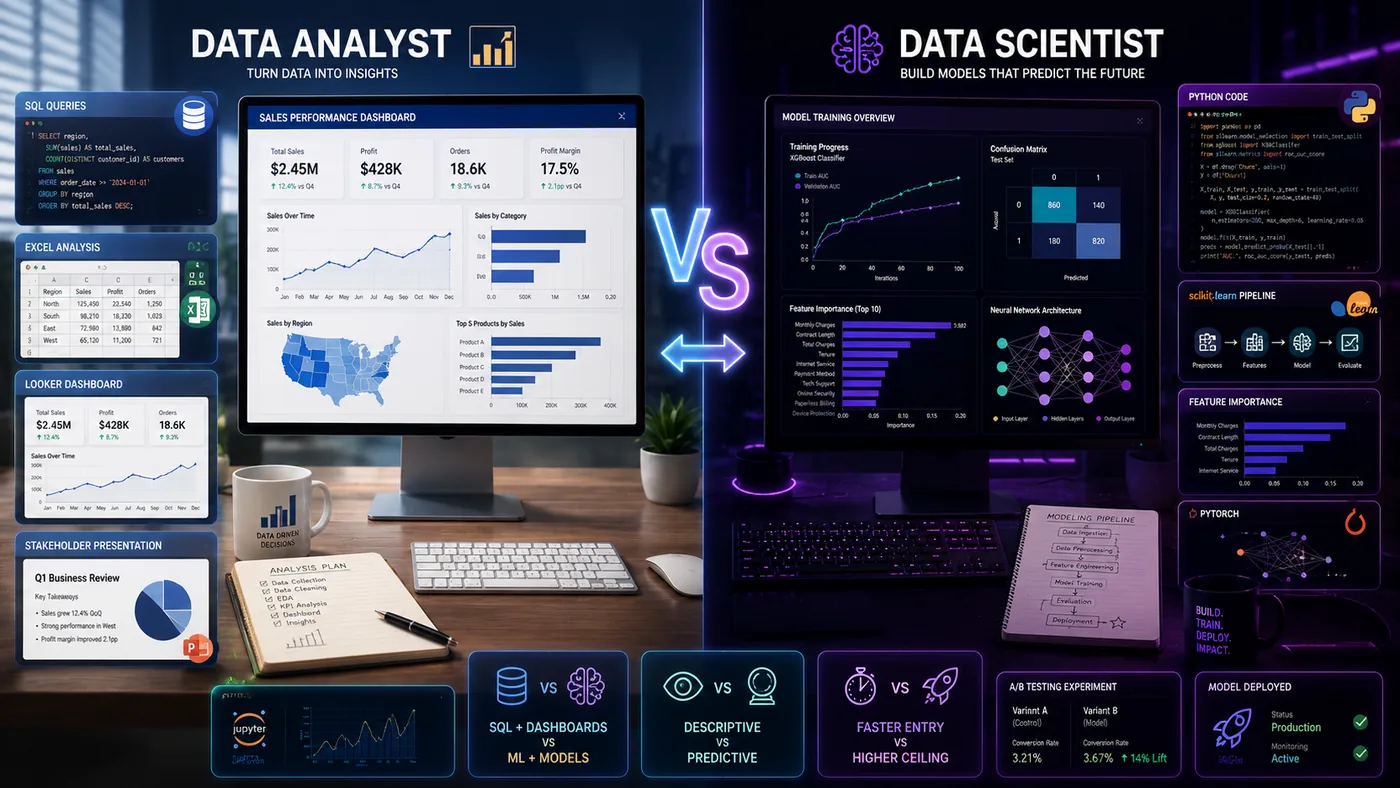
Use the Data Analyst Resume guide and read Data Analyst vs Data Scientist to position yourself. You can also explore What to Put in Your Portfolio When You Have No Projects for additional insights.
Build Your Portfolio Now
You do not need to code a site from scratch or spend a weekend wrestling with a website builder. Turn your existing resume into a live, shareable portfolio website in minutes with the TailorCV portfolio builder - choose a template, upload your CV, tweak the details, and publish a link you can drop straight onto your resume and LinkedIn. Before you start applying, run your resume through the free ATS score checker and switch to an ATS-friendly template so your portfolio and resume tell one clean, consistent story to every recruiter.
Related Guides
- How to Build a Professional Portfolio
- Data Analyst Resume 2026
- Data Scientist Portfolio Guide
- Data Analyst vs Data Scientist
- How to Quantify Resume Achievements
- Portfolio SEO: Get Found
- GitHub Portfolio Optimization
- How to Host Your Portfolio for Free
- Portfolio Checklist Before You Apply
- Portfolio Mistakes to Avoid
- How to Write a Portfolio Case Study
- Business Analyst Resume 2026
Make This Practical
If this topic connects to your work samples, turn the advice into a live proof page with the TailorCV portfolio builder. After publishing, add the link correctly using How to Add Your Portfolio Link to Your Resume, tighten the page with the Portfolio Checklist Before Applying, and make sure recruiters can contact you through a clean Portfolio Contact Section.
Your portfolio works best when it supports the resume, not when it replaces it. Run the resume through the free ATS score checker, choose an ATS-friendly resume template, and use Portfolio SEO: Get Found so your name, role, and strongest projects are easier to discover.
Related Guides to Strengthen This Topic
Use these internal guides to connect this topic with the rest of your job-search workflow:
- How to Build a Professional Portfolio
- Portfolio Website for Job Applications
- Portfolio Checklist Before Applying
- Portfolio Mistakes to Avoid
- How to Write Portfolio Case Study
- Add Portfolio Link to Resume
- Resume Matching With Job Description
- ATS-Friendly Resume Builder
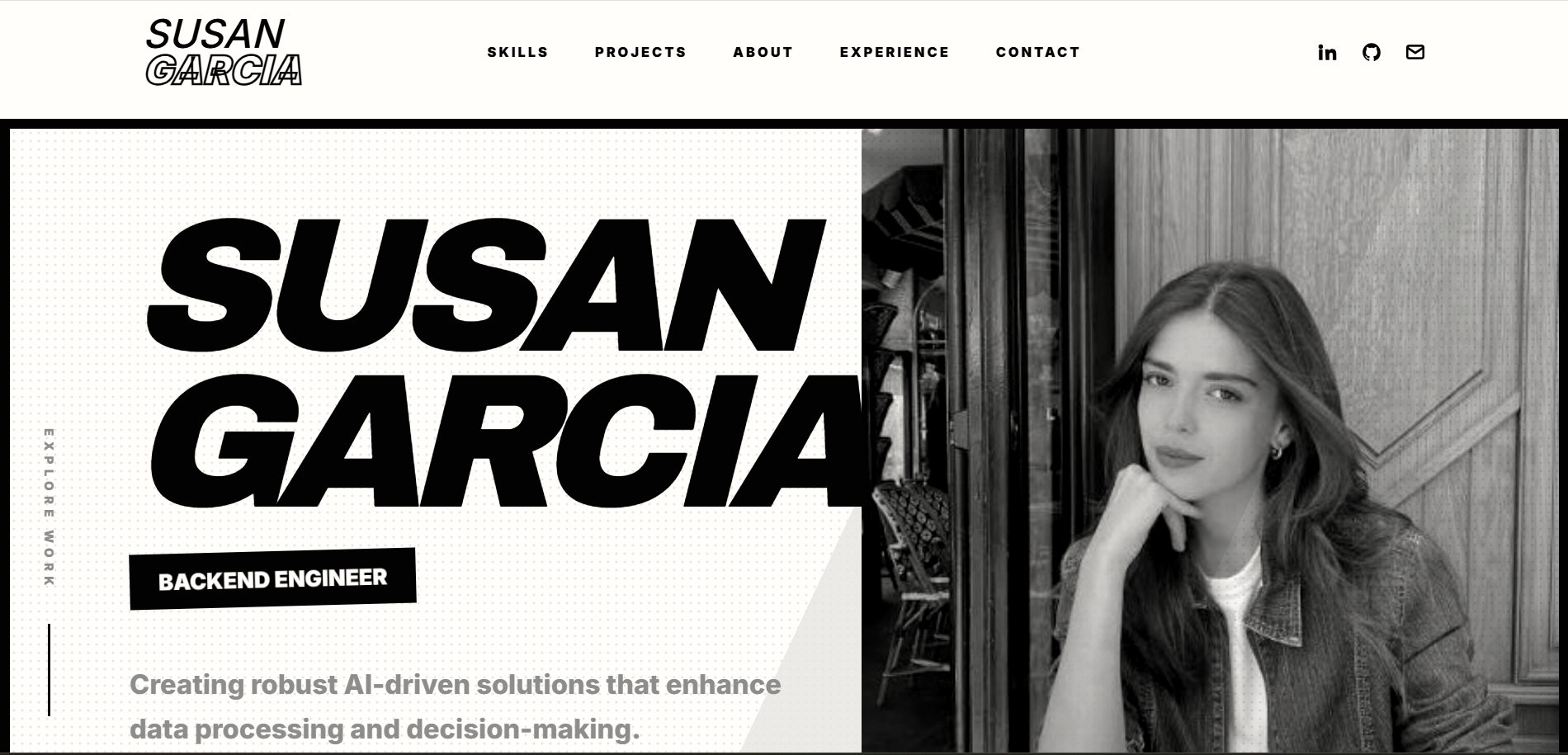
See what your portfolio could look like
This theme is built straight from your resume — pick one and your portfolio is live in minutes.
Was this guide useful?
Be the first to rate it.