 TD
TD

Key Takeaways
- Update your resume immediately after significant events such as starting a new job, completing a major project, or receiving a promotion.
- Conduct a quarterly review to add new achievements and refresh your skills section, and perform an annual deep review to rewrite weak bullet points and update your summary.
- Early career professionals should prioritize adding internships and projects immediately, while mid-career professionals should focus on quantifying achievements and compressing older roles.
- Remove outdated content, such as high school activities and generic skills, to keep your resume relevant and impactful.
Most professionals update their resume only when they are in crisis mode - just laid off, urgently applying, or suddenly dissatisfied at work. This reactive approach means your resume is always outdated at the moment you need it most. This guide shows you when to update your resume, what to change at each stage, and how to maintain a master version that makes every application easy.
When your resume is updated, run it through the TailorCV ATS checker to verify it scores well for your target roles. Keep it on an ATS-friendly template.
When to Update Your Resume
Immediately After These Events
1. Starting a new job
Add the new role immediately - position title, company, dates. Even if you are not job searching, your memory of why you took the role (and what you are doing) is clearest right now.
2. Completing a major project or achieving a milestone
Did you just lead a product launch that drove 50,000 new sign-ups? Ship a feature that reduced churn by 18%? Add it now, while the details and numbers are fresh. Achievements remembered six months later lose specificity.
3. Getting promoted
Promotion = new job title. Update immediately. Add a promotion line or a new role header within the same company.
4. Completing a certification, degree, or course
Add it to your certifications or education section as soon as it is complete. Read how to list certifications on a resume.
5. Learning a new significant skill
If you have become proficient in a new tool, language, or methodology that is in demand, add it to your skills section.
6. Receiving an award or significant recognition
Add it to your achievements section or relevant experience section immediately. Read how to list awards and achievements on a resume.
7. Changing career direction
A career change requires more than an update - it may require a full reframe of your resume. Read career change resume guide.
As a Regular Habit
Quarterly review: A brief 15-minute quarterly review keeps your resume current. Add new achievements, remove outdated content, and refresh your skills section. Set a calendar reminder.
Annual deep review: Once a year, do a full pass - rewrite weak bullets, remove old roles, update your summary to reflect current seniority, and check that your ATS score against target roles is strong.
What to Update at Each Career Stage
Early Career (0-3 Years)
Priority updates:
- Add each new internship, part-time role, or project immediately
- Keep the projects section current - your most recent work is your most impressive
- Add new certifications and courses as they are completed
- Update GPA mention once 2 years past graduation (consider removing)
- Upgrade bullet points as you accumulate results
What to remove:
- High school activities (once you have 1+ years of college or work experience)
- Early part-time jobs once you have relevant experience
- Generic "teamwork and communication" skill lines without supporting evidence
Read resume with no experience guide and internship resume guide.
Mid-Career (3-10 Years)
Priority updates:
- Rewrite bullets at least annually - replace weak bullets with better quantified achievements
- Update your professional summary to reflect current seniority and direction
- Add leadership experience as it develops
- Compress early roles - older jobs need fewer bullets
- Refresh your skills section to remove outdated tools
What to remove:
- Academic awards older than 5 years (keep only the most impressive)
- Early-career roles that no longer strengthen your narrative
- Skills from tools you no longer use
Senior Level (10+ Years)
Priority updates:
- Update leadership scope (team size, budget, revenue impact)
- Add board positions, advisory roles, industry talks, publications
- Move to two pages if you have not already - and fill them with substance
- Compress oldest roles to 2-3 bullets each
- Update your summary to reflect executive-level framing
What to remove:
- Roles older than 15 years (unless they establish a career-defining credential)
- Graduate-level academic details (GPA, coursework)
- Any entry-level skill claims that are now assumed
Read the ideal resume length guide for length guidance at each stage.
The Master Resume: Your Core Document
The most efficient approach to resume management is maintaining a master resume - a complete, unabridged document that contains every role, achievement, skill, certification, and award from your entire career.
The master resume:
- Is never submitted directly (it is too long)
- Is your raw material for every tailored application
- Makes quarterly and annual updates easy - you are only adding to one file
- Prevents you from forgetting achievements when you need them
File name: [Your Name] Master Resume.docx (keep as Word for easy editing)
When applying to a specific role, create a tailored version from the master, cutting to 1-2 pages by removing irrelevant content and emphasizing what matters for that role. Read how to tailor your resume for every job.
Updating vs Rewriting: When Each Is Right
Update (15-60 minutes)
- Adding a new role, certification, or achievement
- Refreshing skills section
- Updating summary for a specific application
- Fixing inconsistencies or errors
Rewrite (2-4 hours)
- career change requiring new framing
- Major promotion to a new level
- Re-entering the job market after 2+ years
- Current resume is generating zero callbacks
For a full rewrite, use how to write a resume from scratch as your guide and start from a fresh ATS-friendly template.
How to Know If Your Resume Needs Updating Now
Signs your resume is out of date or underperforming:
- Your most recent role is not on it
- You have no quantified achievements
- Your ATS score is below 60 for roles you are qualified for
- You have not updated it in 12+ months
- You are getting zero callbacks despite applying broadly
- Your summary describes you as you were 3 years ago, not today
Run it through the TailorCV ATS checker right now to see your score and identify specific gaps.
Quick Update Checklist
When doing a resume update:
- unchecked: Is the most recent role/project added?
- unchecked: Are all dates accurate?
- unchecked: Are the skills still relevant to target roles?
- unchecked: Has the summary been refreshed?
- unchecked: Are there new achievements to add?
- unchecked: Has outdated content been removed?
- unchecked: Is the formatting still clean and consistent?
- unchecked: Does the ATS score still look strong?
Read the resume proofreading checklist for a full 25-point review.
Related Guides
- How to Write a Resume from Scratch
- How to Tailor Your Resume for Every Job
- How to Write a Resume Summary
- How to Quantify Resume Achievements
- Ideal Resume Length Guide
- ATS Score Guide
- Resume Proofreading Checklist
- Career Change Resume Guide
- How to List Certifications on a Resume
- Resume Red Flags
Make This Practical
Use this guide as part of a complete job-search workflow. Check your resume with the free ATS score checker, improve targeting with the Resume Optimization Guide, and choose a clean format from the ATS-friendly resume templates.
After the resume is ready, strengthen the rest of the application. Draft a targeted letter with the AI cover letter generator, practice interviews with the AI mock interview tool, and create a project-backed proof page with the portfolio website builder if you need a stronger online presence.
Conclusion
The best time to update your resume is immediately after something noteworthy happens - a new role, a completed project, a promotion, an award, a new certification. The worst time is when you urgently need it. Maintain a master resume, do quarterly check-ins, and run an annual deep review.
Keep your resume on an ATS-friendly template, check your score against target roles with the TailorCV ATS checker at least once a year, and stay interview-ready with the mock interview tool.
Frequently Asked Questions
When should I update my resume after starting a new job?
It's best to update your resume immediately after starting a new job. This ensures you capture the details while they're still fresh in your mind, including your position title, company, and start date. Keeping your resume current helps you maintain a comprehensive record of your career progression, which is particularly useful for future applications. For tips on using a master resume effectively, check out our related resources.
What types of achievements should I include on my resume?
Include significant achievements such as leading a successful project, receiving an award, or completing a major milestone. It's essential to add these accomplishments right after they occur to ensure you remember the specifics, including metrics and outcomes. This will enhance your resume's impact and help you stand out to potential employers. For more details on what to include, see our guide on resume updates.
How do I maintain a master resume?
To maintain a master resume, regularly update it with new experiences, skills, and accomplishments. This document should be comprehensive and include all your roles, projects, and education. When applying for jobs, you can easily tailor this master version to specific positions, ensuring you highlight the most relevant information. For additional strategies on optimizing your resume, visit our ATS score checker.
What should I do if I receive a promotion?
When you receive a promotion, update your resume immediately to reflect your new job title and responsibilities. This not only showcases your career advancement but also helps you remember the context of your achievements associated with the promotion. If you're unsure how to present this change, refer to our detailed post on resume maintenance.
How can I verify my resume is ATS-friendly?
To ensure your resume is ATS-friendly, run it through an ATS score checker after updating. This tool will help you identify areas for improvement, ensuring your resume meets the necessary criteria to pass through applicant tracking systems. Additionally, consider using our resume templates designed specifically for ATS compatibility.
What is your resume scoring right now?
Scan it against a job description and get your ATS match score in about a minute.
Drop your resume here or choose a file
PDF only. Max 2 MB.
We never share your data or use it to train AI models.

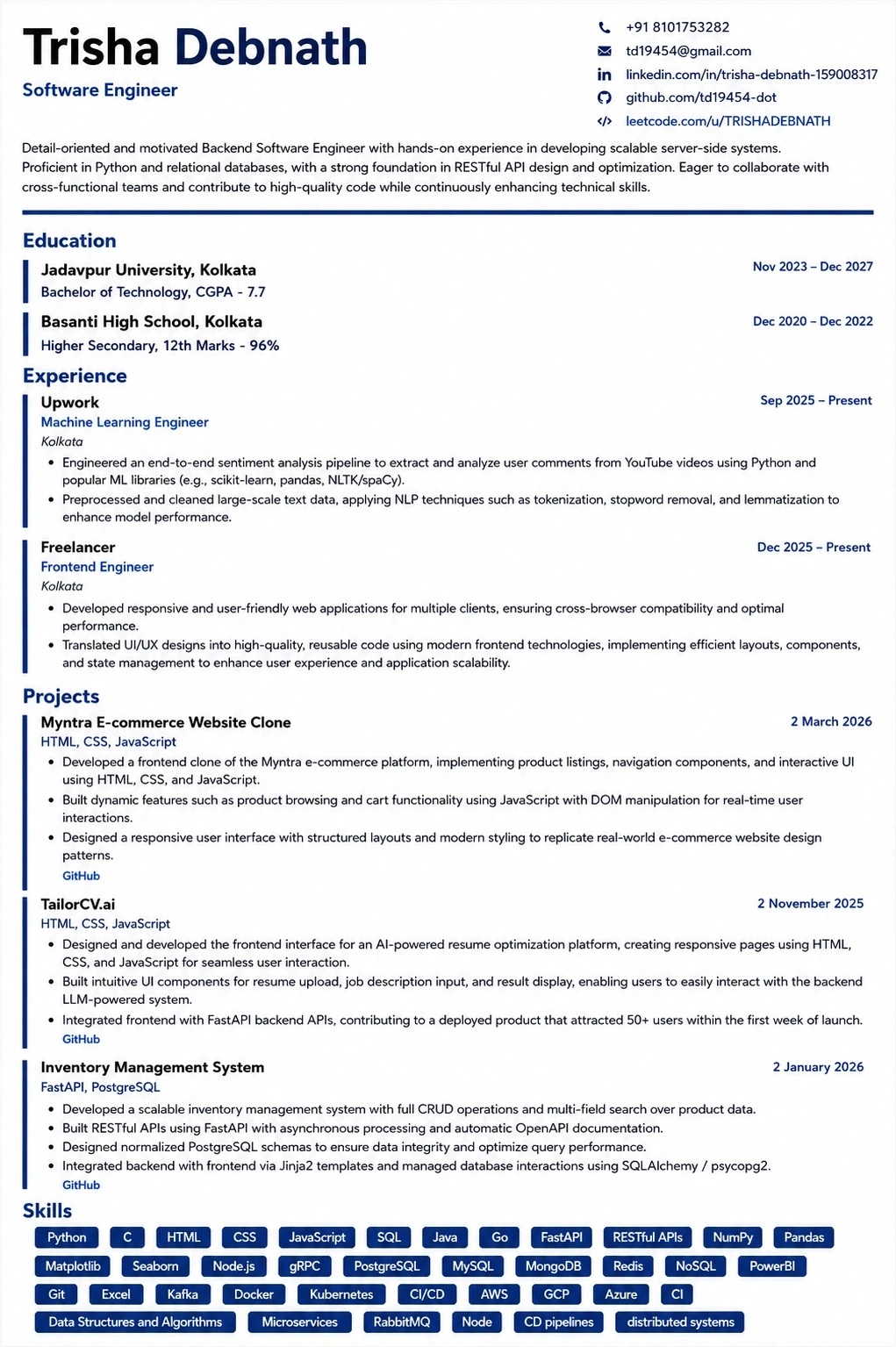
Templates that keep this structure intact
This template is ATS-tested — start from it and the formatting rules in this guide are already handled.
Was this guide useful?
Be the first to rate it.