TD
TD
Key Takeaways
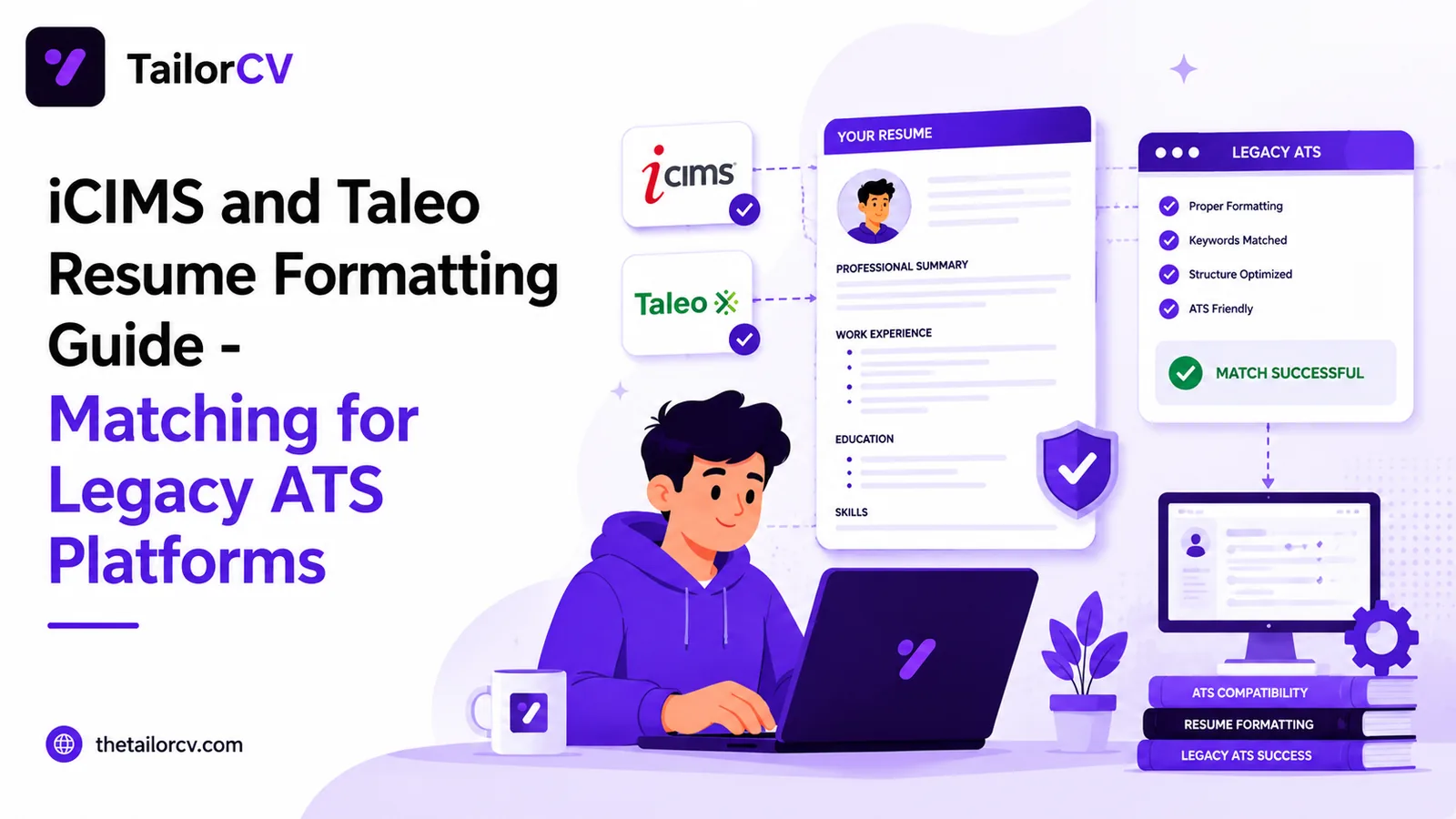
- iCIMS and Taleo are legacy ATS platforms that are less forgiving of formatting mistakes, leading to higher chances of parsing failures.
- Use a single-column layout, standard fonts, and avoid graphics to ensure better compatibility with these systems.
- Exact keyword matching is crucial; synonyms may not be recognized, so mirror the job description's phrasing.
- Large applicant volumes mean even minor keyword gaps can result in low scores, so carefully review and optimize your resume.
- Be prepared to manually enter or confirm work history and education after uploading your resume, as errors can impact your application.
iCIMS and Taleo are two of the oldest, most widely deployed ATS platforms still in use today. Large enterprises, healthcare systems, retailers, and government-adjacent employers often run their hiring through one of these two systems. If you have applied to a large, established company and the application process felt slower and more form-heavy than a typical startup posting, there is a good chance it was iCIMS or Taleo.
These platforms are less forgiving than newer ATS tools. Their parsing engines are older, formatting mistakes cause more damage, and the volume of applicants at large employers means your resume gets filtered aggressively before anyone reads it.
This guide covers how iCIMS and Taleo parse and score resumes, and how to match your resume to the job description for these systems specifically.
Check your resume's compatibility and match score instantly with the TailorCV ATS score checker.
Why Legacy ATS Platforms Are Stricter
iCIMS and Taleo were both built before modern natural-language parsing became standard. That means:
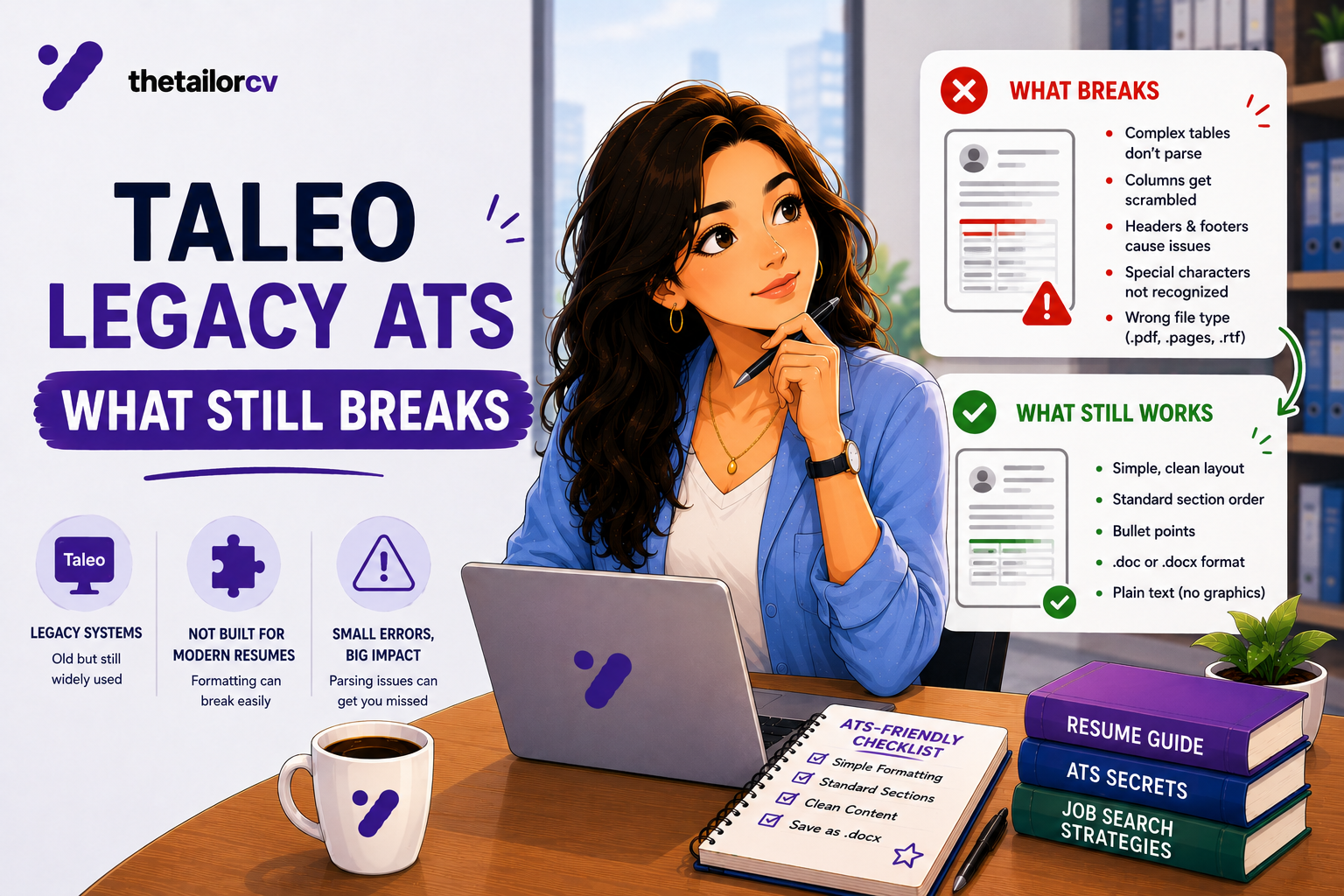
- Formatting errors are more likely to cause outright parsing failures, not just lower scores
- Keyword matching relies more heavily on exact-term matches than contextual understanding
- High applicant volumes at large employers mean tighter score thresholds before a resume reaches a recruiter
- Older versions of these platforms may not fully support newer file formats or resume design elements
If a modern ATS is forgiving of minor formatting quirks, legacy platforms like these are not. Small mistakes carry a bigger cost.
Formatting Rules for iCIMS and Taleo
| Rule | Why It Matters |
|---|---|
| Use a strictly single-column layout | Legacy parsers are far more prone to scrambling multi-column content |
| Avoid graphics, icons, and text boxes entirely | These frequently fail to parse or get dropped completely |
| Use plain, standard fonts | Unusual fonts can cause character-recognition errors during parsing |
| Use exact keyword matches, not just synonyms | Older parsers are less likely to recognize related terms or synonyms |
| Submit as a text-based PDF or .docx | Avoid scanned or image-based resumes entirely |
| Use fully spelled-out section headers | "Professional Experience" and "Education" parse more reliably than abbreviated or creative headers |
Your resume after optimization
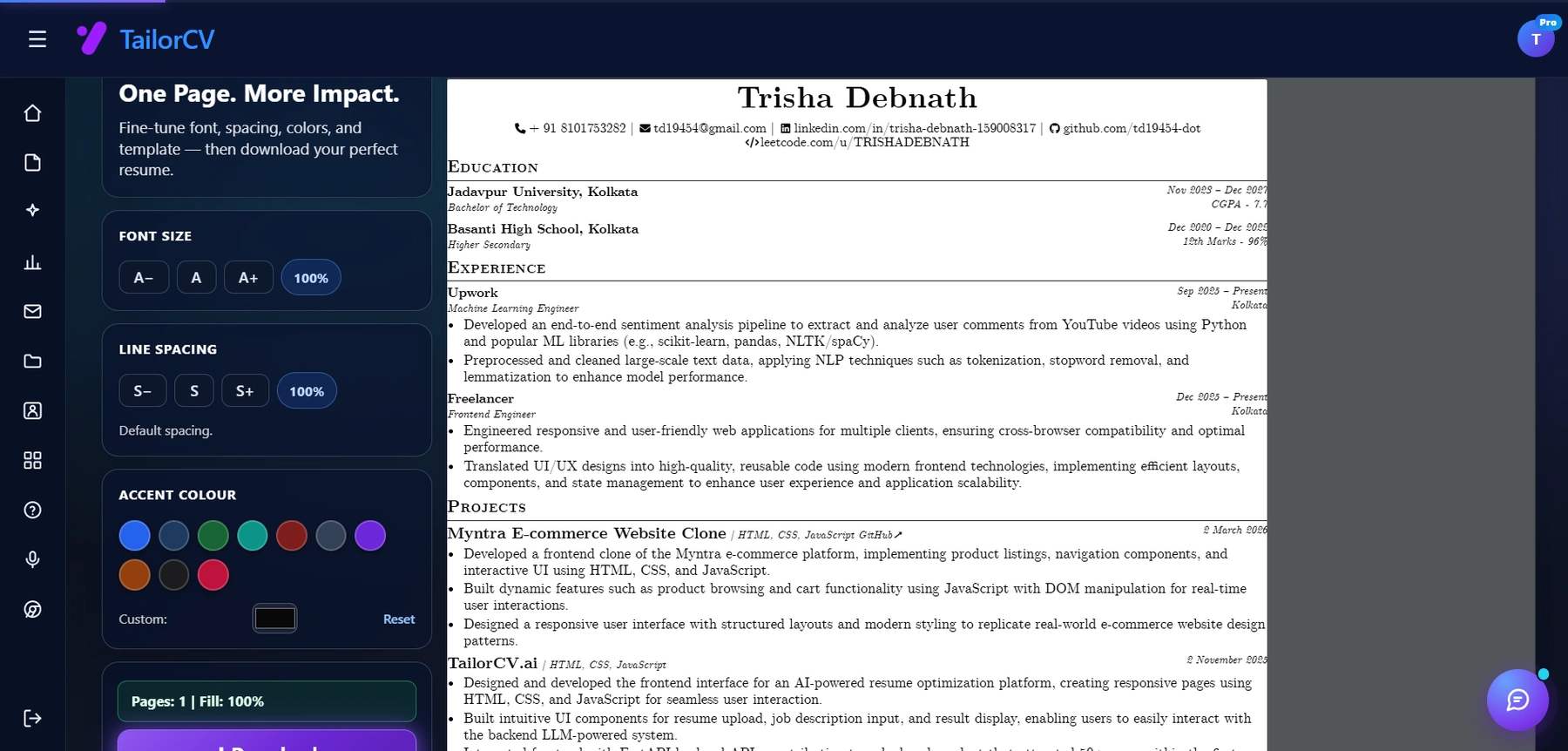
This is the resume after tailoring - the content is already matched, and these controls are how you fit it onto one page.
Start with a free ATS-friendly resume template built for maximum parser compatibility, and avoid rebuilding this from scratch for every legacy-ATS application.
Common Mistakes on iCIMS and Taleo Applications
Reusing a Design-Heavy Resume
A resume that works fine on a modern platform can fail outright on iCIMS or Taleo. Review ATS resume parser friendly format and simplify your layout specifically for these applications.
Relying on Synonyms Instead of Exact Terms
Legacy parsers are less likely to recognize that "project management" and "PM" refer to the same skill. Mirror the job description's exact phrasing wherever it is accurate to do so.
Underestimating Application Volume
Large enterprises running iCIMS or Taleo often receive hundreds of applications per posting. A resume with even minor keyword gaps can fall well below the cutoff score. Review ATS keywords to boost score before applying.
Skipping the Manual Data Entry Fields
Like other enterprise platforms, iCIMS and Taleo often require you to manually enter or confirm work history and education fields after uploading your resume. Errors here are just as costly as resume formatting mistakes.
How to Match Your Resume to an iCIMS or Taleo Job Posting
- Read the full job posting carefully, including any minimum-qualification lists common in enterprise postings.
- Extract required keywords precisely, using the job description keyword extraction guide.
- Rewrite your resume to use those exact terms, not paraphrases, following the resume matching guide.
- Strip your formatting down to a single-column, plain-font layout.
- Carefully review and correct every auto-filled or manually entered field.
- Check your ATS match score before submitting, and aim higher than you would for a more forgiving platform.
How TailorCV Helps With Legacy ATS Applications
TailorCV's resume optimizer rewrites your resume using exact keyword matches from the job description and formats it in a clean, single-column layout built to survive strict, older parsing engines. If the role requires specific certifications or qualifications, TailorCV highlights the gaps so you can address them before you apply. Once your resume is ready, build a matching cover letter and prepare for interview rounds with an AI mock interview.
Step-by-Step Guide to Formatting Your Resume for iCIMS and Taleo
-
Choose the Right Template: Start by selecting an ATS-friendly template. Look for a simple layout without complex graphics or images. TailorCV offers a range of resume templates designed for ATS compliance.
-
Use Standard Headings: Use conventional section headings like "Work Experience," "Education," and "Skills." Avoid creative headings that might confuse the ATS.
-
Keep the Font Simple: Stick to standard fonts such as Arial, Calibri, or Times New Roman. The font size should be between 10-12 points for body text and slightly larger for section titles.
-
Bullet Points for Clarity: Use bullet points to list responsibilities and achievements. This enhances readability and helps the ATS parse your information accurately.
-
Incorporate Keywords: Tailor your resume to include relevant keywords from the job description. This will improve your chances of passing through the ATS filters. Use tools like the resume matcher tool for job descriptions to identify key terms.
-
Check for Spacing and Margins: Ensure proper spacing between sections and maintain 1-inch margins on all sides. This prevents any content from being cut off when the ATS reads your resume.
-
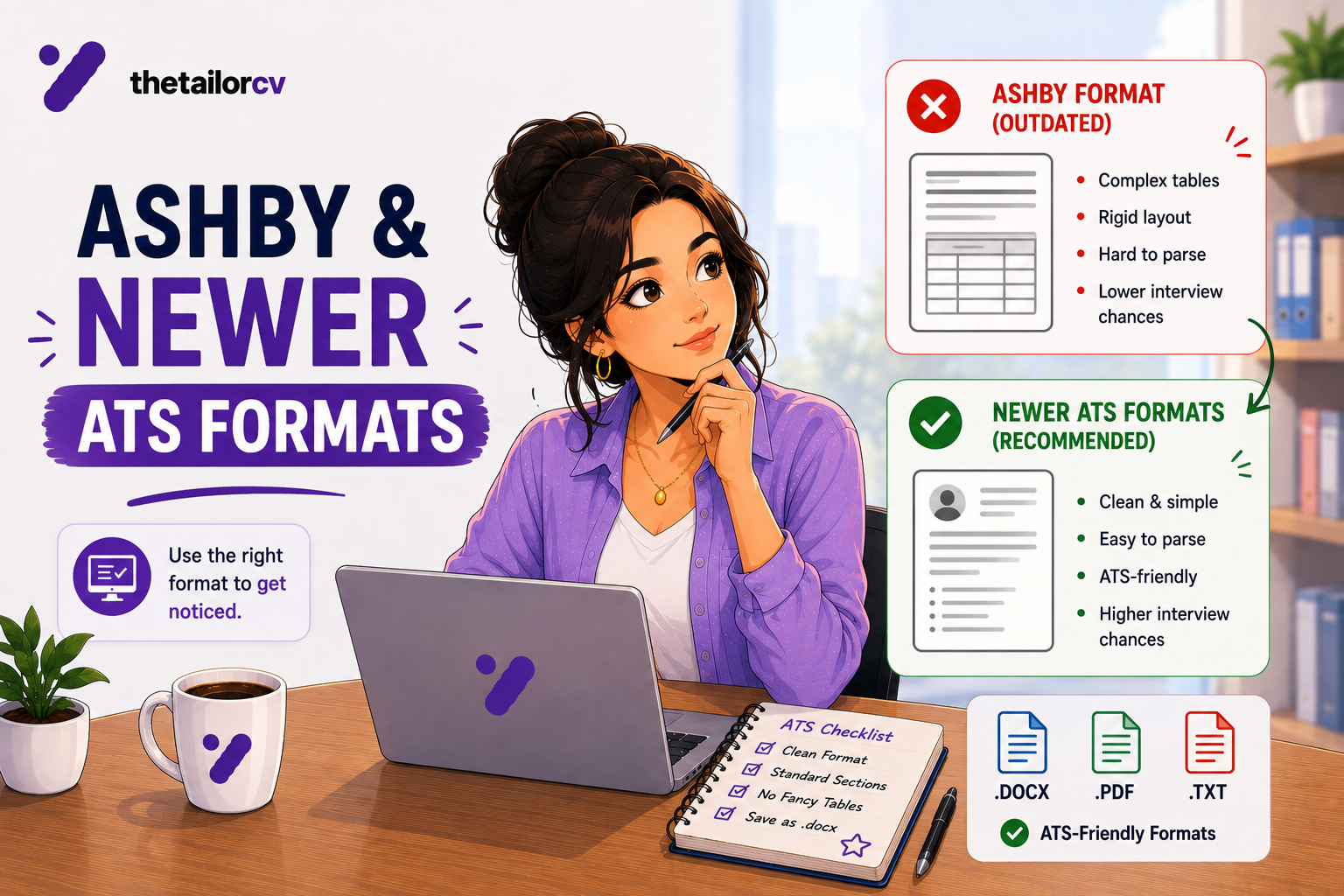
Save in the Right Format: Save your resume as a .docx or PDF file, as these formats are typically more ATS-friendly. Confirm the requirements stated in the job posting.
-
Proofread: Before submitting, double-check for typos, grammatical errors, and formatting inconsistencies. Use tools like the free resume optimizer online 2026 to enhance your document.
Common Mistakes to Avoid When Applying Through iCIMS and Taleo
-
Ignoring Application Instructions: Always read the application instructions carefully. Missing a specific requirement can lead to immediate disqualification.
-
Overloading with Graphics: Avoid using images, charts, or graphics. These elements can disrupt the ATS parsing process and lead to misinterpretations of your qualifications.
-
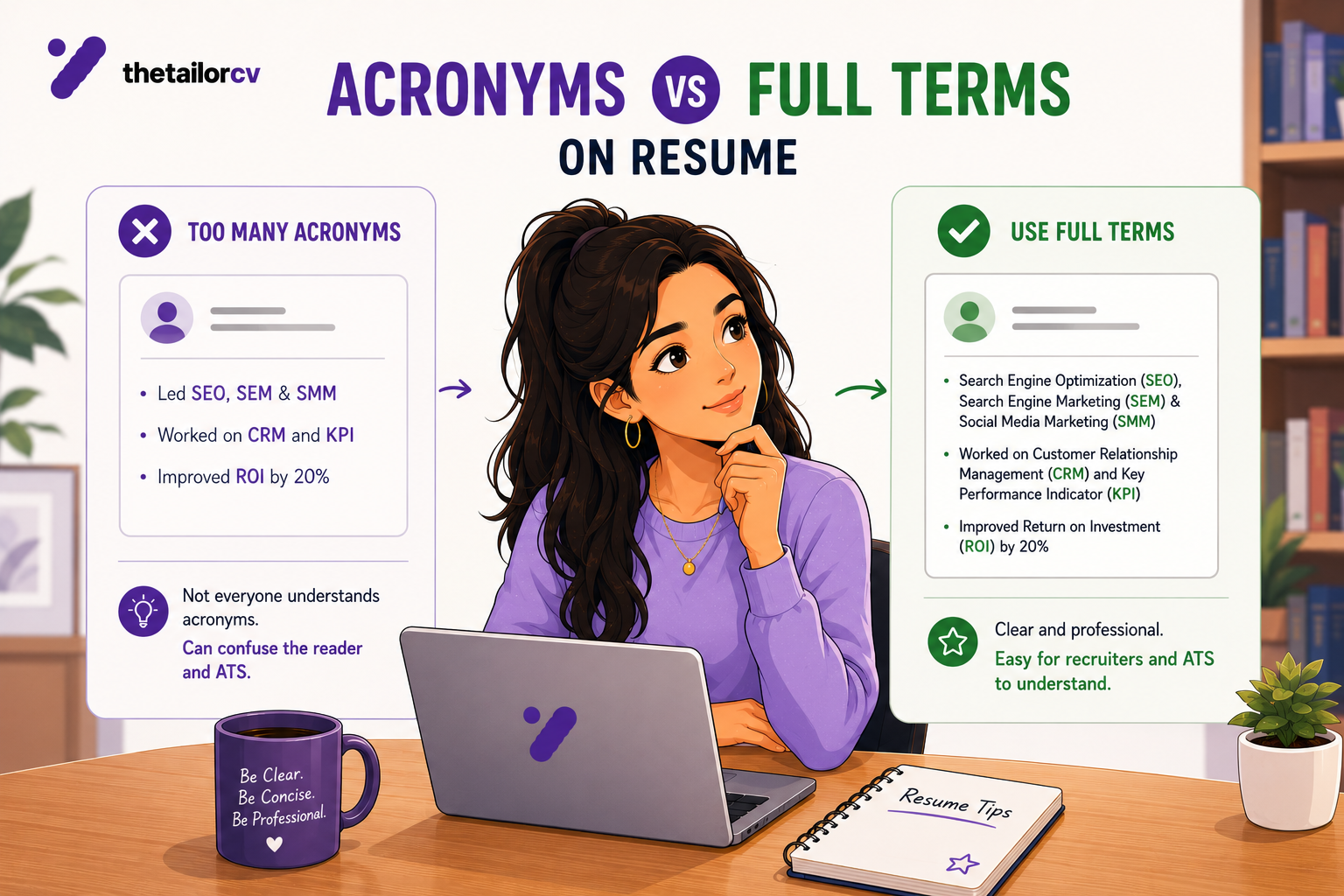
Using Uncommon Acronyms: Always spell out acronyms at least once. For instance, instead of just writing "PMP," write "Project Management Professional (PMP)" to ensure clarity.
-
Neglecting the Cover Letter: Don’t overlook the importance of an ATS-friendly cover letter. Follow the ATS-Friendly Cover Letter Format - Simple Structure That Recruiters Can Read to ensure your cover letter is also optimized.
-
Listing Responsibilities Instead of Achievements: Focus on quantifiable achievements rather than just listing job duties. Use metrics and specific examples to demonstrate your impact.
-
Using Non-Standard Formatting: Avoid using text boxes, tables, or unusual fonts that may confuse the ATS. Stick to a straightforward layout.
-
Inconsistent Terminology: Use the same terminology throughout your resume. If you refer to "customer service" in one section, don’t switch to "client relations" in another.
Mini Checklist for ATS Optimization
- unchecked: Select an ATS-friendly resume template.
- unchecked: Use standard headings and fonts.
- unchecked: Incorporate keywords from the job description.
- unchecked: Use bullet points for clarity.
- unchecked: Save your resume in .docx or PDF format.
- unchecked: Proofread for errors and formatting.
- unchecked: Include a tailored cover letter using ATS-friendly guidelines.
- unchecked: Avoid using graphics or complex formatting.
Real-Life Scenario: Analyzing a Job Posting for ATS Compliance
Imagine you are applying for a Marketing Manager position that requires expertise in digital marketing, SEO, and analytics. Here’s how to tailor your resume:
-
Job Description Analysis: Identify the keywords used in the job description. For example, if it mentions "SEO" five times, ensure that "SEO" is included in your resume.
-
Revising Your Experience: If your previous role involved "digital marketing campaigns," rephrase it to "Led digital marketing campaigns that improved SEO rankings by 30%."
-
Highlight Relevant Skills: Under your skills section, ensure to include "SEO," "Google Analytics," and "Content Marketing," as these are likely to be crucial for the role.
-
Feedback Loop: After making these adjustments, use a resume matcher tool for job descriptions to check how well your resume aligns with the job posting.
By following these practical steps and recommendations, you can enhance your chances of successfully navigating the application process through iCIMS and Taleo.
Frequently Asked Questions
Are iCIMS and Taleo worse at parsing resumes than modern ATS platforms?
Not worse in every case, but generally less forgiving. Their parsing engines are older and rely more heavily on exact-term matching and simple formatting, so mistakes carry a higher cost.
Should I use a different resume for enterprise applications than for startups?
Not a different resume entirely, but you should simplify formatting and tighten keyword precision specifically for legacy-ATS employers, since these platforms punish complexity more than newer systems. Consider using our Resume Matcher Tool for Job Descriptions to ensure your resume aligns well with the job requirements.
Why did my application disappear after I uploaded my resume to a Taleo-powered site?
This is often a parsing failure caused by complex formatting, graphics, or an unsupported file type. Resubmit with a plain, single-column, text-based PDF or .docx file. For further guidance, check out our ATS-Friendly Cover Letter Format to ensure all your application materials are optimized.
Do exact keyword matches matter more on legacy ATS platforms?
Yes. Older parsing engines are less likely to recognize synonyms or related terms, so matching the job description's exact wording matters more here than on newer platforms. You can also refer to our article on Resume Keyword Density for ATS for tips on optimizing your keyword usage.
How do I know if my resume will parse correctly on iCIMS or Taleo?
Use the TailorCV ATS score checker to test your resume's match score and formatting compatibility before you submit it. Additionally, consider utilizing our Free Resume Optimizer Online 2026 to enhance your resume further.
Related Guides
- Resume Matching with Job Description - Complete Guide
- Workday Resume Matching Guide
- Greenhouse ATS Resume Tips
- Lever ATS Resume Guide
- ATS Resume Parser Friendly Format
- ATS Resume Formatting Mistakes
- ATS Keywords to Boost Score
- Federal Government Resume Guide
- Job Description Keyword Extraction Guide
- ATS Score Guide 2026
Conclusion
iCIMS and Taleo reward precision over creativity. Simplify your formatting, use exact keyword matches, and double-check every auto-filled field before you submit.
Test your resume against any legacy-ATS job posting with the TailorCV ATS checker first, so you know it will parse cleanly before it ever reaches a recruiter's queue.
Match My Resume to This Job - Free
Does your formatting survive the parser?
Upload your resume and see what an ATS actually reads back.
Drop your resume here or choose a file
PDF only. Max 2 MB.
We never share your data or use it to train AI models.

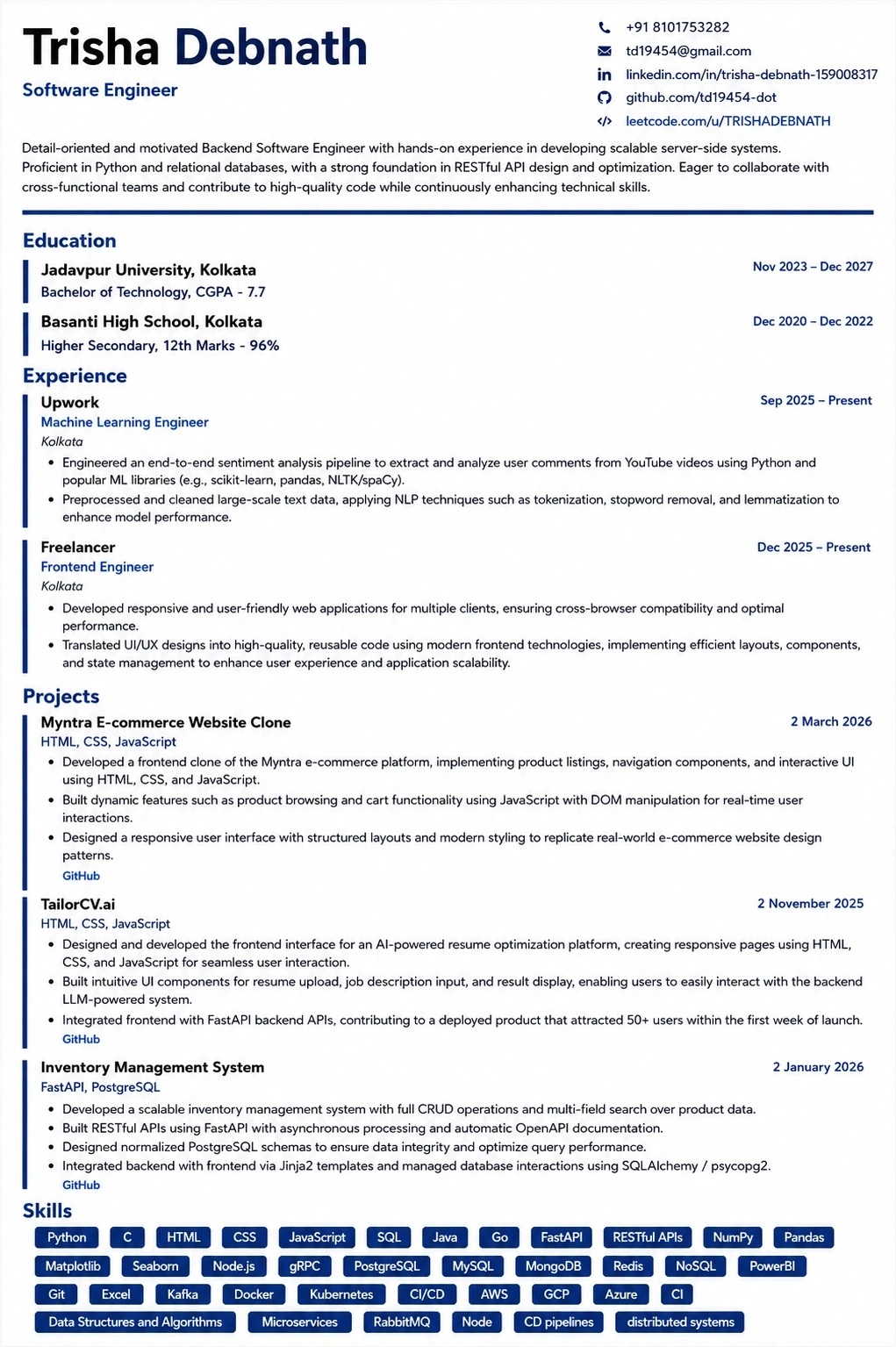
A layout that parses cleanly
Single column, standard headings, no text boxes — the formatting rules in this guide, already applied.
Was this guide useful?
Be the first to rate it.