TD
TD

Key Takeaways
- Cluster postings before you tailor. Twenty applications usually fall into three to five clusters that want nearly the same resume.
- Build one strong tailored version per cluster, then make five-minute edits per posting: title, summary line, skills order.
- Tier your applications. Give 30 minutes to your top five roles, 10 to the next ten, and 5 to the rest - not 15 to all of them.
- Batch the work by type: read and sort all postings first, then tailor per cluster, then submit. Switching tasks per application wastes most of the time.
- Tools that tailor on the posting page remove the copy-paste overhead, but you still need to review each result for accuracy.
- Track what you sent where. At volume, sending the wrong version is the most common and most avoidable error.
You have 20 postings open and a deadline-heavy week. Tailoring each one from scratch would take all of it; sending the same resume to all twenty wastes most of them. The way through is clustering: group postings that want the same evidence, build one tailored version per group, and make a few quick edits per posting.
This guide lays out that system step by step, with time budgets and a sample week.
Why "Tailor Everything Fully" and "Tailor Nothing" Both Fail
Most advice on tailoring assumes one application at a time. At volume, the two obvious approaches both break.
Full tailoring for every posting
At 30-45 minutes per application, 20 applications is 10-15 hours of editing. Most people stop after five, or start cutting corners unevenly - the last applications of the week get the least care, regardless of which roles matter most.
No tailoring at all
A generic resume sent to 20 postings performs poorly on both ATS ranking and recruiter skim. The post on tailored vs generic resumes covers why the gap is large, and applied to 100 jobs with no interviews shows what untailored volume usually produces.
The middle path
Most of tailoring's value comes from a few high-impact edits - title, summary, bullet order, skills order. Those edits are similar across postings in the same cluster. So you do the heavy work once per cluster, and the light work once per posting.
Step 1: Collect and Cluster Your Postings
Before touching your resume, sort the postings.
Collect everything first
Save all 20 postings in one place - a spreadsheet, a notes file, or bookmarks. Include the link, company, title, and deadline. Do not start tailoring until you have the full list; clustering needs the whole set.
Cluster by lead requirement, not by title
Two postings with the same title can want very different things, and two with different titles can want the same thing. For each posting, note the top two requirements. Then group postings whose top two requirements match.
| Posting | Title | Top two requirements | Cluster |
|---|---|---|---|
| 1 | Data Analyst | SQL reporting, stakeholder dashboards | A: Reporting |
| 2 | Business Intelligence Analyst | Power BI dashboards, SQL | A: Reporting |
| 3 | Product Analyst | A/B testing, product metrics | B: Product |
| 4 | Data Analyst | Experimentation, Python | B: Product |
| 5 | Analytics Engineer | dbt, data modelling | C: Engineering |
| 6 | Reporting Analyst | Excel, SQL, monthly reporting | A: Reporting |
Posting 4 has the same title as posting 1 but belongs with posting 3. That is why you cluster on requirements. Finding the real top requirements quickly is covered in reading a JD like a recruiter.
Expect three to five clusters
Twenty postings in one field usually form three to five clusters. If you get ten clusters of two, either your search is very broad or you are clustering too finely. Merge clusters whose top requirement is the same.
Step 2: Tier Your Applications
Not every application deserves the same effort. Tier them before you tailor.
| Tier | Which postings | Time per application | What you do |
|---|---|---|---|
| 1 | Your top 3-5 roles | 25-35 min | Cluster version + custom summary + 2-3 bullet rewrites + cover letter |
| 2 | Good fits you would happily take | 10-15 min | Cluster version + summary line + skills reorder |
| 3 | Reasonable fits, lower priority | 5 min | Cluster version + title + skills reorder |
A typical split of 20 is 4 / 10 / 6. That is roughly 2 + 2 + 0.5 hours - about four and a half hours in total, rather than 10-15.
How to decide a posting's tier
Ask two questions: how much do you want this specific job, and how well do you match it? The effort matrix in how much tailoring is too much covers this in detail. The short version: strong want plus strong match is Tier 1; low want is Tier 3 regardless of match.
Step 3: Build One Version Per Cluster
For each cluster, create a tailored version of your resume that answers the cluster's shared requirements.
What goes into a cluster version
- Headline using the most common title in the cluster.
- Summary built around the cluster's top two requirements, with a specific result.
- Bullet order in each role, leading with the most cluster-relevant work.
- Skills line led by the cluster's shared hard skills that you actually have.
- Projects that support the cluster's focus.
This is the 20-30 minutes of real tailoring - but done three to five times, not twenty. The edits themselves are covered in what to change when tailoring.
If your clusters are really two different careers
If clusters want fundamentally different lead evidence - UX design vs front-end development, for example - your cluster versions will look like separate base resumes. That is fine; see splitting resume versions for maintaining them.
Step 4: Make Per-Posting Edits Fast
Now go posting by posting within each cluster. Start from the cluster version and make only the edits the tier calls for.
The five-minute edit (Tier 3)
- Change the headline to the posting's exact title if it differs.
- Reorder the skills line so the posting's named tools come first.
- Check the posting for one "must-have" your cluster version does not mention - add it if you genuinely have it.
- Save with the company name in the file name.
The ten-to-fifteen-minute edit (Tier 2)
Everything above, plus rewrite the summary's first sentence to echo the posting's top requirement, and move one bullet up if the posting emphasises it.
The Tier 1 edit
Everything above, plus rewrite two or three bullets whose vocabulary is close but not matching, and write a cover letter. Which bullets to rewrite covers selecting them.
Cluster A summary (Reporting): "Analyst who built the weekly revenue dashboard 40 sales managers use to forecast, working in SQL and Power BI."
Tailored for posting 6 (Reporting Analyst, Excel-heavy): "Analyst who owns the monthly revenue reporting pack for 40 sales managers - built in SQL, delivered in Excel and Power BI."
Same fact, adjusted to lead with the posting's named deliverable and tool. That took two minutes.
Step 5: Batch the Work by Task Type
The biggest time sink in volume applying is switching tasks: read a posting, open the resume, edit, export, open the portal, fill the form, then repeat. Each switch costs focus.
A batched sequence
- Read and sort all postings in one sitting (Steps 1-2). About 45 minutes for 20.
- Build cluster versions in one sitting. About 1-1.5 hours for three to five clusters.
- Make per-posting edits cluster by cluster. The cluster's context stays in your head, so each edit is faster.
- Submit in one sitting, with all files ready and named.
A sample week for 20 applications
| Day | Task | Time |
|---|---|---|
| Monday | Collect, cluster and tier all 20 postings | 45 min |
| Tuesday | Build cluster versions A, B, C | 1.5 hours |
| Wednesday | Tier 1 edits + cover letters (4 postings) | 2 hours |
| Thursday | Tier 2 and 3 edits (16 postings) | 2 hours |
| Friday | Submit all, log in tracker | 1 hour |
Just over seven hours, including cover letters and submission. Compare that with 10-15 hours for full tailoring of every posting.
Where Tools Save the Most Time
At volume, the slowest parts are mechanical: copying the posting, pasting it into a scanner, exporting PDFs, re-uploading. That is where tooling helps most.
Tailoring on the posting page
A browser extension that reads the posting where it sits removes the copy-paste loop entirely. TailorCV's Chrome extension scores your resume against the posting you are viewing and produces a tailored PDF from your base, which suits Tier 2 and 3 applications well. The setup and workflow are covered in tailoring on LinkedIn with the Chrome extension and job posting to tailored PDF in 60 seconds.
Quick scoring to confirm the cluster
Before editing, a quick match score tells you whether a posting really belongs in the cluster you put it in. If a "Reporting" posting scores much lower against your Reporting version than its neighbours, look again - it may belong in a different cluster. The free ATS scan takes about a minute.
What tools cannot do for you
A tool can reword and reorder; it cannot decide your tiers or know which role you actually want. It also produces output you must read before sending, especially for Tier 1. The trade-offs are compared in extension vs manual tailoring.
Worked Example 1: A Graduate Applying to 20 Analyst Roles
Situation: Ishaan graduated in 2026 with a statistics degree and wants analyst roles. He has 20 postings.
Clusters: 9 reporting/BI roles (A), 6 product/experimentation roles (B), 5 operations-analytics roles (C).
Tiers: 4 Tier 1 (two in A, two in B), 10 Tier 2, 6 Tier 3.
Cluster versions built:
- A leads with his internship dashboard work and Power BI.
- B leads with his dissertation's experiment analysis and Python.
- C leads with his internship's inventory-reporting project and Excel modelling.
Outcome of the week: 20 applications in roughly seven hours, each with at least a matched headline, reordered skills and a cluster-appropriate summary. His four Tier 1 applications got full attention and cover letters. For the fresher-specific angle on this, see campus placement resume: one document, many companies.
Worked Example 2: A Mid-Career Candidate Mid-Layoff
Situation: Rhea, a senior product marketing manager, was laid off and wants to move quickly. She has 20 postings across product marketing, growth marketing and content leadership.
Clusters: 11 product marketing (A), 6 growth (B), 3 content leadership (C).
Cluster C is only three postings and would need a very different lead. She decides C is Tier 3 across the board and uses her A version with a changed headline and summary line, rather than building a third full version.
A version first bullet: "Led positioning and launch for a payments product that reached ₹12 crore ARR in its first year."
B version first bullet: "Ran the paid acquisition programme for the same launch - 3.2x ROAS across Google and Meta, 40% below target CAC."
Same launch, two angles. She spends her Tier 1 time on four product marketing roles where she is strongest. More on picking the right angle for the same achievement is in same job posted twice with different wording.
Worked Example 3: A Senior Candidate Who Should Not Apply at Volume
Situation: Vikram, a director of engineering, decides to apply to 25 roles in a week using the clustering method. He finds only six postings that genuinely fit his level; the rest are senior manager roles he would be overqualified for or VP roles he is not ready for.
The lesson: volume systems work best where there are many similar roles - early and mid-career. At senior levels, the pool is small and each role is different enough to deserve individual attention.
What he does instead:
- Drops the 19 poor fits entirely.
- Treats all six remaining roles as Tier 1: custom summary, tailored top bullets, a cover letter for each.
- Spends the time he saved on outreach - messaging hiring managers and former colleagues at four of the six companies.
Tailored summary for one role: "Engineering director who scaled a platform organisation from 18 to 60 engineers through a Series C, and rebuilt the on-call and incident process that cut major outages by two-thirds - the scaling stage your posting describes."
Six strong applications with warm introductions produced more conversations than 25 clustered ones would have. For approaches that come to you at this level, see tailoring when you're being poached.
At Each Career Stage
| Stage | Realistic volume per week | Tier mix | Main watch-out |
|---|---|---|---|
| Fresher / graduate | 20-30 | Few Tier 1, many Tier 2-3 | Keep projects specific; avoid one generic version |
| Early career | 15-20 | 3-5 Tier 1 | Cluster carefully - titles vary a lot at this level |
| Mid-career | 10-15 | Half Tier 1 | Fewer, better-matched roles; more cover letters |
| Senior | 3-8 | Almost all Tier 1 | Volume systems matter less than networking |
Freshers: volume is normal, generic is not
Graduates often apply widely, and that is fine. The clustering method stops wide applying from turning into one resume sent everywhere. For placement season specifically, see campus placement resume: one document, many companies.
Mid-career and above: shrink the list
As seniority rises, the number of genuinely matching roles drops. Spend the saved time on referrals and tailored cover letters rather than more applications.
Edge Cases and Exceptions
Postings with very short deadlines
A role closing tomorrow can jump the queue. Give it a fast Tier 2 treatment rather than skipping it - job closes tomorrow: fast tailoring has a routine for this.
Easy-apply buttons
One-click applications on job boards often send your profile rather than a tailored resume. Where the portal lets you upload a file, upload the cluster version for that posting.
The same company has several roles in different clusters
Apply to the one or two that fit best. Applying to five roles at one company from different cluster versions can look unfocused to the recruiter who sees all of them.
A posting fits no cluster but is your dream job
Make it Tier 1 and tailor it individually. Clusters are a tool for efficiency, not a rule.
Common Mistakes at Volume
Tailoring in submission order
If you tailor in the order you found postings, your best effort goes to whatever you saw first. Tier first; then tailor Tier 1 while you are fresh.
Sending the wrong version
At volume, attaching the Cluster B file to a Cluster A application is easy. Name files by company, and double-check the attachment before submitting. Managing multiple resume versions has a naming system that prevents this.
Letting cluster versions drift in facts
Each cluster version must share the same titles, dates, employers and numbers. If a metric is 18% in one, it is 18% in all. See duplicate content across resume versions.
Skipping the review of tool output
Auto-tailored output at volume is where invented or awkward phrasing slips through unnoticed. Read every Tier 1 and 2 result, and skim every Tier 3.
Applying to roles you would not accept
Every posting you include costs time. If you would not accept an offer, remove it from the list. Twenty applications you care about beat forty you do not.
How This Comes Up in Interviews
Volume applying creates one real interview risk: forgetting which version you sent. Recruiters call days or weeks later, and your answers need to match the resume in front of them.
| Situation | How to handle it |
|---|---|
| A recruiter calls about a role you barely remember | Ask them to resend the job description; check your tracker for the version |
| The interviewer quotes a bullet you rephrased | Know every cluster version's top bullets |
| "Why are you interested in us specifically?" | Have one company-specific reason per Tier 1 and Tier 2 application |
| "What else are you applying for?" | Be honest and general: "similar analyst roles in e-commerce and fintech" |
Keep a copy of the exact posting and the resume version in your tracker for every application. Before any call, spend five minutes rereading both. The interview prep tool can generate likely questions from the saved posting.
A Checklist for Each Batch
- All postings saved in one list with links and deadlines.
- Each posting tagged with its top two requirements and a cluster.
- Each posting given a tier.
- One tailored version built per cluster.
- Per-posting edits made according to tier.
- Files named with company and role.
- Every Tier 1 and 2 output read through once before sending.
- Every application logged: company, role, version, date, link.
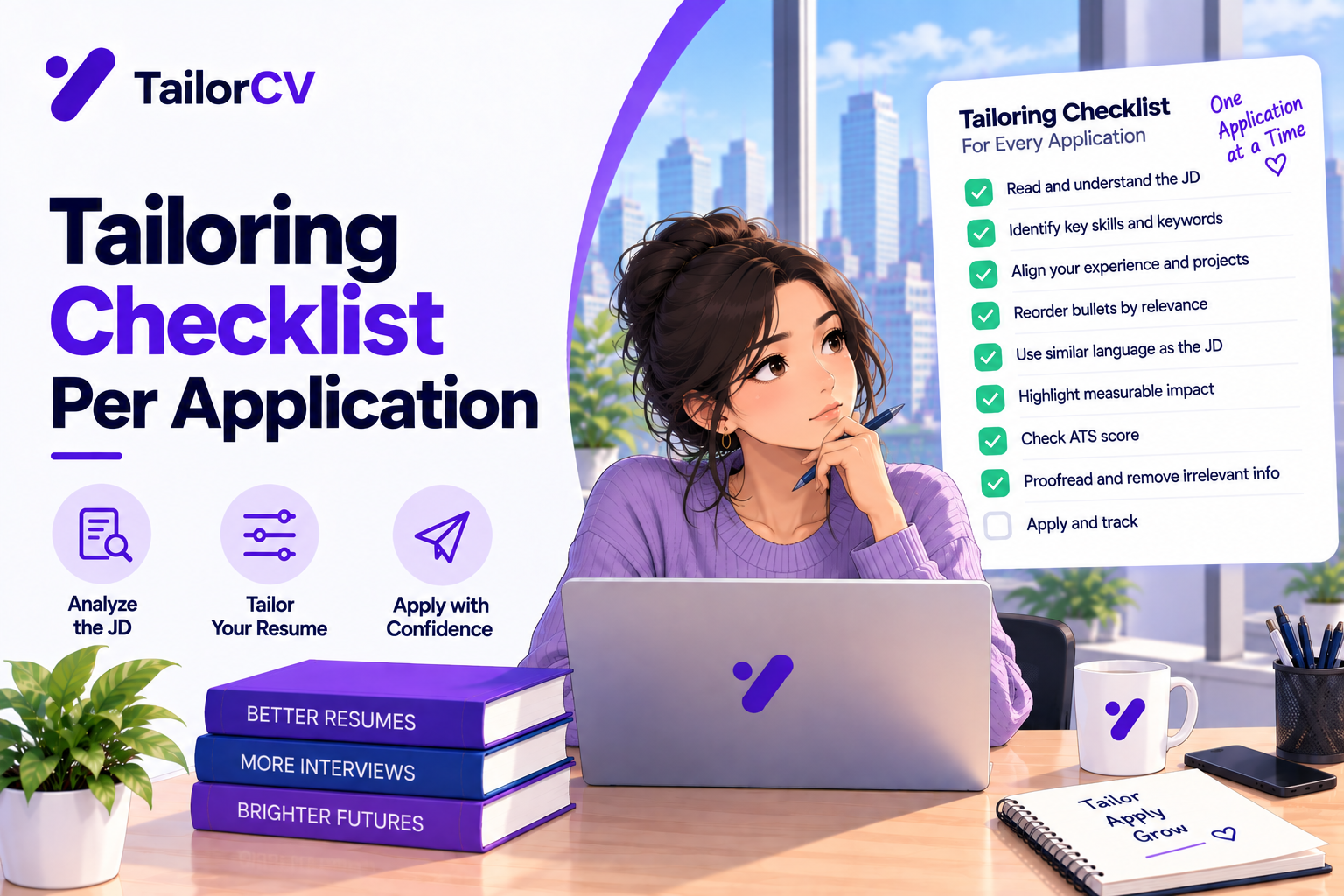
The per-application version of this list is in the tailoring checklist per application.
Frequently Asked Questions
How do I tailor my resume for many jobs at once?
Group postings into clusters that share the same top requirements, build one tailored version per cluster, then make quick per-posting edits - title, summary line and skills order. This gets most of tailoring's benefit in a fraction of the time.
How many jobs should I apply to per week?
It depends on your field and stage, but quality matters more than count. Fifteen to twenty well-tailored applications a week is sustainable for most active job seekers using a clustering system.
Is mass applying with one resume a bad idea?
Usually, yes. An untailored resume tends to rank lower in ATS searches and gets a shorter recruiter skim. Even five minutes of per-posting edits on a cluster version performs noticeably better.
How long should tailoring each application take at volume?
Around 25-35 minutes for your top roles, 10-15 for good fits, and 5 for lower-priority applications, starting from a cluster version rather than a blank page.
Can a tool tailor my resume automatically for each job?
Yes - tools can score and tailor against each posting, including directly on the posting page with a browser extension. Always review the output for accuracy before sending, especially for your top-priority roles.
Should I write a cover letter for every application at volume?
Write full cover letters for Tier 1 roles and anywhere a letter is required. For the rest, a short tailored note or no letter is often fine unless the posting asks for one. The cover letter generator can draft from the posting to save time.
How do I keep track of which resume I sent where?
Use a simple tracker with company, role, cluster version, date sent and posting link, and name each file with the company. This prevents sending the wrong version and helps you prepare for interviews.
What if a posting doesn't fit any cluster?
Either give it a Tier 3 treatment from the closest cluster version, or drop it. Building a whole new version for one posting rarely pays off unless it is a Tier 1 role.
Is it better to apply to many jobs or a few?
A moderate number of well-matched, tailored applications usually beats a very large number of untailored ones. Clustering lets you do a moderate-to-high volume without losing tailoring.
Should I use a different resume for every job?
Use one version per cluster of similar postings, with small per-posting edits. A completely different resume for every job is rarely worth the time.
What to Do Now
Open a spreadsheet and list every posting you plan to apply to this week. Add each one's top two requirements, then group them into clusters and assign tiers. Only then open your resume.
Build your cluster versions first, and spend your freshest hour on Tier 1. For the individual edits, tailoring in ten minutes gives the fast routine, and turning a scan result into three edits shows how to use a match report without over-editing.
See what tailoring is worth on your resume
Score your current resume against a real job description before you change a word.
Drop your resume here or choose a file
PDF only. Max 2 MB.
We never share your data or use it to train AI models.

Start from a template that tailors well
Clean structure means swapping keywords per job takes minutes, not a re-layout every time.
Was this guide useful?
Be the first to rate it.