TD
TD
Key Takeaways
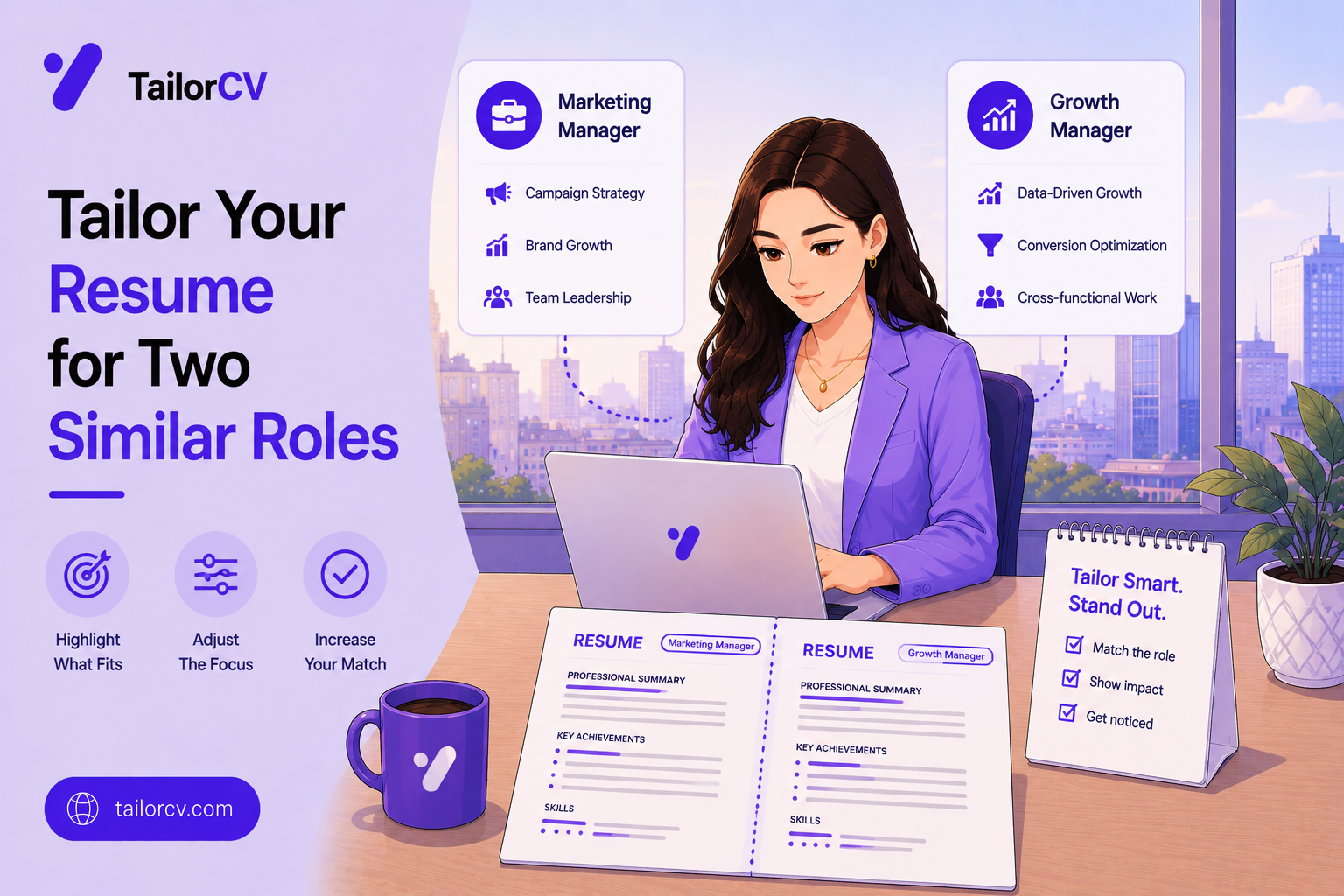
- Similar roles share most of their requirements, so the second application should cost a fraction of the first.
- Work from the first tailored version, never from your generic base, when the roles overlap.
- The differences are usually in emphasis, not content, and they concentrate in a few predictable places.
- Keep versions clearly named so you never send the wrong file to the wrong employer.
- Two similar roles at the same company need genuinely different applications, which is a separate problem.
What overlaps and what does not
The anatomy of two similar postings.
The core skills usually overlap almost entirely, which is why the roles looked similar to you in the first place.
The seniority may differ, and this is the most common real difference. One posting wants four years and the other wants seven, which changes how you frame scope and ownership rather than what you list.
The industry context frequently differs, and this changes vocabulary more than substance. The same analytical work is described differently in healthcare and in retail.
The tooling often differs slightly, with each employer naming its own stack, which affects your skills ordering.
The team structure differs, which changes whether you emphasise independent delivery or cross-functional collaboration.
And the company stage differs, which is why the same person is described as a builder at a startup and as an operator at a large firm.
None of these require a rewrite. They require reordering, reframing and swapping vocabulary, which is perhaps twenty minutes of work rather than two hours.
The efficient sequence
How to do the second one quickly.
| Step | Time | What you actually do |
|---|---|---|
| Duplicate the first tailored file | 1 min | Rename immediately to the new company |
| Diff the two postings | 5 min | Note requirements present in one but not the other |
| Swap the vocabulary | 5 min | Match each employer's own terms |
| Reorder skills | 3 min | Lead with what this posting prioritises |
| Adjust the summary | 5 min | Retitle and reframe seniority if needed |
| Check for the other company's name | 1 min | The single most damaging error available |
Renaming first is not fussiness. The most common serious mistake in this workflow is sending company A's resume to company B, and it happens because the file was never renamed at the point of duplication.
Diffing the postings is the actual thinking. Everything else is mechanical once you know which handful of requirements differ.
And the summary is where seniority framing lives, which is the difference that matters most when one role is a level above the other.
Reframing seniority without changing facts
The adjustment that matters most between two levels.
Scope language changes. For a senior posting, describe what you owned and decided; for a mid-level one, describe what you built and delivered. The same project supports both readings honestly.
Team language changes. Senior framing mentions who you influenced, guided or unblocked; the level below mentions who you worked with.
Outcome framing changes. Senior bullets connect the work to a business result; the level below connects it to a delivered output. Both are true statements about the same work.
The summary carries most of this, because it is where you name your level explicitly and where a mismatch is most visible.
Do not inflate. Claiming ownership you did not have is checkable at interview and it fails badly when a reference or a detailed question exposes it.
And do not shrink either. Under-describing genuine scope to seem appropriate for a mid-level posting costs you the senior one and does not help with either.
Keeping the versions straight
The administrative half, which is where the real errors live.
One folder per search, not one folder per application, keeps the count manageable.
Filenames carry the company and the role, in that order, so a directory listing is self-explanatory at a glance.
A simple tracking sheet with the company, role, date, file sent and outcome takes two minutes per application and prevents every version of the confusion that follows.
Keep the posting text itself, saved or copied, because listings are removed and you will want the original language when preparing for interview weeks later.
Note which version you sent so that an interview conversation matches the document in front of them.
And archive rather than delete the versions you did not use, since the next similar posting frequently makes one of them the fastest starting point you have.
Mini checklist
- unchecked: First tailored version used as the starting point
- unchecked: File renamed to the new employer immediately
- unchecked: Both postings compared for differing requirements
- unchecked: Vocabulary swapped to each employer's terms
- unchecked: Skills reordered to this posting's priorities
- unchecked: Summary adjusted for seniority and context
- unchecked: Previous company name searched for and removed
- unchecked: Both versions stored under clear filenames
- unchecked: Applications tracked so you know which went where
Scenarios
Scenario 1: The two roles are at different companies in different industries
Keep the substance and swap the vocabulary. The same project is described in the language of each industry, which is legitimate reframing rather than misrepresentation.
Scenario 2: One role is a level above the other
Change the framing rather than the facts. For the senior posting emphasise ownership, scope and influence; for the other emphasise delivery and execution. The work described is the same work.
Scenario 3: Both roles are at the same company
This needs care. Recruiters can see both applications, so they must be consistent in fact and clear about why you fit each. Applying to more than two roles at one employer generally weakens all of them.
Tip: Name your files with the company and role, never with version numbers. A folder of resume-v3, resume-v4, resume-final is how the wrong document reaches the wrong employer, and that error is unrecoverable.
Do's and Don'ts
Do
- Start from the closest tailored version you have
- Rename the file before editing anything
- Diff the two postings deliberately
- Match each employer's own vocabulary
- Reframe seniority in the summary
- Track which version went where
Don't
- Start from your generic base each time
- Keep version numbers as filenames
- Send an identical file to both employers
- Invent different facts for different postings
- Apply to many roles at one company
- Forget to remove the other company's name
Common Mistakes
- Restarting from the base resume. It doubles the work for no benefit.
- The wrong company name. The most damaging and most preventable error here.
- Version-numbered filenames. They cause exactly this mistake.
- Inconsistent facts across applications. Recruiters at one company can see both.
- Over-applying at a single employer. It reads as unfocused.
- Skipping the diff. Without it you are guessing at the differences.
Related Guides
Keep building on this with the related guides in this series:
- How to Tailor Your Resume for Every Job
- How to Tailor Your Resume in 5 Minutes
- Applying to Two Jobs at the Same Company
- How to Name Your Resume File
- Why the Same Resume for Different Jobs Fails
You can also check your resume's ATS score for free, generate a tailored cover letter, or build a portfolio website in minutes.
If the two roles turn out to be different job families rather than similar roles, you need separate bases; when to split resume versions covers how to build them.
When your whole background already fits, the challenge is choosing - what to tailor when everything is already relevant covers how to stand out among qualified candidates.
Frequently Asked Questions
Can I use one resume for two similar roles?
Not identically, but you can reuse most of it. Start from the first tailored version, swap vocabulary, reorder skills and adjust the summary, which takes around twenty minutes rather than two hours.
What actually differs between similar postings?
Usually seniority framing, industry vocabulary, named tooling and team structure. The substance of your experience rarely needs to change at all.
How do I avoid sending the wrong file?
Rename the file to the company and role at the moment you duplicate it, and never use version numbers as filenames. This single habit prevents the worst error in the workflow.
Can I apply to two roles at the same company?
Yes, with care. Both applications are visible to the same recruiters, so they must be factually consistent and each must make clear why you fit that specific role.
Is reframing the same work dishonestly?
No. Describing the same project in the vocabulary of a different industry is legitimate. Inventing different facts for different applications is not.
How many versions should I keep?
One per role type rather than one per application. A folder of clearly named type-level versions gives you a strong starting point for anything new.
How do I reframe the same experience for a more senior role?
Change scope, team and outcome language rather than the facts. Senior framing describes what you owned, who you influenced and what business result followed; the level below describes what you built and delivered.
How should I organise multiple resume versions?
One folder per search, filenames carrying company and role, a two-minute tracking sheet per application, and a saved copy of each posting for interview preparation later.
See what tailoring is worth on your resume
Score your current resume against a real job description before you change a word.
Drop your resume here or choose a file
PDF only. Max 2 MB.
We never share your data or use it to train AI models.

Was this guide useful?
Be the first to rate it.