 TD
TD
Key Takeaways
- Online CV makers and resume builders serve different purposes, with CV makers focusing on aesthetics and resume builders optimizing for ATS compatibility.
- The terminology varies by region; in the US, "resume" refers to a job application document, while "CV" is often used for academic purposes.
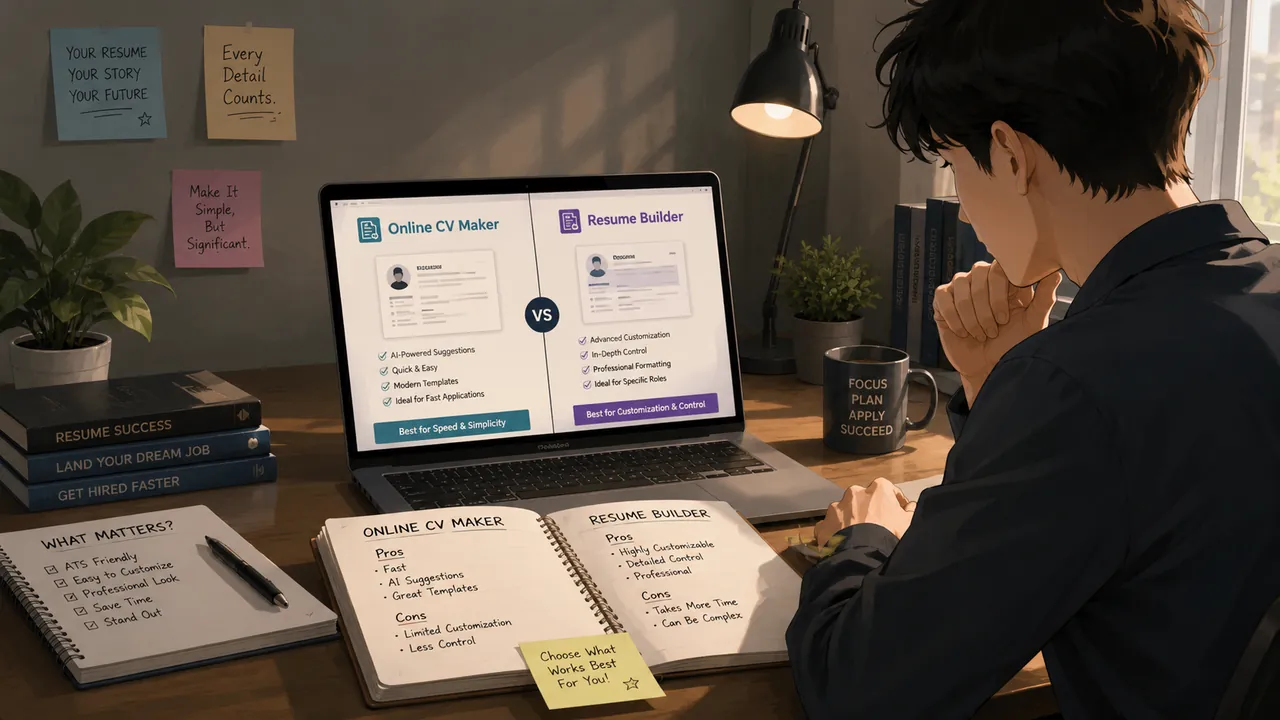
- CV makers typically offer template-based designs and basic editing features, while resume builders include ATS-friendly layouts and job-specific keyword suggestions.
- Choosing the right tool is crucial; using a CV maker for job applications may result in a visually appealing document that fails to pass through screening software.
- Resume builders provide additional features like readability scores and tailored versions, which are essential for improving the chances of getting noticed by recruiters.
An online CV maker and a resume builder sound like the same product, but they are often built for different jobs. Some tools exist to make a document look good in a template gallery. Others exist to get your document past ATS software and in front of a recruiter. If you pick the wrong category of tool for what you actually need, you can end up with a nice-looking file that never gets read.
This guide breaks down what each type of tool is actually optimized for, when a simple CV maker is genuinely enough, and when you need something closer to a job-description-matching resume builder like the ATS checker and resume templates on TailorCV.
Why the Terminology Is Confusing in the First Place
Part of the confusion is not about the tools at all - it is about the word "CV" meaning different things depending on where you are applying.
- In the United States and Canada, "resume" is the standard term for a one-to-two page job application document, and "CV" almost always refers specifically to an academic curriculum vitae used for research, faculty, or postdoctoral positions.
- In the United Kingdom, Ireland, India, and most of Europe, "CV" is simply the everyday word for what Americans call a resume. There is no separate "resume" document in daily use.
- In many non-English-speaking European countries, "CV" often implies a semi-standardized format (sometimes close to the Europass structure), with more personal detail than a typical US resume would include.
This matters for tool selection because a product literally named "CV maker" may have been built with a UK or Indian audience in mind, targeting a single general-purpose document. A product named "resume builder," especially one marketed at US tech or corporate job seekers, is more likely to be built around ATS parsing and per-job tailoring. Neither name is a guarantee of what is under the hood, but it is a useful signal. For a deeper breakdown of the document differences themselves, see Resume vs CV.
What an Online CV Maker Actually Gives You
A typical online CV maker is a template-first tool. Its core promise is: pick a design, fill in your details, download a PDF. Most include:
- A gallery of visual templates (often with colors, icons, sidebars, and photo placeholders)
- Section-by-section editing (contact info, experience, education, skills)
- PDF export, sometimes DOCX
- Light content prompts or example bullet phrases
- Drag-and-drop reordering of sections
This is genuinely useful when your goal is to produce a clean, presentable document quickly and you are not yet worried about how a specific employer's screening system will read it. The weakness is that these tools are usually optimized for how the document looks on screen, not for how it gets parsed by software before a human ever sees it.
What a Resume Builder Adds on Top
A resume builder, in the sense that matters for job applications, includes everything a CV maker does, plus a layer aimed at getting past screening and matching a specific role. That typically means:
Building the resume section by section
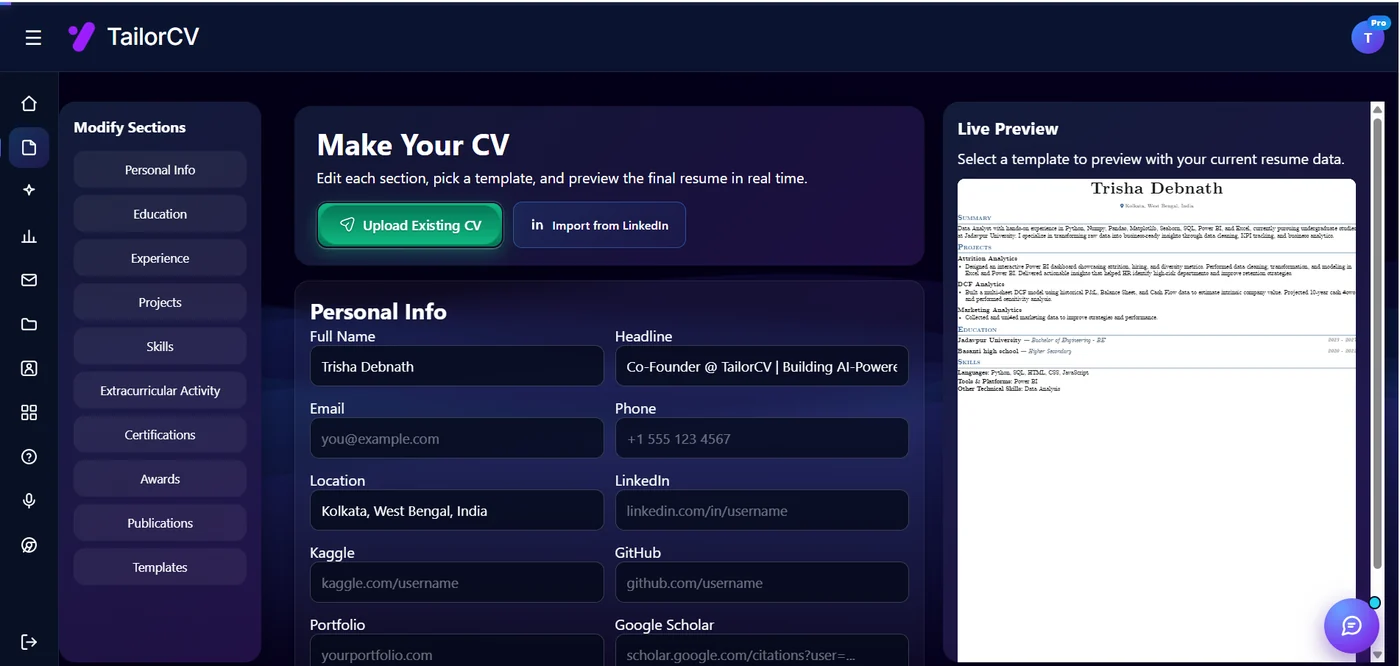
You fill one section at a time - personal info, education, experience, projects, skills - and the preview on the right re-renders as you type, so the layout is never a surprise at export.
- ATS-friendly layouts that avoid parsing traps like tables, columns, and text boxes
- A resume score or readability score you can act on
- Keyword suggestions pulled from your target role
- Job description matching, so the tool tells you what is missing before you apply
- Bullet rewriting or phrasing help grounded in your actual experience
- The ability to keep multiple tailored versions instead of one static file
If you are applying to jobs online, especially through company career portals or LinkedIn Easy Apply, these extra features are not cosmetic - they directly affect whether your resume gets opened at all.
The Real Difference Is What the Tool Is Optimizing For
It helps to stop thinking of "CV maker" and "resume builder" as two fixed product categories and instead ask what each specific tool is optimizing for. Every builder is making trade-offs somewhere, usually between:
- Visual variety versus parsing reliability - more design flexibility usually means more ways for an ATS parser to misread your content.
- One-time document creation versus repeatable tailoring - a tool built for "make one nice document" behaves very differently from one built for "make a new tailored version every week."
- Generic content prompts versus role-specific guidance - generic tips like "use action verbs" are not the same as suggestions based on the actual job posting in front of you.
Once you evaluate a tool along these lines, the "CV maker vs resume builder" label matters much less than the honest answer to: does this tool help me pass the screening step for the job I am applying to right now?
A Practical Comparison Framework
Before you commit to any builder, run it through the same checklist you would use for any piece of software you depend on for something important:
- ATS-safe export. Does the exported PDF or DOCX keep text as selectable, linear text, or does it rely on images, text boxes, or multi-column layouts that can scramble on parsing?
- Template flexibility without gimmicks. Can you change layout and emphasis without being forced into graphics, icons, or photo fields that add no value for most private-sector applications?
- Content guidance quality. Is the help generic ("use strong verbs") or does it reference your actual role, industry, and the job description you are targeting?
- Pricing model. Is the free tier a genuine trial, or is the export step paywalled after you have already invested an hour filling in your details?
- Data privacy and ownership. Can you export your raw content and take it elsewhere, or is your resume locked inside a proprietary editor?
- Ease of editing later. Can you quickly duplicate a version, tweak it for a new job description, and re-export in minutes, or does every edit mean rebuilding from scratch?
- Export quality across formats. Does the PDF look identical to the on-screen preview, and does the DOCX version (if offered) stay clean when opened in Word or Google Docs?
If a tool fails on ATS-safe export and content guidance, it does not matter how good the pricing or design options are - it is not going to help you get interviews for online applications.
The Real Risks of Generic Drag-and-Drop Builders
Drag-and-drop CV makers are not inherently bad, but they carry specific risks that are easy to miss until it is too late in your job search:
- Over-designed templates break ATS parsing. Multi-column layouts, text inside graphics, tables for skills grids, and creative icons can all cause an ATS parser to drop or misorder your content, even if the PDF looks perfect to a human. See ATS-Friendly Resume Builder for what "parsable" actually means in practice.
- Locked-in formats. Some tools only let you export as an image-based PDF or a proprietary file, which means you cannot easily copy content into an application portal's text fields or edit it outside their editor.
- Watermarks on free exports. A number of free CV makers stamp a visible watermark or footer branding on the PDF unless you upgrade, which looks unprofessional on a document meant to represent you to an employer.
- Subscription traps. You fill in every section, get to the download button, and discover the export is paywalled behind a recurring subscription rather than a one-time fee or genuinely free tier.
- Design that ages the document. Trendy graphics and heavy color blocks can make a resume look dated within a year or two, and can also read as less serious in conservative industries like finance, law, or government.
None of these risks are visible when you are just browsing a template gallery. They show up after you have already invested time, which is exactly when it is most frustrating to discover them.
When a Simple CV Maker Is Genuinely Enough
Not every job search needs a fully tailored, ATS-optimized workflow. A basic CV maker is a reasonable choice when:
- You are a student or recent graduate building your first document and mainly need something clean and presentable.
- You are applying to a small number of roles, often through direct contact or referral, where a human reads the document first rather than software.
- Your work history is short and straightforward enough that a single-page resume covers it without needing multiple tailored versions.
- You need a general-purpose CV for networking, a portfolio site, or a conference bio rather than a specific job application.
- Design and presentation genuinely matter more than keyword matching, such as in creative fields where a portfolio does most of the work anyway - see the Graphic Designer Portfolio Guide for that kind of context.
In these cases, spending time evaluating ATS scoring features or job-description matching is probably overkill. Get a clean, readable document out the door and move on.
When You Need More Than a Template Tool
On the other end, a handful of situations call for a builder with real tailoring and scoring capability, not just a template:
What the extension looks like on a real posting
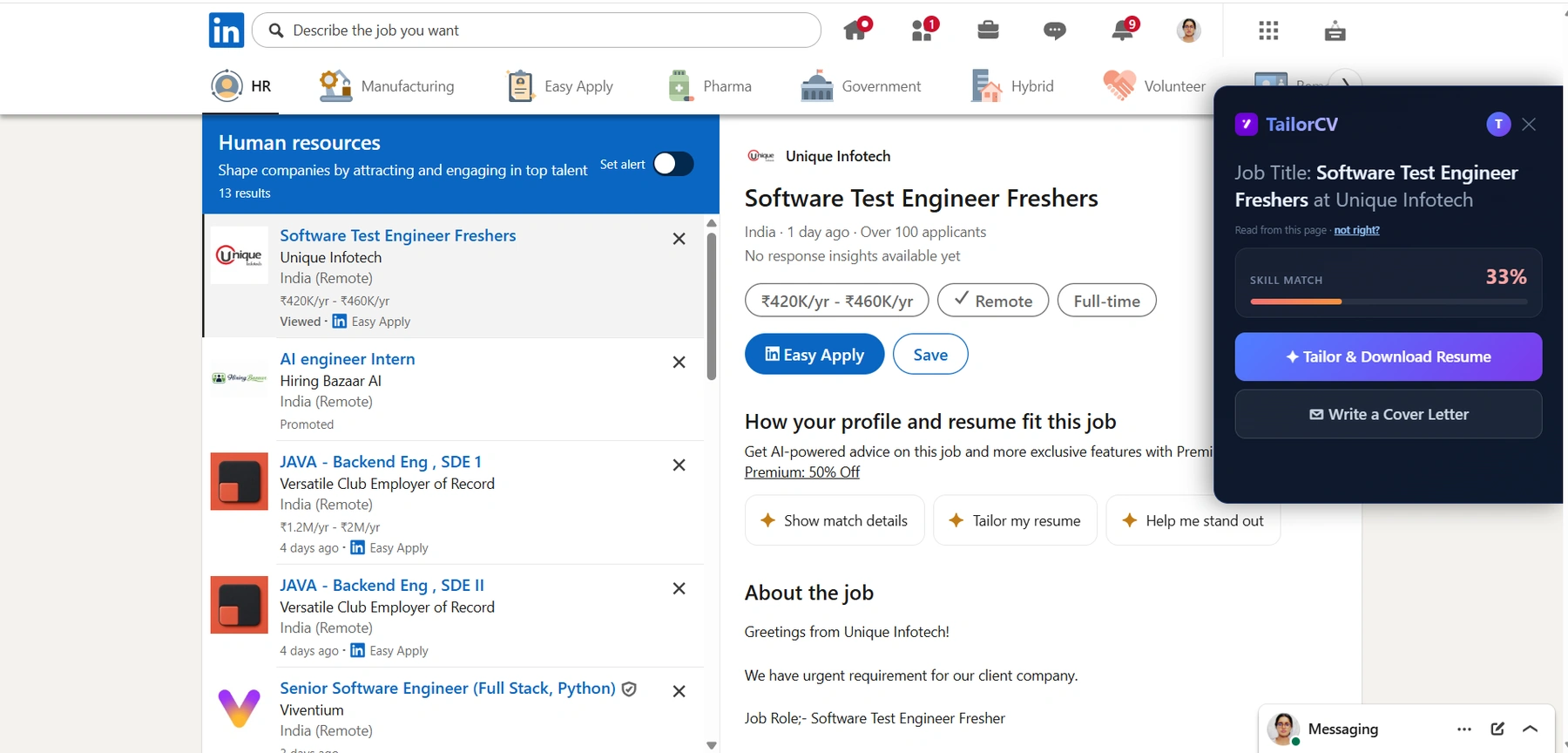
This is the panel described above, open beside a live listing: it reads the description off the page, scores your resume against that role, and tailors in one click without a second tab.
- Career changes, where your existing bullet points do not obviously map to the language of your target role and you need help reframing transferable experience. See the Career Change Resume Guide for the reframing side of this problem.
- Senior or specialized roles, where a generic resume signals a lack of seniority and recruiters expect language specific to the function and level.
- High-volume, ATS-heavy applications, such as large tech companies or enterprise career portals, where your resume is parsed by software before any person sees it.
- Fast turnaround per job posting, when you are applying to many roles and need to adjust keywords and emphasis in minutes rather than rebuilding a resume from scratch each time.
- A history of no callbacks, which is often a sign the document is not making it through screening at all, not that your experience is weak. Does My Resume Pass ATS walks through how to check this directly.
If any of these apply to you, a plain template-filler is going to cost you interviews, not save you time.
Bare-Bones CV Maker vs Job-Description-Matching Resume Builder
Here is how the two categories typically compare side by side:
| Dimension | Bare-Bones CV Maker | Job-Description-Matching Resume Builder |
|---|---|---|
| Primary goal | Produce a nice-looking document | Get past ATS and match a specific role |
| Template design | Wide visual variety, icons, colors | Simpler, parsing-safe layouts |
| Content help | Generic tips or example phrases | Suggestions tied to your target job description |
| Tailoring per job | Manual, from scratch each time | Built-in comparison and keyword matching |
| ATS parsing risk | Higher with graphic-heavy templates | Lower, tested against parsing rules |
| Best use case | First document, referrals, portfolios | Online applications, competitive roles, career changes |
Use this table as a quick gut check: if most of your applications go through a "Apply Now" button on a company website, the right column is where you should be spending your time.
How AI-Assisted Builders Are Actually Different
The newest layer on top of both categories is AI-assisted tailoring, and it is worth understanding what that actually changes rather than treating it as a marketing label.
A static template tool asks you to fill in fields once and reuses that same content for every application. An AI-assisted builder, by contrast, is designed around the idea that your resume should shift slightly for every job:
- It can compare your existing bullet points against a pasted job description and flag missing keywords or skills, rather than leaving you to guess.
- It can suggest rephrased bullets that keep your real accomplishments but surface the language a specific employer's ATS is likely scanning for.
- It can generate a match or fit score you can act on before you submit, instead of finding out weeks later that you never heard back.
- It typically supports saving multiple tailored versions rather than forcing you to overwrite the same document each time.
The trade-off is that AI suggestions still need your judgment. Rewritten bullets should be checked against what you actually did - never let a tool invent responsibilities or numbers you cannot back up in an interview. The tool's job is to surface relevant language and gaps; your job is to confirm accuracy. For the mechanics of this kind of matching, see How AI Resume Matching Works and How to Match Resume Keywords to Job Description.
The Common Mistake: Optimizing for the Wrong Reader
Many candidates choose the prettiest template instead of the most readable one, because the gallery view is what they see first. But your resume has two readers, not one: the ATS parser that processes it first, and the recruiter who skims it second. A template that looks impressive but breaks parsing fails the first reader before the second one ever gets a chance to be impressed.
If you are creating your first document, start with Resume Templates for Beginners so you do not overcomplicate the layout before you have a reason to. Then use How to Choose a Resume Template to pick a design that fits your role and industry, not just one that looks the most polished in a template thumbnail. If you want the document to look sharp without hurting readability, review the Resume Design and Color Guide and the Resume Fonts Guide before you finalize anything.
Length is another place this mistake shows up - a longer document is not automatically a stronger one, especially outside academic CV contexts. See the Ideal Resume Length Guide if you are unsure how much to include. And once your content is right, confirm your file itself will survive upload systems using the Resume File Format Guide.
A Quick Decision Checklist
If you only take one thing from this comparison, use this short checklist before picking a tool:
- unchecked: Are most of your applications going through an online portal or job board? Prioritize ATS-safe export and keyword matching over visual variety.
- unchecked: Do you plan to apply to more than a handful of roles? Prioritize a tool that lets you save and duplicate tailored versions quickly.
- unchecked: Is your work history short and your target roles similar to each other? A simpler CV maker with a clean template may be all you need.
- unchecked: Have you already applied broadly with little response? Treat that as a signal to check parsing and keyword match before assuming your experience is the problem, using the free ATS score checker.
- unchecked: Do you need proof of work alongside the document itself, such as for design, development, or data roles? Pair your resume with a portfolio builder rather than trying to cram everything into the resume format.
Make This Practical
Use this comparison as part of a complete job-search workflow rather than a one-time decision. Check your current resume with the free ATS score checker, improve targeting with the Resume Optimization Guide, and choose a clean, parsing-safe format from the ATS-friendly resume templates.
Once the resume itself is solid, strengthen the rest of the application. Draft a targeted cover letter with the AI cover letter generator, practice likely interview questions with the AI mock interview tool, and build a project-backed proof page with the portfolio website builder if your field benefits from showing work rather than just describing it. If you are unsure whether chronological or functional structure fits your background, the Chronological vs Functional Resume guide is a good next read before you start building.
FAQ
Is a CV maker good enough for ATS-screened applications?
Only if the template it produces is genuinely ATS friendly. Avoid heavily graphic templates, multi-column layouts, and text-in-images for any application going through an online portal, and check the export with an ATS score checker before relying on it.
Can I use the same resume for every job?
You can, but it usually performs worse than a tailored version, especially for roles with different keyword sets. Small, targeted adjustments per job description tend to outperform one static file across an entire job search.
Should I create multiple resume versions?
Yes, if you are applying to more than one type of role. Build a base version for each role family, then tailor lightly for each specific job description rather than starting from scratch every time.
What is the actual difference between "CV" and "resume" outside the US?
In most of the UK, Ireland, India, and Europe, "CV" is simply the everyday term for a job application document, roughly equivalent to what a US resume is. In the US and Canada, "CV" specifically refers to an academic document used for research and faculty positions, which is longer and structured differently.
Do AI-assisted resume builders actually help, or is it just marketing?
The useful part is real-time comparison against a job description - flagging missing keywords, suggesting relevant phrasing, and producing a match score you can act on before applying. The suggestions still need your review; never let a tool add claims or numbers you cannot support in an interview.
Will a fancy template hurt my chances even if a human reads it first?
It can. Even when a recruiter opens the file directly, most companies still route resumes through an ATS at some point in the process, and inconsistent parsing can affect how your data appears in their system later, even after an initial human read.
How do I know if my current resume is the reason I am not getting callbacks?
Run it through an ATS score checker against a real job description you applied to and look for parsing errors or missing keywords, rather than assuming the content itself is weak. The Does My Resume Pass ATS guide walks through this check step by step.
Is it worth paying for a resume builder instead of using a free CV maker?
It depends on how many applications you are sending and how competitive the roles are. If you are applying broadly to ATS-heavy roles or need to tailor frequently, the time saved and improved match quality usually justify it; for a single simple document, a free tool may be all you need.
Next Step
Compare your current resume against a real job description and see exactly what is missing before you apply again, using the free ATS score checker.
What is your resume scoring right now?
Scan it against a job description and get your ATS match score in about a minute.
Drop your resume here or choose a file
PDF only. Max 2 MB.
We never share your data or use it to train AI models.

Templates that keep this structure intact
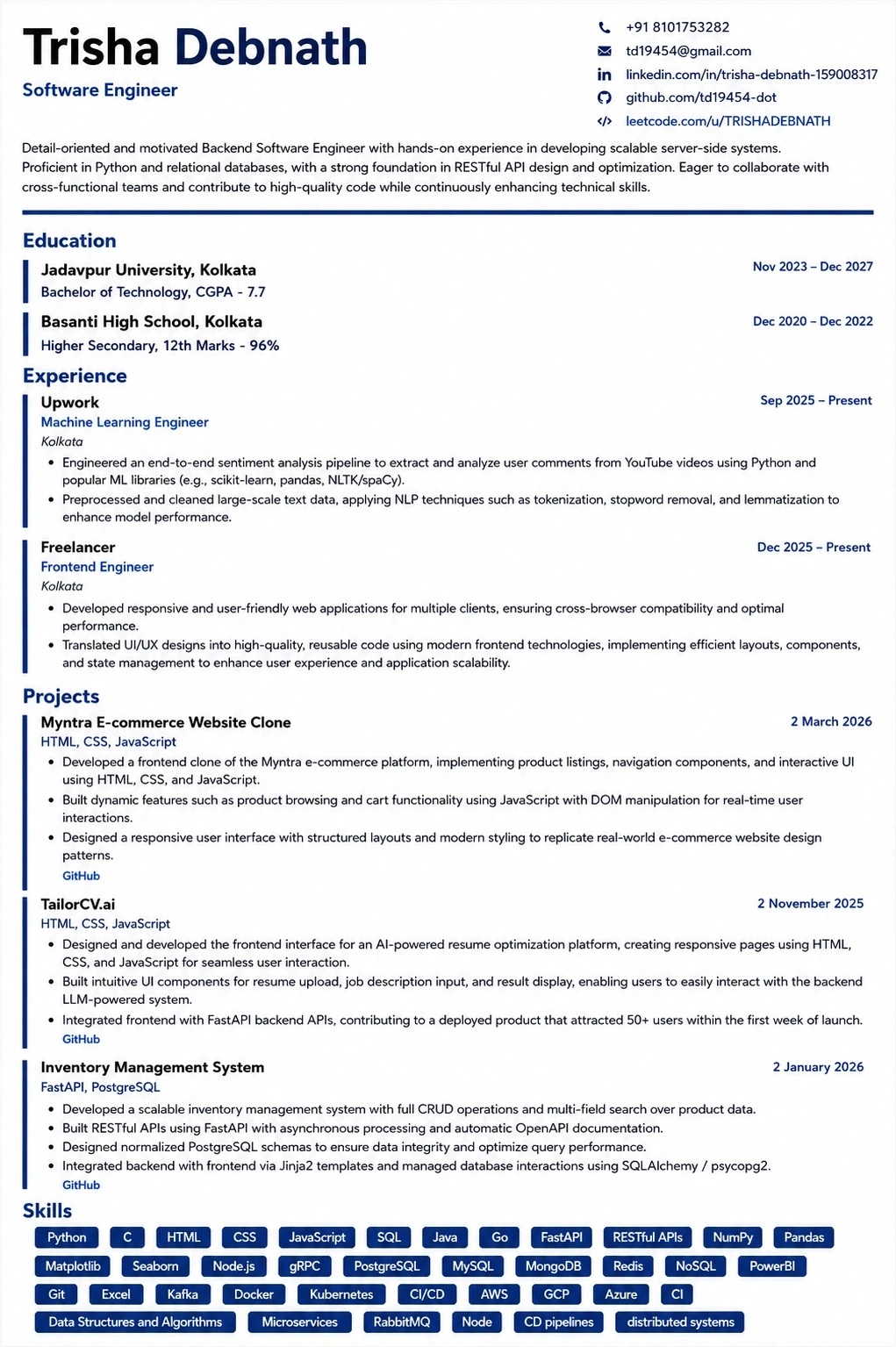
This template is ATS-tested — start from it and the formatting rules in this guide are already handled.
Was this guide useful?
Be the first to rate it.