TD
TD

Key Takeaways
- Systems compute your total experience from parsed dates, so a misread date can drop you below an experience filter.
- The safest format is
Month YYYY – Month YYYYon the same line as the role, spelled or consistently abbreviated. - Dates in a separate column, a table cell, or a right-aligned tab stop are the ones most often detached from their jobs.
- Season names, single years alone, and ambiguous numeric formats all cause misreads.
- The copy-paste test shows you immediately whether each date stayed attached to the right role.
You have seven years of experience. The posting requires five. You are filtered out anyway.
One cause people rarely check: the system read your dates wrong and calculated something other than seven.
Why Dates Get Computed at All
Parsers do not just store your dates - they use them. Total years of experience, tenure per role, and gaps between roles are all derived fields, and they feed screening filters and the recruiter's summary view.
That makes date parsing one of the few places where a formatting choice has a direct, mechanical effect on whether you are considered.
The three derived fields that matter
Total years of experience. Summed across roles, and frequently used as a hard filter. This is the one that silently removes you.
Tenure per role. Feeds the "job hopper" judgement. A role misparsed as four months instead of two years creates an impression you never earned.
Gaps between roles. Computed from the end of one job to the start of the next. A misread date manufactures a gap, and explaining a gap you do not have is a conversation you should never need.
The Four Common Failures
1. The date detaches from the job
Your dates sit in a right-hand column or a separate table cell. The parser extracts them as a block, unattached, and either discards them or attaches them to the wrong role.
This is the most damaging version, because the resulting record can show your 2018 dates against your current job.
2. The format is ambiguous
03/04/2022 is March 4th to an American parser and 3rd April to a British one. Worse, 2020-2022 in a context expecting month precision can be read as a single year.
3. Only years are given
2022 – 2024 could mean January 2022 to December 2024 (three years) or December 2022 to January 2024 (thirteen months). Parsers usually assume the shorter reading, and you lose the difference.
4. Non-standard words
"Summer 2023," "Q3 2021," "Spring term 2022," "Present" written as "Now," "Ongoing," or "Current" in an unusual place. Anything outside the expected vocabulary risks being skipped.
What each failure costs
| Failure | What the system computes | Typical cost |
|---|---|---|
| Date detached from role | Experience total drops or role is undated | Filtered below an experience threshold |
| Dates attached to wrong role | Wrong tenure per job | Reads as job-hopping or as a false gap |
03/04/2022 ambiguity |
Off by up to eleven months | Minor, unless it crosses a year boundary |
Years only (2022 – 2024) |
Shortest possible reading | Up to two years of experience lost |
| Season names | Date skipped entirely | Role appears undated or unparsed |
| "Now" instead of "Present" | No end date recognised | Current role may not register as current |
| Nested promotion dates | Inner roles collapse | Progression disappears, tenure merges |
| Missing date entirely | Role uncomputable | Some filters treat this as a fail |
| Mixed formats across roles | One or more roles misread | Unpredictable, usually understated |
| Date inside a graphic | Nothing extracted | Role appears undated |
| Overlapping concurrent roles | Double-counted or merged | Total overstated, then queried |
The pattern worth noticing: almost every failure understates you. Parsers resolve ambiguity conservatively, so the errors run in one direction.
That one-directional bias is why this is worth checking even when nothing looks wrong. A format that is merely ambiguous does not produce a random result - it produces the shortest defensible reading of your career, every time, on every application you send. Over a few dozen applications that is a systematic handicap rather than bad luck, and it is invisible from your side because applications fail silently.
The Format That Works
Senior Data Analyst, Acme Corp March 2022 – Present
Four properties make this reliable:
Month and year, both present. Removes the range ambiguity entirely.
Month named, not numbered. "March" or "Mar" cannot be confused with a day. If you prefer numeric, use 2022-03 rather than 03/2022.
On the same line as or directly beneath the role. Proximity is how parsers associate a date with a job. Keep them adjacent, in normal body text.
"Present" for current roles. The most widely recognised term. "Current" is generally fine; avoid "Now," "Ongoing," and "To date."
Why proximity beats everything else
Of the four properties, adjacency is the one that actually decides the outcome. A perfectly formatted date in the wrong place is worse than an imperfect one next to its role.
Parsers associate by position, not by meaning. They have no way to know that "March 2022" belongs to the job three inches to its left, so anything that increases the distance - a column, a tab stop, a table cell - increases the chance of a wrong association. This is the same mechanism that makes two-column layouts risky.
The Layout Trap
Most date problems are layout problems, not format problems.
The common pattern is the right-aligned date - job title on the left, dates pushed to the right margin with tabs or a two-column table. It looks tidy and it is the single most frequent cause of detached dates.
Risky: Senior Data Analyst, Acme Corp March 2022 – Present (implemented as a table or tab stop)
Safe: Senior Data Analyst, Acme Corp March 2022 – Present
The safe version uses two normal lines. Visually near-identical, structurally much more robust.
If you want them on one line, a plain separator works: Senior Data Analyst, Acme Corp | March 2022 – Present. What matters is that it is real text on one line, not two cells.
A Worked Example: The Seven-Year Analyst
Abstract failure modes are easy to dismiss. Here is the arithmetic on a real-shaped resume.
A data analyst with genuine experience from June 2017 to the present - eight years and three months. The posting filters at five years minimum.
As written, in a two-column table: | Senior Data Analyst | 2022 – Present | | Data Analyst | 2019 – 2022 | | Junior Analyst | 2017 – 2019 |
Three things go wrong at once. The table flattens, so dates may detach. Years-only means each range is read at its shortest. And the shortest reading of 2017 – 2019 is thirteen months rather than two years.
Worst-case computed total: roughly three years and two months. The candidate is filtered out of a role they clear by three years.
Rewritten, plain body text: Senior Data Analyst, Acme Corp June 2022 – Present
Data Analyst, Acme Corp March 2019 – June 2022
Junior Data Analyst, Beta Ltd June 2017 – March 2019
Computed total: eight years three months, correct to the month. Nothing about the candidate changed - only whether the system could read them. The rewrite took four minutes and it is the difference between being screened out and being screened in.
Other Details Worth Getting Right
Be consistent. Mixing "March 2022," "Mar 2022" and "03/2022" across roles increases the chance one of them parses differently.
Use an en dash or hyphen, not a slash. March 2022 – June 2024 is clearer to a parser than March 2022/June 2024.
Do not omit dates to hide a gap. A missing date is more conspicuous than a gap, and it makes your record uncomputable - which some filters treat as a fail.
Promotions within a company: give each role its own dates, and optionally a total for the company. Nested dates without clear structure often collapse.
Acme Corp — March 2019 – Present Senior Data Analyst, June 2022 – Present Data Analyst, March 2019 – June 2022
The promotion case deserves care
Promotions are a strong signal and the nested format is where they most often get lost. If the inner roles collapse, you lose the progression that made the entry impressive.
The safest structure keeps each role as its own block with its own dates, even at the cost of repeating the employer name. Losing four words of tidiness is better than losing the evidence that you were promoted twice.
Checking Yours
Copy-paste your PDF into a plain text editor and read the employment section. For each role ask:
- Is the date on the same line as, or immediately next to, its job title?
- Are all the dates present, none collapsed into a separate block?
- Is each date attached to the correct role?
- Is the format identical across all roles?
If your dates paste as a standalone list, that is your problem, and it is a layout fix rather than a wording one.
Doing the arithmetic yourself
After the paste, add up the ranges as a parser would - shortest reading for each, no assumptions.
If your own conservative total comes out meaningfully below your real experience, that is the number the filter is using. The full diagnostic for what else the paste reveals is in the copy-paste test.
Edge Cases
A career break in the middle of a role
List it as two entries with their real dates rather than one continuous range. Accuracy is worth more than an unbroken look, and a computed gap you can explain beats a claim that contradicts a reference check.
Contract and freelance work with many short engagements
Group them under one heading with an overall range, then list the individual placements beneath with client and duration. This keeps your total tenure computable while preserving the detail, and it is the standard approach for contract and freelance resumes.
Concurrent roles
Two jobs overlapping in time can cause double-counting or confusion. List them separately with accurate dates; do not merge them to produce a cleaner timeline.
Very old roles
Older positions carry little weight and are often compressed to one line. Month precision matters far less there - prioritise it on your recent roles, where the tenure calculation actually affects your total. How far back a resume should go settles what to keep before you worry about how to date it.
A promotion that came with a title change mid-year
Give each title its own range rather than merging them into one span under the newer title. Merging costs you the visible progression, and progression is one of the few things a recruiter reads directly off the dates - clarifying an internal title is a separate fix that pairs with this one.
You are returning after a career break
Date the break honestly rather than stretching the roles on either side to cover it. A stretched date is verifiable and a break is explainable, which makes the honest version the lower-risk one - and resumes after a career break handle the framing separately.
Your current role has no end date yet
Use "Present". It is the term parsers are built to recognise, and a specific future month on a role you still hold is both inaccurate and confusing.
What This Looks Like at Each Level
Fresher. Internship dates are short and the precision matters proportionally more - three months misread as one changes the impression significantly. Use month and year for everything.
Two to five years. The experience-filter band where misparsing costs the most, because you are close to common thresholds. This is where a years-only format can drop you below a five-year filter you actually clear, and where a posting asking for years you nearly have becomes a decision rather than an automatic no.
Senior. Your total is comfortably above most thresholds, so the risk shifts to tenure and progression. Nested promotion dates collapsing is the failure to guard against, because it flattens exactly the trajectory that justifies the seniority.
Career changer. Your dates are doing narrative work - showing when you moved and how long the transition took. Accuracy here supports the story rather than just the arithmetic, and bridging two fields depends on the timeline reading clearly.
Common Mistakes
Mistakes about format
Years only. The most common and most expensive, because parsers take the shortest reading.
Numeric day-month ambiguity. 03/04/2022 means different things in different locales.
Creative period names. "Summer 2023" is human-readable and machine-invisible.
Mistakes about layout
Right-aligned dates via tab stops or tables. The single biggest cause of detachment.
Dates in a sidebar. Same problem as any sidebar content, with the added cost that the association is lost rather than just the order.
Omitting dates deliberately. It draws more attention than the gap would, and makes the record uncomputable.
Fixing the dates and stopping there. Detached dates usually share a cause with other structural problems - the same table or frame that broke the date often drops a whole role. Check the full paste while you are in there, and run the 12-point check if anything else looks off.
Moving an older job to the top is a common cause of misread dates; reordering your work history covers split-section layouts that parsers read correctly.
Frequently Asked Questions
Will only-years cost me?
It can. 2022 – 2024 is often read as the shortest possible span, which understates your tenure. Adding months removes the guesswork.
Do I need months for jobs from fifteen years ago?
Not really - older roles carry little weight and are often compressed to one line. Prioritise month precision on your recent roles.
Should I list dates for education too?
A graduation year is enough. Education dates rarely feed experience calculations.
What if a role had a break in the middle?
List it as two entries with their real dates rather than one continuous range. Accuracy is worth more than an unbroken look.
Does "Present" work, or should I put the current month?
"Present" is standard and widely handled. Do not put a specific end month on a role you still hold.
Can I write dates as "2022 - current"?
"Present" is the safer word. "Current" usually parses, but it is less consistently recognised and there is no benefit to the variation.
Does the en dash versus hyphen actually matter?
Rarely on its own. Both are handled by most parsers; a slash is the one to avoid, because it collides with numeric date formats.
My resume shows the right total on the page. Is that enough?
No - the page is not what gets computed. The extracted text is, and the two can disagree. Only the paste tells you which.
How do I show a promotion without nesting?
Give each role its own complete block, repeating the employer name. It costs a line and removes the collapse risk entirely.
Should I add a "total experience" line to be safe?
It does no harm and it helps a human reader, but it will not override a computed total. Fix the dates rather than annotating around them.
Confirm Your Record Reads Correctly
A misread date is invisible on the page and decisive in a filter, which makes it worth one deliberate check.
Run the copy-paste test on your resume, then scan it against a posting — if your experience is being computed correctly, your tenure and history will look right in the extracted view.
Fix the layout before touching the wording. A date problem is structural, and no amount of keyword work compensates for a system that thinks you have three years instead of eight. Once the dates are clean, the tailoring tool works from a record that actually reflects your career.
Related: the copy-paste test and parsing errors that silently delete a job.
Does your formatting survive the parser?
Upload your resume and see what an ATS actually reads back.
Drop your resume here or choose a file
PDF only. Max 2 MB.
We never share your data or use it to train AI models.

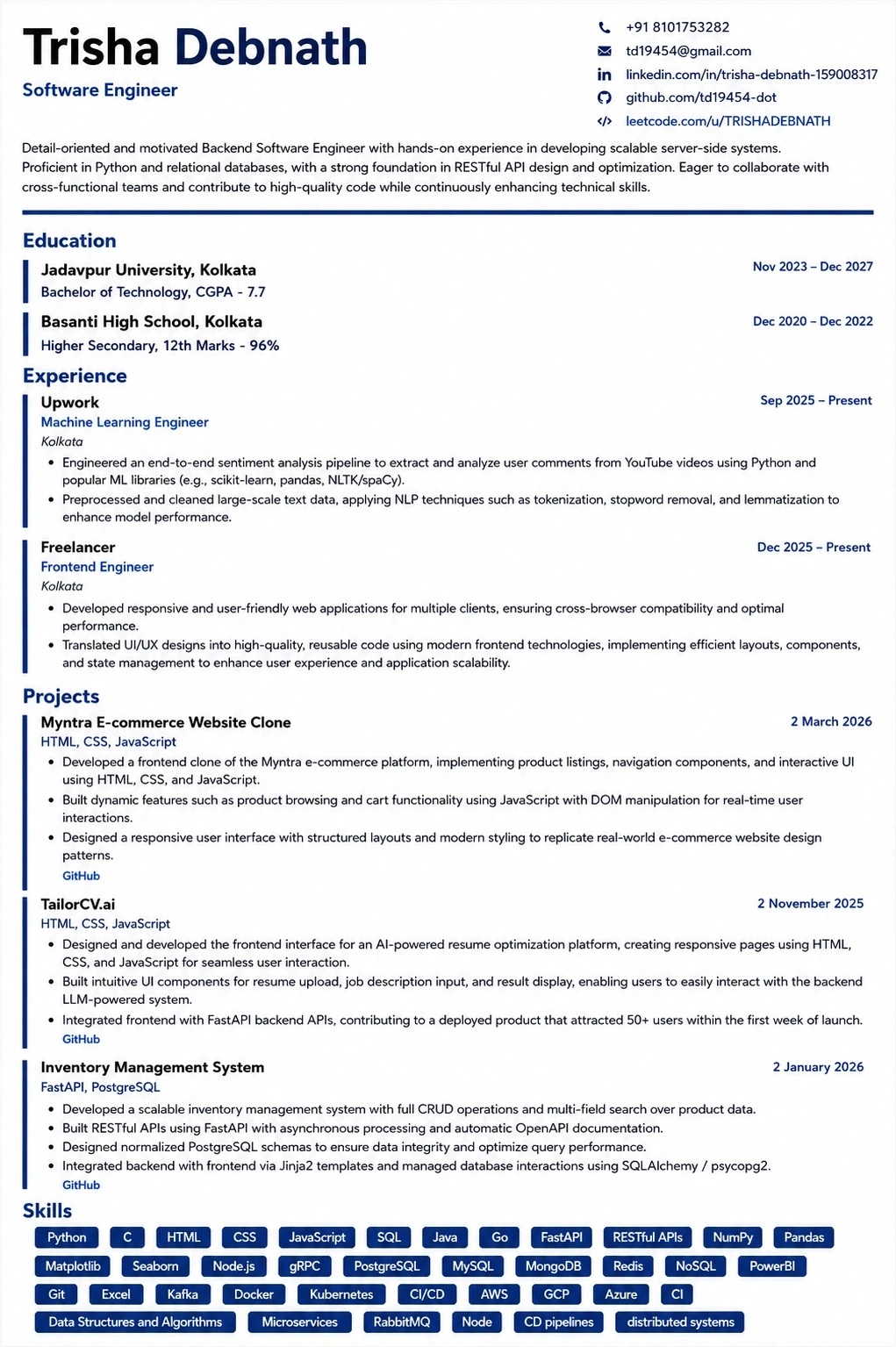
A layout that parses cleanly
Single column, standard headings, no text boxes — the formatting rules in this guide, already applied.
Was this guide useful?
Be the first to rate it.