 SS
Key Takeaways
- Sysadmin hiring managers look for uptime, scale (servers, users, sites) and automation - scripts that removed manual work.
- Split your skills by platform: Windows Server, Linux, virtualisation, cloud, scripting. Ads usually lean toward one side, and your resume should lean with them.
- Automation is the biggest differentiator in 2026. A PowerShell, Bash or Ansible bullet with time saved beats five "maintained servers" bullets.
- Mirror the job ad's environment: an "Azure and Intune" ad and a "RHEL and VMware" ad want different top bullets from the same resume.
A systems administrator resume earns callbacks when it shows that the systems you run stay up, scale well and need less manual work every quarter. Numbers make that visible: how many servers or users, what uptime, how many hours your automation saved.
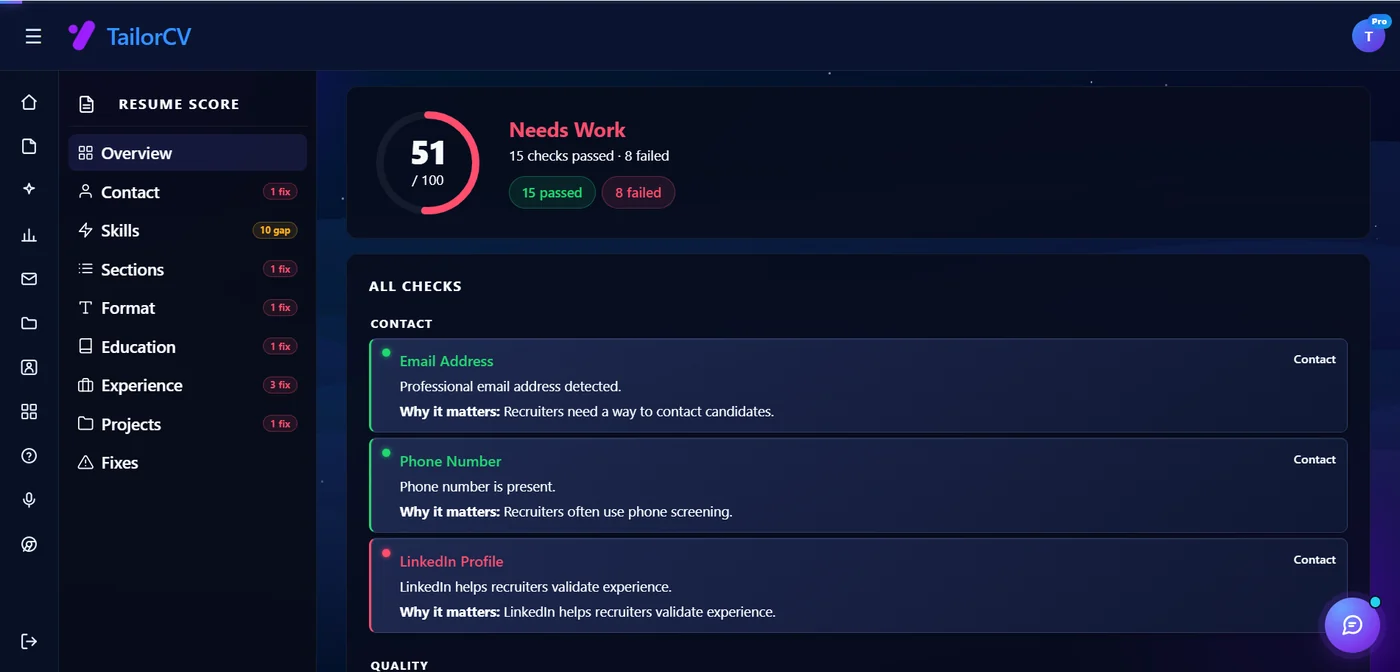
Before editing, paste your resume and the target posting into the free ATS score checker to see which platforms and tools the ad expects that your resume doesn't mention.
What the job ad is really asking for
| Job ad says | What it means for your resume |
|---|---|
| "Maintain Windows and Linux server environments" | State the count and mix: "120 servers (80 Windows Server 2019/2022, 40 RHEL 8)". |
| "Automate routine tasks" | At least one scripting bullet with hours saved. |
| "Ensure system availability and security patching" | An uptime figure and a patching cadence or compliance rate. |
| "Experience with cloud (Azure/AWS)" | Name the services you managed, not just "cloud". |
Systems Administrator Resume Summary
Experienced: Systems administrator with 6 years managing hybrid Windows and Linux environments for a 1,500-user company. Run 140 servers across VMware and Azure at 99.95% uptime. Automated patching and user provisioning with PowerShell and Ansible, saving the team 20+ hours a week.
Moving up from help desk: IT professional with 3 years of desktop and server support, now administering 35 Windows servers and Microsoft 365 for a 400-person firm. Built PowerShell scripts for account onboarding that cut setup time by 70%.
Skills Section
Operating systems:  Windows Server 2019/2022, RHEL, Ubuntu, CentOS
Identity:           Active Directory, Group Policy, Azure AD / Entra ID, LDAP
Virtualisation:     VMware vSphere, Hyper-V, Proxmox
Cloud:              Azure (VMs, Entra ID, Intune), AWS (EC2, S3, IAM)
Automation:         PowerShell, Bash, Ansible, Terraform
Monitoring/backup:  Zabbix, Nagios, PRTG, Veeam, Azure Backup
Networking:         DNS, DHCP, VPN, firewalls, VLANs
Order each group to match the ad - the skills section guide explains why order matters.
Bullet Rewrites
Before: Maintained company servers. After: Administered 140 Windows and Linux servers across 2 data centres and Azure, holding 99.95% uptime over 3 years.
Before: Did patching every month. After: Automated monthly patching with WSUS and Ansible, raising patch compliance from 72% to 98% and removing 12 hours of manual work per cycle.
Before: Managed backups. After: Rebuilt the Veeam backup strategy and ran quarterly restore tests, cutting recovery time for critical systems from 8 hours to 90 minutes.
Before: Wrote scripts. After: Wrote PowerShell onboarding scripts that create AD accounts, mailboxes and group memberships in one step, saving 15 minutes per new hire across 300+ hires a year.
Need help with numbers you didn't track? See estimating impact honestly.
ATS Keywords for Systems Administrator Resumes
System administration, Windows Server, Linux, Active Directory, Group Policy, VMware, Hyper-V, Azure, AWS, PowerShell, Bash, Ansible, patch management, backup and recovery, disaster recovery, monitoring, uptime, ITIL, incident management, security hardening.
Write acronyms both ways the first time if the ad does - "Active Directory (AD)". Acronyms vs full terms explains why.
Tailoring Walkthrough
- Windows/Microsoft-heavy ad: lead with Active Directory, Group Policy, Intune and Microsoft 365 bullets.
- Linux-heavy ad: lead with RHEL/Ubuntu, Bash, Ansible and web-server or database hosting work.
- Cloud-leaning ad: lead with Azure or AWS work, infrastructure-as-code and cost savings - and compare with the cloud engineer resume guide.
The resume optimizer reorders your bullets and skills for each posting without inventing experience.
Common Mistakes
- "Responsible for" bullets. They describe duties, not results.
- No scale. "Managed servers" could mean 3 or 3,000.
- Ignoring security. Patching, hardening and access reviews are core sysadmin work in 2026 - show them.
- Burying automation. Put your best scripting bullet in the top three.
Related Guides
- IT Support / Help Desk Resume 2026
- Network Engineer Resume 2026
- DevOps Engineer Resume 2026
- Cloud Engineer Resume 2026
- Site Reliability Engineer Resume 2026
Make This Practical
Check your match with the free ATS score checker, then use the resume optimizer to tailor your bullets to the platform the job ad cares about.
Frequently Asked Questions
What is the difference between a sysadmin and a DevOps resume?
A sysadmin resume centres on running and securing systems - uptime, patching, identity, backups. A DevOps resume centres on delivery - CI/CD pipelines, containers and infrastructure-as-code. If you do both, lead with whichever the job ad emphasises.
Which certifications help a systems administrator resume?
Microsoft (Azure Administrator AZ-104), Red Hat (RHCSA/RHCE), CompTIA Linux+ and Server+, and VMware VCP are the most recognised. List only the ones you hold.
How do I show automation if my scripts were small?
Small scripts still count when you show their effect: "saved 15 minutes per new hire" or "removed a 2-hour manual report each week". The time saved matters more than the script's size.
See which keywords you are missing
Scan your resume against the posting and get the exact terms it did not find.
Drop your resume here or choose a file
PDF only. Max 2 MB.
We never share your data or use it to train AI models.
Where those keywords actually go
A layout with a real skills section gives the parser somewhere clean to find every term you just added.